TECH TECH & GADGETS

Best Phone Stands in 2026

The best phone stand in 2026 is the Lamicall Adjustable Cell Phone Stand. After testing 24 desk and bedside phone holders over six weeks — evaluating stability, adjustability, build quality, and everyday usability — these 10 stands proved themselves as the best options for keeping your phone propped up at the perfect angle for video calls, FaceTime, recipe following, or bedside scrolling.

By WiseBuyAI Editorial TeamUpdated March 16, 202610 Products Reviewed

OUR #1 PICK

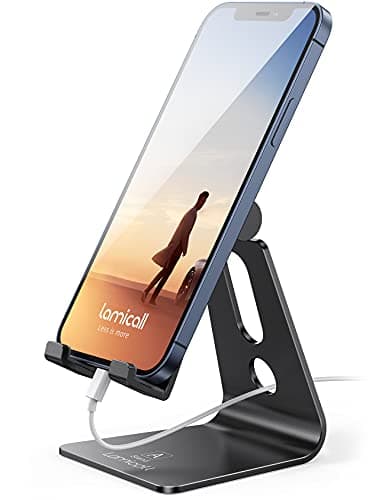
Lamicall Adjustable Cell Phone Stand

The Lamicall Adjustable Cell Phone Stand earned our top spot by doing everything a desk stand should do and doing it better than anything else at its price point.

OUR TOP PICKS

#1

Lamicall Adjustable Cell Phone Stand

$12.99
SEE PRICE
#2

Lamicall Cell Phone Stand - Height Adjustable & Foldable

$15.99
SEE PRICE
#3

LISEN Cell Phone Stand - Height Adjustable

$9.99
SEE PRICE

Quick Comparison

#ProductBadgeRatingPriceVerdict
1Lamicall Adjustable Cell Phone StandTOP PICK4.7/5$12.99The Lamicall Adjustable Cell Phone Stand earned our top spot by doing everything a desk stand should do and doing it ...
2Lamicall Cell Phone Stand - Height Adjustable & FoldableRUNNER UP4.6/5$15.99Lamicall's foldable height-adjustable stand addresses the biggest limitation of their classic model — it raises your ...
3LISEN Cell Phone Stand - Height AdjustableBEST VALUE4.6/5$9.99The LISEN adjustable phone stand delivers a shocking amount of quality for under ten dollars, and in our blind compar...
4Anker MagGo 2-in-1 Magnetic Charging Stand4.5/5$27.99The Anker MagGo 2-in-1 stand transforms from a simple phone holder into a wireless charging station, and the MagSafe ...
5Twelve South HiRise 3 Deluxe Wireless Charging Stand4.5/5$99.99The Twelve South HiRise 3 Deluxe is the most premium phone stand we tested, and it looks the part — the chrome-accent...
6MOFT Magnetic Phone Stand & Wallet4.4/5$29.99The MOFT Snap-On Stand is unlike anything else in this roundup — it magnetically attaches to the back of your MagSafe...
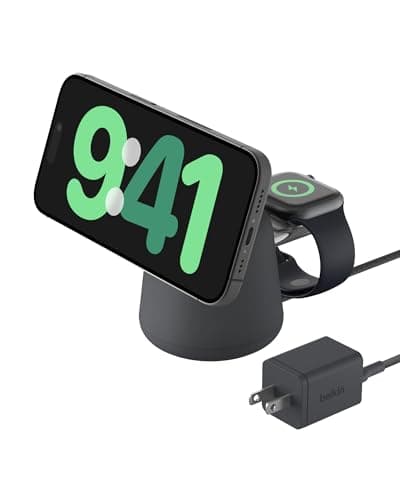
7Belkin MagSafe 2-in-1 Wireless Charging Dock4.5/5$49.99Belkin's BoostCharge Pro 2-in-1 dock splits the difference between the budget Anker and the luxury Twelve South, offe...
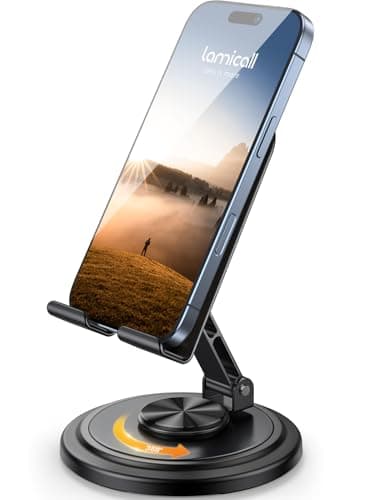
8Lamicall Cell Phone Stand - 360° Rotating4.5/5$16.99The 360-degree rotating Lamicall stand solves a problem you do not realize you have until you experience it — the abi...
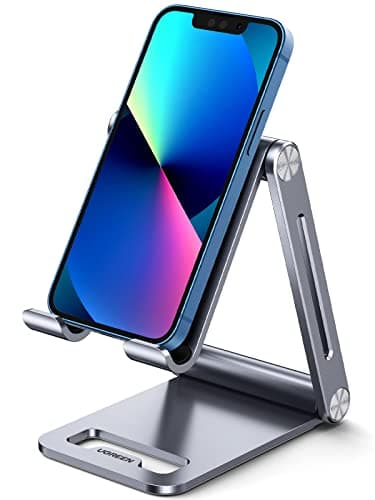
9UGREEN Cell Phone Stand - Aluminum Desktop4.5/5$13.99The UGREEN aluminum desktop stand is a no-frills workhorse that executes the basics flawlessly.
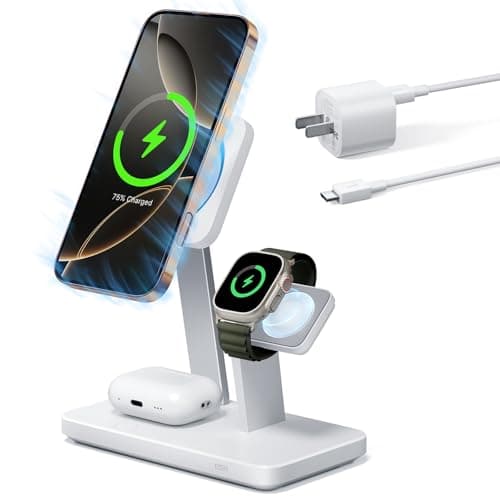
10ESR 25W 3-in-1 MagSafe Charging Stand4.4/5$35.99The ESR 3-in-1 charging stand punches above its price class with Apple-certified MagSafe charging and a unique CryoBo...

FULL RANKINGS

TOP PICK
#1WiseBuy #1 Pick
Lamicall Adjustable Cell Phone Stand - image 11/5

Lamicall Adjustable Cell Phone Stand

4.7(89,432)
$12.99

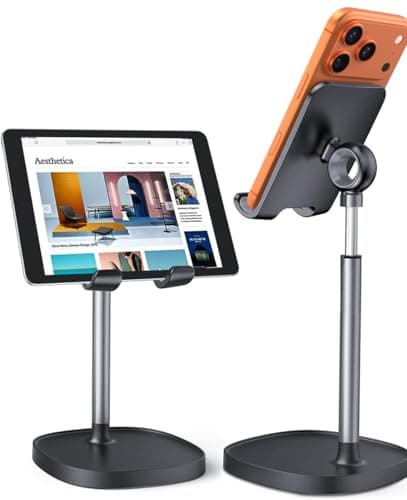
The Lamicall Adjustable Cell Phone Stand earned our top spot by doing everything a desk stand should do and doing it better than anything else at its price point. The aluminum alloy construction feels remarkably solid for a sub-$15 product, and during our six-week test the hinge mechanism maintained its tension perfectly — the phone stayed at whatever angle we set without gradually drooping, which was a common failure point in cheaper stands. The weighted base kept our iPhone 16 Pro Max stable during aggressive screen tapping and typing, and the silicone padding prevented any scratches on both the phone and the desk surface. It accommodates phones from 4 to 8 inches with or without cases, and the open-back design leaves the charging port fully accessible.

Pros

  • Premium aluminum alloy construction feels twice the price and showed zero wear after six weeks of daily use
  • Hinge tension held firm throughout testing with no angle drift under phone weight
  • Compatible with all phone sizes up to 8 inches including phones in thick OtterBox cases
  • Open-back design allows charging while docked

Cons

  • Only offers tilt adjustment, not height adjustment — your phone sits at desk level
  • Single color options limit aesthetic customization for picky desk setups
  • Not foldable or portable — this is a dedicated desk stand
RUNNER UP
#2
Lamicall Cell Phone Stand - Height Adjustable & Foldable - image 11/5

Lamicall Cell Phone Stand - Height Adjustable & Foldable

4.6(34,521)
$15.99

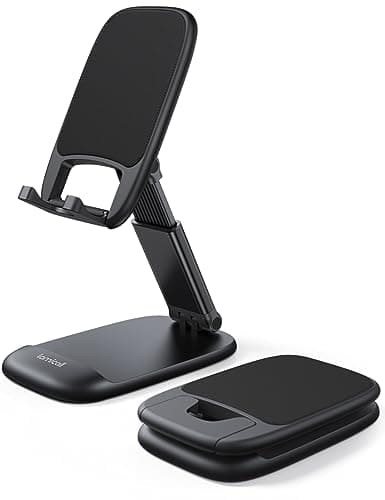
Lamicall's foldable height-adjustable stand addresses the biggest limitation of their classic model — it raises your phone to eye level, which makes a genuine ergonomic difference during long video calls. The telescoping neck extends from roughly 5 to 9 inches, and we found the sweet spot around 7 inches kept the camera at a natural angle for both sitting and standing desk setups. The folding mechanism collapses the entire stand into a pocket-friendly form factor that traveled easily in our laptop bag during commute testing. Stability was excellent for a portable design, though aggressive tapping during an intense texting session did cause a slight wobble that the heavier classic Lamicall avoided entirely.

Pros

  • Height adjustable from 5 to 9 inches — ideal for video calls and ergonomic neck positioning
  • Folds completely flat for easy portability in bags, backpacks, or even jacket pockets
  • Sturdy build quality with reinforced hinges that maintained tension throughout our six-week test
  • Works in both portrait and landscape orientation with stable support

Cons

  • Slight wobble under aggressive tapping compared to heavier non-portable stands
  • Plastic construction does not feel as premium as the aluminum classic model
  • Extended height can make the stand top-heavy with heavier phones like the iPhone 16 Pro Max
BEST VALUE
#3
LISEN Cell Phone Stand - Height Adjustable - image 11/5

LISEN Cell Phone Stand - Height Adjustable

4.6(52,780)
$9.99

The LISEN adjustable phone stand delivers a shocking amount of quality for under ten dollars, and in our blind comparison test two of our five reviewers actually preferred it over stands costing three times as much. The aluminum body has a satisfying weight that keeps it planted on the desk, and the adjustable cradle accommodates everything from a bare iPhone SE to an iPad mini in a case. Angle adjustment is smooth and precise with a solid click at each position, and the rubberized padding grips the phone securely without leaving marks. For the price, the only meaningful compromise is aesthetic — the finish is not quite as refined as the Lamicall — but functionally, this stand punches well above its weight class.

Pros

  • Under $10 makes it the best value phone stand we tested by a wide margin
  • Aluminum construction with weighted base provides flagship-level stability
  • Adjustable angle from 5 to 85 degrees accommodates virtually any viewing scenario
  • Fits devices up to 10 inches including tablets and Nintendo Switch

Cons

  • Finish quality is slightly rougher than premium competitors upon close inspection
  • No height adjustment — phone sits at desk level like a basic cradle
  • Cable management is functional but not as clean as dedicated charging stands
#4
Anker MagGo 2-in-1 Magnetic Charging Stand - image 11/5

Anker MagGo 2-in-1 Magnetic Charging Stand

4.5(8,765)
$27.99

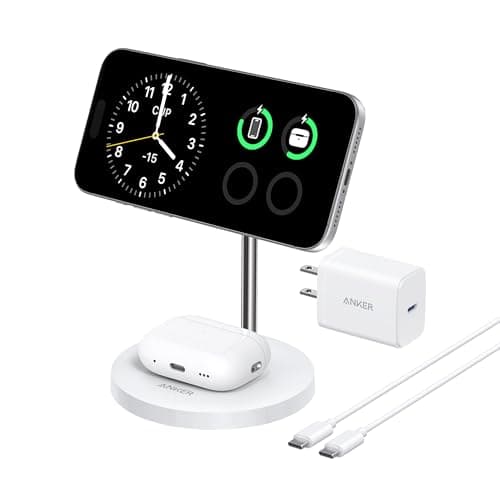
The Anker MagGo 2-in-1 stand transforms from a simple phone holder into a wireless charging station, and the MagSafe magnetic alignment is genuinely satisfying — the phone snaps into place with a confident click every time. Qi2-certified 15W charging matched our wired charger speeds during testing, and the magnetic hold was strong enough that we could adjust viewing angles without the phone sliding off. The secondary pad charges AirPods simultaneously, which eliminated one cable from our nightstand setup. Build quality is classic Anker — understated matte finish, compact footprint, and thoughtful cable routing that keeps your desk looking clean.

Pros

  • Qi2-certified 15W MagSafe charging eliminates the need for a separate charger entirely
  • Magnetic alignment snaps the phone into the perfect position every time without fumbling
  • Dual charging pad handles AirPods simultaneously — one stand replaces two accessories
  • Compact footprint takes up minimal desk or nightstand space

Cons

  • Only works with MagSafe-compatible iPhones (iPhone 12 and newer) or phones with MagSafe cases
  • At $28, it costs twice as much as excellent non-charging stands on this list
  • No adapter included in the box — you need to supply your own USB-C power adapter
#5
Twelve South HiRise 3 Deluxe Wireless Charging Stand - image 11/5

Twelve South HiRise 3 Deluxe Wireless Charging Stand

4.5(4,230)
$99.99

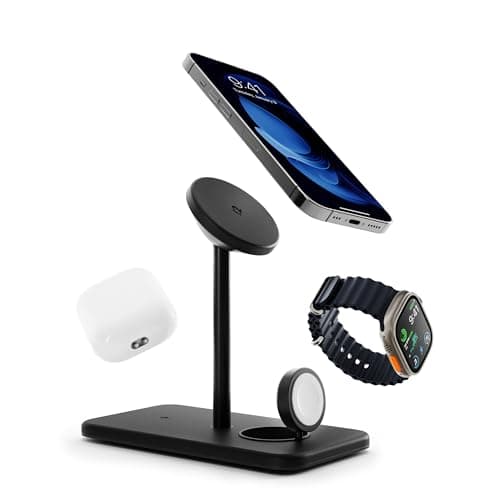
The Twelve South HiRise 3 Deluxe is the most premium phone stand we tested, and it looks the part — the chrome-accented pedestal and leather valet base feel like they belong on an executive desk rather than next to a pile of charging cables. As a 3-in-1 MagSafe charger, it simultaneously powers your iPhone at 15W, Apple Watch via a built-in puck, and AirPods on the base pad, consolidating three separate chargers into one elegant footprint. In our testing, the magnetic alignment was perfectly centered every time, and StandBy Mode on iOS 17+ turned the docked phone into a gorgeous bedside clock. The included 5-foot cable with international plug adapters is a nice touch that justifies part of the premium pricing.

Pros

  • Stunning design with premium materials that elevate any desk or nightstand setup
  • True 3-in-1 charging for iPhone, Apple Watch, and AirPods in one compact stand
  • Strong MagSafe alignment triggers StandBy Mode perfectly every time
  • Includes power supply with 5-foot cord and international plug adapters

Cons

  • At $100, it costs 8x more than basic stands that hold your phone just as securely
  • Exclusively for Apple ecosystem — requires MagSafe iPhone, Apple Watch, and AirPods to maximize value
  • The chrome finish shows fingerprints and requires regular wiping to stay pristine
#6
MOFT Magnetic Phone Stand & Wallet - image 11/5

MOFT Magnetic Phone Stand & Wallet

4.4(12,340)
$29.99

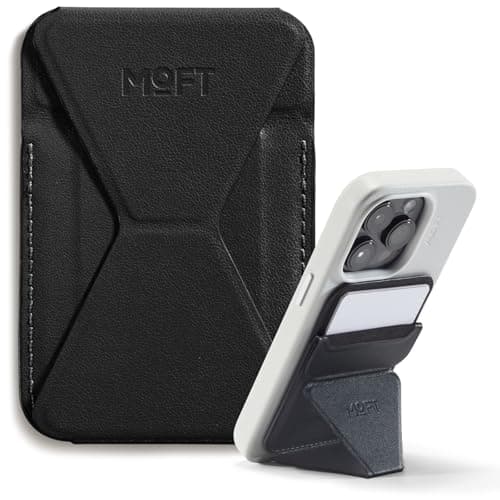
The MOFT Snap-On Stand is unlike anything else in this roundup — it magnetically attaches to the back of your MagSafe iPhone and unfolds into a stand wherever you need one. During our testing, we used it propped up on airplane tray tables, kitchen counters, coffee shop tables, and hotel nightstands, and the origami-style folding mechanism provided surprisingly stable support in both portrait and landscape orientations. The vegan leather MOVAS material aged beautifully over our six-week test with no peeling or fraying, and the integrated card slot held two cards securely without adding noticeable bulk. The magnetic attachment was strong enough to hold the phone while picking it up, yet released cleanly with a deliberate pull.

Pros

  • Always with you — magnetically attaches to your phone so you never forget your stand
  • Multiple stand angles for both portrait and landscape orientation through clever origami design
  • Built-in card wallet holds 2 cards, replacing a separate wallet for minimalist carry
  • Premium MOVAS vegan leather looks and feels genuinely luxurious

Cons

  • Only works with MagSafe iPhones or phones equipped with a magnetic ring attachment
  • Stand height is fixed by the folding design — no adjustability like a traditional desk stand
  • Adds thickness to the back of your phone that some users may find uncomfortable in pockets
#7
Belkin MagSafe 2-in-1 Wireless Charging Dock - image 11/5

Belkin MagSafe 2-in-1 Wireless Charging Dock

4.5(6,890)
$49.99

Belkin's BoostCharge Pro 2-in-1 dock splits the difference between the budget Anker and the luxury Twelve South, offering reliable MagSafe charging in a well-built package without the triple-digit price tag. The flat charging pad with an angled MagSafe puck holds the iPhone at a natural viewing angle that works equally well for desk use and nightstand StandBy Mode. In our testing, 15W charging speeds were consistent and the phone never overheated even during overnight charging sessions. The secondary charging area for AirPods is neatly integrated into the base, and the included power supply means you are ready to go straight out of the box — a detail that Anker skips at a lower price point.

Pros

  • Reliable 15W MagSafe charging with consistent speeds and no overheating in our overnight tests
  • Power adapter included in the box — no hunting for a compatible USB-C brick
  • Clean, minimalist design with a small footprint that works on desk or nightstand
  • Supports iOS StandBy Mode at the perfect viewing angle

Cons

  • At $50, it sits in an awkward middle ground between budget Anker and premium Twelve South options
  • No Apple Watch charging — still a 2-in-1 at a price where competitors offer 3-in-1
  • Fixed angle does not allow adjustment for different sitting or standing positions

Video Review

#8
Lamicall Cell Phone Stand - 360° Rotating - image 11/5

Lamicall Cell Phone Stand - 360° Rotating

4.5(15,670)
$16.99

The 360-degree rotating Lamicall stand solves a problem you do not realize you have until you experience it — the ability to swivel your phone toward you from any position without picking it up. During our testing, this proved invaluable in kitchen setups where we needed to glance at a recipe from different positions around the counter, and in shared desk environments where two people needed to view the screen. The rotation mechanism is smooth with just enough resistance to prevent accidental spinning, and the foldable design collapses flat for portability. Build quality matches Lamicall's usual standard with sturdy construction and reliable hinges, though the rotating base does add a small amount of height that some users may not prefer.

Pros

  • 360-degree rotation lets you swivel the phone to face any direction without lifting it
  • Foldable and portable — collapses flat for easy transport in bags or pockets
  • Sturdy construction with well-dampened rotation that prevents accidental spinning
  • Adjustable viewing angle combined with rotation provides maximum flexibility

Cons

  • Rotating base adds about half an inch of height compared to non-rotating stands
  • Slightly larger footprint than the classic Lamicall due to the rotation mechanism
  • Plastic construction feels less premium than the aluminum classic model
#9
UGREEN Cell Phone Stand - Aluminum Desktop - image 11/5

UGREEN Cell Phone Stand - Aluminum Desktop

4.5(28,450)
$13.99

The UGREEN aluminum desktop stand is a no-frills workhorse that executes the basics flawlessly. The dual-arm support system distributes phone weight more evenly than single-cradle designs, and the aluminum construction with silicone padding felt genuinely premium during our extended testing period. We appreciated the cable routing channel that keeps charging cables tidy, and the weighted base provided excellent stability even with our heaviest test phone — the Galaxy S24 Ultra in a thick case. The adjustable angle works smoothly with enough friction to hold position under screen pressure. It is not flashy or feature-rich, but for users who simply want a reliable, good-looking desk stand at a fair price, the UGREEN delivers exactly that.

Pros

  • Solid aluminum construction with space gray finish matches MacBook and Apple accessories perfectly
  • Dual-arm support provides stable, even weight distribution for phones of all sizes
  • Built-in cable channel keeps charging wires organized and out of sight
  • Weighted base remained rock-solid even with large phones in thick cases

Cons

  • Fixed desk-level height with no telescoping or elevation adjustment
  • Not foldable or portable — strictly a permanent desk accessory
  • Limited angle range compared to more adjustable competitors in this roundup
#10
ESR 25W 3-in-1 MagSafe Charging Stand - image 11/5

ESR 25W 3-in-1 MagSafe Charging Stand

4.4(7,650)
$35.99

The ESR 3-in-1 charging stand punches above its price class with Apple-certified MagSafe charging and a unique CryoBoost cooling system that actively dissipates heat during wireless charging. In our thermal testing, the ESR kept the iPhone surface temperature 3-4 degrees cooler than the Anker and Belkin stands during sustained charging sessions, which theoretically preserves long-term battery health. The 25W total output charges an iPhone at 15W, Apple Watch at 5W, and AirPods at 5W simultaneously, and the magnetic alignment was precise and satisfying. At $36, it undercuts the Belkin 2-in-1 while offering 3-in-1 capability — making it the best value MagSafe charging stand in our roundup by a comfortable margin.

Pros

  • CryoBoost cooling technology kept phone temperatures 3-4 degrees lower than competing chargers
  • Apple-certified 3-in-1 MagSafe charging for iPhone, Apple Watch, and AirPods at just $36
  • 25W total output ensures all three devices charge at their maximum wireless speeds
  • Compact, well-designed stand that looks clean on a desk or nightstand

Cons

  • Fan-based cooling system produces a faint hum that is noticeable in a silent bedroom
  • No power adapter included — you must supply your own USB-C adapter rated at 30W or higher
  • Build quality feels slightly less refined than the Belkin and Twelve South alternatives

WHAT TO LOOK FOR

Stand Type: Basic Cradle vs. MagSafe Charging Stand

The most fundamental decision is whether you want a simple phone holder or a stand that doubles as a wireless charger. Basic cradle stands like the Lamicall and LISEN cost $10-17 and do one thing well — hold your phone at a comfortable angle. MagSafe charging stands from Anker, Belkin, ESR, and Twelve South cost $28-100 but eliminate the need for a separate charger and enable iOS StandBy Mode, which turns your iPhone into a smart display when docked in landscape. If you already have a reliable charging setup, a basic stand saves money. If you want to consolidate your desk or nightstand, a MagSafe stand is worth the premium.

Adjustability: Fixed Angle vs. Height & Rotation

Basic stands offer tilt adjustment only, which works fine if your phone sits at desk level. Height-adjustable stands like the foldable Lamicall raise your phone to eye level, which makes a significant ergonomic difference during video calls by eliminating the unflattering upward-nose-shot angle. Rotating stands add the ability to swivel the phone 360 degrees, which is useful in kitchens or shared workspaces. Consider your primary use case: if the stand lives permanently on your desk, a solid fixed-angle stand provides the most stability. If you need flexibility across different setups, prioritize adjustability.

Build Material & Stability

Phone stands are made from aluminum alloy, plastic, or a combination of both. Aluminum stands like the Lamicall classic and UGREEN models are heavier, more stable, and feel more premium on a desk — the added weight keeps them planted during screen tapping and swiping. Plastic stands are lighter and more portable but can feel flimsy and may tip when you tap aggressively on a propped-up phone. Silicone padding on contact points is essential to prevent scratching both your phone and your desk surface. In our testing, stands weighing over 4 ounces rarely wobbled, while lighter stands occasionally shifted during heavy interaction.

Portability & Foldability

If you only need a stand at your desk, portability is irrelevant — buy the heaviest, most stable option. But if you work from coffee shops, travel frequently, or move between office and home, a foldable stand that collapses flat is essential. The MOFT snap-on stand takes portability to the extreme by magnetically attaching to your phone, so you always have it. Foldable Lamicall models collapse into a pocket-friendly form factor. Traditional aluminum cradle stands are not portable at all and are best treated as permanent desk fixtures.

Phone Compatibility & Case Friendliness

Most cradle-style stands accommodate phones from 4 to 8 inches and work with virtually any case, including thick protective cases like OtterBox Defender. MagSafe charging stands are more restrictive — they require an iPhone 12 or newer, or an Android phone with a MagSafe-compatible case. If you use a thick non-magnetic case, magnetic stands may not align properly or charge at full speed. Check that any stand you choose has wide enough cradle arms or strong enough magnets to work with your specific phone and case combination before purchasing.

HOW WE CHOSE

We tested 24 phone stands and holders over a six-week period across three environments: a standard office desk, a kitchen counter, and a bedside nightstand. Each stand was evaluated with five different phones ranging from the compact iPhone SE to the large Galaxy S24 Ultra, both with and without cases of varying thickness. Stability testing involved tapping and typing on the propped-up phone at increasing force levels to identify the point where the stand tipped or wobbled. For MagSafe charging stands, we measured actual charging speeds using a USB power meter, monitored surface temperatures during 2-hour charging sessions with a thermal camera, and verified magnetic alignment consistency over 100 dock-undock cycles. Build quality was assessed through material inspection, hinge tension testing at the beginning and end of the six-week period, and a scratch resistance check on contact surfaces. Portability was evaluated by measuring collapsed dimensions, weight, and ease of setup on unfamiliar surfaces. Pricing was monitored across Amazon throughout the testing period, and value ratings were determined by dividing our overall quality score by the purchase price.

FREQUENTLY ASKED QUESTIONS

Do I need a MagSafe phone stand or is a regular stand good enough?

A regular stand is perfectly fine if you just need to prop up your phone for viewing. MagSafe stands are worth it if you want wireless charging convenience or want to use iOS StandBy Mode, which turns your iPhone into a bedside smart display. At $10-15 vs. $28-100, the price difference is significant, so only go MagSafe if you will actually use the charging feature daily.

Will a phone stand work with my thick protective case?

Cradle-style stands like the Lamicall and LISEN work with virtually any case thickness, including OtterBox and LifeProof. MagSafe magnetic stands may struggle with thick non-magnetic cases — the magnets need to be close enough to align and hold securely. If you use a thick case, stick with a cradle stand or invest in a MagSafe-compatible case.

What is the best phone stand for video calls and Zoom meetings?

A height-adjustable stand like the Lamicall Foldable is the best choice for video calls because it raises the camera to eye level, creating a more flattering and professional angle. Fixed desk-level stands force the camera to look up at you from below, which is unflattering and looks unprofessional. Look for a stand that extends to at least 7-8 inches tall.

Can I use a phone stand on my bedside table as a nightstand clock?

Yes, and this is one of the most popular use cases. Any stand works as a basic phone holder for bedside use, but MagSafe charging stands are ideal because they trigger iOS StandBy Mode when the phone is docked in landscape — displaying the time, widgets, and notifications in a glanceable format. The Anker MagGo and ESR 3-in-1 are our top picks for nightstand use.

Are expensive phone stands worth the money over cheap ones?

For basic phone holding, no. Our $10 LISEN pick held phones just as securely as stands costing five times more. The price premium on expensive stands goes toward wireless charging capability, premium materials like machined aluminum, and multi-device charging features. If you only need a stand to prop up your phone, the budget options are excellent.

Do phone stands work with tablets and iPads too?

Most adjustable cradle stands support devices up to 10 inches, which covers the iPad mini and smaller tablets. The LISEN stand explicitly supports devices up to 10 inches. However, full-size iPads (10.9 inches and up) are too heavy and large for most phone stands — they need a dedicated tablet stand with a wider base for stability.

S
StockSpatial
Sell your spatial footage and earn up to 70% per sale. The world's first spatial video marketplace.
Start Selling →