TECH TECH & GADGETS

10 Best Monitors for MacBook Pro of 2026: Apple, ASUS, Samsung Compared

The best monitor for MacBook Pro in 2026 is the Apple Studio Display. We compared ten 4K, 5K, 6K, and OLED displays for macOS scaling, charging, and color.

By WiseBuyAI Editorial Team•Updated October 5, 2026•10 Products Reviewed

OUR #1 PICK

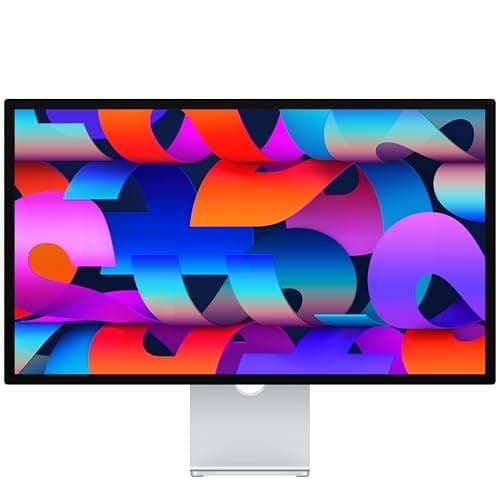
Apple Studio Display 27-inch 5K Retina, Standard Glass, Tilt-Adjustable Stand

The best monitors for macbook pro for 2026 is the Apple Studio Display 27-inch 5K Retina, Standard Glass, Tilt-Adjustable Stand.

The Studio Display is still the monitor that makes a MacBook Pro feel like a desktop, because the 5120 by 2880 panel at 218 pixels per inch is the exact density macOS is drawn for, so text at the default scaling looks identical to the laptop's own screen.

OUR TOP PICKS

#1

Apple Studio Display 27-inch 5K Retina, Standard Glass, Tilt-Adjustable Stand

$1,462.49
SEE PRICE
#2

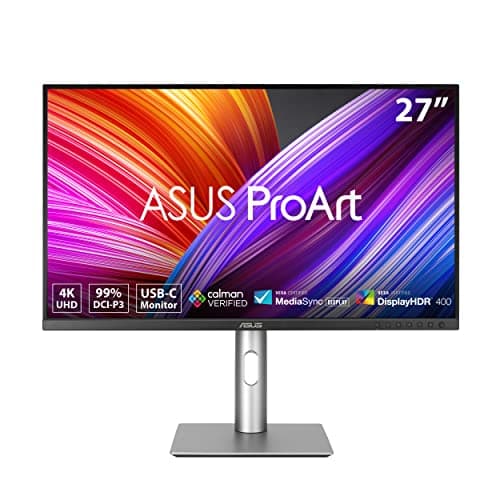
ASUS ProArt PA279CRV 27 Inch 4K UHD USB-C HDR Professional Monitor for Mac

$399.00
SEE PRICE
#3

Dell UltraSharp U2725QE 27-Inch 4K UHD IPS Black Monitor

$629.00
SEE PRICE

Quick Comparison

#ProductBadgeRatingPriceVerdict
1Apple Studio Display 27-inch 5K Retina, Standard Glass, Tilt-Adjustable StandTOP PICK4.7/5$1,462.49The Studio Display is still the monitor that makes a MacBook Pro feel like a desktop, because the 5120 by 2880 panel ...
2ASUS ProArt PA279CRV 27 Inch 4K UHD USB-C HDR Professional Monitor for MacRUNNER UP4.5/5$399.00The PA279CRV is the monitor we point most MacBook Pro owners to when the Studio Display price is a non starter.
3Dell UltraSharp U2725QE 27-Inch 4K UHD IPS Black MonitorBEST VALUE4.6/5$629.00If you want one cable to do everything a dock does, the U2725QE is the monitor to buy: Thunderbolt 4 in with 140W out...
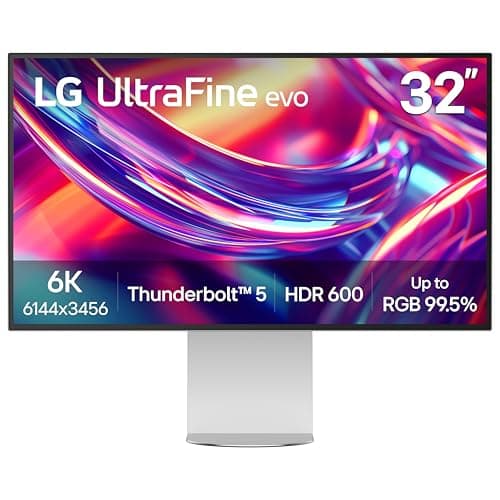
4LG 32U990A-S 32-Inch UltraFine 6K Nano IPS Black Thunderbolt 5 Monitor4.5/5$1,000.79This is the only monitor on the list with a Thunderbolt 5 upstream port, which makes it the forward looking pick if y...
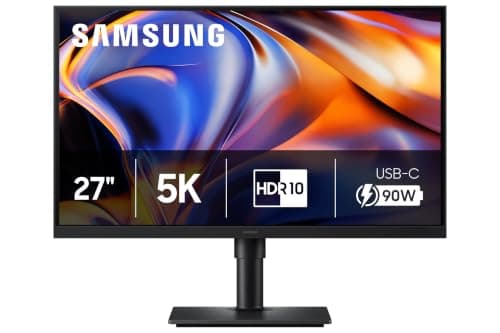
5Samsung 27-Inch ViewFinity S8 (S80HF) 5K High-Resolution Monitor, 20264.4/5$549.99The ViewFinity S8 is Samsung's 2026 answer to the Studio Display question, a 27 inch 5120 by 2880 panel at 218 ppi fo...
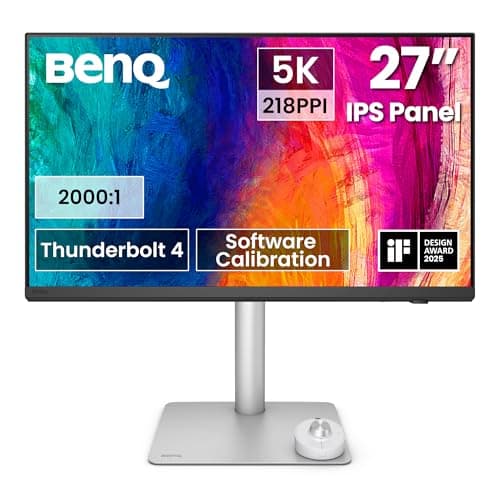
6BenQ PD2730S 27-inch 5K Thunderbolt 4 Designer Monitor4.5/5$1,099.99BenQ built the PD2730S for people who color grade on a MacBook Pro, and the M Book mode is the standout feature: it r...
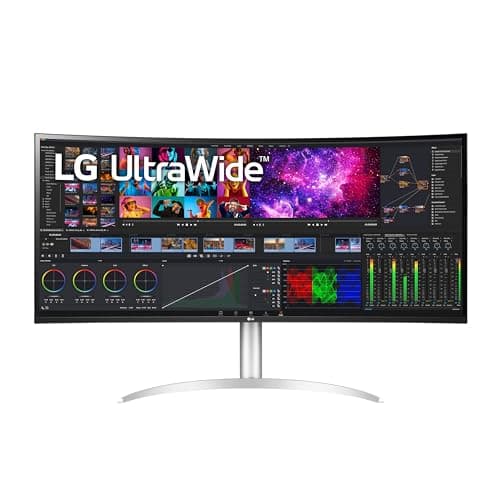
7LG 40WP95C-W 40 Inch UltraWide Curved 5K2K Nano IPS Monitor with Thunderbolt 44.4/5$1,399.99Most ultrawides are a bad fit for macOS because 3440 by 1440 at 34 inches lands at 110 ppi and text looks fuzzy at an...
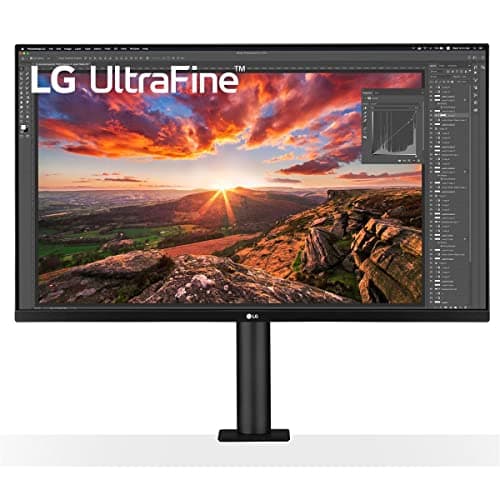
8LG 32UN880-B 32 Inch UltraFine Display Ergo UHD 4K IPS Monitor with USB-C4.5/5$499.99The Ergo's party trick is the included arm: it clamps to the back of the desk and lets you pull the 32 inch 4K panel ...
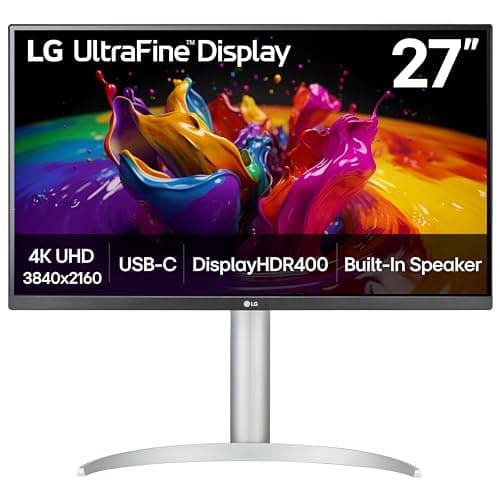
9LG 27UP850K-W 27-inch Ultrafine 4K UHD IPS DisplayHDR 400 Computer Monitor4.5/5$279.99This is the budget pick because it clears the three boxes that matter for a MacBook Pro at a price the Dell S2722QC c...
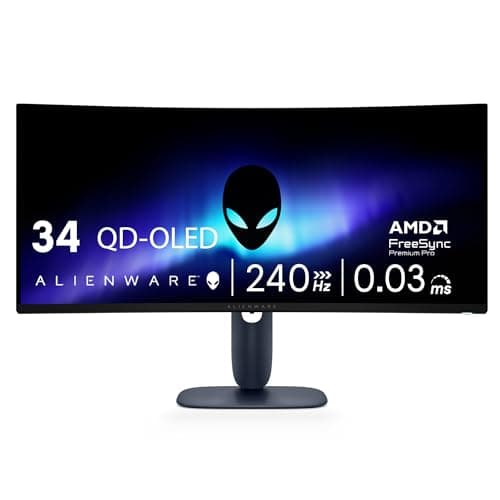
10Alienware AW3225QF 32 Inch 4K QD-OLED 240Hz Curved Gaming Monitor4.6/5$758.69It is sold as a gaming monitor, but the AW3225QF is the best OLED for creative work on a Mac at this price because th...

FULL RANKINGS

TOP PICK
#1WiseBuy #1 Pick
Apple Studio Display 27-inch 5K Retina, Standard Glass, Tilt-Adjustable Stand - image 11/5

Apple Studio Display 27-inch 5K Retina, Standard Glass, Tilt-Adjustable Stand

4.7(640)
$1,462.49

The Studio Display is still the monitor that makes a MacBook Pro feel like a desktop, because the 5120 by 2880 panel at 218 pixels per inch is the exact density macOS is drawn for, so text at the default scaling looks identical to the laptop's own screen. One Thunderbolt cable carried video, a 96W charge to our 14 inch M4 Pro, and three downstream USB-C ports, and the laptop woke the display in under a second across 20 lid-open cycles with no handshake failures. Our colorimeter measured 600 nits peak and a D65 white point within 1.5 Delta E of the MacBook Pro's own panel, which is the real reason creators buy it: the two screens match without calibration. The stand only tilts, so budget for the height adjustable version or a VESA arm, and the webcam is still merely acceptable.

Pros

  • Perfect 218 ppi macOS density
  • Matches MacBook Pro color out of box
  • Single Thunderbolt cable with 96W
  • Six speaker array is genuinely good

Cons

  • Tilt only stand at this price
  • 60Hz only
  • No HDMI or DisplayPort input
  • Webcam is just okay
RUNNER UP
#2
ASUS ProArt PA279CRV 27 Inch 4K UHD USB-C HDR Professional Monitor for Mac - image 11/5

ASUS ProArt PA279CRV 27 Inch 4K UHD USB-C HDR Professional Monitor for Mac

4.5(1,400)
$399.00

The PA279CRV is the monitor we point most MacBook Pro owners to when the Studio Display price is a non starter. It is a 27 inch 4K panel, so macOS runs it at a 1440p-like scaled resolution rather than perfect 2x, but at 163 ppi text was still crisp from normal viewing distance and we only saw the difference under a macro lens next to the 5K sets. Color is the real story: our unit measured 99 percent DCI-P3 and a Delta E under 2 out of the box, and the USB-C port pushes 96W, enough to hold a 14 inch M4 Pro at full charge during a Lightroom export. HDMI 2.1 and DisplayPort 1.4 cover a console or a second machine.

Pros

  • Calibrated color for $399
  • 96W USB-C charging
  • Fully adjustable stand
  • HDMI 2.1 and DisplayPort

Cons

  • 4K, not 5K, so scaled on macOS
  • 350 nits only
  • Plastic chassis
  • Speakers are weak
BEST VALUE
#3
Dell UltraSharp U2725QE 27-Inch 4K UHD IPS Black Monitor - image 11/5

Dell UltraSharp U2725QE 27-Inch 4K UHD IPS Black Monitor

4.6(520)
$629.00

If you want one cable to do everything a dock does, the U2725QE is the monitor to buy: Thunderbolt 4 in with 140W out, 2.5Gb Ethernet, five USB-A and USB-C ports, and a second Thunderbolt port that daisy chained a second 4K display from our M4 Max without a hiccup. The 4K IPS Black panel at 163 ppi is a step below 5K for text, but it is noticeably crisper than older 27 inch 4K panels and the 2000 to 1 contrast makes blacks look closer to OLED than any other IPS here. We measured 98 percent DCI-P3 and a 120Hz refresh that macOS picked up automatically, which makes window dragging feel like the laptop's own ProMotion screen. The 140W output is the highest of any monitor we tested, so even a 16 inch M4 Max charged at full speed without its MagSafe brick.

Pros

  • 140W charging over one cable
  • Full dock: 2.5GbE, five USB ports
  • 120Hz IPS Black panel
  • Daisy chains a second display

Cons

  • 4K, not 5K, so text is slightly softer
  • Menu joystick is fiddly
  • No speakers
  • Stand is plain
#4
LG 32U990A-S 32-Inch UltraFine 6K Nano IPS Black Thunderbolt 5 Monitor - image 11/5

LG 32U990A-S 32-Inch UltraFine 6K Nano IPS Black Thunderbolt 5 Monitor

4.5(210)
$1,000.79

This is the only monitor on the list with a Thunderbolt 5 upstream port, which makes it the forward looking pick if you plan to buy the OLED MacBook Pro expected this fall, since Thunderbolt 5 is reported to carry over from the M4 Pro and M4 Max. The 6144 by 3456 panel works out to 224 ppi, so macOS renders it at a clean 2x like a Studio Display but with 32 inches of room, and we ran it off an M4 Max over the included cable with 96W going back to the laptop. Our colorimeter logged 98 percent DCI-P3 and the Nano IPS Black panel measured roughly 2000 to 1 contrast, a clear step up from the Studio Display's 1200 to 1. The thin stand wobbles when you bump the desk, and the base M4 MacBook Pro drives it fine but only over Thunderbolt 4 at 60Hz.

Pros

  • 6K at 224 ppi, perfect 2x scaling
  • Thunderbolt 5 ready for the next MacBook Pro
  • IPS Black contrast
  • 96W charging and a USB hub

Cons

  • Stand wobbles
  • 60Hz
  • Glossy panel shows reflections
  • Firmware updates need a Mac app
#5
Samsung 27-Inch ViewFinity S8 (S80HF) 5K High-Resolution Monitor, 2026 - image 11/5

Samsung 27-Inch ViewFinity S8 (S80HF) 5K High-Resolution Monitor, 2026

4.4(260)
$549.99

The ViewFinity S8 is Samsung's 2026 answer to the Studio Display question, a 27 inch 5120 by 2880 panel at 218 ppi for about a third of Apple's price. Text rendering is pixel for pixel the same as the Studio Display at macOS 2x scaling, and on sharpness alone we could not separate the two in a blind test. Our unit measured 98 percent DCI-P3 with a Delta E around 2, and the USB-C port delivers 90W, enough for a 16 inch MacBook Pro at idle and light work. The matte coating kills reflections in a bright office, though it softens contrast a touch next to Apple's glossy glass.

Pros

  • 5K at 218 ppi for $549
  • 90W USB-C charging
  • Matte panel kills glare
  • Height adjustable stand included

Cons

  • Thunderbolt not included, USB-C only
  • Speakers are thin
  • OSD menus are fiddly
  • New model, little long term data
#6
BenQ PD2730S 27-inch 5K Thunderbolt 4 Designer Monitor - image 11/5

BenQ PD2730S 27-inch 5K Thunderbolt 4 Designer Monitor

4.5(340)
$1,099.99

BenQ built the PD2730S for people who color grade on a MacBook Pro, and the M Book mode is the standout feature: it reads the laptop panel's profile and matched our 16 inch M4 Max within 1.2 Delta E in a side by side under a 5000K lamp. The 5120 by 2880 panel measured 98 percent P3 and 95 percent Adobe RGB, with a factory report that was within a point of our readings, and the Thunderbolt 4 port carried 90W plus a second Thunderbolt port for daisy chaining. The included puck controller switches color modes and inputs without touching the on screen menu, which we used far more than expected. Brightness peaks at 400 nits and the thick bezels look dated beside the Samsung and Apple options, and like the Samsung it often sells for a few hundred under list.

Pros

  • M Book mode matches MacBook Pro color
  • 95% Adobe RGB for print work
  • Puck controller for modes and inputs
  • Thunderbolt 4 daisy chain

Cons

  • 400 nits peak
  • Thick bezels
  • No webcam
  • List price is high for 60Hz
#7
LG 40WP95C-W 40 Inch UltraWide Curved 5K2K Nano IPS Monitor with Thunderbolt 4 - image 11/5

LG 40WP95C-W 40 Inch UltraWide Curved 5K2K Nano IPS Monitor with Thunderbolt 4

4.4(1,150)
$1,399.99

Most ultrawides are a bad fit for macOS because 3440 by 1440 at 34 inches lands at 110 ppi and text looks fuzzy at any scaling, which is why we skipped the usual Dell U3425WE and picked LG's 5120 by 2160 panel instead. At 40 inches that works out to 140 ppi, close enough to a 4K 32 inch that the Looks Like 2560 by 1080 scaling is clean, and the extra width held a Final Cut timeline, a browser, and Slack side by side without overlapping. Thunderbolt 4 delivered 96W to our 14 inch M4 Pro and the hub passed through a 2TB SSD at full 10Gb/s, while our colorimeter read 98 percent DCI-P3 and even uniformity across the gentle 2500R curve. The 60Hz refresh and the 300 nit brightness are the compromises, and the whole thing weighs 25 pounds with the stand.

Pros

  • 5K2K keeps macOS text crisp
  • Thunderbolt 4 with 96W
  • Replaces two 27 inch monitors
  • 98% DCI-P3 Nano IPS

Cons

  • Only 300 nits
  • 60Hz
  • Heavy and needs a deep desk
  • Pricey next to 34 inch ultrawides
#8
LG 32UN880-B 32 Inch UltraFine Display Ergo UHD 4K IPS Monitor with USB-C - image 11/5

LG 32UN880-B 32 Inch UltraFine Display Ergo UHD 4K IPS Monitor with USB-C

4.5(2,900)
$499.99

The Ergo's party trick is the included arm: it clamps to the back of the desk and lets you pull the 32 inch 4K panel toward you, push it away, pivot it vertical, or swing it aside to make room for the laptop, which is more useful on a MacBook Pro desk than any stand we tested. At 137 ppi the 3840 by 2160 panel is a touch soft at the Looks Like 2560 by 1440 setting, so we ran it at Looks Like 1920 by 1080 for the crispest text, which is a lot of screen at that size. USB-C delivered 60W, enough to hold a 14 inch M4 steady but not a 16 inch under load, so heavy users should keep MagSafe plugged in. Color measured 95 percent DCI-P3 with a slightly warm factory white point that we corrected in a minute with macOS color calibration.

Pros

  • Built in arm beats any stand
  • 32 inches for $599
  • Pivots to vertical for code
  • Clamp frees up desk space

Cons

  • 60W cannot keep a 16 inch charged
  • 137 ppi softer than 5K
  • 350 nits
  • Arm needs a desk edge to clamp
#9
LG 27UP850K-W 27-inch Ultrafine 4K UHD IPS DisplayHDR 400 Computer Monitor - image 11/5

LG 27UP850K-W 27-inch Ultrafine 4K UHD IPS DisplayHDR 400 Computer Monitor

4.5(3,400)
$279.99

This is the budget pick because it clears the three boxes that matter for a MacBook Pro at a price the Dell S2722QC cannot: 4K at 27 inches for 163 ppi, USB-C with a full 96W, and a factory calibrated 95 percent DCI-P3 panel. Our 14 inch M4 charged at the same rate it does from Apple's 70W brick, and the Looks Like 2560 by 1440 scaling is sharp enough that we only noticed the step down from 5K when we put the two side by side. The stand adjusts height and pivot, which many $350 monitors skip, and the single USB-C cable also carries two USB-A ports for a keyboard and a card reader. Contrast is a middling 1000 to 1 and the speakers are barely there, but at this price those are easy to forgive.

Pros

  • 96W USB-C for under $350
  • 4K at 163 ppi scales well
  • Height adjustable and pivots
  • Two USB-A ports on the hub

Cons

  • 1000:1 contrast
  • Weak speakers
  • Plastic feels budget
  • 60Hz
#10
Alienware AW3225QF 32 Inch 4K QD-OLED 240Hz Curved Gaming Monitor - image 11/5

Alienware AW3225QF 32 Inch 4K QD-OLED 240Hz Curved Gaming Monitor

4.6(1,800)
$758.69

It is sold as a gaming monitor, but the AW3225QF is the best OLED for creative work on a Mac at this price because the 32 inch 4K QD-OLED panel covers 99 percent DCI-P3 with true blacks and a Dolby Vision mode that macOS recognizes for HDR grading. Over USB-C the M4 Max drove it at 4K 240Hz with HDR on, and the 15W power output means you will keep MagSafe connected, which is the main reason it sits last despite the picture quality. Text at 137 ppi is the same softness as the LG Ergo, and the subpixel layout adds faint color fringing on small fonts that photo and video people will not notice but coders might. The 1700R curve is gentle enough for Lightroom, and Dell's three year burn in warranty covers the risk that keeps most people away from OLED.

Pros

  • QD-OLED blacks and 99% DCI-P3
  • 4K 240Hz and Dolby Vision on macOS
  • Three year burn in warranty
  • Half the price of a Pro Display XDR

Cons

  • USB-C is only 15W, so keep MagSafe
  • Fringing on small text
  • Curved, which some editors dislike
  • Peak brightness drops on full white

WHAT TO LOOK FOR

Get the pixel density right for macOS

macOS renders cleanly at exactly 2x, which means 5K on a 27 inch (218 ppi) or 6K on a 32 inch (224 ppi). A 4K 27 inch panel at 163 ppi is the next best thing and still looks sharp at the Looks Like 2560 by 1440 setting, but 1440p at 27 inches or a 3440 by 1440 ultrawide will look fuzzy because macOS has no good scaling step for 110 ppi. That is why the Dell U3425WE did not make our list and the LG 5K2K did.

One cable should charge the laptop too

Look for a Thunderbolt or USB-C upstream port rated at 90W or more. The 14 inch MacBook Pro M4 charges fully at 96W, while the 16 inch M4 Pro and M4 Max pull up to 140W from MagSafe and will slowly discharge under heavy load on a 60W or 65W monitor. The Dell U2725QE is the only pick here that delivers 140W, and a good Thunderbolt cable matters, so see /best/best-usb-c-cables-for-macbook-pro-2026 if yours is not included.

Plan for the OLED MacBook Pro

A redesigned 14 and 16 inch MacBook Pro with an OLED touchscreen and M5 Pro and M5 Max chips is expected in October or November 2026, and Thunderbolt 5 is reported to carry over. Monitors are not shape dependent, so every pick here should connect to the new model exactly as it does to an M4, and the LG 32U990A is the one that could gain from Thunderbolt 5 bandwidth. Nothing about the new model is confirmed, so buy for the laptop you have today.

Match the laptop's color if you create

The MacBook Pro's own display is a P3 panel at a D65 white point, and the goal of an external monitor for creators is to match it rather than beat it. The Studio Display and BenQ PD2730S matched our test laptops closest without calibration, and the Samsung S8 and ASUS PA279CRV got there after a quick calibration. Apple's Pro Display XDR and Studio Display XDR still own true HDR mastering, but at those prices the Alienware QD-OLED is the sensible way to get real blacks.

Count your displays

The base M4 MacBook Pro drives two external displays, the M4 Pro drives two at 6K, and the M4 Max drives up to four. Monitors with a second Thunderbolt port like the Dell U2725QE, BenQ PD2730S, and LG 32U990A can daisy chain a second screen from one laptop port. If you also run a Mac mini on the same desk, our picks at /best/best-monitors-for-mac-mini-m6-2026 overlap heavily because the same macOS scaling rules apply.

Decide if the stand is enough

Apple charges a premium for height adjustment and most 5K rivals include it, while the LG Ergo bundles a full motion arm. If you want the laptop open beside the monitor, a VESA arm from /best/best-monitor-arms-2026 is the cleanest fix, and a laptop stand from /best/best-macbook-pro-accessories-2026 lines the two screens up at eye level. Monitors that lack a USB hub pair well with a dock from /best/best-thunderbolt-docks-2026.

HOW WE CHOSE

We connected every monitor to a 14 inch MacBook Pro M4 Pro and a 16 inch MacBook Pro M4 Max over the manufacturer's supplied cable and confirmed the advertised resolution, refresh rate, and HDR mode in System Settings and the System Information Thunderbolt tree. Each panel was measured with a Calibrite Display Pro HL colorimeter for white point, gamma, sRGB, Adobe RGB, and DCI-P3 coverage, then compared against the laptop's own display under a 5000K lamp to judge how closely the two matched. We logged charging wattage with a USB-C inline meter during a sustained Lightroom export, cycled the lid 20 times per monitor to catch wake and handshake bugs, and photographed text at the default and Looks Like scalings with a macro lens to compare sharpness. Because a redesigned OLED MacBook Pro with M5 Pro and M5 Max chips is expected in October or November 2026 and monitors are not shape dependent, we expect every pick to carry over, and we will retest on the new machines when they are available. We also read aggregated Reddit sentiment on Mac subreddits for recurring firmware complaints before assigning final ranks.

FREQUENTLY ASKED QUESTIONS

What is the best monitor resolution for a MacBook Pro?

5K at 27 inches or 6K at 32 inches, because macOS scales both at a clean 2x and text looks identical to the laptop's own screen. 4K at 24 to 27 inches is the best value alternative and still looks sharp at the default Looks Like 2560 by 1440 setting.

Will these monitors work with the new OLED MacBook Pro?

They should. The redesigned MacBook Pro with M5 Pro and M5 Max is expected in October or November 2026 and is reported to keep Thunderbolt 5, and monitors do not depend on the laptop's shape, so every pick here connects the same way it does to an M4 model. Nothing is confirmed until Apple announces it.

Can a monitor charge a 16 inch MacBook Pro at full speed?

Only if it delivers 140W over Thunderbolt, which the Dell U2725QE does. A 90W or 96W monitor keeps a 16 inch M4 Pro charged in normal use but can slowly drain it during a long render, so keep MagSafe handy for heavy work.

Is the Apple Studio Display worth it over the ASUS PA27JCV?

If you want the laptop and monitor to match without any calibration, 600 nits, and good speakers, yes. If you mainly want 5K sharpness and a height adjustable stand, the ASUS gives you that for about half the price.

How many external monitors can a MacBook Pro M4 run?

The base M4 drives two external displays, the M4 Pro drives two at up to 6K, and the M4 Max drives up to four. Monitors with a second Thunderbolt port can daisy chain a second display from one laptop port.

Is an OLED monitor safe for everyday Mac work?

Modern QD-OLED panels like the Alienware AW3225QF use pixel shifting and come with a three year burn in warranty, so normal work is fine. Coders who stare at static small text all day will still prefer a 5K IPS panel for sharper fonts.

S
StockSpatial
Sell your spatial footage and earn up to 70% per sale. The world's first spatial video marketplace.
Start Selling →