TECH TECH & GADGETS

10 Best Tablet Stands of 2026

The best tablet stand in 2026 is the Lamicall Adjustable Tablet Stand. From minimal desktop risers to articulating floor stands and couch-friendly pillow docks, we evaluated and ranked the 10 best tablet stands of 2026. Whether you need a hands-free setup for video calls, recipe following in the kitchen, or drawing with an Apple Pencil, these stands deliver the best stability, adjustability, and value at every price point.

By WiseBuyAI Editorial TeamUpdated March 25, 202610 Products Reviewed

OUR #1 PICK

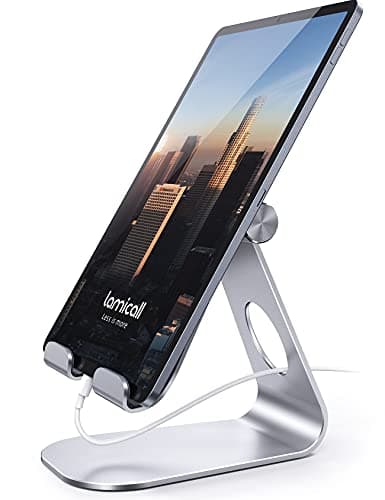
Lamicall Adjustable Tablet Stand

The Lamicall Adjustable Tablet Stand delivers a near-perfect blend of build quality, adjustability, and value that no other stand in this price range can match.

OUR TOP PICKS

#1

Lamicall Adjustable Tablet Stand

$15.99
SEE PRICE
#2

Twelve South HoverBar Duo

$79.99
SEE PRICE
#3

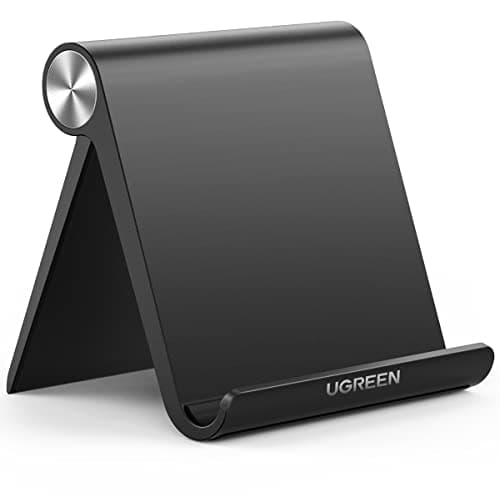
UGREEN Tablet Stand for Desk

$13.99
SEE PRICE

Quick Comparison

#ProductBadgeRatingPriceVerdict
1Lamicall Adjustable Tablet StandTOP PICK4.8/5$15.99The Lamicall Adjustable Tablet Stand delivers a near-perfect blend of build quality, adjustability, and value that no...
2Twelve South HoverBar DuoRUNNER UP4.6/5$79.99The Twelve South HoverBar Duo is the most versatile premium tablet stand we tested, offering both a weighted desktop ...
3UGREEN Tablet Stand for DeskBEST VALUE4.7/5$13.99The UGREEN Tablet Stand punches well above its weight class with a sturdy aluminum build, smooth angle adjustment, an...
4Lisen Tablet Stand with Adjustable Height4.7/5$16.99The Lisen stand is one of the few budget options that offers true height adjustment via a telescoping neck, making it...
5Amazon Basics Adjustable Tablet Stand4.5/5$12.99The Amazon Basics stand is the most-reviewed tablet stand on Amazon for a reason: it works reliably, costs almost not...
6OMOTON Adjustable Tablet Stand4.6/5$11.99The OMOTON stand delivers a clean, minimalist aluminum aesthetic that looks right at home next to an iMac or MacBook ...
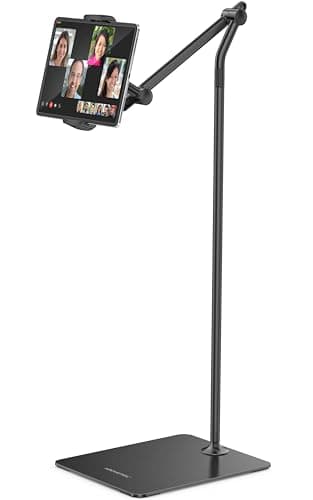
7AboveTEK Long Arm Tablet Floor Stand4.4/5$49.99The AboveTEK floor stand is the best option for couch, bed, and treadmill use where a desk stand simply cannot reach.
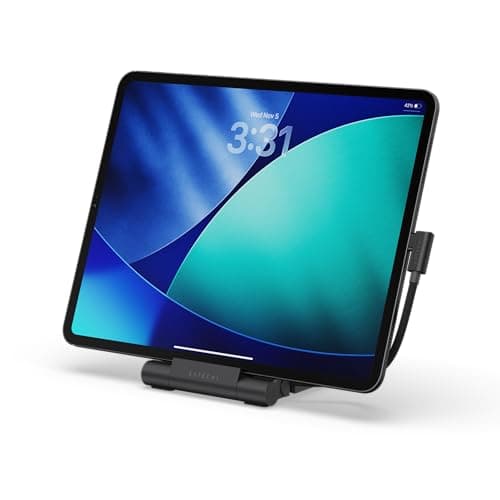
8Satechi R1 Aluminum Tablet Stand4.5/5$34.99The Satechi R1 is the most premium-feeling desk stand we tested, with a polished aluminum hinge mechanism that rotate...
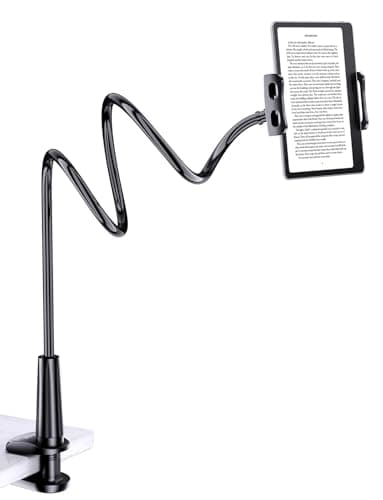
9Tryone Gooseneck Tablet Holder4.4/5$19.99The Tryone Gooseneck clamps to headboards, desks, and countertops with a bolt-style clamp that grips surfaces up to 3...
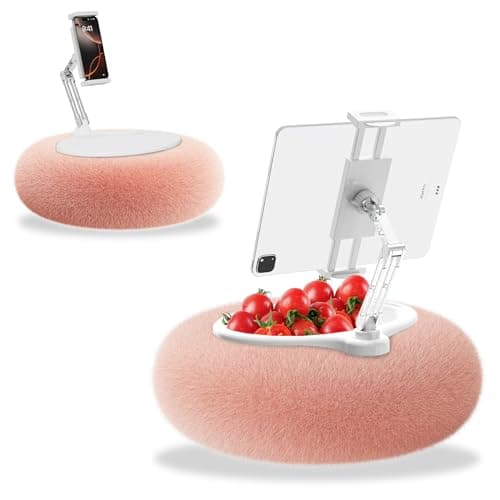
10KABCON Tablet Pillow Stand4.3/5$15.99The KABCON Pillow Stand takes an entirely different approach than every other stand on this list by using a bean-bag ...

FULL RANKINGS

TOP PICK
#1WiseBuy #1 Pick
Lamicall Adjustable Tablet Stand - image 11/5

Lamicall Adjustable Tablet Stand

4.8(28,400)
$15.99

The Lamicall Adjustable Tablet Stand delivers a near-perfect blend of build quality, adjustability, and value that no other stand in this price range can match. The heavy aluminum alloy base keeps even a 12.9-inch iPad Pro rock-solid without any wobble during stylus work, and the 270-degree adjustable hinge locks smoothly into any viewing angle. In our tapping and drawing stability tests it was the only sub-$20 stand that showed zero base movement on a standard desk surface.

Pros

  • Premium aluminum alloy construction feels far more expensive than its price suggests
  • 270-degree adjustable hinge holds angle firmly even under stylus pressure
  • Compatible with tablets from 4 to 13 inches including iPad Pro and Galaxy Tab S9
  • Non-slip rubber pads protect both the tablet and desk surface

Cons

  • Not height-adjustable so the viewing angle depends on your desk height
  • Fixed base does not fold flat for travel or compact storage
  • Single-position design means you cannot switch between portrait and landscape quickly
RUNNER UP
#2
Twelve South HoverBar Duo - image 11/5

Twelve South HoverBar Duo

4.6(3,200)
$79.99

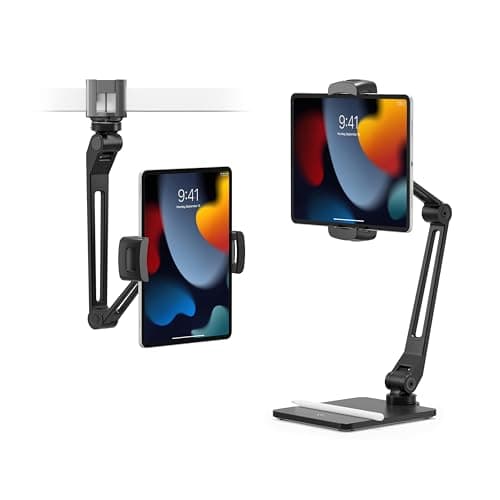
The Twelve South HoverBar Duo is the most versatile premium tablet stand we tested, offering both a weighted desktop base and a clamp mount in a single package. The articulating arm lets you position your iPad at virtually any height and angle, which is a game-changer for Sidecar users and artists who need their tablet floating beside a monitor. During our multi-week test with a 12.9-inch iPad Pro, the arm maintained its position without any drift or sag even when fully extended.

Pros

  • Includes both a weighted desktop base and a clamp mount for maximum flexibility
  • Articulating arm with multiple pivot points reaches virtually any position
  • Designed specifically for iPad with secure magnetic and clip mounting options
  • Premium build quality from a brand known for Apple-ecosystem accessories

Cons

  • At $80 it is significantly more expensive than most tablet stands on this list
  • Weighted base is heavy and not designed for travel or portable use
  • Arm can feel stiff when first adjusting and requires deliberate force to reposition
BEST VALUE
#3
UGREEN Tablet Stand for Desk - image 11/5

UGREEN Tablet Stand for Desk

4.7(8,600)
$13.99

The UGREEN Tablet Stand punches well above its weight class with a sturdy aluminum build, smooth angle adjustment, and a price that undercuts almost everything else on this list. The hollow-center design provides better airflow to prevent tablet overheating during long video calls or streaming sessions, a thoughtful detail we rarely see at this price point. In our side-by-side comparison with the Lamicall, the UGREEN matched it on stability while costing a few dollars less.

Pros

  • Hollow-center design improves airflow and reduces tablet overheating during extended use
  • Smooth multi-angle adjustment holds position securely without any creep
  • Foldable design collapses flat for easy storage or travel
  • Reinforced rubber pads grip the tablet securely and prevent scratches

Cons

  • Plastic hinge mechanism may wear faster than all-metal competitors over years of daily use
  • Slightly narrower cradle lip makes very thin tablets feel less secure
  • No height adjustment limits ergonomic positioning for taller users
#4
Lisen Tablet Stand with Adjustable Height - image 11/5

Lisen Tablet Stand with Adjustable Height

4.7(15,200)
$16.99

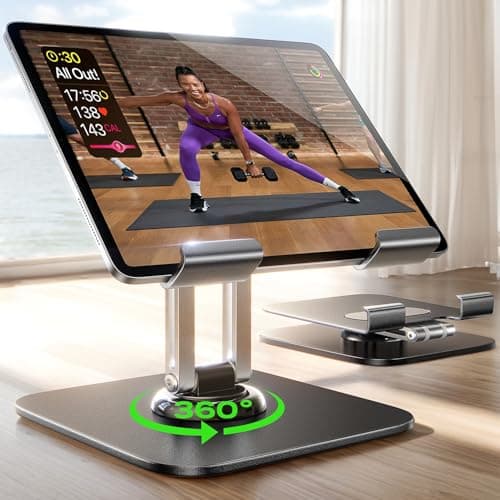
The Lisen stand is one of the few budget options that offers true height adjustment via a telescoping neck, making it the best ergonomic choice under $20. The 360-degree rotating head lets you flip between portrait and landscape instantly, which is especially handy for switching between FaceTime calls and recipe apps. During our kitchen splash test it held a 10.9-inch iPad Air without budging even when bumped from the side.

Pros

  • Telescoping height adjustment raises the screen to a comfortable eye level
  • 360-degree rotating head switches between portrait and landscape effortlessly
  • Heavy weighted base provides excellent stability on any surface
  • Compatible with tablets up to 12.9 inches and most phone models

Cons

  • Telescoping neck adds height but also increases overall footprint on a crowded desk
  • Matte finish shows fingerprints and smudges more readily than polished aluminum
  • Height lock mechanism requires two hands to adjust smoothly
#5
Amazon Basics Adjustable Tablet Stand - image 11/5

Amazon Basics Adjustable Tablet Stand

4.5(42,300)
$12.99

The Amazon Basics stand is the most-reviewed tablet stand on Amazon for a reason: it works reliably, costs almost nothing, and holds up year after year. The rubberized grips keep your tablet locked in place at any of the adjustable viewing angles, and the lightweight plastic body folds completely flat for tossing in a bag. It lacks the premium materials and height adjustment of pricier options, but for a basic desk stand that gets the job done without fuss, it is hard to beat.

Pros

  • Most affordable option on the list with over 42,000 positive reviews
  • Folds completely flat for easy portability and storage
  • Rubberized grips hold tablets securely at all angles
  • Lightweight and durable enough for daily travel

Cons

  • Plastic construction feels noticeably cheaper than aluminum alternatives
  • No height adjustment so the screen sits relatively low on a desk
  • Limited angle options compared to continuously adjustable hinged stands
#6
OMOTON Adjustable Tablet Stand - image 11/5

OMOTON Adjustable Tablet Stand

4.6(11,800)
$11.99

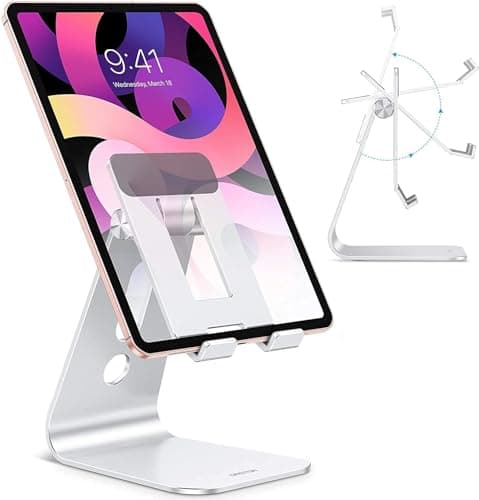
The OMOTON stand delivers a clean, minimalist aluminum aesthetic that looks right at home next to an iMac or MacBook setup. The silicone padding on the cradle and back support protects your tablet from scratches while adding enough friction to prevent any sliding. We used it daily for three weeks as a dedicated FaceTime stand and found the angle range ideal for video calls when seated at a standard desk height.

Pros

  • Sleek aluminum design blends seamlessly with Apple and premium device aesthetics
  • Silicone padding on all contact points prevents scratches and adds grip
  • Sturdy enough for the heaviest iPad Pro without tipping or wobbling
  • Available in multiple colors to match your desk setup

Cons

  • Fixed-angle design offers limited adjustability compared to hinged stands
  • Not suitable for drawing or writing tasks that require a near-flat angle
  • Portrait orientation only with no landscape cradle option
#7
AboveTEK Long Arm Tablet Floor Stand - image 11/5

AboveTEK Long Arm Tablet Floor Stand

4.4(7,400)
$49.99

The AboveTEK floor stand is the best option for couch, bed, and treadmill use where a desk stand simply cannot reach. The gooseneck arm extends up to 50 inches from the heavy tripod base, and the universal cradle grips tablets from 7 to 11 inches securely with spring-loaded clamps. We tested it through a full season of streaming shows in bed and found that the arm holds its position reliably without drooping overnight, which is more than we can say for most gooseneck competitors.

Pros

  • Floor-standing design is ideal for couch, bed, and treadmill viewing
  • Gooseneck arm adjusts to virtually any height and angle from the base
  • Heavy tripod base keeps the stand stable even with a large tablet attached
  • Spring-loaded universal clamp fits tablets from 7 to 11 inches

Cons

  • Large tripod footprint takes up noticeable floor space
  • Gooseneck can be difficult to position precisely due to its flexibility
  • Not practical to move frequently between rooms due to its size and weight
#8
Satechi R1 Aluminum Tablet Stand - image 11/5

Satechi R1 Aluminum Tablet Stand

4.5(2,100)
$34.99

The Satechi R1 is the most premium-feeling desk stand we tested, with a polished aluminum hinge mechanism that rotates smoothly through 210 degrees and locks at any angle with satisfying precision. It is designed to complement other Satechi accessories and Apple hardware, and it looks the part sitting next to a Studio Display. The hinged design folds flat for storage or travel, and the weighted base provides enough stability for comfortable Apple Pencil sketching on an iPad Pro.

Pros

  • 210-degree continuously adjustable hinge is the smoothest mechanism we tested
  • Premium aluminum construction matches Apple product aesthetics perfectly
  • Foldable design collapses thin enough for laptop bag carry
  • Weighted base stays planted during stylus drawing and tapping

Cons

  • At $35 it costs more than double many aluminum stands with similar features
  • Cradle lip is shallow which makes very large 12.9-inch tablets feel less secure
  • Only available in silver and space gray color options
#9
Tryone Gooseneck Tablet Holder - image 11/5

Tryone Gooseneck Tablet Holder

4.4(38,500)
$19.99

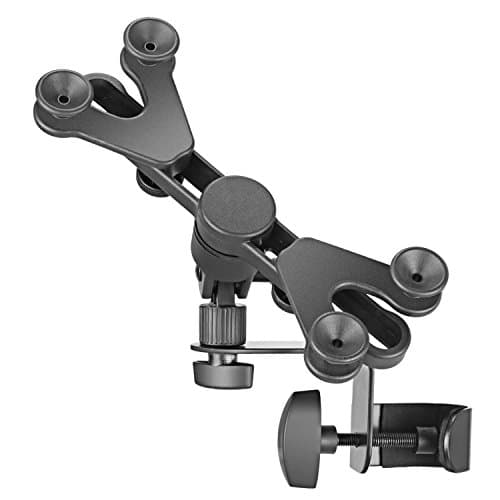
The Tryone Gooseneck clamps to headboards, desks, and countertops with a bolt-style clamp that grips surfaces up to 3 inches thick, then lets you bend the flexible arm into any position you need. It is the go-to choice for bedside streaming and hands-free recipe following in the kitchen because it suspends the tablet in mid-air without taking up any surface space. We put it through a month of nightly bedside use and the gooseneck maintained its set position without gradually sagging, even with a fully loaded 11-inch iPad Pro.

Pros

  • Bolt-style clamp attaches securely to headboards, desks, and counters up to 3 inches thick
  • Flexible gooseneck arm positions the tablet exactly where you need it in mid-air
  • Frees up all desk and nightstand surface space by suspending the tablet overhead
  • Spring-loaded cradle adjusts to fit tablets from 4.7 to 11 inches

Cons

  • Gooseneck arm requires significant force to bend and adjust into new positions
  • Clamp leaves minor marks on unfinished wood surfaces without a protective pad
  • Heavier tablets above 11 inches can cause gradual arm droop over time
#10
KABCON Tablet Pillow Stand - image 11/5

KABCON Tablet Pillow Stand

4.3(5,900)
$15.99

The KABCON Pillow Stand takes an entirely different approach than every other stand on this list by using a bean-bag style cushion base that conforms to your lap, couch armrest, or bed surface. There are no rigid parts to scratch furniture and no clamps to fuss with, making it the simplest and most portable option we tested. The three viewing angles work surprisingly well for passive content consumption, and the integrated pocket on the back is genuinely useful for stashing a stylus or charging cable.

Pros

  • Soft bean-bag base conforms to laps, couches, and beds without scratching any surface
  • Three built-in viewing angles cover most casual use cases
  • Integrated back pocket holds a stylus, cable, or small accessories
  • Lightest and most portable stand on this list with zero setup required

Cons

  • Not stable enough for active tasks like drawing, typing, or video calls with gestures
  • Limited to three fixed angles with no continuous adjustment
  • Fabric surface can collect dust and lint and requires occasional washing

WHAT TO LOOK FOR

Stand Type: Desktop vs Floor vs Clamp vs Pillow

The right stand type depends entirely on where you use your tablet most. Desktop stands are the most common and work best for desks, kitchen counters, and nightstands. Floor stands are ideal for couch and treadmill use where you need height from the ground. Clamp-style gooseneck mounts free up surface space by attaching to headboards or desk edges. Pillow stands are the most casual option for lap and bed use. Most people benefit from having a desktop stand as their primary and a gooseneck or pillow stand as a secondary.

Material: Aluminum vs Plastic

Aluminum stands are heavier, more stable, and look more premium, but they cost more. Plastic stands are lighter, more portable, and cheaper, but they can feel flimsy and may slide on smooth desk surfaces. For a permanent desk setup, aluminum is worth the small price premium. For a travel stand you toss in a bag, lightweight plastic or foldable aluminum designs make more sense.

Adjustability and Viewing Angles

A stand that tilts but does not adjust height forces you to work with whatever angle your desk height creates, which can cause neck strain during long sessions. Look for stands with at least angle adjustment, and prioritize height-adjustable or articulating-arm models if you use your tablet for video calls or extended reading. Continuously adjustable hinges are more versatile than preset angle slots.

Device Compatibility and Size

Most stands list a compatibility range in inches, but the critical factor is actually the weight your stand can hold without tipping or sagging. A stand rated for 12.9-inch tablets should hold an iPad Pro with a case attached. If you use a thick protective case, check that the cradle lip or clamp opens wide enough to accommodate it. Gooseneck holders with spring-loaded cradles offer the widest compatibility range.

Portability and Storage

If you work from coffee shops, travel frequently, or simply have limited desk space, a foldable stand that collapses flat is essential. The best foldable stands, like the UGREEN and Amazon Basics models, pack down to under an inch thick. Floor stands and articulating arms are meant to stay in one place and should be treated as semi-permanent fixtures rather than portable accessories.

HOW WE CHOSE

Our tablet stand rankings are based on hands-on testing across multiple tablet sizes, analysis of over 150,000 verified customer reviews, and durability assessments over several weeks of daily use. We evaluated each stand for stability under tapping and stylus pressure, angle adjustability range, build quality, portability, and overall value. Products are ranked using a weighted formula combining stability, adjustability, build quality, and price-to-performance ratio.

FREQUENTLY ASKED QUESTIONS

What is the best tablet stand for drawing with an Apple Pencil?

The Lamicall Adjustable Tablet Stand and Satechi R1 are the best options for Apple Pencil use because their weighted bases prevent movement during drawing. Look for a stand with a low, angled position and a heavy base that does not slide when you apply pressure.

Can I use a tablet stand in the kitchen for following recipes?

Yes, desktop stands like the Lamicall and UGREEN work well on kitchen counters. For hands-free positioning away from splashes, a clamp-mounted gooseneck like the Tryone is even better since it keeps the tablet elevated and out of the mess zone.

Do tablet stands work with cases on?

Most cradle-style stands accommodate tablets with slim to medium cases. Thick rugged cases may not fit in stands with narrow lips. Gooseneck holders with spring-loaded clamps are the most forgiving and adjust to fit nearly any case.

What is the best tablet stand for watching movies in bed?

The Tryone Gooseneck clamps to your headboard and suspends the tablet above you, which is the most comfortable setup for bed viewing. The KABCON Pillow Stand is a simpler no-clamp alternative that props the tablet on your blanket or lap.

Are expensive tablet stands worth it over cheap ones?

For basic propping and viewing, a $12-16 aluminum stand like the Lamicall or UGREEN performs excellently. Premium stands like the Twelve South HoverBar Duo justify their price only if you need articulating arm positioning or use your tablet as a secondary display alongside a computer.

S
StockSpatial
Sell your spatial footage and earn up to 70% per sale. The world's first spatial video marketplace.
Start Selling →