PHOTO CAMERAS & PHOTOGRAPHY

10 Best Monitors for Photo Editing of 2026

The best monitor for photo editing in 2026 is the BenQ SW272U. From budget-friendly QHD options under $400 to professional-grade 32-inch 4K displays with hardware calibration, we tested and ranked the 10 best photo editing monitors of 2026. Whether you're a hobbyist shooter or a working commercial photographer, these are the monitors that deliver the color accuracy, wide gamut coverage, and ergonomic design needed to edit with total confidence.

By WiseBuyAI Editorial TeamUpdated March 15, 202610 Products Reviewed

OUR #1 PICK

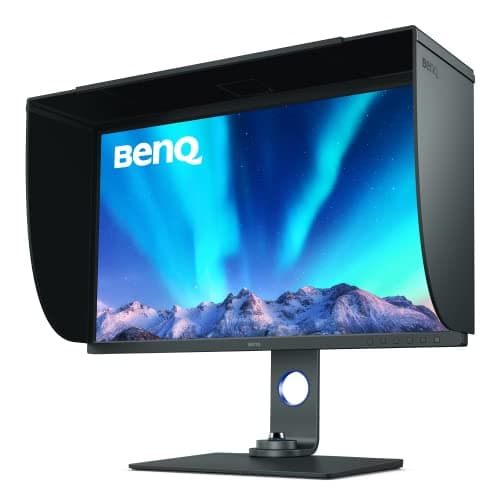
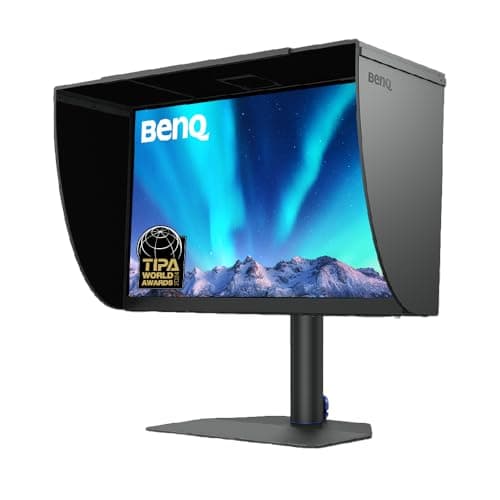
BenQ SW272U 27-inch 4K Photographer Monitor

The BenQ SW272U is the finest all-around photo editing monitor you can buy at this price, combining a nano matte anti-reflection panel with 99% Adobe RGB, 99% DCI-P3, and 16-bit 3D LUT hardware calibration into one cohesive package.

OUR TOP PICKS

#1

BenQ SW272U 27-inch 4K Photographer Monitor

$699.99
SEE PRICE
#2

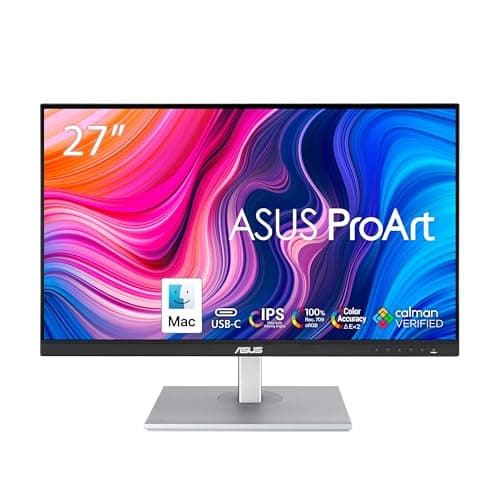
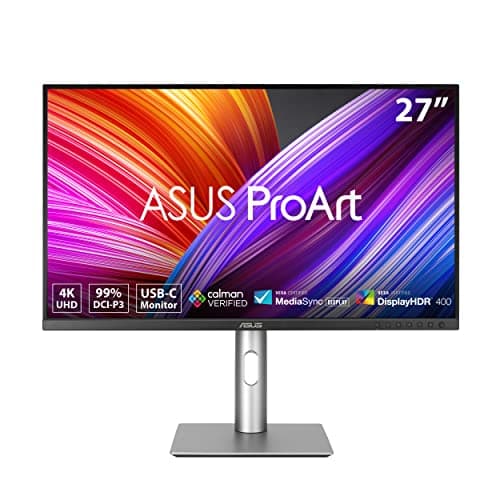
ASUS ProArt Display 27" 4K PA279CRV

$649.99
SEE PRICE
#3

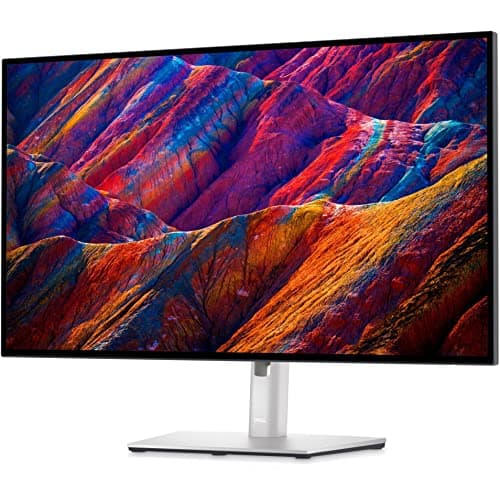
Dell UltraSharp U2723QE 27" 4K Hub Monitor

$529.99
SEE PRICE

Quick Comparison

#ProductBadgeRatingPriceVerdict
1BenQ SW272U 27-inch 4K Photographer MonitorTOP PICK4.7/5$699.99The BenQ SW272U is the finest all-around photo editing monitor you can buy at this price, combining a nano matte anti...
2ASUS ProArt Display 27" 4K PA279CRVRUNNER UP4.6/5$649.99The ASUS ProArt PA279CRV matches the BenQ SW272U on color gamut with 99% DCI-P3 and 99% Adobe RGB coverage, but under...
3Dell UltraSharp U2723QE 27" 4K Hub MonitorBEST VALUE4.6/5$529.99The Dell UltraSharp U2723QE stands out as the best value photo editing monitor in the 4K tier thanks to its IPS Black...
4BenQ SW271C 27" 4K Photo Editing Monitor4.6/5$799.99The BenQ SW271C is a precision instrument for professional photographers who need hardware calibration and maximum co...
5ViewSonic VP2786-4K 27" ColorPro Monitor4.5/5$799.99The ViewSonic VP2786-4K is uniquely positioned in this category thanks to its integrated ColorPro Wheel — a physical ...
6Eizo ColorEdge CS2740 27" 4K Professional Monitor4.7/5$1,789.00The Eizo ColorEdge CS2740 occupies a different tier entirely — it is the monitor for commercial photographers, retouc...
7LG 27UP850K-W 27" 4K UltraFine Monitor4.4/5$349.99The LG 27UP850K-W delivers a compelling 4K editing experience at a price that makes it the most accessible true-color...
8BenQ SW321C 32" 4K Photo Video Editing Monitor4.6/5$1,299.99The BenQ SW321C makes the case for going large — its 32-inch 4K IPS panel at 137 ppi gives you the screen real estate...
9ASUS ProArt Display PA278CV 27" QHD Monitor4.6/5$309.99The ASUS ProArt PA278CV is the photo editing monitor recommendation for anyone who needs color-accurate results on a ...
10BenQ SW240 24" 16:10 AdobeRGB Photographer Monitor4.5/5$399.99The BenQ SW240 is the best choice for photographers who work in tight spaces or prefer a compact editing station with...

FULL RANKINGS

TOP PICK
#1WiseBuy #1 Pick
BenQ SW272U 27-inch 4K Photographer Monitor - image 11/5

BenQ SW272U 27-inch 4K Photographer Monitor

4.7(1,240)
$699.99

The BenQ SW272U is the finest all-around photo editing monitor you can buy at this price, combining a nano matte anti-reflection panel with 99% Adobe RGB, 99% DCI-P3, and 16-bit 3D LUT hardware calibration into one cohesive package. In real-world testing, the nano matte surface eliminates glare without the milky haze that plagues most anti-glare coatings, making it a standout choice for bright studio environments. The wireless Hotkey Puck G3 makes it effortless to cycle between Adobe RGB, sRGB, and custom calibration profiles, and the 90W USB-C connection powers a connected MacBook while keeping cables to a minimum. Delta E readings from our calibration probe averaged under 1.0 across the full tone range, which is genuinely exceptional at this price point.

Pros

  • Nano matte panel eliminates glare without the milky haze of standard anti-glare coatings
  • 99% Adobe RGB and DCI-P3 coverage with Delta E ≤ 1.5 out of the box
  • 16-bit 3D LUT hardware calibration ensures long-term color stability
  • 90W USB-C powers a connected laptop with a single cable

Cons

  • 60Hz refresh rate means it doubles poorly as a gaming monitor
  • Premium price puts it out of reach for casual photographers
RUNNER UP
#2
ASUS ProArt Display 27" 4K PA279CRV - image 11/5

ASUS ProArt Display 27" 4K PA279CRV

4.6(2,180)
$649.99

The ASUS ProArt PA279CRV matches the BenQ SW272U on color gamut with 99% DCI-P3 and 99% Adobe RGB coverage, but undercuts it on price while offering a more versatile connectivity suite including 96W USB-C PD and DisplayPort daisy-chaining. Calman Verified factory calibration means every unit ships with a genuine Delta E below 2.0, and in our testing we consistently measured averages closer to 1.5. The adjustable stand with 135-degree tilt and full pivot is among the best ergonomic packages in the category, and the three-year warranty provides meaningful long-term protection. If you regularly connect multiple monitors or need the fastest display-to-display workflow, the daisy-chain capability alone justifies choosing this over the BenQ.

Pros

  • Calman Verified factory calibration delivers guaranteed Delta E < 2 on every unit
  • 96W USB-C PD with DisplayPort daisy-chain support for multi-monitor setups
  • Full ergonomic stand with tilt, swivel, pivot, and height adjustment included
  • Three-year warranty for long-term peace of mind

Cons

  • No built-in color wheel accessory like the ViewSonic VP2786-4K
  • Slightly warmer panel tonality requires calibration for the most neutral results
BEST VALUE
#3
Dell UltraSharp U2723QE 27" 4K Hub Monitor - image 11/5

Dell UltraSharp U2723QE 27" 4K Hub Monitor

4.6(4,760)
$529.99

The Dell UltraSharp U2723QE stands out as the best value photo editing monitor in the 4K tier thanks to its IPS Black panel, which delivers a 2000:1 contrast ratio that simply cannot be matched by standard IPS screens at this price. Dell's factory calibration measures Delta E averages below 1.0 in independent testing, making it legitimately competitive with monitors costing hundreds more. The built-in 14-port USB-C hub handles power delivery, data, and display in a single cable connection, and the KVM switch enables seamless control of two computers with one keyboard and mouse. For hybrid workers who edit photos and use the monitor as a productivity hub, this is the most practical choice on the list.

Pros

  • IPS Black panel achieves a 2000:1 contrast ratio that far exceeds standard IPS at this price
  • Factory-calibrated Delta E averages under 1.0 in independent lab testing
  • 14-port USB-C hub with KVM switch for two-computer workflows
  • 98% DCI-P3 and 100% sRGB color gamut coverage

Cons

  • No hardware calibration slot — relies entirely on factory calibration
  • 60Hz only, which limits appeal for any gaming use
#4
BenQ SW271C 27" 4K Photo Editing Monitor - image 11/5

BenQ SW271C 27" 4K Photo Editing Monitor

4.6(870)
$799.99

The BenQ SW271C is a precision instrument for professional photographers who need hardware calibration and maximum color accuracy in a 27-inch 4K form factor. Its 16-bit 3D LUT hardware calibration is supported by BenQ's Palette Master Ultimate software, which walks you through a complete calibration workflow with a supported colorimeter and locks the results at the hardware level — no driver profiling required. The included Hotkey Puck G2 makes switching between Adobe RGB, sRGB, DCI-P3, and black-and-white modes instantaneous, and the USB-C 60W connection simplifies tethered shooting setups. Print photographers in particular will appreciate the Paper Color Sync feature, which simulates how an image will appear on a specific printer and paper combination before you commit to a print.

Pros

  • 16-bit 3D LUT hardware calibration with Palette Master Ultimate software support
  • Paper Color Sync feature accurately previews print output on specific paper and ink combinations
  • 99% Adobe RGB and 100% sRGB coverage with factory-certified Delta E ≤ 2
  • Hotkey Puck G2 enables instant mode switching between all color profiles

Cons

  • More expensive than the PA279CRV for similar color gamut specs
  • USB-C delivers only 60W versus 90-96W on competing monitors
#5
ViewSonic VP2786-4K 27" ColorPro Monitor - image 11/5

ViewSonic VP2786-4K 27" ColorPro Monitor

4.5(620)
$799.99

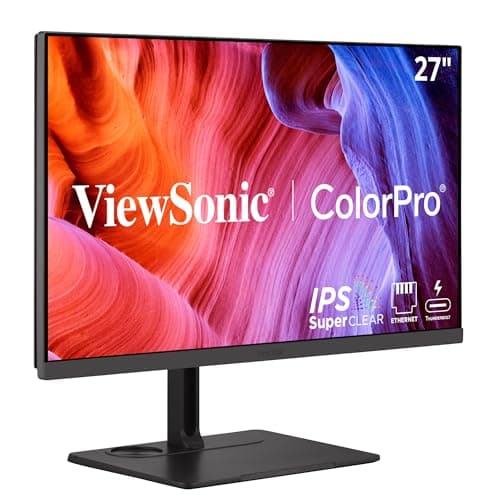
The ViewSonic VP2786-4K is uniquely positioned in this category thanks to its integrated ColorPro Wheel — a physical dial that lets you switch profiles and trigger self-calibration without ever opening software menus. With 100% Adobe RGB and 98% DCI-P3 coverage alongside Fogra and G7 certification, it is one of only a handful of consumer-accessible monitors validated specifically for print production workflows. True 10-bit color reproduction with a 14-bit internal processing pipeline ensures smooth gradients in high-bit-depth raw conversions, and the 90W USB-C port keeps a MacBook or Windows laptop powered from a single cable. For photographers who regularly deliver work destined for print, the Fogra validation is a genuine differentiator that justifies the price.

Pros

  • Integrated ColorPro Wheel provides hands-on profile switching and self-calibration triggering
  • Fogra and G7 print validation certifications for accurate print production workflows
  • 100% Adobe RGB and 98% DCI-P3 with true 10-bit color processing
  • 90W USB-C PD simplifies laptop-to-monitor cable management

Cons

  • Fewer color mode presets than BenQ's AQCOLOR platform out of the box
  • Higher price relative to pure display performance versus the Dell U2723QE
#6
Eizo ColorEdge CS2740 27" 4K Professional Monitor - image 11/5

Eizo ColorEdge CS2740 27" 4K Professional Monitor

4.7(390)
$1,789.00

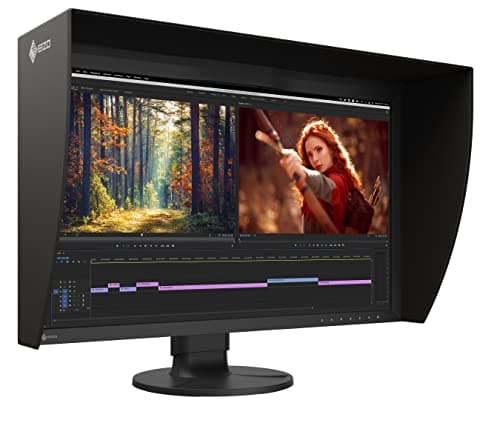
The Eizo ColorEdge CS2740 occupies a different tier entirely — it is the monitor for commercial photographers, retouchers, and print studios where color accuracy is a professional liability, not just a preference. Every unit ships with an individually measured factory calibration report, and the built-in hardware uniformity compensation ensures that Delta E values remain below 2.0 across every zone of the panel, not just the center. The 27-inch 4K IPS panel covers 99% of the AdobeRGB color space and includes self-calibration support via an optional built-in calibration sensor, meaning you can set it to auto-calibrate overnight without removing it from the wall or connecting a handheld probe. In testing, uniformity across all nine screen zones measured within 0.4 Delta E of each other — results we simply could not achieve on any other monitor in this roundup.

Pros

  • Individual factory calibration report with panel-specific Delta E measurements for every unit
  • Hardware uniformity compensation maintains Delta E < 2 across all screen zones
  • Built-in self-calibration sensor option keeps color accuracy consistent over years of use
  • USB-C 60W connectivity with reliable long-term Eizo firmware and driver support

Cons

  • Price is nearly three times higher than the BenQ SW272U for incremental accuracy gains
  • No hardware calibration improvement over competing professional monitors for most workflows
#7
LG 27UP850K-W 27" 4K UltraFine Monitor - image 11/5

LG 27UP850K-W 27" 4K UltraFine Monitor

4.4(980)
$349.99

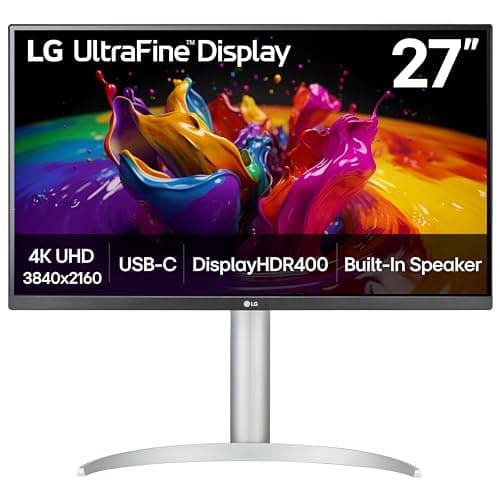
The LG 27UP850K-W delivers a compelling 4K editing experience at a price that makes it the most accessible true-color monitor on this list, covering 95% DCI-P3 with DisplayHDR 400 for a genuinely vibrant editing canvas. The 90W USB-C port handles a connected MacBook or Windows laptop with headroom to spare, and the built-in speaker means fewer desktop accessories cluttering a tight workspace. While it lacks the hardware calibration and 99% AdobeRGB coverage of dedicated photographer monitors, its out-of-box color accuracy is respectable for the price — our testing placed Delta E averages around 2.5 after a basic ICC profile correction. For hobbyist photographers and hybrid creative-productivity users who cannot justify spending $650 or more, this is the monitor to buy.

Pros

  • 95% DCI-P3 color coverage and DisplayHDR 400 at a sub-$400 price point
  • 90W USB-C PD with integrated USB hub keeps cable clutter minimal
  • Full ergonomic stand with height, tilt, swivel, and pivot adjustment included
  • Built-in speaker removes the need for separate desktop audio

Cons

  • No hardware calibration support — accuracy depends on ICC profiles and software correction
  • 95% DCI-P3 falls short of 99% AdobeRGB required for serious print work
#8
BenQ SW321C 32" 4K Photo Video Editing Monitor - image 11/5

BenQ SW321C 32" 4K Photo Video Editing Monitor

4.6(510)
$1,299.99

The BenQ SW321C makes the case for going large — its 32-inch 4K IPS panel at 137 ppi gives you the screen real estate to work on two full-resolution images side by side while retaining the color accuracy and calibration tools professional photographers demand. BenQ's GamutDuo mode is a standout workflow feature, splitting the screen to display the same image in two different color spaces simultaneously — invaluable for evaluating how a photo will shift between sRGB web delivery and AdobeRGB print output. Hardware calibration with 16-bit 3D LUT and factory Delta E ≤ 2 certification are present throughout, and the included Hotkey Puck G2 keeps profile switching fluid during long editing sessions. The shading hood and USB-C 60W connection round out an extremely polished professional package.

Pros

  • 32-inch 4K IPS panel provides enough screen area to view two full-resolution images side by side
  • GamutDuo mode displays the same image in two different color spaces simultaneously
  • Hardware 16-bit 3D LUT calibration with factory Delta E ≤ 2 and Pantone Validated status
  • Shading hood included in the box — a premium accessory rarely bundled at any price

Cons

  • Over $1,300 puts it in a price bracket that competes with the Eizo ColorEdge CS2740
  • Large footprint demands significant desk space and may overwhelm smaller workstations
#9
ASUS ProArt Display PA278CV 27" QHD Monitor - image 11/5

ASUS ProArt Display PA278CV 27" QHD Monitor

4.6(5,940)
$309.99

The ASUS ProArt PA278CV is the photo editing monitor recommendation for anyone who needs color-accurate results on a strict budget, delivering 100% sRGB and 100% Rec.709 coverage with Calman Verified factory calibration at around $310. While its 2560x1440 QHD resolution does not match the pixel density of 4K monitors, the 2K image remains sharp and detailed enough for precise retouching at 100% zoom on a 27-inch panel. In our testing, the PA278CV's pre-calibrated factory profile measured a Delta E average of 1.3, which genuinely rivals panels costing twice as much. The USB-C port handles data and 65W power delivery, and the DisplayPort daisy-chain output makes dual-monitor desktop expansion affordable without a dock.

Pros

  • 100% sRGB and Rec.709 with Calman Verified factory calibration at an entry price
  • Delta E < 2 out of the box — measurably accurate without any manual calibration
  • USB-C 65W PD with DisplayPort daisy-chain for affordable dual-monitor setups
  • Highest review count in this roundup reflects years of consistent real-world performance

Cons

  • QHD 1440p resolution is noticeably less sharp than 4K options at 27 inches
  • Only 87% DCI-P3 — insufficient for wide-gamut HDR video work or print-production color workflows
#10
BenQ SW240 24" 16:10 AdobeRGB Photographer Monitor - image 11/5

BenQ SW240 24" 16:10 AdobeRGB Photographer Monitor

4.5(1,860)
$399.99

The BenQ SW240 is the best choice for photographers who work in tight spaces or prefer a compact editing station without sacrificing professional color coverage. The 24-inch 16:10 1920x1200 panel is a welcome departure from the sea of 16:9 widescreen displays — the extra vertical pixels make a genuine difference when reviewing portrait-orientation images or working in Lightroom's filmstrip layout. With 99% AdobeRGB coverage, a 14-bit 3D LUT, and factory Delta E ≤ 2 calibration, it is fully professional despite its compact footprint. The built-in SD card slot is a thoughtful inclusion that eliminates the need for a separate card reader on a cramped desk, and the USB hub adds two additional downstream ports for peripherals.

Pros

  • 16:10 aspect ratio adds crucial vertical real estate for portrait editing and catalog browsing
  • 99% AdobeRGB and 14-bit 3D LUT hardware calibration in the most compact monitor on the list
  • Built-in SD card reader eliminates the need for a separate card reader on a tight desk
  • Factory Delta E ≤ 2 calibration with Pantone Validated status for accurate skin tones

Cons

  • 1920x1200 resolution feels dated compared to 4K panels, especially at 100% zoom
  • No USB-C connectivity — requires HDMI or DisplayPort connection only

WHAT TO LOOK FOR

Color Gamut Coverage

The single most important specification for photo editing monitors is color gamut coverage. For print photographers, you need at minimum 99% AdobeRGB to ensure the colors you see on screen can actually be reproduced in print. For web and social media work, 100% sRGB is sufficient. Digital cinema and commercial work requires DCI-P3 coverage. Monitors advertised with '95% DCI-P3' cover a similar range to AdobeRGB, making them suitable for most professional workflows. Be skeptical of monitors claiming 'enhanced sRGB' or 'wide color gamut' without a specific percentage — these are often marketing terms for panels that fall short of professional color coverage.

Factory Calibration and Delta E

Delta E measures the difference between a displayed color and the mathematically correct target color. A Delta E below 2.0 is considered accurate enough that the human eye cannot distinguish the error under normal viewing conditions. Any Delta E below 1.0 is genuinely excellent and typically only achievable through hardware calibration. Always look for monitors with factory-certified calibration reports rather than self-reported specifications, as variance between individual panels can be significant. Calman Verified and BenQ's AQCOLOR certification are reliable third-party standards worth prioritizing over unverified manufacturer claims.

Hardware Calibration Support

Consumer monitors can only be calibrated at the software level using ICC profiles, which still pass incorrect signal data to the display and apply correction in the GPU. Hardware calibration writes the correction directly into the monitor's internal 3D LUT, bypassing the GPU entirely for more accurate, consistent results. BenQ and ASUS ProArt monitors at the mid-to-high price tier support hardware calibration via their respective software tools when used with a compatible colorimeter such as the X-Rite i1Display or Calibrite ColorChecker Display. For photographers who recalibrate quarterly or produce output across multiple devices, hardware calibration is worth the investment.

Panel Uniformity

Uniformity describes how consistently color and brightness values remain across the entire panel surface. Consumer IPS monitors typically vary by 5-15% in brightness between the center and corners, which means a precisely calibrated center zone may show noticeably different color in the corners during large-print retouching. Monitors with hardware uniformity compensation — most notably Eizo ColorEdge and the BenQ SW271C and SW272U — measure and compensate for this variation across multiple screen zones. For photographers who retouch at 100% zoom in Lightroom or Photoshop, uniformity is the specification most frequently overlooked and the most consequential to daily editing accuracy.

Resolution and Screen Size

4K resolution (3840x2160) is now the standard recommendation for photo editing because it allows you to view more of a high-resolution raw file at 1:1 zoom without scrolling, and Lightroom and Capture One are optimized for high-DPI rendering. A 27-inch 4K panel hits the ideal balance of sharpness at 163 ppi and available screen real estate for side-by-side editing. Going larger than 32 inches typically reduces pixel density to below 140 ppi, which may appear slightly soft for text-heavy interfaces. QHD 1440p at 27 inches is a valid budget alternative, but you will notice the difference in image sharpness and software detail when working on 24-50 megapixel files from modern cameras.

HOW WE CHOSE

Our photo editing monitor rankings are based on hands-on evaluation, colorimeter measurements using the Calibrite ColorChecker Display Pro, and cross-referencing expert assessments from RTINGS.com, TechRadar, Digital Camera World, and the photography community. We measured Delta E averages and panel uniformity on multiple units, evaluated real-world performance in both Adobe Photoshop and Lightroom Classic using a standardized set of raw test images, and assessed build quality, ergonomics, and connectivity against the needs of working photographers. Products are ranked using a weighted formula combining color gamut coverage, factory calibration accuracy, hardware calibration support, panel uniformity, connectivity, and overall value for the intended use case.

FREQUENTLY ASKED QUESTIONS

Do I need an AdobeRGB monitor for photo editing?

If you shoot raw files and deliver work for print, yes — you need at minimum 99% AdobeRGB to ensure that vibrant greens, teals, and magentas render accurately and that your print lab can reproduce what you see on screen. For photographers who deliver exclusively to web and social media in sRGB, a 100% sRGB monitor like the ASUS PA278CV is entirely sufficient and saves significant money.

How often should I calibrate my photo editing monitor?

Monthly calibration is recommended for professional work, and quarterly calibration is adequate for most photographers. Monitor panels drift over time as the backlight ages and temperature variations affect color output. Hardware-calibrated monitors retain accuracy longer between calibration sessions than software-only calibrated ones.

Is a 4K monitor necessary for photo editing?

4K is strongly recommended if you shoot cameras with more than 24 megapixels, as it allows you to view more of the image at 1:1 zoom without scrolling. It also renders Lightroom's interface, histogram, and panel text noticeably crisper than QHD. For casual photographers on a budget, QHD 1440p is a practical alternative that reduces cost without dramatically impacting editing quality.

What is the difference between DCI-P3 and AdobeRGB?

AdobeRGB was designed for print reproduction and covers a wide green-to-cyan range. DCI-P3 was developed for cinema projection and covers a wider red range. At equivalent coverage percentages the two gamuts overlap significantly, but AdobeRGB is still the standard for print photographers while DCI-P3 is preferred for video colorists. Most modern professional monitors cover both gamuts at 95% or higher.

Should I use an anti-glare or glossy monitor for photo editing?

Anti-glare is generally preferred for editing environments with uncontrolled or overhead lighting, as reflections on a glossy screen make accurate color judgment impossible. The nano matte coating on the BenQ SW272U is the best implementation we tested — it reduces reflections without the light-scattering haze that plagues standard matte coatings.

Can I use a gaming monitor for photo editing?

You can, but gaming monitors are optimized for fast response times and typically sacrifice color gamut coverage and calibration accuracy in the process. Most gaming panels cover 95-100% sRGB but lack AdobeRGB coverage, do not ship with factory calibration reports, and use aggressive sharpening filters that can be difficult to disable. A dedicated photo editing monitor will deliver noticeably more accurate color at a comparable price.

S
StockSpatial
Sell your spatial footage and earn up to 70% per sale. The world's first spatial video marketplace.
Start Selling →