The most important feature in any monitor light bar is asymmetric optics that direct light downward onto your desk while preventing spill onto your screen. All light bars on our list use some form of asymmetric design, but the quality varies significantly. BenQ's patented ASYM-Light technology produces the cleanest cutoff with virtually zero screen glare, while budget options like the Baseus allow noticeably more light bleed onto the display. If you work with color-sensitive content like photo editing or design, prioritize bars with strong asymmetric optics from BenQ or Quntis.
Light bars with built-in ambient light sensors automatically adjust brightness as room lighting changes throughout the day, maintaining a consistent lux level on your desk without manual intervention. This is genuinely useful if your workspace has windows or if you work from morning to night. The BenQ ScreenBar, Quntis ScreenLinear Pro+, and Quntis Radar Pro+ all include reliable auto-dimming. Budget bars like the Baseus and Yeelight require manual brightness adjustment whenever ambient light changes, which becomes tedious over a full workday.
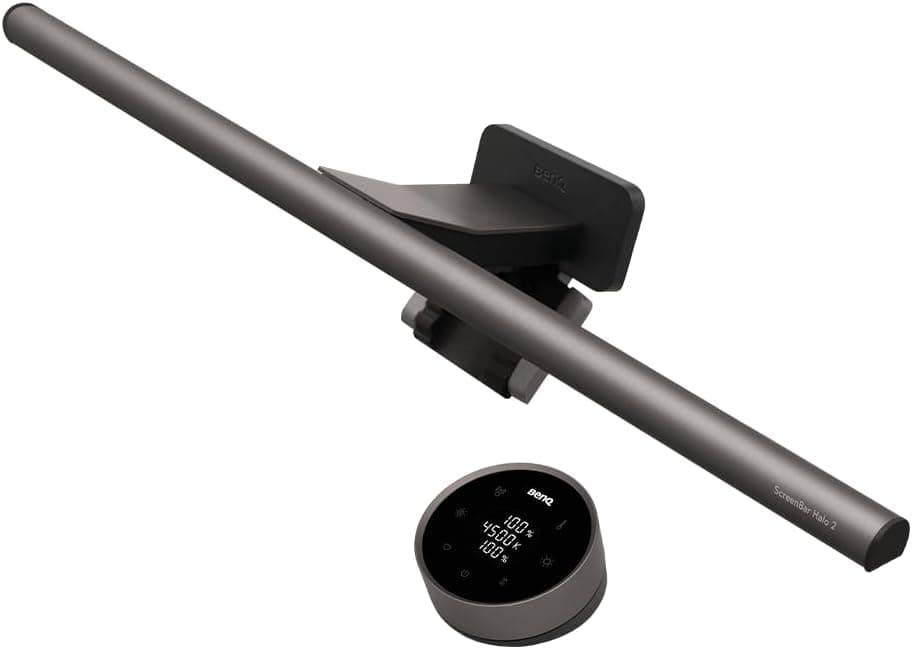
Some monitor light bars include rear-facing LEDs that cast ambient light onto the wall behind your monitor, reducing the contrast between a bright screen and a dark room. This is particularly beneficial for late-night work or gaming sessions where the screen is your primary light source. The BenQ ScreenBar Halo 2, ScreenBar Halo, and Quntis Dual Light bar all offer backlight features. While not essential, the eye strain reduction from a backlit setup is noticeable during extended nighttime use.
Not all light bar clamps fit all monitors. Thick gaming monitors, ultrawide curved displays, and ultra-thin bezels each present mounting challenges. Check the maximum and minimum thickness specifications before buying. The BenQ ScreenBar Pro supports the widest range at 0.43 to 6.5 cm, while the Quntis weighted sliding clips excel on curved monitors. Also verify that the clamp will not obstruct your webcam, especially on slim-bezel laptops and monitors where the camera sits at the top edge.
CRI measures how accurately a light source renders colors compared to natural sunlight, rated on a scale where 100 is perfect. For general office work, Ra90 or above is sufficient, but for creative professionals working with photos, video, or design, Ra95 or higher is recommended. Most premium monitor light bars now achieve Ra95, while the Quntis Radar Pro+ leads at Ra98. A higher CRI means your desk environment more closely matches what your eyes perceive under natural light, reducing fatigue and improving color accuracy for creative tasks.
Monitor light bars fall into three clear price tiers. Budget bars under $40, like the Baseus and Yeelight, provide basic asymmetric lighting and manual controls suitable for casual home office use. Mid-range bars from $50 to $70, like the Quntis lineup, add wireless remotes, auto-dimming, and motion sensors that justify the upgrade for daily professional use. Premium bars from $109 to $179, led by BenQ, deliver the best optics, build quality, and smart features. For most home office workers, the Quntis ScreenLinear Pro+ at $69.99 offers the best balance of features and price.

 1/5
1/5


