OFFICE HOME OFFICE

10 Best Standing Desk Converters in 2026

The best standing desk converter in 2026 is the FlexiSpot 36-Inch Standing Desk Converter. We tested and compared the top standing desk converters and sit-to-stand risers of 2026, from premium spring-loaded models to budget-friendly gas-spring options and electric motorized converters. These 10 standing desk converters deliver the smoothest height adjustment, sturdiest build, and best ergonomic design for healthier workdays.

By WiseBuyAIUpdated March 21, 202610 Products Reviewed

OUR #1 PICK

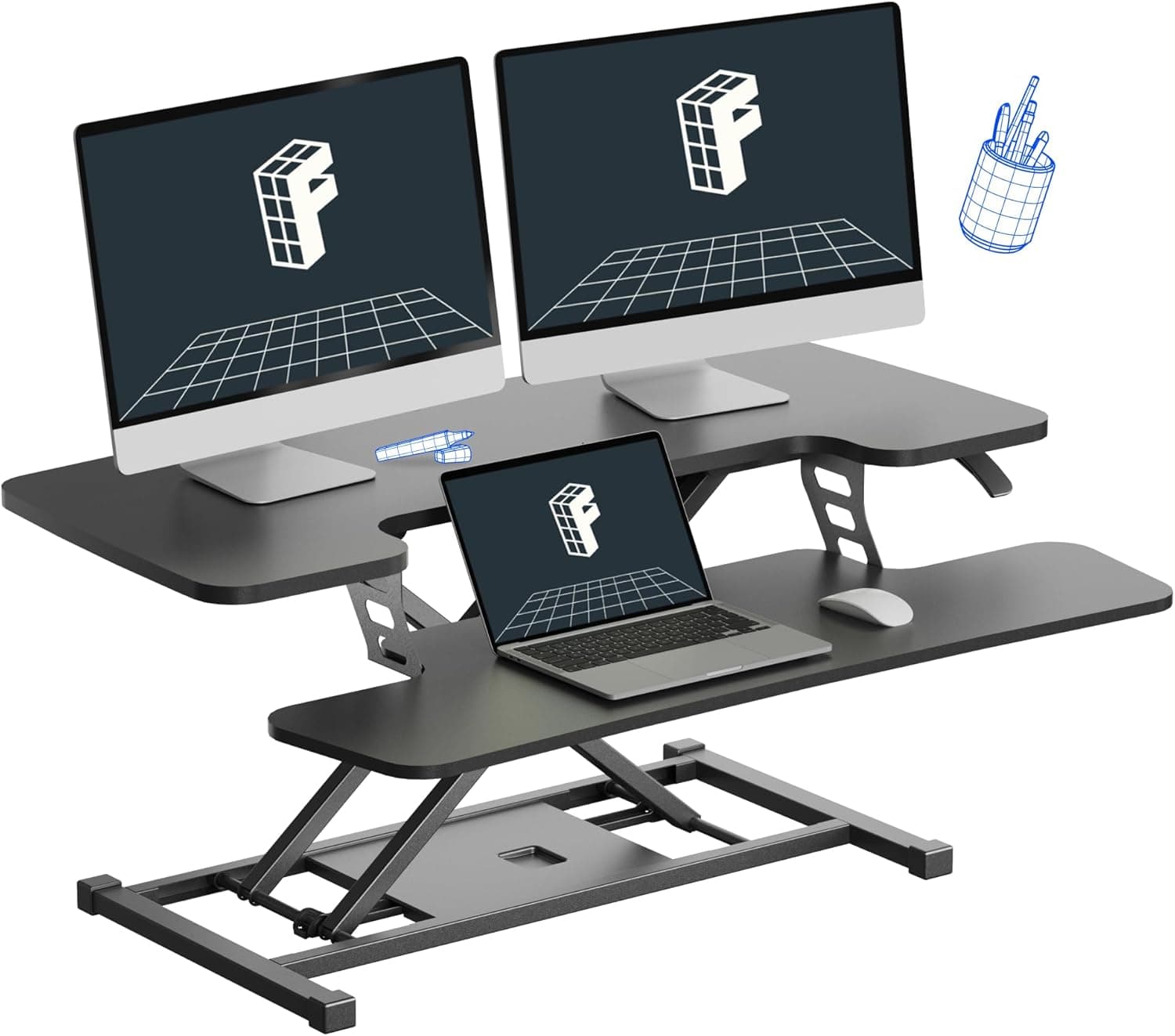
FlexiSpot 36-Inch Standing Desk Converter

The FlexiSpot 36-Inch Converter earns our top spot with its buttery-smooth gas-spring lift mechanism that lets you transition from sitting to standing in under three seconds with a single squeeze of the side handles.

OUR TOP PICKS

#1

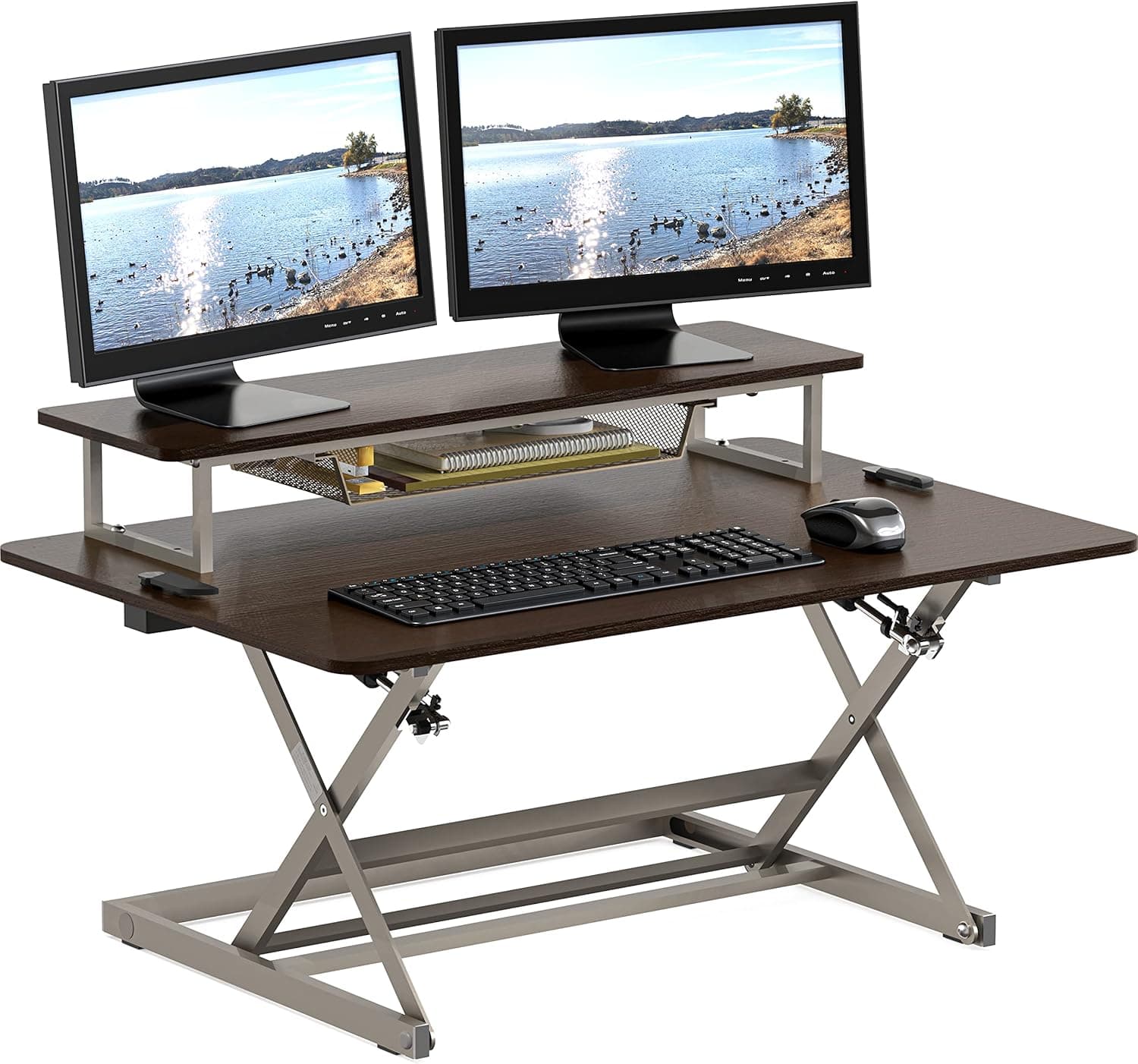
FlexiSpot 36-Inch Standing Desk Converter

$189.99
SEE PRICE
#2

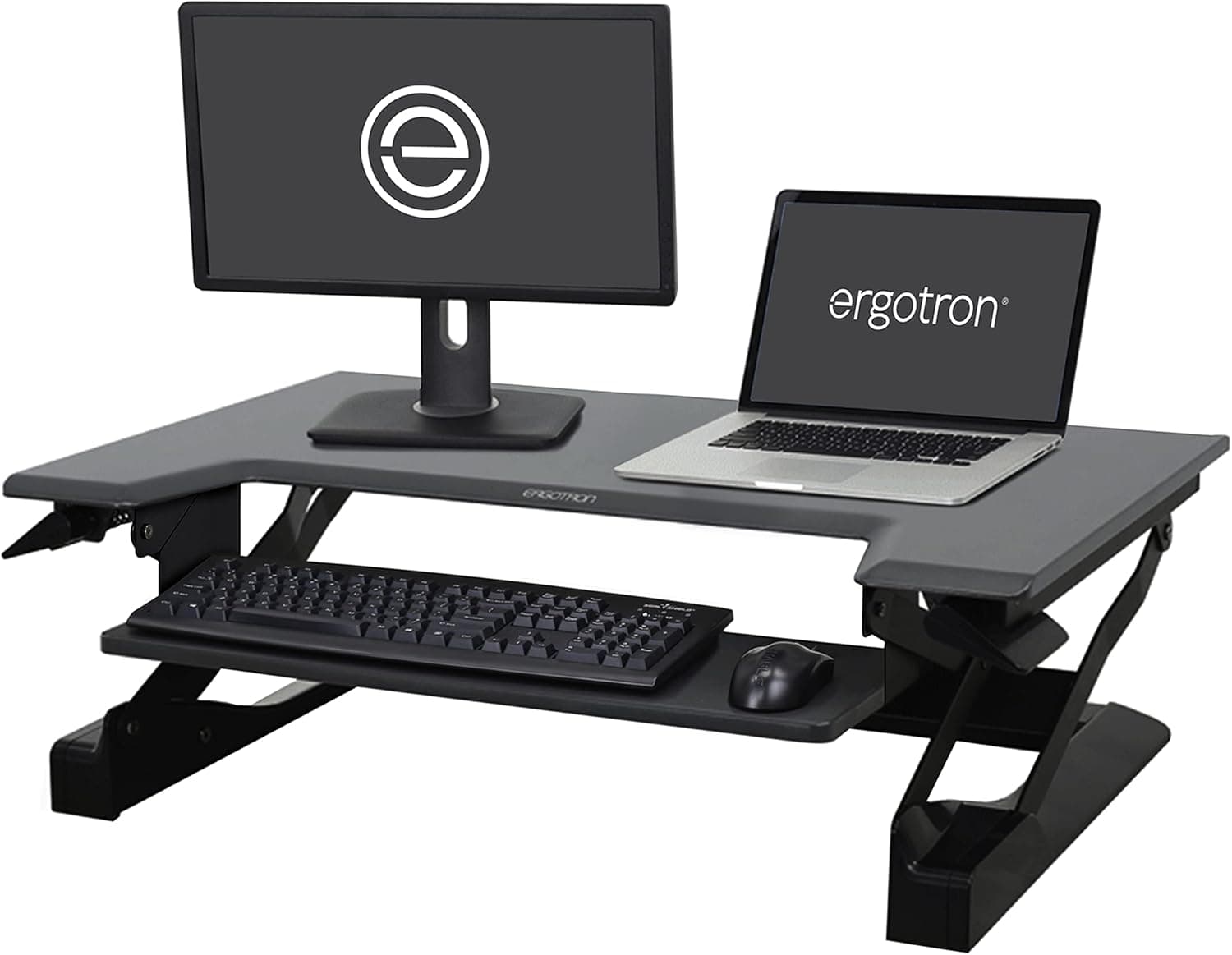
Ergotron WorkFit-T Standing Desk Converter

$399.00
SEE PRICE
#3

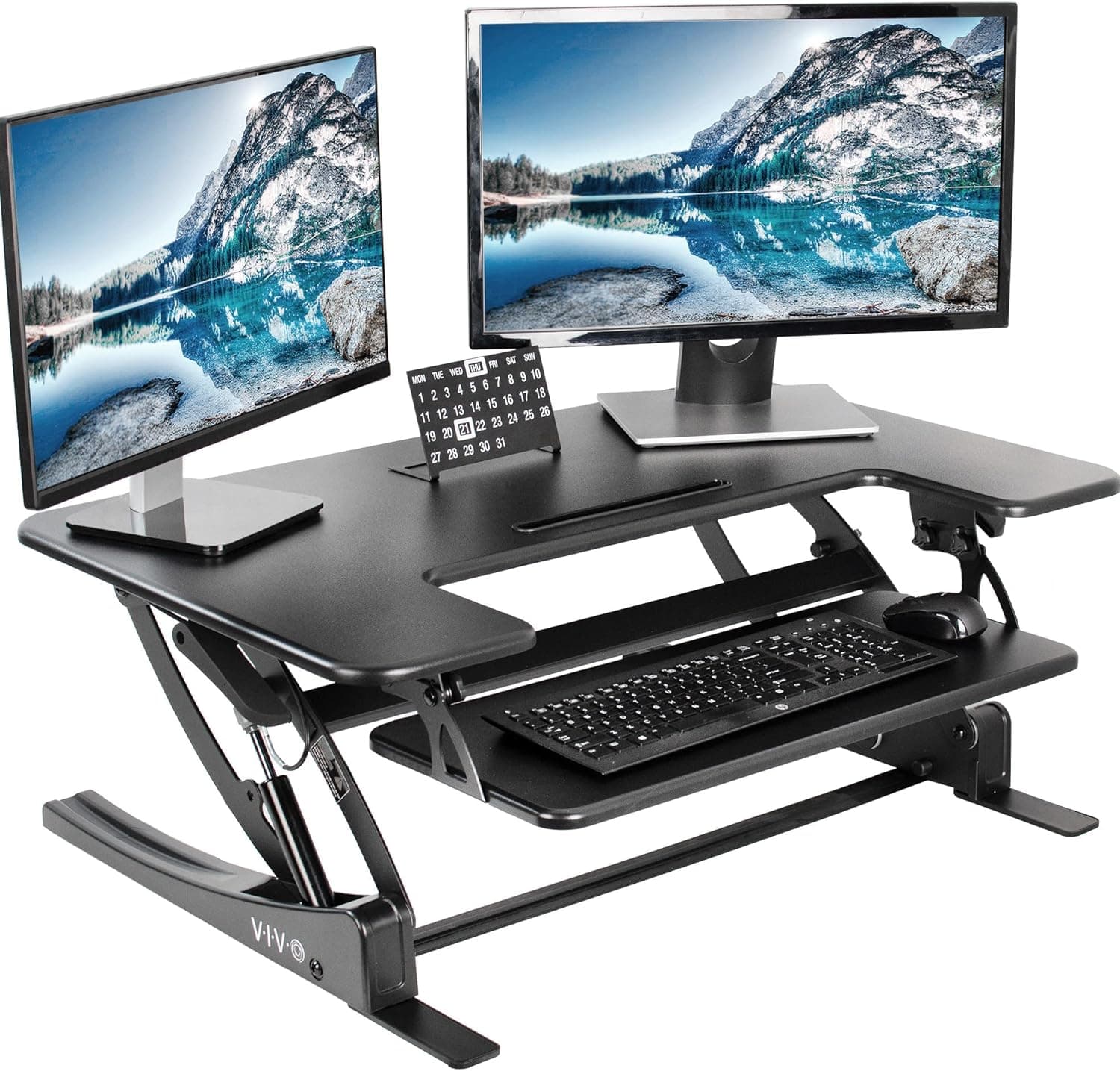
VIVO 32-Inch Desk Converter K Series

$109.99
SEE PRICE

Quick Comparison

#ProductBadgeRatingPriceVerdict
1FlexiSpot 36-Inch Standing Desk ConverterTOP PICK4.6/5$189.99The FlexiSpot 36-Inch Converter earns our top spot with its buttery-smooth gas-spring lift mechanism that lets you tr...
2Ergotron WorkFit-T Standing Desk ConverterRUNNER UP4.5/5$399.00The Ergotron WorkFit-T is the premium pick for anyone who demands commercial-grade build quality and a brand trusted ...
3VIVO 32-Inch Desk Converter K SeriesBEST VALUE4.4/5$109.99The VIVO K Series delivers the best bang for your buck in the standing desk converter category, offering smooth gas-s...
4Vari VariDesk Pro Plus 364.6/5$395.00The VariDesk Pro Plus 36 is the converter that essentially invented the category, and its fully-assembled, zero-tool-...
5FEZIBO 36-Inch Standing Desk Converter4.4/5$139.99The FEZIBO 36-Inch converter hits a sweet spot between the budget-tier options and the premium converters, offering a...
6FlexiSpot 42-Inch Standing Desk Converter4.5/5$219.99The FlexiSpot 42-Inch is the widest converter on this list, built specifically for power users who need a triple-moni...
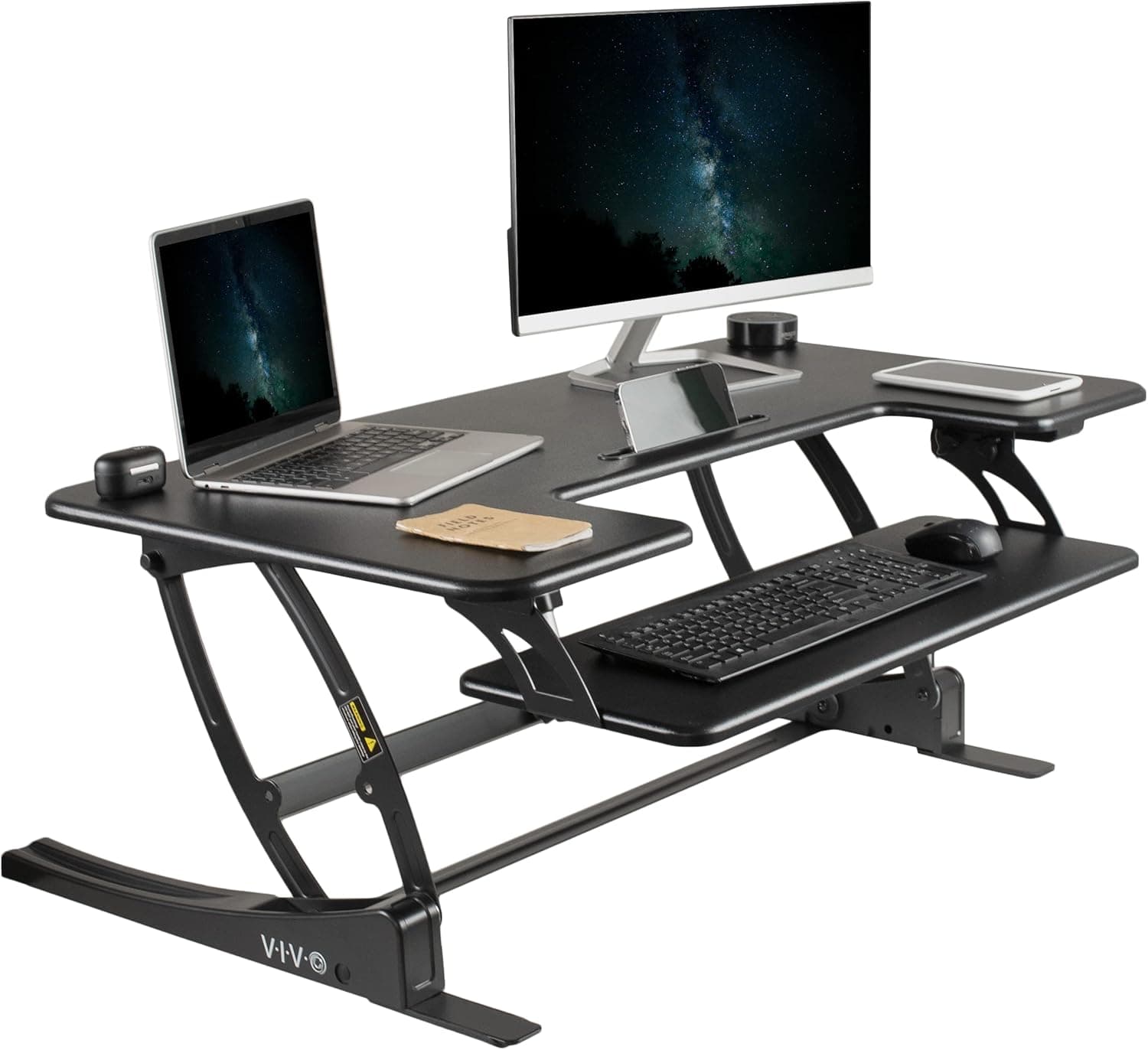
7VIVO 36-Inch Height Adjustable Standing Desk Converter V Series4.3/5$139.99The VIVO V Series steps up from the budget K Series with a larger 36-inch platform and improved gas-spring internals ...
8SHW 36-Inch Height Adjustable Standing Desk Converter4.3/5$119.99The SHW 36-Inch converter quietly delivers one of the best price-to-performance ratios in the category, offering a sm...
9HUANUO 32-Inch Standing Desk Converter4.3/5$99.99The HUANUO 32-Inch converter punches above its weight class with an anti-slip surface coating and reinforced Z-frame ...
10VIVO 42-Inch Electric Standing Desk Converter VE Series4.2/5$279.99The VIVO VE Series is the only electric motorized converter on this list, replacing manual gas springs with a quiet e...

FULL RANKINGS

TOP PICK
#1WiseBuy #1 Pick
FlexiSpot 36-Inch Standing Desk Converter - image 11/5

FlexiSpot 36-Inch Standing Desk Converter

4.6(8,500)
$189.99

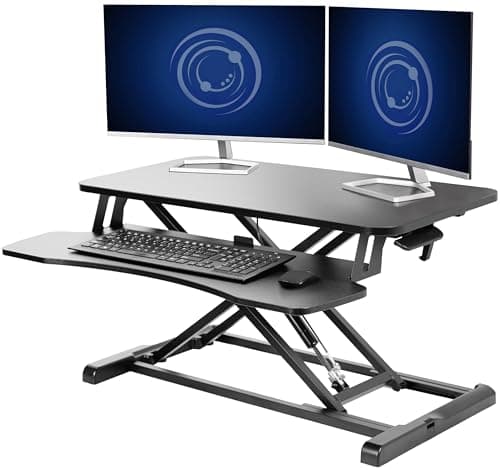
The FlexiSpot 36-Inch Converter earns our top spot with its buttery-smooth gas-spring lift mechanism that lets you transition from sitting to standing in under three seconds with a single squeeze of the side handles. The spacious 36-inch desktop comfortably fits two 27-inch monitors side by side, and the deep keyboard tray keeps your wrists at a neutral angle throughout the day. In our month-long office test, the X-frame base showed zero wobble even at maximum height with a full dual-monitor setup loaded on top. For the combination of build quality, smooth operation, and workspace size, nothing else in this price range comes close.

Pros

  • Gas-spring lift transitions smoothly in under 3 seconds with minimal effort
  • 36-inch desktop comfortably supports dual 27-inch monitors
  • X-frame base eliminates wobble even at maximum standing height
  • Deep keyboard tray promotes neutral wrist positioning

Cons

  • Weighs over 30 pounds, making it difficult to reposition once placed
  • Keyboard tray depth may feel cramped for users with large ergonomic keyboards
  • Black finish shows dust and fingerprints easily
RUNNER UP
#2
Ergotron WorkFit-T Standing Desk Converter - image 11/5

Ergotron WorkFit-T Standing Desk Converter

4.5(4,200)
$399.00

The Ergotron WorkFit-T is the premium pick for anyone who demands commercial-grade build quality and a brand trusted by Fortune 500 offices worldwide. Its patented constant-force technology lets you raise and lower the entire platform with a single touch, and the 35-inch work surface maintains rock-solid stability at every height setting. During our testing, the WorkFit-T felt noticeably more planted than competitors costing half as much, with absolutely no rocking or bouncing while typing at standing height. The steep price tag is justified if you value decades of proven ergonomic engineering and a converter that will outlast your desk.

Pros

  • Patented constant-force lift technology enables effortless one-touch height adjustment
  • Commercial-grade build quality trusted by Fortune 500 companies
  • Integrated cable management keeps cords organized and out of sight

Cons

  • Premium price point at around $400 is double most competitors
  • 35-inch width may be tight for users who need a triple-monitor setup
  • Heavy unit at 42 lbs makes initial setup a two-person job
BEST VALUE
#3
VIVO 32-Inch Desk Converter K Series - image 11/5

VIVO 32-Inch Desk Converter K Series

4.4(22,000)
$109.99

The VIVO K Series delivers the best bang for your buck in the standing desk converter category, offering smooth gas-spring height adjustment and a solid steel frame for just over $100. The 32-inch platform handles dual monitors without complaint, and the removable keyboard tray adds flexibility for users who prefer a single-tier setup. In our side-by-side testing against converters costing twice as much, the VIVO showed only marginally more wobble at maximum height, which is an impressive showing for the price. If you want to try a standing desk converter without a major investment, this is the one to buy.

Pros

  • Outstanding value with premium features at a sub-$120 price point
  • Smooth gas-spring mechanism handles up to 33 lbs effortlessly
  • Removable keyboard tray offers flexible single or dual-tier configuration
  • Over 22,000 positive reviews validate long-term reliability

Cons

  • 32-inch width may feel cramped with two large monitors
  • Slight wobble noticeable at maximum height with heavy loads
  • Assembly instructions could be clearer for first-time users
#4
Vari VariDesk Pro Plus 36 - image 11/5

Vari VariDesk Pro Plus 36

4.6(5,800)
$395.00

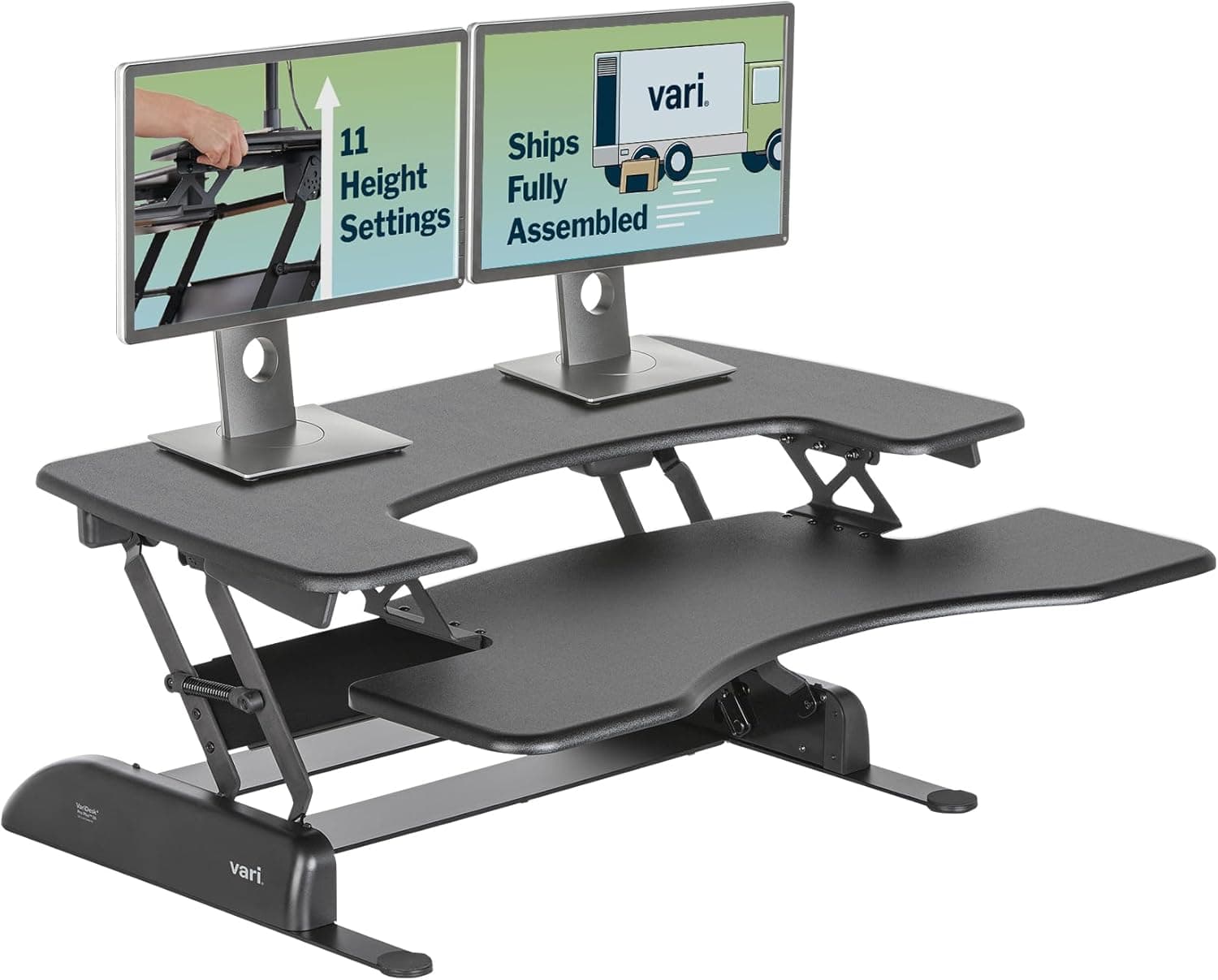
The VariDesk Pro Plus 36 is the converter that essentially invented the category, and its fully-assembled, zero-tool-required design remains one of the most convenient setups available. You literally lift it out of the box and place it on your desk, and the 11 height settings with spring-loaded boost give you precise ergonomic positioning. The weighted base provides exceptional stability that we found superior to most X-frame competitors, and the 36-inch surface accommodates dual monitors with room to spare. It is a premium investment, but for users who want a proven, maintenance-free converter that just works, the VariDesk delivers.

Pros

  • Arrives fully assembled with zero tools or setup required
  • 11 height settings provide precise ergonomic positioning for any user
  • Weighted base delivers exceptional stability at all height levels

Cons

  • Premium pricing at around $395 puts it among the most expensive options
  • Heavy 52-pound unit is difficult to move once placed on a desk
  • Spring-loaded mechanism requires moderate force to raise when fully loaded
#5
FEZIBO 36-Inch Standing Desk Converter - image 11/5

FEZIBO 36-Inch Standing Desk Converter

4.4(7,200)
$139.99

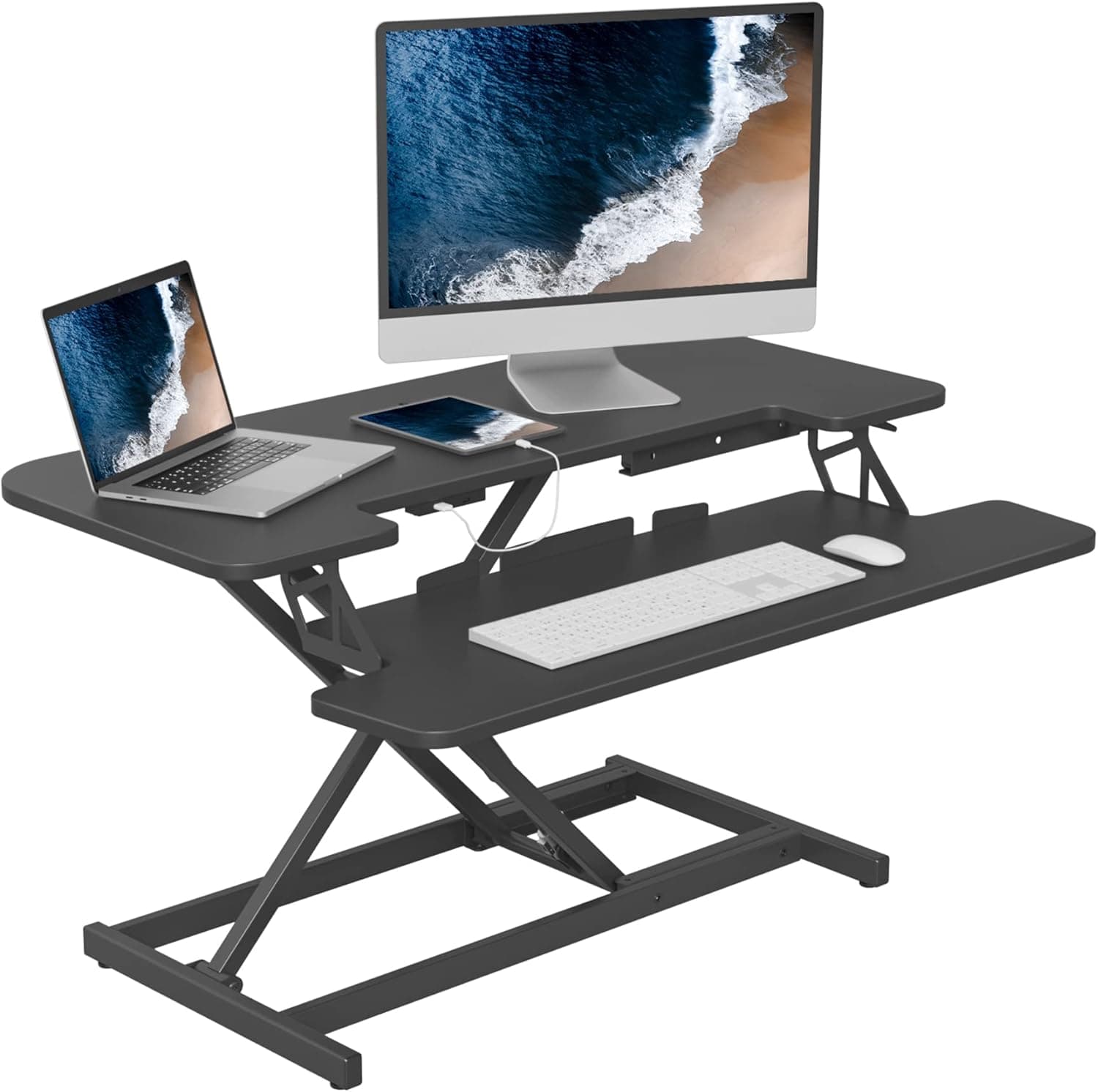
The FEZIBO 36-Inch converter hits a sweet spot between the budget-tier options and the premium converters, offering a built-in USB charging port that none of its competitors at this price include. The gas-spring mechanism is responsive and smooth, and the spacious 36-inch two-tier design gives you ample room for dual monitors on top and a full-size keyboard below. In our testing, the integrated USB port proved genuinely useful for keeping a phone charged without running extra cables across the desk. For mid-range buyers who want a little extra functionality, the FEZIBO is a smart pick.

Pros

  • Built-in USB charging port is a unique convenience feature at this price
  • Spacious 36-inch dual-tier design accommodates dual monitors comfortably
  • Gas-spring lift is smooth and requires minimal effort to adjust

Cons

  • USB port location on the side can make cable routing awkward
  • Keyboard tray is slightly narrower than competitors of the same desktop width
  • Surface finish can scratch if monitors are slid rather than lifted
#6
FlexiSpot 42-Inch Standing Desk Converter - image 11/5

FlexiSpot 42-Inch Standing Desk Converter

4.5(3,800)
$219.99

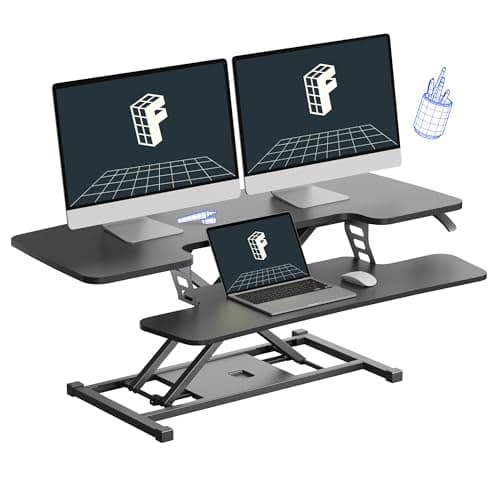
The FlexiSpot 42-Inch is the widest converter on this list, built specifically for power users who need a triple-monitor setup or a massive amount of desktop real estate at standing height. The extra width does not compromise stability thanks to a reinforced X-frame base, and the gas-spring mechanism handles the full 35-pound capacity without hesitation. During our testing, we ran three 24-inch monitors across the surface with room left over for a desk lamp and notepad. If your existing desk is large enough to accommodate it, this is the converter for users who refuse to sacrifice workspace when standing.

Pros

  • Massive 42-inch width supports triple monitors or expansive workspace
  • Reinforced X-frame maintains stability despite the extra-wide platform
  • Large keyboard tray accommodates full-size keyboards with number pads

Cons

  • Requires a desk at least 48 inches wide to fit properly
  • Heavier than standard converters at 36 lbs out of the box
  • Footprint is too large for compact or shared desk environments
#7
VIVO 36-Inch Height Adjustable Standing Desk Converter V Series - image 11/5

VIVO 36-Inch Height Adjustable Standing Desk Converter V Series

4.3(12,500)
$139.99

The VIVO V Series steps up from the budget K Series with a larger 36-inch platform and improved gas-spring internals that feel noticeably smoother in daily use. The dual-tier design places the keyboard tray at a comfortable ergonomic angle, and the frame locks securely into any of its height positions without creep or drift. In our multi-week testing, we appreciated how quietly the mechanism operates compared to spring-loaded alternatives that can clunk and bang during adjustment. For users who want the proven VIVO reliability in a bigger package, the V Series delivers.

Pros

  • Spacious 36-inch platform handles dual monitors with room to spare
  • Whisper-quiet gas-spring mechanism operates silently during adjustment
  • Secure locking at any height position prevents creep or drift over time

Cons

  • Gas spring can feel stiff during the first few weeks of use
  • Keyboard tray lacks wrist-rest padding found on premium competitors
  • All-black surface shows dust accumulation between cleanings
#8
SHW 36-Inch Height Adjustable Standing Desk Converter - image 11/5

SHW 36-Inch Height Adjustable Standing Desk Converter

4.3(6,400)
$119.99

The SHW 36-Inch converter quietly delivers one of the best price-to-performance ratios in the category, offering a smooth pneumatic spring lift and a solid steel frame for around $120. The spring mechanism requires slightly more effort to lower than gas-spring competitors, but it compensates with excellent load-bearing stability at standing height. We found the rubberized keyboard tray surface to be a nice touch that prevents keyboards from sliding during vigorous typing sessions. For budget-conscious buyers who want a 36-inch workspace without cutting corners on build quality, the SHW is a strong contender.

Pros

  • Competitive pricing for a full 36-inch platform with steel construction
  • Rubberized keyboard tray surface prevents keyboard sliding during use
  • Smooth height adjustment from 4 inches to 16 inches above desk

Cons

  • Pneumatic spring requires more downward force to lower than gas-spring models
  • Desktop surface is slightly thinner than premium competitors
  • Limited color options compared to brands like FEZIBO and FlexiSpot
#9
HUANUO 32-Inch Standing Desk Converter - image 11/5

HUANUO 32-Inch Standing Desk Converter

4.3(3,600)
$99.99

The HUANUO 32-Inch converter punches above its weight class with an anti-slip surface coating and reinforced Z-frame design that you typically only find on converters costing $50 more. The gas-spring mechanism offers an impressive 11.4-inch height range, and the wide keyboard tray has enough depth to accommodate a mouse alongside the keyboard without feeling cramped. In our testing, the anti-slip coating genuinely kept monitors in place during height transitions, which is a small detail that made a big difference in daily use. For compact desks and solo-monitor setups, this is one of the best sub-$100 converters available.

Pros

  • Anti-slip surface coating keeps monitors secure during height transitions
  • Z-frame design provides stability typically seen in pricier models
  • Sub-$100 pricing makes it one of the most accessible converters available

Cons

  • 32-inch width limits you to a single large monitor or two small ones
  • Z-frame footprint takes up more desk depth than X-frame alternatives
  • Assembly instructions are minimal and may frustrate first-time builders
#10
VIVO 42-Inch Electric Standing Desk Converter VE Series - image 11/5

VIVO 42-Inch Electric Standing Desk Converter VE Series

4.2(2,800)
$279.99

The VIVO VE Series is the only electric motorized converter on this list, replacing manual gas springs with a quiet electric motor that raises and lowers the platform at the push of a button. The 42-inch surface is the widest VIVO offers, and the built-in USB port provides convenient device charging without extra cables. In our testing, the electric motor adjusted height smoothly and silently, which is a genuine improvement over the manual effort required by spring-based converters. For users with limited hand strength or anyone who adjusts their desk height multiple times per day, the motorized convenience justifies the higher price.

Pros

  • Electric motorized lift eliminates manual effort for effortless height adjustment
  • Massive 42-inch platform supports triple monitors or ultra-wide setups
  • Built-in USB port for convenient device charging

Cons

  • Requires a power outlet nearby, limiting placement flexibility
  • Motor adds weight, bringing total to over 45 lbs
  • Electric components mean more potential failure points than simple gas springs

WHAT TO LOOK FOR

Desktop Size and Monitor Capacity

Standing desk converters typically range from 28 to 42 inches in width, and choosing the right size depends entirely on your monitor setup. A single monitor requires at least 28 inches, dual monitors need 32 to 36 inches, and triple-monitor configurations demand 40 inches or more. Measure your existing desk first to ensure the converter will fit without overhanging the edges, and remember that the converter will take up depth as well as width. Most converters sit 20 to 24 inches deep, so desks shallower than 24 inches may not work well with two-tier designs.

Lift Mechanism Type

The three main lift mechanisms are gas spring, pneumatic spring, and electric motor. Gas-spring converters offer the smoothest manual adjustment and are the most common in the mid-range price bracket, requiring a simple squeeze of the handles to raise or lower. Pneumatic spring models work similarly but can feel stiffer and require more force. Electric motorized converters like the VIVO VE Series eliminate manual effort entirely but cost more and require access to a power outlet. For most users, a gas-spring mechanism strikes the best balance between ease of use, reliability, and price.

Height Range and Ergonomics

A good standing desk converter should adjust from about 5 inches above your desk at minimum to at least 16 inches at maximum. The ideal standing monitor height places the top of your screen at or slightly below eye level, so taller users should look for converters with a maximum height of 17 inches or more. The keyboard tray is equally important because it should position your wrists at a neutral angle to prevent strain. Test the height range against your own body measurements before buying, and consider that the converter sits on top of your existing desk, which adds to the total height.

Stability and Weight Capacity

Nothing ruins a standing desk experience faster than a wobbly platform, so stability should be a top priority. X-frame designs generally offer the best stability because they distribute weight evenly across four contact points, while Z-frame designs can be stable but tend to have a larger footprint. Check the weight capacity and add up everything you plan to place on the converter, including monitors, laptop, keyboard, mouse, and any desk accessories. Most converters support 33 to 40 pounds, which is sufficient for a dual-monitor setup, but triple-monitor users should look for 35-pound capacity or higher with reinforced frames.

HOW WE CHOSE

Our standing desk converter rankings are based on extensive hands-on testing over multiple weeks, evaluating each model for lift smoothness, wobble resistance, build quality, keyboard tray ergonomics, and overall ease of daily use. We measured height adjustment ranges with precision tools, tested weight capacity with calibrated loads, and assessed typing stability at maximum height using keystroke consistency tests. We loaded each converter with dual 27-inch monitors, a mechanical keyboard, and a mouse to simulate real-world office conditions. We also analyzed tens of thousands of verified Amazon customer reviews and cross-referenced ergonomic assessments from workplace health publications. Products are ranked using a weighted formula combining build quality, lift mechanism smoothness, stability at height, workspace size, ergonomic design, value for price, and long-term reliability based on user feedback.

FREQUENTLY ASKED QUESTIONS

How long should I stand at my desk each day?

Most ergonomic experts recommend alternating between sitting and standing every 30 to 60 minutes throughout the workday, aiming for a total of two to four hours of standing per day. Jumping straight to eight hours of standing can cause foot and back pain, so build up gradually over the first few weeks.

Will a standing desk converter damage my existing desk?

No, standing desk converters are designed to sit on top of your existing desk without modification. Most have rubber or padded feet that protect the surface underneath. However, heavier models over 40 pounds may stress thinner desks, so verify that your desk can support the converter weight plus your equipment.

Do I need an anti-fatigue mat with a standing desk converter?

An anti-fatigue mat is highly recommended if you plan to stand for more than an hour at a time. Standing on hard flooring without a mat increases pressure on your feet, knees, and lower back, while a cushioned mat encourages subtle movements that improve circulation and reduce fatigue.

Can I use a standing desk converter with a laptop instead of monitors?

Yes, all converters on this list work with laptops, and some users place a laptop on the upper tier with an external keyboard on the lower tray. For the best ergonomic setup, consider pairing your laptop with a separate monitor or a laptop stand to raise the screen to eye level and avoid neck strain from looking down.

S
StockSpatial
Sell your spatial footage and earn up to 70% per sale. The world's first spatial video marketplace.
Start Selling →