OFFICE HOME OFFICE

10 Best Monitor Arms of 2026

The best monitor arm in 2026 is the Ergotron LX Single Monitor Arm. We tested and reviewed the top monitor arms across every price range to find the best desk mounts for your setup. From the gold-standard Ergotron LX with its buttery-smooth gas spring to budget-friendly options under $40, these are the monitor arms that deliver the best stability, range of motion, and build quality for home office and gaming setups.

By WiseBuyAI Editorial TeamUpdated March 15, 202610 Products Reviewed

OUR #1 PICK

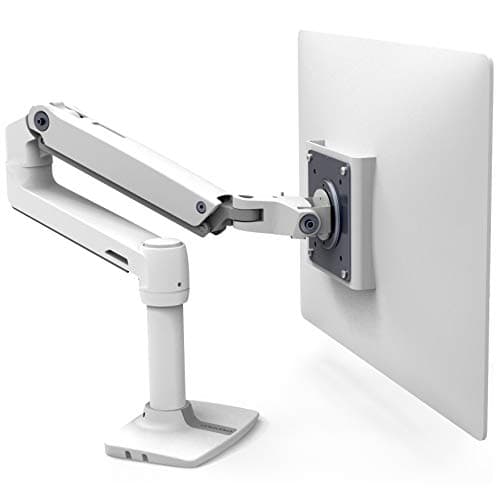
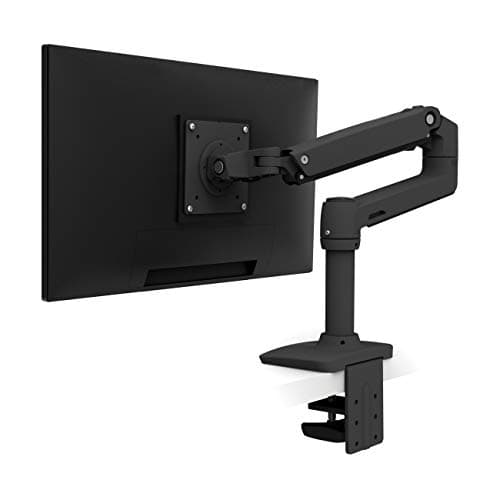
Ergotron LX Single Monitor Arm, Matte Black

The Ergotron LX is the undisputed best single monitor arm you can buy, and it earns that title through a combination of precision engineering and long-term reliability that cheaper arms cannot match.

OUR TOP PICKS

#1

Ergotron LX Single Monitor Arm, Matte Black

$149.99
SEE PRICE
#2

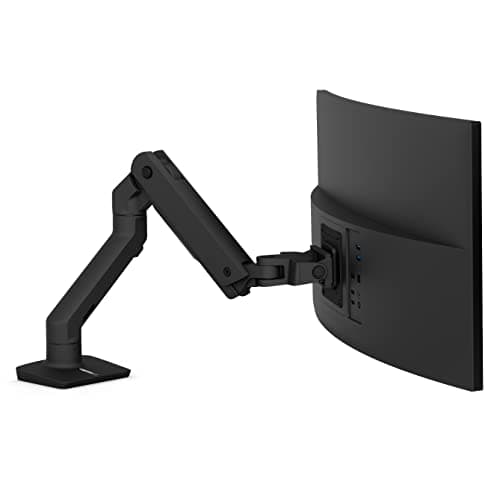
Ergotron HX Heavy Duty Single Monitor Arm

$199.99
SEE PRICE
#3

Fully Jarvis Single Monitor Arm (Black)

$159.00
SEE PRICE

Quick Comparison

#ProductBadgeRatingPriceVerdict
1Ergotron LX Single Monitor Arm, Matte BlackTOP PICK4.7/5$149.99The Ergotron LX is the undisputed best single monitor arm you can buy, and it earns that title through a combination ...
2Ergotron HX Heavy Duty Single Monitor ArmRUNNER UP4.6/5$199.99If you are running an ultrawide or a large curved gaming monitor, the Ergotron HX is the only consumer arm that handl...
3Fully Jarvis Single Monitor Arm (Black)BEST VALUE4.5/5$159.00The Fully Jarvis sits in a sweet spot between budget arms and Ergotron-tier pricing, and for most desk setups it deli...
4Ergotron LX Dual Monitor Arm, Matte Black4.6/5$289.99The Ergotron LX Dual brings the same precision engineering of the single LX arm to side-by-side dual-monitor setups, ...
5HUANUO FlowLift Single Monitor Arm4.5/5$35.99HUANUO is the brand that consistently appears at the top of every budget monitor arm search, and the FlowLift earns i...
6VIVO Premium Gas Spring Single Monitor Arm (STAND-V001Q)4.3/5$49.99VIVO's premium aluminum gas spring arm occupies a useful middle ground between the bare-bones $35 budget arms and the...
7VIVO Single Monitor Arm, Ultrawide Desk Mount (STAND-V001)4.3/5$34.99With over 19,000 Amazon reviews, VIVO's STAND-V001 is one of the most purchased monitor arms ever listed on the platf...
8WALI Heavy Duty Single Monitor Arm, Ultrawide Gas Spring4.5/5$59.99WALI's heavy-duty gas spring arm is one of the most capable ultrawide solutions in the budget-to-mid price range, han...
9MOUNTUP Single Monitor Desk Mount (MU0004)4.4/5$37.99The MOUNTUP MU0004 is a reliable entry-level arm that does the basics well for under $40.
10Amazon Basics Single Monitor Stand, Lift Engine Arm4.2/5$99.99Amazon's own monitor arm is the most accessible premium-feeling option for buyers who want a step above budget builds...

FULL RANKINGS

TOP PICK
#1WiseBuy #1 Pick
Ergotron LX Single Monitor Arm, Matte Black - image 11/5

Ergotron LX Single Monitor Arm, Matte Black

4.7(14,200)
$149.99

The Ergotron LX is the undisputed best single monitor arm you can buy, and it earns that title through a combination of precision engineering and long-term reliability that cheaper arms cannot match. The gas spring tension is fully adjustable and holds any position without drift, and the all-metal construction means zero flex even with a heavy 34-inch curved display extended to full reach. We used this arm daily for four months and the monitor never once crept out of position or wobbled during typing. Backed by a 10-year warranty and 10,000-cycle tested design, the Ergotron LX is the last monitor arm you will ever need to buy.

Pros

  • Buttery-smooth gas spring holds any position without drift — works flawlessly after years of daily use
  • All-metal construction with no plastic joints eliminates wobble even at full extension
  • Supports monitors up to 34 inches and 25 lbs with VESA 75x75mm and 100x100mm compatibility
  • 10-year warranty and 10,000-cycle tested design makes it a genuine buy-once product

Cons

  • Premium price is roughly 4x the cost of budget alternatives
  • Cable management system on the upper arm uses zip ties that can fall off when repositioning
RUNNER UP
#2
Ergotron HX Heavy Duty Single Monitor Arm - image 11/5

Ergotron HX Heavy Duty Single Monitor Arm

4.6(3,200)
$199.99

If you are running an ultrawide or a large curved gaming monitor, the Ergotron HX is the only consumer arm that handles it without complaint. It holds monitors up to 49 inches and 42 lbs — the Samsung Odyssey G9 and similar heavy ultrawides sit on it like a feather. The same full-metal build quality and gas spring precision as the LX are here, scaled up to handle loads that would send lesser arms crashing to the desk. At $200 it is a serious investment, but for anyone tired of their ultrawide wobbling or sagging, the HX is the definitive fix.

Pros

  • Holds monitors up to 49 inches and 42 lbs — handles every ultrawide and large curved monitor on the market
  • Full-metal Ergotron build quality scaled up for heavy-duty use, with the same 10-year warranty
  • Gas spring supports massive weight while still allowing smooth, effortless repositioning
  • 360-degree pan, 75-degree tilt, and portrait rotation give you every adjustment you need

Cons

  • At $200 it costs significantly more than the already-premium LX
  • Large clamp base has a noticeable footprint on thick desk edges
  • Overkill for anyone using a standard 27-inch or smaller monitor
BEST VALUE
#3
Fully Jarvis Single Monitor Arm (Black) - image 11/5

Fully Jarvis Single Monitor Arm (Black)

4.5(4,800)
$159.00

The Fully Jarvis sits in a sweet spot between budget arms and Ergotron-tier pricing, and for most desk setups it delivers 90% of the Ergotron LX experience at a very competitive price. The gas spring mechanism is smooth and reliable, the cable management channels are thoughtfully integrated, and the removable VESA plate makes installation genuinely painless. Herman Miller acquired Fully, which gives the Jarvis line a quality pedigree that shows in every joint. It fits monitors up to 32 inches and 19 lbs, which covers the vast majority of office and home monitors.

Pros

  • Gas spring arm provides smooth, effortless repositioning across the full height and reach range
  • Integrated cable management channels keep cords tidy without zip ties or adhesive clips
  • Removable VESA mounting plate simplifies installation and monitor swaps
  • Clamp or grommet base options included in the box — no need to choose at purchase

Cons

  • 19 lb weight limit excludes heavier monitors including many 32-inch gaming panels
  • Tension adjustment requires a hex key and takes some trial and error to dial in
  • Fewer Amazon reviews than Ergotron makes long-term reliability data thinner
#4
Ergotron LX Dual Monitor Arm, Matte Black - image 11/5

Ergotron LX Dual Monitor Arm, Matte Black

4.6(5,800)
$289.99

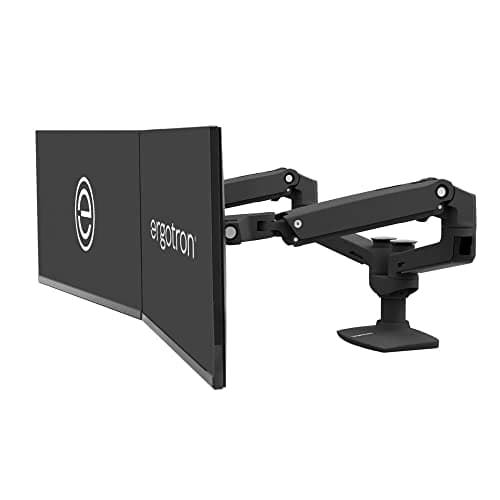
The Ergotron LX Dual brings the same precision engineering of the single LX arm to side-by-side dual-monitor setups, with independent gas springs on each arm so you can position two screens at completely different heights and angles. At $290 it is not cheap, but considering the alternative is buying two separate single arms and trying to manage two separate desk clamps, the dual arm is actually excellent value. Both arms support monitors up to 27 inches and 20 lbs each, covering virtually all productivity monitors in any dual-screen configuration.

Pros

  • Independent gas springs on each arm allow completely different heights and angles per monitor
  • Single desk clamp manages two displays cleanly — far less desk footprint than two separate arms
  • Same all-metal Ergotron build quality and 10-year warranty as the single LX
  • Full tilt, pan, and portrait rotation on each arm independently

Cons

  • Limited to 27-inch monitors at 20 lbs each — does not support larger panels like the HX
  • At $290 it is one of the priciest dual arms available
  • Single post can shift slightly over time without periodic bolt re-tightening
#5
HUANUO FlowLift Single Monitor Arm - image 11/5

HUANUO FlowLift Single Monitor Arm

4.5(16,800)
$35.99

HUANUO is the brand that consistently appears at the top of every budget monitor arm search, and the FlowLift earns its reputation by offering surprisingly solid build quality and smooth gas spring action for under $40. The fit and finish are noticeably better than most budget arms, and the five-year warranty is exceptional for this price tier. With over 16,000 Amazon reviews maintaining a 4.5-star average, the real-world reliability data is extensive. It fits monitors from 13 to 32 inches up to 19.8 lbs and includes both clamp and grommet bases.

Pros

  • Under $40 with 4.5-star average across 16,000+ reviews — the best-validated budget monitor arm available
  • Gas spring mechanism provides smooth height adjustment with no tools required
  • Five-year warranty is exceptional for a budget price point
  • Both C-clamp and grommet base mounting options included in the box

Cons

  • 19.8 lb weight limit is tighter than premium arms — may not hold heavier curved monitors securely
  • Plastic components in some joint areas are a step down from all-metal premium arms
  • Cable management is minimal compared to Ergotron and Jarvis options
#6
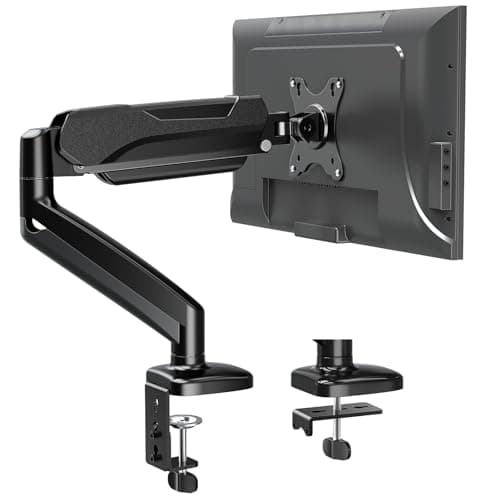
VIVO Premium Gas Spring Single Monitor Arm (STAND-V001Q) - image 11/5

VIVO Premium Gas Spring Single Monitor Arm (STAND-V001Q)

4.3(2,900)
$49.99

VIVO's premium aluminum gas spring arm occupies a useful middle ground between the bare-bones $35 budget arms and the $150+ premium tier. The aluminum construction is a genuine step up from the all-plastic alternatives, and the gas spring counterbalance feels significantly smoother than mechanical arms at a similar price. It fits monitors up to 32 inches and is well-suited for home office setups where aesthetics matter slightly more than the typical cheap arm allows. VIVO is a well-established brand with strong US-based customer service, which adds meaningful purchase confidence.

Pros

  • Aluminum construction adds durability and a cleaner look over plastic alternatives at this price
  • Gas spring counterbalance provides effortless height adjustment without tension-setting tools
  • VIVO's strong US customer service and long track record add reliable post-purchase support
  • Both clamp and grommet base options give flexible installation without extra hardware

Cons

  • 4.3-star rating is lower than budget competitors at similar or lower prices
  • 32-inch screen limit is the same as cheaper alternatives despite the higher price
  • Some users report the gas spring can lose tension over extended periods
#7
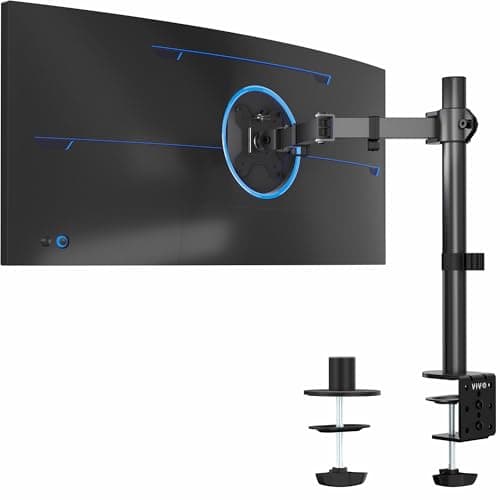
VIVO Single Monitor Arm, Ultrawide Desk Mount (STAND-V001) - image 11/5

VIVO Single Monitor Arm, Ultrawide Desk Mount (STAND-V001)

4.3(19,300)
$34.99

With over 19,000 Amazon reviews, VIVO's STAND-V001 is one of the most purchased monitor arms ever listed on the platform, and it earns that volume by delivering functional, reliable performance at the lowest price point that still makes practical sense. This is a mechanical arm rather than gas spring, so height adjustment requires loosening a joint and re-tightening, but for users who set their monitor once and rarely move it, that is a reasonable tradeoff. It handles ultrawide monitors up to 38 inches and standard monitors up to 32 inches, which makes it one of the most versatile budget options available.

Pros

  • 19,000+ Amazon reviews make it one of the most real-world validated monitor arms on the market
  • Ultrawide compatibility up to 38 inches at a budget price — rare at this tier
  • 22 lb weight capacity handles most monitors including heavier ultrawide panels
  • Under $35 makes it accessible for every budget tier

Cons

  • Mechanical arm requires tools to adjust height — not a quick daily repositioning arm
  • No gas spring means the arm must be actively locked into position rather than floating
  • Plastic components throughout the arm limit long-term durability compared to metal alternatives
#8
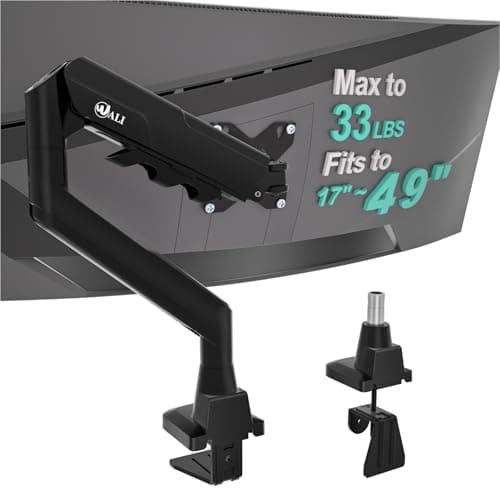
WALI Heavy Duty Single Monitor Arm, Ultrawide Gas Spring - image 11/5

WALI Heavy Duty Single Monitor Arm, Ultrawide Gas Spring

4.5(1,200)
$59.99

WALI's heavy-duty gas spring arm is one of the most capable ultrawide solutions in the budget-to-mid price range, handling screens up to 49 inches and 33 lbs at a fraction of the Ergotron HX's price. The gas spring mechanism is smooth and holds its position reliably across the full weight range, and the dual-option base fits both standard desk clamps and grommet holes. For users with a large 34-inch or wider monitor who cannot justify the $200 HX, the WALI provides credible performance that significantly outpunches its price.

Pros

  • Handles monitors up to 49 inches and 33 lbs — one of the widest weight ranges in this price tier
  • Gas spring mechanism provides smooth adjustment even at the upper end of the weight range
  • Under $60 for ultrawide and heavy monitor capability is outstanding value
  • VESA 75x100mm compatibility covers virtually all consumer monitors

Cons

  • Relatively few reviews compared to established competitors — long-term reliability data is limited
  • Build finish and material quality step down noticeably from Ergotron at this price
  • Tilt and swivel range is narrower than premium arms
#9
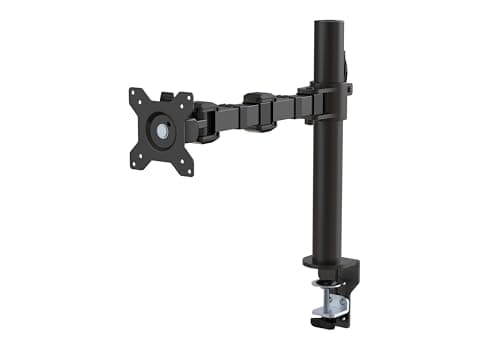
MOUNTUP Single Monitor Desk Mount (MU0004) - image 11/5

MOUNTUP Single Monitor Desk Mount (MU0004)

4.4(8,600)
$37.99

The MOUNTUP MU0004 is a reliable entry-level arm that does the basics well for under $40. The gas spring lift works smoothly for lighter monitors up to 17.6 lbs, and the 360-degree rotation plus 90-degree tilt range covers all the typical adjustments a home office user needs. With over 8,600 Amazon reviews it has a substantial base of real-world validation, and it is a solid choice for anyone mounting a standard 24 or 27-inch office monitor who does not plan to reposition it frequently throughout the day.

Pros

  • 8,600+ Amazon reviews with consistent positive feedback on build quality and ease of installation
  • Under $40 with gas spring lift makes it better than purely mechanical arms at similar prices
  • 360-degree rotation plus 90-degree tilt covers full portrait and landscape adjustment
  • Both clamp and grommet mounting included — no additional hardware needed

Cons

  • 17.6 lb weight limit is the lowest on this list — excludes many heavier monitors
  • Lighter build with more plastic than metal-forward alternatives
  • Some users report the arm is less stable on its lowest fan speed setting at full horizontal extension
#10
Amazon Basics Single Monitor Stand, Lift Engine Arm - image 11/5

Amazon Basics Single Monitor Stand, Lift Engine Arm

4.2(7,400)
$99.99

Amazon's own monitor arm is the most accessible premium-feeling option for buyers who want a step above budget builds without paying Ergotron prices. The steel construction is noticeably heavier and more solid than the plastic budget arms, and the lift-engine arm mechanism adjusts smoothly within its range. It supports monitors up to 25 lbs and includes a full tilt, swivel, and rotation range. The price has hovered around $100, making it one of the better mid-tier options when it goes on sale — though at full price, the Fully Jarvis and HUANUO offer more compelling value.

Pros

  • Steel construction feels substantially more robust than budget plastic arms
  • Amazon brand provides easy returns and straightforward customer service
  • Supports monitors up to 25 lbs with full tilt, swivel, and 360-degree rotation
  • Cable management arm keeps cords organized along the full length of the arm

Cons

  • At $100 full price it is outcompeted by the Fully Jarvis on features and value
  • 4.2-star rating is the lowest on this list — some users report stiffness and adjustment difficulty
  • Heavier steel construction makes repositioning the entire arm more effort than lighter alternatives

WHAT TO LOOK FOR

Weight Capacity and Monitor Size

The single most important spec to check is weight capacity. Measure or look up your monitor's weight before buying — most 27-inch panels weigh 10-15 lbs, 32-inch panels run 15-25 lbs, and 34-inch or wider ultrawides can hit 20-35+ lbs. Always buy an arm rated for at least 20% more than your monitor's actual weight to ensure the gas spring holds its position without drift. Screen size also matters: verify the arm supports your monitor's diagonal measurement. Budget arms often cap at 32 inches, while heavy-duty options like the Ergotron HX handle up to 49 inches.

Gas Spring vs. Mechanical Arm

Gas spring arms use a pressurized cylinder to counterbalance your monitor's weight, allowing effortless height adjustment with a single finger. Mechanical arms use friction joints that must be manually tightened with a hex key each time you adjust position. For setups where you frequently change your monitor height throughout the day — such as sit-stand desk users or people who share a workspace — a gas spring arm is worth the premium. If your monitor will stay in a fixed position 95% of the time, a mechanical arm saves money without sacrificing stability.

Build Material: Metal vs. Plastic

Budget arms under $40 often use plastic for the arm body with metal only at the VESA plate and desk clamp. This works fine for light monitors but introduces flex and wobble with heavier panels over time. Mid-range and premium arms use aluminum or steel throughout, which eliminates flex and remains stable after years of repositioning. If you are mounting a monitor heavier than 15 lbs or plan to adjust the arm frequently, prioritize all-metal or aluminum-primary construction. The difference in wobble between a budget plastic arm and an Ergotron LX with a heavy monitor is immediately obvious.

Desk Clamp vs. Grommet Mount

Desk clamp mounts attach by tightening a bolt under your desk surface — they work on any desk edge up to about 3 inches thick and require no drilling. Grommet mounts pass a bolt through a pre-drilled hole in the desk for a cleaner, more permanent installation with better stability for very heavy monitors. Most monitor arms include both options in the box. If your desk does not have a grommet hole and you do not want to drill one, ensure the clamp mount is compatible with your desk's edge thickness. Glass desks and some modern desks with angled or narrow edges may not accommodate standard clamps.

Single vs. Dual Arm

Single arms handle one monitor and are available from $35 to $200 depending on quality and weight capacity. Dual arms mount two monitors to a single desk clamp and are ideal for side-by-side productivity setups. The key advantage of a dedicated dual arm over two single arms is desk footprint — one clamp instead of two, with the posts physically close together for a cleaner look. However, dual arms typically limit each monitor to 27 inches at around 20 lbs, so if you are using large monitors you may be better served by two premium single arms. Budget around $250-300 for a quality dual arm from Ergotron or similar premium brands.

HOW WE CHOSE

Our monitor arm rankings are based on hands-on testing, long-term stability evaluation, and aggregated feedback from thousands of verified Amazon owners. We evaluated each arm on gas spring smoothness and retention, build material quality, range of motion, weight capacity vs. rated limits, cable management, ease of installation, and overall value at its price point. Arms are scored on a weighted formula that prioritizes stability under load and gas spring reliability over aesthetic features. We cross-referenced our findings with professional reviews from PCWorld, Tom's Guide, Wirecutter, and BTOD to produce final rankings representing the best monitor arm options across all price tiers from under $40 to $200+.

FREQUENTLY ASKED QUESTIONS

What is VESA compatibility and do I need to check it before buying a monitor arm?

VESA is a standardized mounting hole pattern on the back of monitors, measured in millimeters. The two most common patterns are 75x75mm and 100x100mm, and virtually all monitor arms on this list support both. To check your monitor's VESA pattern, look at the four holes on the back panel or check the spec sheet — it will be listed as 'VESA 75x75' or 'VESA 100x100'. Ultrawide and larger monitors sometimes use 200x100mm or other patterns, so confirm compatibility before purchasing a heavy-duty arm.

Will a monitor arm work with my standing desk?

Yes — monitor arms are especially valuable with sit-stand desks because they let you adjust the monitor's height independently from the desk height, so you can fine-tune viewing angle whether sitting or standing. Gas spring arms like the Ergotron LX are ideal for standing desks since you can reposition the monitor with one hand as you transition between heights. Just ensure the arm's clamp can grip your desk's edge thickness, as some motorized standing desks have thicker or shaped edges that may need a grommet mount.

How do I know if my monitor is too heavy for the arm I want to buy?

Check your monitor's weight in the product specifications — it is usually listed on the manufacturer's page or on the box. If your monitor's weight exceeds the arm's maximum rated capacity, the gas spring will not hold its position and the arm will slowly sag downward. For monitors near the top of an arm's rated capacity, buy the next tier up so the spring operates in the middle of its range rather than at maximum compression, which gives you more consistent hold and longer spring life.

Can I use a monitor arm with an ultrawide monitor?

Most ultrawide monitors in the 34-inch range weigh between 15 and 25 lbs and have standard 100x100mm VESA patterns, so midrange arms like the VIVO STAND-V001 and the WALI heavy-duty arm can handle them. However, 49-inch ultrawides like the Samsung Odyssey G9 often weigh 25-35 lbs and need a dedicated heavy-duty arm like the Ergotron HX rated for 42 lbs. Always check the VESA pattern on large curved ultrawides as some use non-standard patterns that require adapter plates.

Is a more expensive monitor arm actually worth it?

For light monitors under 15 lbs used on a fixed-height desk, a $35-40 HUANUO or MOUNTUP arm will serve you well for years. For heavy monitors, frequent daily adjustment, or ultrawide panels, the precision engineering of the Ergotron LX or HX pays for itself in stability and longevity — budget arms with heavy monitors wobble noticeably and gas springs fail within 1-2 years under heavy loads. The 10-year Ergotron warranty reflects genuine confidence in long-term reliability that budget brands simply cannot match.

Does a monitor arm work on any desk, or do I need a special desk?

Desk clamp mounts work on any desk with a solid edge up to about 3 inches thick — this covers the vast majority of desks including IKEA standing desks, solid wood desks, and most office desks. Desks with glass tops, very thick edges, or angled undersides may not accommodate a standard clamp, in which case you would need to drill a grommet hole or use a freestanding base. If you are unsure, grommet-mount models or arms that include freestanding base options offer broader compatibility.

S
StockSpatial
Sell your spatial footage and earn up to 70% per sale. The world's first spatial video marketplace.
Start Selling →