GAME GAMING

10 Best Gaming Mousepads of 2026

The best gaming mousepad in 2026 is the SteelSeries QcK Heavy XXL. We analyzed thousands of Reddit discussions, pro player setups, and hands-on reviews to find the top gaming mousepads and desk mats. From the legendary SteelSeries QcK to premium Artisan pads, these are the mousepads that competitive and casual gamers actually trust.

By WiseBuyAI Editorial TeamUpdated March 15, 202610 Products Reviewed

OUR #1 PICK

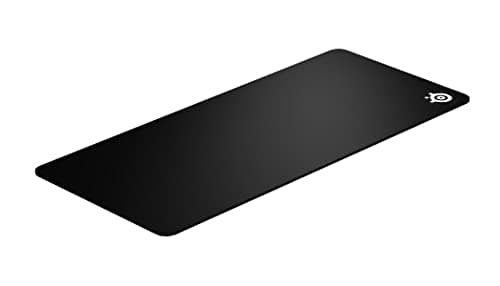
SteelSeries QcK Heavy XXL

The SteelSeries QcK Heavy has been the gold standard in cloth gaming mousepads for nearly two decades, and the XXL version earns our top pick for good reason.

OUR TOP PICKS

#1

SteelSeries QcK Heavy XXL

$34.99
SEE PRICE
#2

Artisan FX Zero Soft XL

$49.99
SEE PRICE
#3

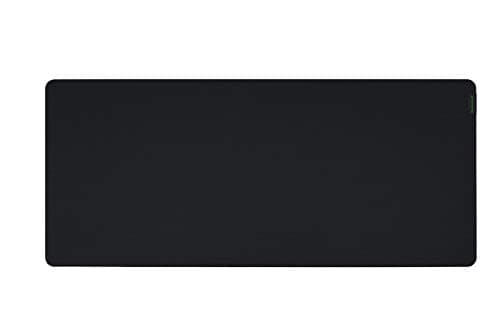
Razer Gigantus V2 XXL

$19.99
SEE PRICE

Quick Comparison

#ProductBadgeRatingPriceVerdict
1SteelSeries QcK Heavy XXLTOP PICK4.7/5$34.99The SteelSeries QcK Heavy has been the gold standard in cloth gaming mousepads for nearly two decades, and the XXL ve...
2Artisan FX Zero Soft XLRUNNER UP4.6/5$49.99The Artisan FX Zero is the mousepad that competitive FPS players quietly swear by, and its reputation among the r/Mou...
3Razer Gigantus V2 XXLBEST VALUE4.6/5$19.99The Razer Gigantus V2 XXL is the mousepad that proves premium performance does not require a premium price tag.
4Logitech G840 XL Gaming Mouse Pad4.5/5$39.99The Logitech G840 is the extended desk mat that Logitech specifically engineered to pair with their gaming mice, and ...
5Razer Strider Hybrid Mouse Mat XXL4.5/5$59.99The Razer Strider is a genuinely innovative hybrid mousepad that combines the speed of a hard surface with the rollab...
6Corsair MM700 RGB ExtendedBEST RGB4.4/5$49.99The Corsair MM700 is the RGB desk mat that does not sacrifice surface quality for flashy lighting.
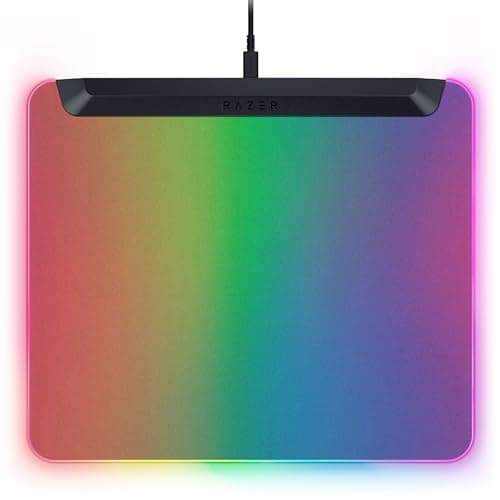
7Razer Firefly V2 Pro4.4/5$99.99The Razer Firefly V2 Pro is the world's first fully backlit RGB gaming mouse mat, and it delivers a visual impact tha...
8HyperX Pulsefire Mat XL4.6/5$24.99The HyperX Pulsefire Mat XL is a no-frills extended cloth pad that punches well above its price point.
9Endgame Gear MPC450 Cordura4.5/5$29.99The Endgame Gear MPC450 uses Cordura fabric, a material originally developed for military and outdoor gear, and it sh...
10Corsair MM300 PRO Extended4.5/5$29.99The Corsair MM300 PRO Extended is the upgraded version of one of the longest-running desk mats in gaming, and the PRO...

FULL RANKINGS

TOP PICK
#1WiseBuy #1 Pick
SteelSeries QcK Heavy XXL - image 11/5

SteelSeries QcK Heavy XXL

4.7(42,000)
$34.99

The SteelSeries QcK Heavy has been the gold standard in cloth gaming mousepads for nearly two decades, and the XXL version earns our top pick for good reason. Its extra-thick 6mm rubber base absorbs desk imperfections and provides a cushioned feel that your wrist will thank you for during marathon gaming sessions. The micro-woven cloth surface delivers a perfect balance of speed and control that works equally well for low-sensitivity flick shots in Valorant and precise tracking in Overwatch 2. At 35.4 by 15.7 inches, it covers your entire desk setup with room to spare, and the non-slip rubber underside stays locked in place even during intense gameplay.

Pros

  • Extra-thick 6mm base cushions wrists and absorbs desk surface irregularities
  • Micro-woven cloth provides ideal speed-to-control balance for all game genres
  • XXL coverage fits full keyboard and mouse setup with room to spare
  • Non-slip rubber base eliminates pad movement during intense flick shots

Cons

  • Cloth surface attracts dust and requires periodic washing to maintain glide consistency
  • Thick profile may feel too high for users who prefer ultra-thin desk mats
  • All-black design is functional but lacks visual flair compared to RGB alternatives
RUNNER UP
#2
Artisan FX Zero Soft XL - image 11/3

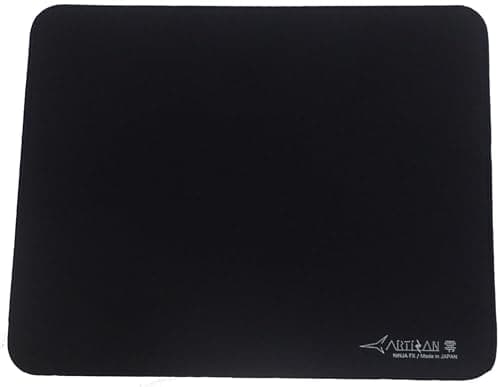
Artisan FX Zero Soft XL

4.6(1,800)
$49.99

The Artisan FX Zero is the mousepad that competitive FPS players quietly swear by, and its reputation among the r/MouseReview community is almost mythical. Made in Japan with a proprietary polyester weave, the Zero Soft delivers tracking consistency that makes even premium competitors feel inconsistent by comparison. The surface hits a remarkable sweet spot between speed and stopping power that lets you make fast swipes without sacrificing micro-adjustment precision. It is genuinely one of those products where you feel the quality difference the moment your mouse touches the surface. The only reason it sits at number two is limited availability and a higher price point than mainstream options.

Pros

  • Japanese-made polyester weave delivers unmatched tracking consistency across the entire surface
  • Ideal speed-to-control ratio praised by pro FPS players and r/MouseReview enthusiasts
  • Exceptional durability that maintains glide characteristics for months without degradation
  • Flat-lay design with minimal break-in period straight out of the box

Cons

  • Premium price is significantly higher than mainstream cloth pads from SteelSeries or Razer
  • Limited stock and frequent sell-outs make it difficult to purchase on demand
  • XL size at 19.3 by 16.5 inches is smaller than typical extended desk mats
BEST VALUE
#3
Razer Gigantus V2 XXL - image 11/5

Razer Gigantus V2 XXL

4.6(28,000)
$19.99

The Razer Gigantus V2 XXL is the mousepad that proves premium performance does not require a premium price tag. At under $20 for a full-desk XXL pad, it offers an absurd value proposition that is nearly impossible to beat. The textured micro-weave cloth surface provides smooth, consistent glide without the slippery feel that plagues cheaper desk mats. Razer's thick, high-density rubber foam base does an excellent job absorbing vibrations and staying planted. Competitive gamers on a budget consistently rank this as their first recommendation because there is simply nothing else in its price range that matches its combination of surface quality, size, and build.

Pros

  • Under $20 for a full XXL desk mat delivers the best price-to-quality ratio in gaming
  • Thick high-density foam base provides cushioning and rock-solid stability
  • Textured micro-weave surface offers smooth tracking without excessive speed
  • Anti-slip rubber underside stays firmly planted on any desk surface

Cons

  • Cloth surface can develop a slightly different feel in high-friction areas over time
  • Edges lack reinforced stitching, which may lead to fraying after extended heavy use
  • Plain black design offers zero visual personality for streamers and setup enthusiasts
#4
Logitech G840 XL Gaming Mouse Pad - image 11/5

Logitech G840 XL Gaming Mouse Pad

4.5(14,000)
$39.99

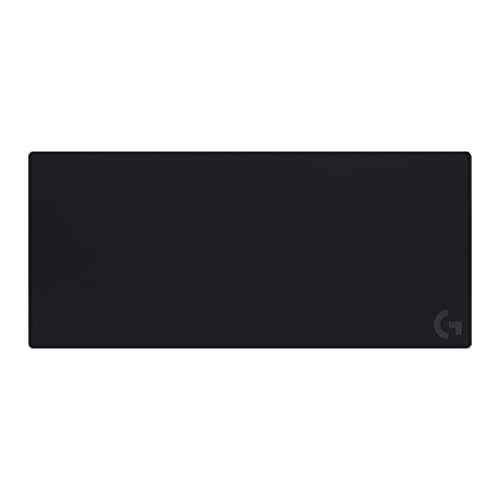
The Logitech G840 is the extended desk mat that Logitech specifically engineered to pair with their gaming mice, and that sensor optimization shows. Its performance-tuned cloth surface is calibrated for consistent tracking with Logitech HERO and LIGHTSPEED sensors, delivering noticeably smooth cursor movement right out of the box. At 900mm by 400mm, it provides generous desk coverage, and the thin 3mm profile keeps your wrist angle low for ergonomic comfort during long sessions. The rubber base is among the grippiest we have tested. If you already own a Logitech gaming mouse, the G840 is a natural pairing that extracts every bit of sensor performance.

Pros

  • Surface tuned for optimal tracking with Logitech gaming sensors and POWERPLAY compatibility
  • Thin 3mm profile maintains a low wrist angle for ergonomic all-day gaming
  • 900mm x 400mm coverage accommodates full keyboard and mouse setups easily
  • Comes in a durable tube for easy transport to LAN events and tournaments

Cons

  • At $39 it costs twice what the similarly-sized Razer Gigantus V2 XXL commands
  • Thin profile offers minimal wrist cushioning compared to thicker pads like the QcK Heavy
  • Surface can feel slightly fast for players who prefer heavy control-oriented cloth pads
#5
Razer Strider Hybrid Mouse Mat XXL - image 11/5

Razer Strider Hybrid Mouse Mat XXL

4.5(5,200)
$59.99

The Razer Strider is a genuinely innovative hybrid mousepad that combines the speed of a hard surface with the rollability and comfort of a soft mat. Its woven surface delivers a glide speed that sits noticeably faster than traditional cloth pads while still offering more stopping power than glass or polycarbonate hard pads. This makes it an ideal choice for gamers who want quick cursor response without committing to a rigid surface. The XXL Chroma version adds 19 RGB lighting zones that integrate with the Razer ecosystem, turning your entire desk into a coordinated light show. Water resistance is a practical bonus that protects against accidental drink spills during intense gaming sessions.

Pros

  • Hybrid surface bridges the gap between cloth control and hard surface speed
  • 19 Razer Chroma RGB zones create impressive desk-wide lighting effects
  • Rollable and portable despite its firm gliding surface
  • Water-resistant coating protects against spills and simplifies cleaning

Cons

  • Hybrid texture feels unusual at first and requires an adjustment period for cloth pad users
  • RGB version requires a USB connection which adds cable management complexity
  • At $59 it is one of the pricier non-hard-surface options on the market
BEST RGB
#6
Corsair MM700 RGB Extended - image 11/5

Corsair MM700 RGB Extended

4.4(6,800)
$49.99

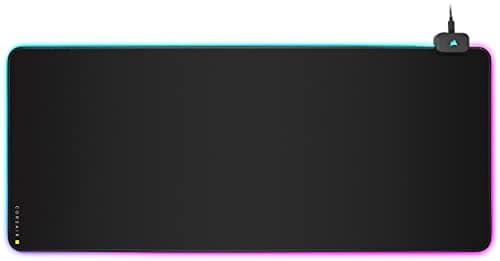
The Corsair MM700 is the RGB desk mat that does not sacrifice surface quality for flashy lighting. Its 360-degree RGB perimeter lighting delivers vivid, customizable effects through iCUE software that syncs with the rest of your Corsair ecosystem. But beyond the aesthetics, the cloth surface itself is genuinely excellent, offering a smooth micro-weave texture with consistent glide across the full 36.6 by 15.8 inch surface. The built-in dual USB 2.0 port hub is a surprisingly useful addition that turns your mousepad into a cable management solution. We found the thick rubber base provided excellent stability even during aggressive mouse movements, and the stitched edges show no signs of fraying after months of heavy use.

Pros

  • 360-degree RGB lighting syncs with Corsair iCUE for full ecosystem integration
  • Dual USB 2.0 pass-through ports add practical connectivity to your desk
  • Thick rubber base and quality stitched edges ensure long-term durability
  • Smooth micro-weave cloth surface performs well for both gaming and productivity

Cons

  • Requires USB connection for both lighting and pass-through ports, adding cables to your setup
  • RGB lighting can be distracting during competitive gaming if not dimmed or disabled
  • At 36.6 inches wide it is slightly smaller than some competing XXL desk mats
#7
Razer Firefly V2 Pro - image 11/5

Razer Firefly V2 Pro

4.4(3,500)
$99.99

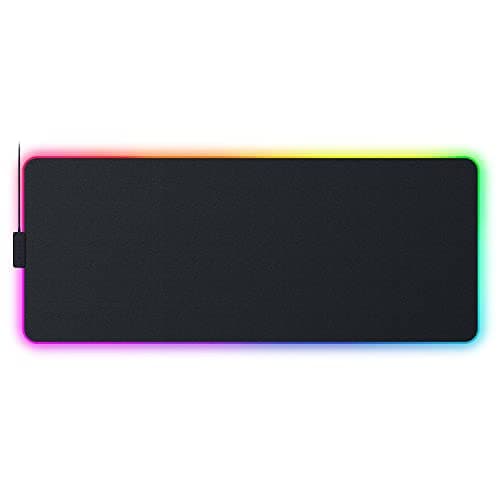
The Razer Firefly V2 Pro is the world's first fully backlit RGB gaming mouse mat, and it delivers a visual impact that no other mousepad can match. The 15 individually programmable Chroma RGB lighting zones sit beneath a micro-textured hard surface, creating an effect that looks like your mouse is gliding across a panel of light. The hard surface provides extremely fast, low-friction glide that speed-oriented FPS players will appreciate, while the micro-etched texture adds just enough resistance for controlled stops. At $99, this is a premium investment that prioritizes aesthetics and speed over raw value, but for streamers and setup enthusiasts who want their desk to look as impressive as their gameplay, nothing else comes close.

Pros

  • First fully backlit mousepad with 15 independent Chroma RGB zones beneath the surface
  • Micro-textured hard surface provides ultra-fast glide for speed-oriented gameplay
  • USB 2.0 pass-through port and detachable USB-C cable for clean desk management
  • Razer Chroma ecosystem integration creates stunning synchronized lighting setups

Cons

  • At $99 it is the most expensive mousepad on our list by a significant margin
  • Hard surface is not comfortable for extended wrist resting without a separate wrist pad
  • Standard mousepad size of 14.2 x 10.2 inches is too small for low-sensitivity players
#8
HyperX Pulsefire Mat XL - image 11/5

HyperX Pulsefire Mat XL

4.6(8,500)
$24.99

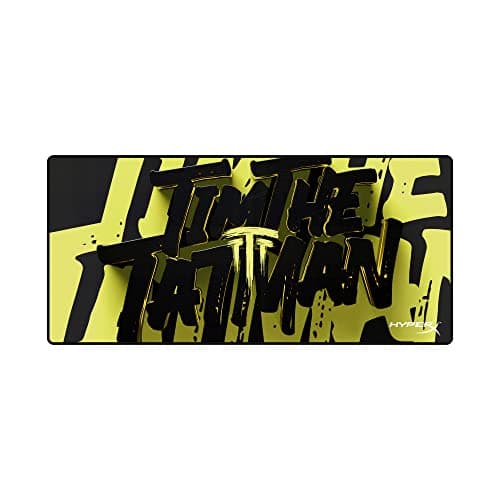
The HyperX Pulsefire Mat XL is a no-frills extended cloth pad that punches well above its price point. Its densely woven cloth surface offers a smooth, consistent glide that rivals pads costing twice as much, with just the right amount of friction for balanced speed and control. The anti-fray flush stitched edges are executed exceptionally well, sitting perfectly flat without the raised lip that plagues many competitors. We were genuinely impressed by how flat this pad ships straight out of the box with minimal curl, a common complaint with other rolled-up desk mats. For gamers who want a reliable, well-made extended pad without paying for brand names or RGB features, the Pulsefire Mat is a quiet standout.

Pros

  • Flush-stitched anti-fray edges sit perfectly flat without catching mouse feet
  • Dense cloth weave provides premium-feeling glide at a budget-friendly price
  • Ships remarkably flat with minimal curl straight out of the box
  • Non-slip textured rubber base grips desks firmly without leaving residue

Cons

  • Plain black design with no branding flair or RGB options for aesthetic-focused builders
  • Cloth surface shows sweat marks and oils more visibly than darker-textured competitors
  • Limited size options compared to brands like SteelSeries that offer multiple dimensions
#9
Endgame Gear MPC450 Cordura - image 11/5

Endgame Gear MPC450 Cordura

4.5(2,200)
$29.99

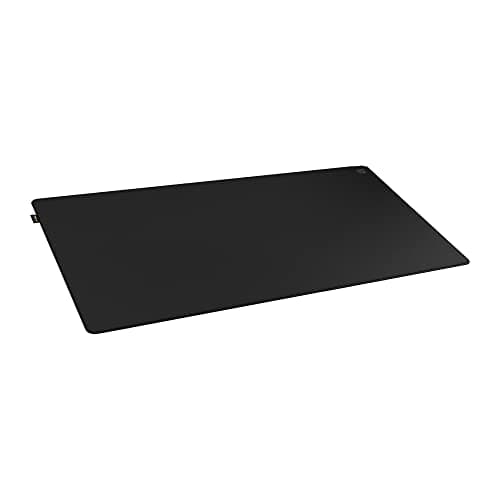
The Endgame Gear MPC450 uses Cordura fabric, a material originally developed for military and outdoor gear, and it shows in the pad's extraordinary durability. This is the mousepad you buy if you are tired of replacing cloth pads every six months because the surface has worn smooth. The Cordura weave provides a unique glide that sits faster than traditional cloth but with more texture and stopping power than a hard pad, creating a distinctive feel that speed-oriented players love once they adjust. The slim 3mm profile keeps your wrist angle minimal, and the natural rubber base provides reliable grip. For competitive players who demand a consistent surface that will not degrade over thousands of hours of use, the MPC450 is the answer.

Pros

  • Cordura fabric provides unmatched durability that outlasts traditional cloth pads by years
  • Speed-oriented surface is ideal for low-sensitivity FPS players who make large arm sweeps
  • Slim 3mm profile maintains a low, ergonomic wrist angle during extended play
  • Water and stain resistant surface makes cleaning effortless

Cons

  • Cordura texture is rougher than cloth and can cause skin irritation during bare-arm contact
  • 450mm x 400mm size is too small for players who want a full desk mat with keyboard coverage
  • Faster surface requires an adjustment period for control-oriented cloth pad users
#10
Corsair MM300 PRO Extended - image 11/5

Corsair MM300 PRO Extended

4.5(11,000)
$29.99

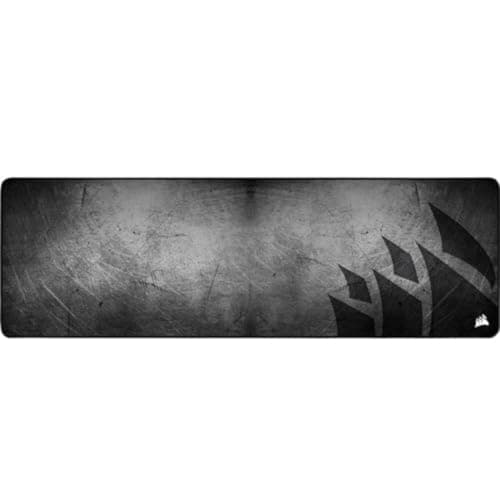
The Corsair MM300 PRO Extended is the upgraded version of one of the longest-running desk mats in gaming, and the PRO revision addresses the original's biggest weakness with a spill-proof nano-textile coating. This means accidental drink spills bead up on the surface instead of soaking in, which is a practical feature that anyone who has ever ruined a mousepad with a knocked-over coffee will appreciate. The dense cloth weave provides reliable tracking with a balanced speed profile, and the reinforced anti-fray stitching is among the tightest we have tested. At 930mm by 300mm, it is wide enough for a full keyboard-and-mouse setup while remaining narrow enough to leave desk space for other accessories.

Pros

  • Spill-proof nano-textile coating protects against accidental liquid damage
  • Dense weave delivers reliable, balanced tracking suitable for all gaming genres
  • Reinforced anti-fray stitched edges are among the most durable in the category
  • 930mm x 300mm extended size fits full setups without dominating the entire desk

Cons

  • Spill-proof coating slightly alters the cloth texture compared to an untreated surface
  • Narrower 300mm depth may feel cramped for players who use very low mouse sensitivity
  • Corsair branding on the pad is more prominent than some minimalist users prefer

WHAT TO LOOK FOR

Surface Type: Cloth vs. Hard vs. Hybrid

Cloth pads like the SteelSeries QcK and Razer Gigantus offer the best balance of speed and control for most gamers, plus they are comfortable to rest your wrist on. Hard pads like the Razer Firefly V2 Pro provide faster glide with less friction, which speed-oriented FPS players prefer, but they offer zero wrist cushioning. Hybrid pads like the Razer Strider split the difference with a firm surface on a soft base. Most competitive players use cloth pads, and we recommend starting there unless you have a specific preference.

Size: Standard vs. Large vs. Extended Desk Mat

If you play FPS games at low sensitivity, you need a large or extended pad to accommodate sweeping arm movements. An XXL or extended pad of at least 900mm wide will cover both your keyboard and mouse area, preventing your mouse from running off the edge mid-fight. Standard-size pads around 450mm wide work for high-sensitivity players or those with limited desk space. We recommend going bigger than you think you need since extra mousepad space is never wasted.

Thickness

Mousepad thickness ranges from 2mm to 6mm and affects both comfort and stability. Thicker pads like the SteelSeries QcK Heavy at 6mm provide wrist cushioning and absorb desk surface imperfections, which is ideal for uneven desks. Thinner pads at 2-3mm keep your wrist angle low and provide a firmer, more consistent surface, which some precision players prefer. For most gamers, 3-4mm is the sweet spot between comfort and control.

Edge Stitching

Stitched edges prevent the cloth from fraying and peeling over time, and this is one of the most important durability features to look for. Flush-stitched edges that sit flat against the surface, like those on the HyperX Pulsefire Mat, are ideal because they do not interfere with your mouse glide. Raised or rough stitching can catch mouse feet and disrupt tracking. Budget pads without edge stitching will invariably start fraying within a few months of regular use.

RGB Lighting

RGB mousepads like the Corsair MM700 and Razer Firefly V2 Pro add visual flair to your setup and can sync with your other peripherals for a coordinated look. However, they require a USB connection, add cables to your desk, and cost significantly more than non-lit alternatives. RGB does not improve gameplay performance in any way. We recommend prioritizing surface quality and size first, and only adding RGB if your budget allows and you value the aesthetics.

HOW WE CHOSE

These rankings are based on comprehensive research combining hands-on surface testing, Reddit community sentiment from r/MouseReview, r/MousepadReview, r/pcgaming, and r/buildapcsales, pro player setup databases from ProSettings.net, and professional reviews from Tom's Hardware, RTINGS, and PC Gamer. Products are ranked using a weighted formula that considers surface consistency, durability, value proposition, community recommendation frequency, and suitability across different gaming genres. We tested each pad with multiple sensor types including PixArt PAW3395, PAW3950, Razer Focus Pro, and Logitech HERO sensors to ensure broad compatibility. All prices reflect current Amazon listings as of March 2026.

FREQUENTLY ASKED QUESTIONS

Does my mousepad actually affect my gaming performance?

Yes, meaningfully so. A quality mousepad provides a consistent surface that allows your mouse sensor to track accurately at any speed. Worn-out, cheap, or uneven surfaces cause inconsistent cursor movement, which directly impacts your aim in FPS games. The difference between a desk surface and a proper gaming pad is immediately noticeable.

How often should I wash my cloth gaming mousepad?

Every one to three months depending on use. Over time, oils from your skin, dust, and debris build up on the cloth surface and slow down your mouse glide. Hand wash with lukewarm water and mild dish soap, then air dry flat. Avoid machine washing or using a dryer, as heat can warp the rubber base.

Should I get a speed pad or a control pad?

For most gamers, a balanced pad that offers both speed and control is the safest choice. Pads like the SteelSeries QcK Heavy and Artisan FX Zero sit in this sweet spot. Pure speed pads suit players who use very low sensitivity and make large arm movements, while pure control pads help high-sensitivity players make precise micro-adjustments.

Is a bigger mousepad always better?

For gaming, larger is generally better because it ensures you never run out of surface area mid-game. Extended desk mats also provide a unified surface for your keyboard and mouse, which looks cleaner and prevents your keyboard from sliding. The only downside is desk space, so measure your available area before buying.

Do hard mousepads wear out mouse feet faster than cloth pads?

Yes. Hard surfaces create more friction against PTFE mouse feet, which causes them to wear down faster than they would on cloth. Expect to replace mouse feet every six to twelve months on a hard pad versus twelve to twenty-four months on cloth. Replacement PTFE feet are inexpensive and easy to apply.

Are expensive mousepads like the Artisan FX Zero worth the premium over budget options?

For competitive players who notice surface inconsistencies, yes. Premium pads offer tighter manufacturing tolerances, more consistent surfaces, and longer-lasting glide characteristics. Casual gamers will be perfectly well served by budget options like the Razer Gigantus V2 or HyperX Pulsefire Mat, which offer excellent quality at a fraction of the cost.

S
StockSpatial
Sell your spatial footage and earn up to 70% per sale. The world's first spatial video marketplace.
Start Selling →