GAME GAMING

10 Best Gaming Desks of 2026

The best gaming desk in 2026 is the Secretlab Magnus Pro. We tested and reviewed the top gaming desks across every price range to find the best surfaces for your setup. From the premium Secretlab Magnus Pro with its motorized height adjustment and magnetic cable management to budget-friendly options under $100, these are the gaming desks that deliver the best build quality, surface area, and features for serious gamers.

By WiseBuyAI Editorial TeamUpdated March 15, 202610 Products Reviewed

OUR #1 PICK

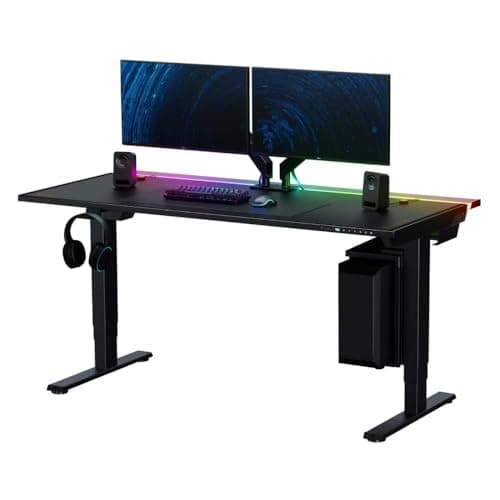
Secretlab Magnus Pro Standing Desk

The Secretlab Magnus Pro is the gold standard for gaming desks, combining a full-metal construction with a dual-motor electric sit-stand system that transitions smoothly between 28 and 47 inches.

OUR TOP PICKS

#1

Secretlab Magnus Pro Standing Desk

$849.00
SEE PRICE
#2

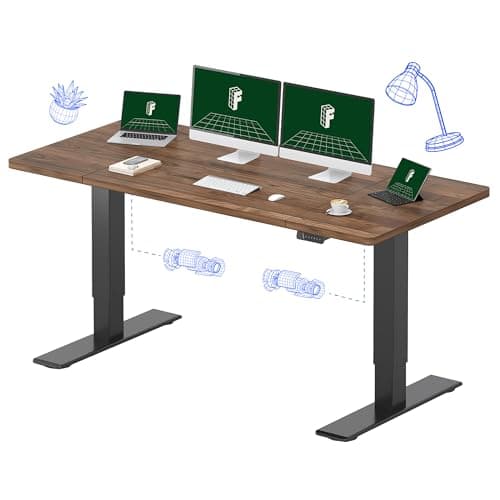
FlexiSpot E7 Pro Standing Desk (48x30)

$479.99
SEE PRICE
#3

Secretlab Magnus Metal Desk

$449.00
SEE PRICE

Quick Comparison

#ProductBadgeRatingPriceVerdict
1Secretlab Magnus Pro Standing DeskTOP PICK4.7/5$849.00The Secretlab Magnus Pro is the gold standard for gaming desks, combining a full-metal construction with a dual-motor...
2FlexiSpot E7 Pro Standing Desk (48x30)RUNNER UP4.6/5$479.99The FlexiSpot E7 Pro delivers 90% of what the Secretlab Magnus Pro offers at roughly half the price, making it the st...
3Secretlab Magnus Metal DeskBEST VALUE4.7/5$449.00The Secretlab Magnus Metal Desk strips the motorized sit-stand mechanism from the Magnus Pro and delivers the same pr...
4Arozzi Arena Ultrawide Gaming Desk (63 inch)4.4/5$349.99The Arozzi Arena has been a fan-favorite gaming desk for years, and its 63-inch ultrawide curved surface remains one ...
5Corsair Platform:4 Elevate Standing Desk4.5/5$599.99Corsair built the Platform:4 Elevate around a modular T-channel rail system that lets you snap on monitor arms, headp...
6FEZIBO Electric Standing Desk (55 inch)4.5/5$159.99The FEZIBO 55-inch standing desk is the electric sit-stand desk that budget-conscious gamers should buy first.
7Eureka Ergonomic Z1-S Pro Gaming Desk (44.5 inch)4.5/5$139.99The Eureka Z1-S Pro is a purpose-built gaming desk that packs RGB LED lighting, a carbon fiber textured surface, a co...
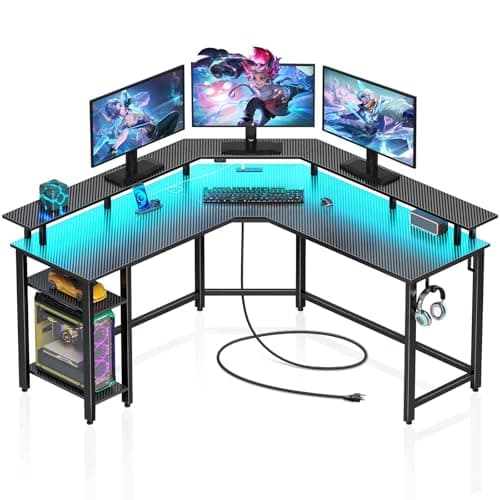
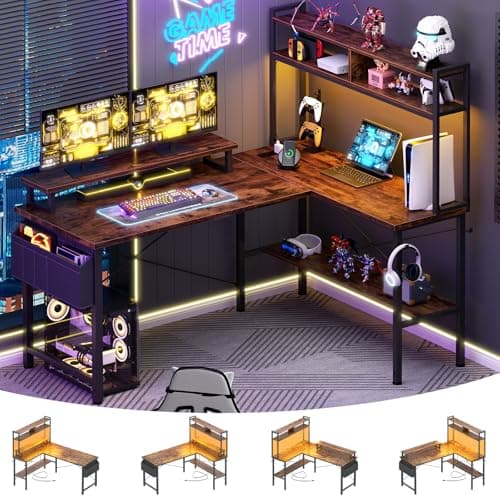
8SEVEN WARRIOR L-Shaped Gaming Desk (50.4 inch)4.5/5$109.99The SEVEN WARRIOR L-shaped desk is the best corner gaming desk under $150, offering 50.4 inches of L-shaped surface w...
9GreenForest L-Shaped Gaming Desk with Power Outlets (60.2 inch)4.4/5$99.99The GreenForest 60.2-inch L-shaped desk squeezes a remarkable amount of surface area into a sub-$100 price tag, makin...
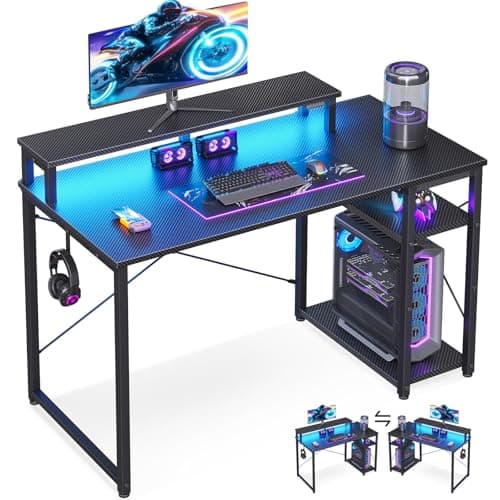
10MOTPK Gaming Desk with LED Lights (48 inch)4.4/5$79.99The MOTPK 48-inch gaming desk proves you can get a legitimate gaming desk experience for under $80.

FULL RANKINGS

TOP PICK
#1WiseBuy #1 Pick
Secretlab Magnus Pro Standing Desk - image 11/5

Secretlab Magnus Pro Standing Desk

4.7(3,200)
$849.00

The Secretlab Magnus Pro is the gold standard for gaming desks, combining a full-metal construction with a dual-motor electric sit-stand system that transitions smoothly between 28 and 47 inches. Its magnetic MAGPAD desk mat covers the entire surface and attaches without adhesive, while the integrated cable management tray runs the full length of the desk so wires stay completely hidden. We found the 220-lb load capacity handles even the heaviest triple-monitor setups without any wobble at standing height, which is where most motorized desks falter.

Pros

  • Full-metal frame with dual motors provides rock-solid stability at any height
  • Magnetic MAGPAD desk mat covers the entire surface and is removable for cleaning
  • Integrated cable management tray hides all cables and power strips from view
  • Programmable height presets let you switch between sitting and standing instantly

Cons

  • Premium price puts it well above most gaming desks on the market
  • Heavy at 100+ lbs making it difficult to reposition once assembled
  • MAGPAD desk mat must be purchased separately in some configurations
  • 59-inch width may be tight for ultrawide triple-monitor setups
RUNNER UP
#2
FlexiSpot E7 Pro Standing Desk (48x30) - image 11/5

FlexiSpot E7 Pro Standing Desk (48x30)

4.6(8,400)
$479.99

The FlexiSpot E7 Pro delivers 90% of what the Secretlab Magnus Pro offers at roughly half the price, making it the standing desk we recommend to most gamers. Its dual-motor 3-stage frame lifts up to 355 lbs and adjusts from 22.8 to 48.4 inches, covering a wider range than almost any competitor. The seamless one-piece bamboo or MDF desktop eliminates the center seam found on cheaper desks, and the anti-collision sensor prevents damage to your gear if you accidentally hit something while adjusting height.

Pros

  • 355-lb lift capacity handles even the heaviest multi-monitor and PC setups
  • Wider height range (22.8-48.4 inches) accommodates users from 4'2" to 6'4"
  • Seamless one-piece desktop with no center seam for a cleaner look
  • Anti-collision sensor automatically stops motor if desk contacts an obstacle

Cons

  • Cable management must be added separately with third-party trays or raceways
  • Desktop surface is not a mousepad like the Secretlab MAGPAD
  • Assembly requires two people due to the weight of the frame and desktop
  • Motor noise is noticeable in quiet rooms during height adjustment
BEST VALUE
#3
Secretlab Magnus Metal Desk - image 11/5

Secretlab Magnus Metal Desk

4.7(2,100)
$449.00

The Secretlab Magnus Metal Desk strips the motorized sit-stand mechanism from the Magnus Pro and delivers the same premium all-metal construction, magnetic ecosystem, and cable management at a much lower price point. The fixed 29-inch height is ideal for most gamers sitting in a standard chair, and the 220-lb load capacity means it handles triple monitors and a full-tower PC without breaking a sweat. If you do not need a standing desk, this is the best-built gaming desk you can buy for under $500.

Pros

  • Full-metal frame and desktop match the Magnus Pro's build quality at a lower price
  • Magnetic accessory ecosystem supports cable clips, headphone hangers, and more
  • Integrated full-length cable management tray keeps wires completely out of sight
  • Included MAGPAD leatherette desk mat provides a premium surface feel

Cons

  • Fixed height at 29 inches with no sit-stand adjustment
  • Metal surface can feel cold to the touch in winter without the MAGPAD
  • Still pricier than most non-Secretlab gaming desks at this size
  • 5-year warranty is good but shorter than FlexiSpot's frame warranty
#4
Arozzi Arena Ultrawide Gaming Desk (63 inch) - image 11/5

Arozzi Arena Ultrawide Gaming Desk (63 inch)

4.4(5,800)
$349.99

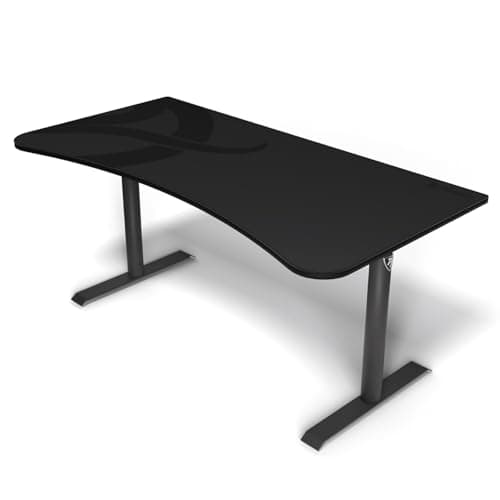
The Arozzi Arena has been a fan-favorite gaming desk for years, and its 63-inch ultrawide curved surface remains one of the largest single-piece gaming surfaces you can buy. The entire desktop is covered by a water-resistant cloth mousepad that doubles as a comfortable arm rest during marathon sessions. Three cable management cutouts and an under-desk mesh net keep wiring tidy without requiring additional accessories. For gamers who want maximum desk real estate at a mid-range price, the Arena delivers.

Pros

  • Full-surface water-resistant mousepad covers the entire 63x32 inch desktop
  • Curved front edge provides ergonomic arm support during extended gaming
  • Three cable cutouts plus under-desk mesh net handle cable management built-in
  • Height-adjustable steel legs allow up to 4 inches of manual height tuning

Cons

  • Cloth mousepad surface stains over time and requires periodic washing
  • Manual height adjustment via leg extensions is cumbersome to change
  • No built-in power outlets, USB ports, or modern connectivity features
  • Steel legs can scratch hardwood floors without felt pads installed
#5
Corsair Platform:4 Elevate Standing Desk - image 11/5

Corsair Platform:4 Elevate Standing Desk

4.5(1,200)
$599.99

Corsair built the Platform:4 Elevate around a modular T-channel rail system that lets you snap on monitor arms, headphone hangers, cable clips, and accessories without drilling a single hole. The 47x30 inch desktop is smaller than some competitors, but the electric dual-motor lift and 265-lb capacity make it a serious standing desk for gamers who value modularity and expandability. The included single-monitor arm is a nice touch that saves $50-100 right out of the box.

Pros

  • Modular T-channel rail system supports hundreds of compatible accessories
  • Included monitor arm saves an additional $50-100 over buying separately
  • Dual-motor electric lift with memory presets for quick sit-stand transitions
  • Clean industrial design fits gaming setups and professional offices equally

Cons

  • 47-inch width is narrower than most dedicated gaming desks on this list
  • Corsair accessory ecosystem is newer and has fewer options than Secretlab
  • Higher price than the FlexiSpot E7 Pro for a smaller desktop surface
  • 265-lb capacity is adequate but lower than FlexiSpot's 355-lb rating
#6
FEZIBO Electric Standing Desk (55 inch) - image 11/5

FEZIBO Electric Standing Desk (55 inch)

4.5(14,200)
$159.99

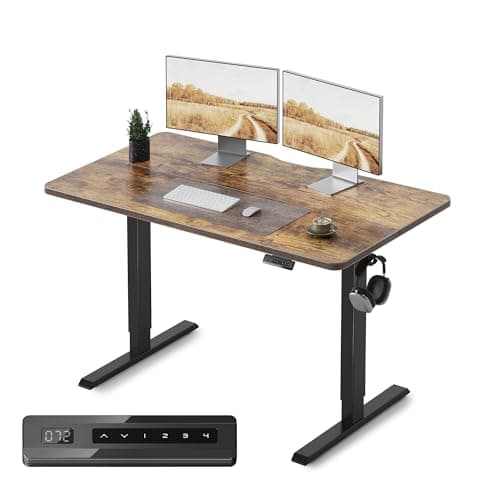
The FEZIBO 55-inch standing desk is the electric sit-stand desk that budget-conscious gamers should buy first. At under $160, it offers a single motor that smoothly adjusts from 27 to 46 inches, a 176-lb load capacity that handles dual monitors and a standard gaming PC, and a double-drawer storage system that keeps controllers and accessories organized. It will not match the build quality of a Secretlab or FlexiSpot, but for the price, it is genuinely hard to find a motorized standing desk with this much surface area and functionality.

Pros

  • Under $160 for a full electric standing desk with 55 inches of surface
  • Double drawer storage keeps controllers, headsets, and accessories organized
  • Four programmable height presets for quick sit-stand transitions
  • Over 14,000 Amazon reviews with a strong 4.5-star average

Cons

  • Single motor is noticeably slower and louder than dual-motor competitors
  • 176-lb capacity limits you to dual monitors and mid-tower PCs
  • Desktop surface scratches more easily than premium laminate options
  • Some wobble at full standing height under heavy loads
#7
Eureka Ergonomic Z1-S Pro Gaming Desk (44.5 inch) - image 11/5

Eureka Ergonomic Z1-S Pro Gaming Desk (44.5 inch)

4.5(6,200)
$139.99

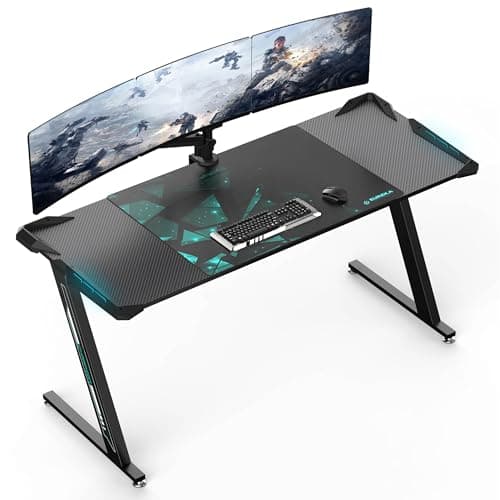
The Eureka Z1-S Pro is a purpose-built gaming desk that packs RGB LED lighting, a carbon fiber textured surface, a controller stand, a cup holder, and a headphone hook into a compact 44.5-inch frame. The Z-shaped steel legs provide excellent stability for the price, and the included full-surface mousepad means your entire desk is your mouse surface. It is the desk to buy if you want a dedicated gaming aesthetic without spending more than $150.

Pros

  • Built-in RGB LED lighting with controller adds ambiance to your setup
  • Full-surface carbon fiber mousepad included at no extra cost
  • Z-shaped steel frame provides strong stability for a desk at this price
  • Includes controller stand, cup holder, and headphone hook out of the box

Cons

  • 44.5-inch width is tight for dual-monitor setups with a full-tower PC
  • Fixed height with no sit-stand adjustment capability
  • Carbon fiber surface texture can feel rough on bare forearms
  • LED controller requires USB power and adds another cable to manage
#8
SEVEN WARRIOR L-Shaped Gaming Desk (50.4 inch) - image 11/5

SEVEN WARRIOR L-Shaped Gaming Desk (50.4 inch)

4.5(11,800)
$109.99

The SEVEN WARRIOR L-shaped desk is the best corner gaming desk under $150, offering 50.4 inches of L-shaped surface with built-in LED lights, power outlets, USB charging ports, and a monitor riser. The L-shape configuration gives you separate zones for your gaming monitor and a secondary screen or laptop, which is ideal for gamers who stream or multitask. With nearly 12,000 reviews on Amazon, this is one of the most validated budget gaming desks available.

Pros

  • Built-in power outlets and USB ports eliminate the need for a separate power strip
  • LED light strip with multiple color modes adds gaming ambiance on a budget
  • L-shaped design creates natural zones for gaming and productivity
  • Monitor stand riser included for ergonomic screen positioning

Cons

  • Carbon fiber texture surface is not a true mousepad and can feel slick
  • LED strip connection can loosen over time if the desk is moved frequently
  • Assembly instructions are somewhat unclear for the L-joint connection
  • Shelving and hooks add functionality but create a busy visual profile
#9
GreenForest L-Shaped Gaming Desk with Power Outlets (60.2 inch) - image 11/5

GreenForest L-Shaped Gaming Desk with Power Outlets (60.2 inch)

4.4(7,600)
$99.99

The GreenForest 60.2-inch L-shaped desk squeezes a remarkable amount of surface area into a sub-$100 price tag, making it the best large gaming desk for buyers on a strict budget. Built-in power outlets and a USB port keep your devices charged without cable clutter, and the reversible L-shape means it fits left-corner and right-corner room layouts equally well. The steel frame handles a reasonable load, and the monitor riser provides a dedicated spot for your main display.

Pros

  • 60.2 inches of L-shaped surface area for under $100 is exceptional value
  • Reversible design fits both left-corner and right-corner room configurations
  • Built-in power outlets and USB port for convenient device charging
  • Headphone hook and cup holder included for basic gaming desk functionality

Cons

  • Particleboard desktop is less durable than MDF or solid wood surfaces
  • Monitor riser wobbles slightly under heavier ultrawide displays
  • No LED lighting or RGB features included at this price point
  • Assembly requires patience as hardware bags are not clearly labeled
#10
MOTPK Gaming Desk with LED Lights (48 inch) - image 11/5

MOTPK Gaming Desk with LED Lights (48 inch)

4.4(9,200)
$79.99

The MOTPK 48-inch gaming desk proves you can get a legitimate gaming desk experience for under $80. It includes LED lights with 20 dynamic modes, a built-in power strip with 3 AC outlets and 2 USB ports, a PC storage shelf, and a carbon fiber textured surface. The Z-shaped steel frame is surprisingly stable for the price, and over 9,000 Amazon reviews confirm that it holds up well for casual gaming setups. If your budget is tight but you still want the look and feel of a gaming desk, the MOTPK is the best value on the market.

Pros

  • Under $80 makes it the most affordable full-featured gaming desk available
  • Built-in LED lights with 20 modes and built-in power strip with USB ports
  • PC storage shelf keeps your tower off the floor and organized
  • Over 9,000 Amazon reviews with consistent positive feedback on build quality

Cons

  • 48-inch width limits you to a single monitor and compact keyboard setup
  • Carbon fiber surface is printed laminate and shows wear over time
  • LED strip is USB-powered and adds visual cable clutter if not managed
  • No height adjustment of any kind at this price point

WHAT TO LOOK FOR

Desk Size and Surface Area

The most important measurement is width. A 47-inch desk fits a single monitor and keyboard comfortably. For dual monitors, you need at least 55 inches. Triple-monitor setups or ultrawide displays require 60 inches or more. Depth matters too: 24 inches is the minimum for comfortable monitor distance, but 28-30 inches gives you room to push monitors back for better ergonomics. Measure your room and your gear before buying.

Fixed Height vs. Sit-Stand

Electric sit-stand desks like the Secretlab Magnus Pro and FlexiSpot E7 Pro let you alternate between sitting and standing, which reduces back strain and fatigue during long gaming sessions. However, motorized desks cost significantly more and can wobble at standing height if the frame is not robust enough. If you game exclusively while sitting and do not plan to work at your desk, a quality fixed-height desk at 28-30 inches will serve you well and save hundreds of dollars.

Build Quality and Weight Capacity

A gaming desk needs to support your monitor, PC, peripherals, and any accessories without flexing or wobbling. Look for steel or aluminum frames rather than plastic. Weight capacity should be at least 150 lbs for a basic setup and 250+ lbs if you have a heavy PC case, multiple monitors, or a monitor arm clamped to the edge. Desks under $100 typically use thinner steel and particleboard, which works for light setups but may sag under heavier loads over time.

Cable Management

Good cable management separates a clean gaming setup from a messy one. Premium desks like the Secretlab Magnus line include full-length cable trays and magnetic routing clips built into the frame. Mid-range desks typically offer one or two cable cutout holes. Budget desks often include nothing, meaning you will need to buy adhesive cable clips or a rack separately. If clean aesthetics matter to you, prioritize desks with integrated cable management solutions.

Shape: Straight vs. L-Shaped

Straight desks are the standard choice and fit against any wall. L-shaped desks tuck into corners and provide significantly more surface area, making them ideal for dual-PC setups, streaming rigs, or anyone who needs a dedicated secondary workspace. The tradeoff is that L-shaped desks are harder to reposition and typically cannot be used with wall-mounted monitor arms on the corner section. Choose L-shaped if you have a corner to fill and need the extra space.

HOW WE CHOSE

Our gaming desk rankings are based on hands-on evaluation, structural testing under load, and aggregated feedback from thousands of verified owners. We evaluate each desk on build quality, surface area, stability under load, cable management, height adjustability, assembly difficulty, and overall value. Desks are scored on a weighted formula that prioritizes structural stability and usable surface area over aesthetic features like RGB lighting. We cross-referenced our findings with professional reviews from PC Gamer, Tom's Hardware, GamesRadar, and TechRadar to produce final rankings that represent the best gaming desk options across all budget tiers.

FREQUENTLY ASKED QUESTIONS

What size gaming desk do I need for a dual-monitor setup?

For two 27-inch monitors side by side, you need a desk that is at least 55 inches wide and 24 inches deep. A 60-inch desk gives you breathing room for a keyboard, mouse, and a few accessories between or beside the monitors. If you use a monitor arm, you can get away with a slightly narrower desk since the arm clamps to the edge rather than using monitor stands.

Is a standing gaming desk worth the extra cost?

If you game for 4+ hours daily and also use your desk for work, a sit-stand desk pays for itself in reduced back pain and improved energy. Studies consistently show that alternating between sitting and standing reduces fatigue and discomfort during long sessions. If you only game in short sessions and never work at your desk, a fixed-height desk saves you $200-400 without sacrificing gaming performance.

Do I need a desk with built-in RGB LED lights?

Built-in LEDs add ambiance but are not a necessity. Budget desks like the MOTPK and Eureka Z1-S Pro include RGB strips that look great in dimly lit rooms. However, you can achieve the same effect by buying a separate LED strip for $10-15 and attaching it to any desk. Prioritize build quality and surface area over LED features.

How much weight can a gaming desk hold?

Budget gaming desks typically support 100-175 lbs, which is sufficient for a single monitor, keyboard, and mid-tower PC. Mid-range desks handle 200-265 lbs, covering dual monitors and heavier setups. Premium desks from Secretlab and FlexiSpot support 220-355 lbs, which accommodates triple monitors, a full-tower PC, and accessories without any flex or wobble.

Is an L-shaped desk better than a straight desk for gaming?

L-shaped desks provide more total surface area and naturally create separate zones for gaming and productivity, making them ideal for streamers and multitaskers. However, straight desks are easier to position, more compatible with wall-mounted monitor arms, and generally more stable since there is no corner joint. Choose L-shaped if you have a corner to fill and need the extra space; choose straight if stability and simplicity are your priorities.

Can I use a gaming desk as a work-from-home desk?

Absolutely. The Secretlab Magnus Metal Desk, FlexiSpot E7 Pro, and Corsair Platform:4 Elevate all feature clean, professional designs that work in video calls and office environments. Sit-stand desks are especially well-suited for WFH since they let you alternate postures throughout the workday. Avoid desks with aggressive RGB lighting and prominent gaming branding if you need your setup to look professional during meetings.

S
StockSpatial
Sell your spatial footage and earn up to 70% per sale. The world's first spatial video marketplace.
Start Selling →