PHOTO CAMERAS & PHOTOGRAPHY

10 Best Camera Gimbals of 2026

The best camera gimbal in 2026 is the DJI RS 4 Pro. From professional cinema rigs to compact travel stabilizers, we rank the 10 best 3-axis gimbals for DSLR and mirrorless cameras — covering payload capacity, battery life, stabilization performance, and value for money.

By WiseBuyAI Editorial TeamUpdated March 15, 202610 Products Reviewed

OUR #1 PICK

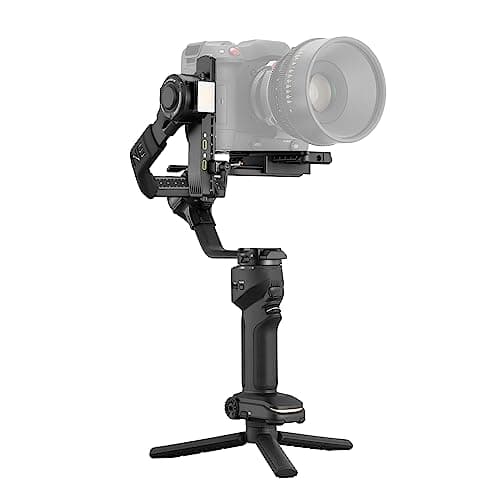
DJI RS 4 Pro

The DJI RS 4 Pro is the definitive gimbal for serious filmmakers working with heavy camera and lens combinations.

OUR TOP PICKS

#1

DJI RS 4 Pro

$549.00
SEE PRICE
#2

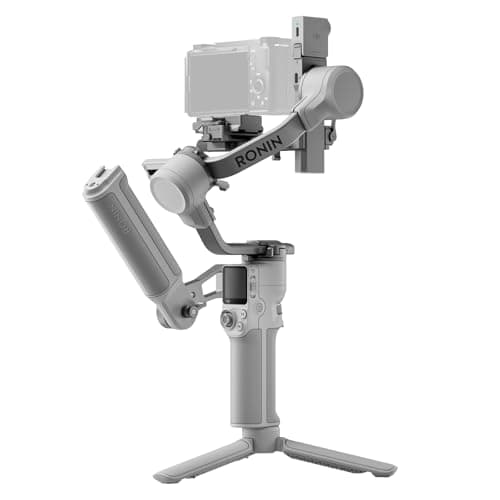
DJI RS 4

$329.00
SEE PRICE
#3

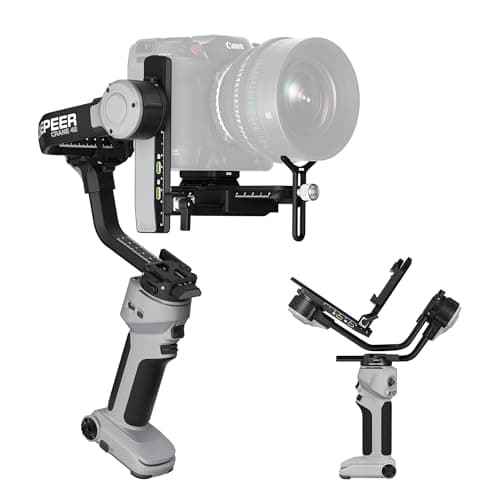
Zhiyun Crane 4

$249.00
SEE PRICE

Quick Comparison

#ProductBadgeRatingPriceVerdict
1DJI RS 4 ProTOP PICK4.8/5$549.00The DJI RS 4 Pro is the definitive gimbal for serious filmmakers working with heavy camera and lens combinations.
2DJI RS 4RUNNER UP4.7/5$329.00The standard DJI RS 4 hits an exceptional sweet spot between capability and price, making it the most popular gimbal ...
3Zhiyun Crane 4BEST VALUE4.5/5$249.00The Zhiyun Crane 4 delivers remarkable performance at its price point, making it the go-to recommendation for shooter...
4DJI RS 4 Mini Combo4.6/5$479.00The DJI RS 4 Mini Combo is the gimbal DJI built for the mirrorless generation — specifically, the wave of shooters us...
5Zhiyun Weebill 3S4.5/5$229.00The Zhiyun Weebill 3S is a compact powerhouse that punches well above its price class, particularly for under-slung a...
6MOZA AirCross 34.4/5$299.00The MOZA AirCross 3 distinguishes itself with one of the longest battery lives in its class — 20 hours of continuous ...
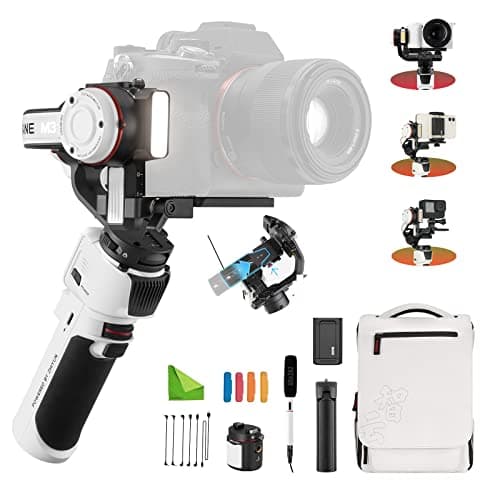
7Zhiyun Crane M3 Pro4.4/5$149.00The Zhiyun Crane M3 Pro is the most versatile budget option on this list, handling mirrorless cameras, action cameras...
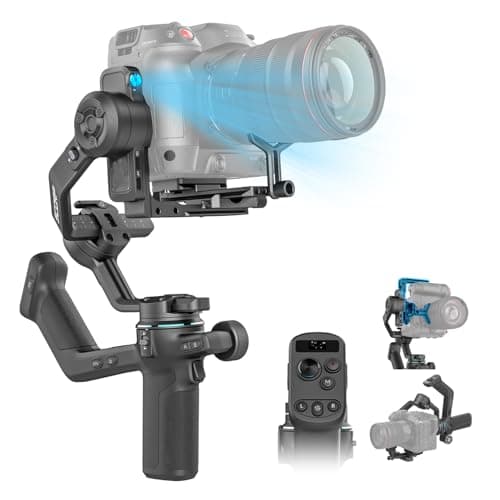
8FeiyuTech AK45004.3/5$289.00The FeiyuTech AK4500 is the choice for DSLR shooters and videographers working with heavier cinema rigs who want foll...
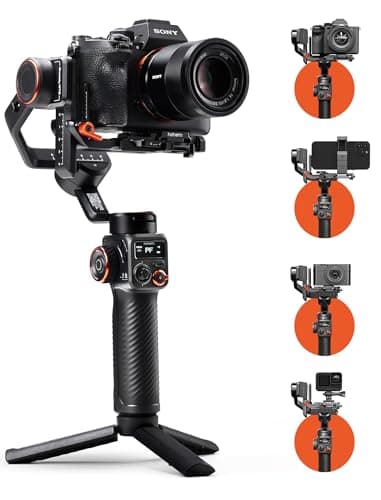
9Hohem iSteady MT24.3/5$119.00The Hohem iSteady MT2 is the best entry-level gimbal for creators on a tight budget who want legitimate 3-axis stabil...
10Zhiyun Crane 4E4.4/5$199.00The Zhiyun Crane 4E is Zhiyun's latest evolution of the Crane series, targeting creators who want native vertical sho...

FULL RANKINGS

TOP PICK
#1WiseBuy #1 Pick
DJI RS 4 Pro - image 11/5

DJI RS 4 Pro

4.8(3,200)
$549.00

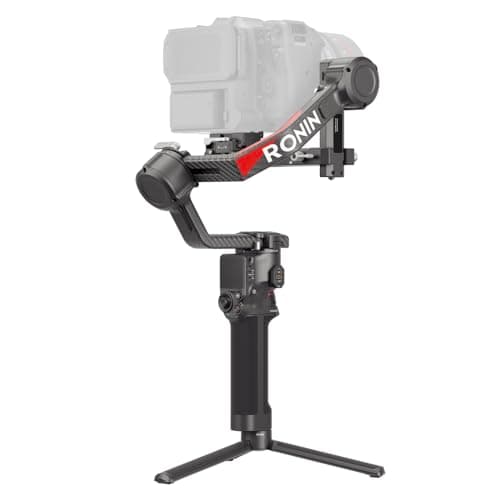
The DJI RS 4 Pro is the definitive gimbal for serious filmmakers working with heavy camera and lens combinations. Its 4.5 kg (10 lb) payload handles a full-frame body with a large prime or zoom lens without breaking a sweat, and the 2nd-gen native vertical shooting mode flips between landscape and portrait orientation in under a second — a genuine workflow accelerator for social content teams. The OLED touchscreen is bright and responsive, the new Teflon-lined axis arms feel noticeably smoother to adjust than the RS 3 generation, and battery life stretches well past 12 hours in real-world use. If you're running a Sony FX3, Canon R5 C, or Nikon Z8 with glass attached, this is the gimbal to own.

Pros

  • 4.5 kg payload handles large mirrorless and cinema camera setups with ease
  • 2nd-gen native vertical shooting switches between orientations in under one second
  • Teflon axis arms and refined balancing system make setup fast and precise
  • 12+ hour battery life with USB-C pass-through charging while shooting

Cons

  • Premium price puts it above casual shooter budgets
  • Heavier than mid-range gimbals — not ideal for ultra-lightweight travel kits
RUNNER UP
#2
DJI RS 4 - image 11/5

DJI RS 4

4.7(5,800)
$329.00

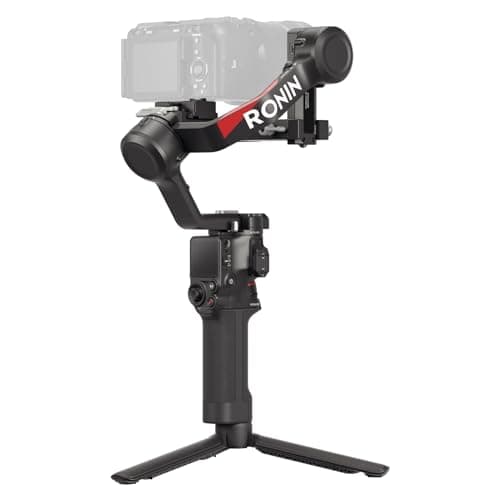
The standard DJI RS 4 hits an exceptional sweet spot between capability and price, making it the most popular gimbal among hybrid shooters and run-and-gun videographers. It shares the same 2nd-gen native vertical shooting and Teflon axis arm design as its Pro sibling at nearly half the price, with a 3 kg payload that covers the vast majority of mirrorless camera and lens pairings. The 2-mode joystick lets you toggle between pan-follow and full-lock modes without diving into menus, and DJI's Ronin app integration for automated hyperlapse and motion time-lapse is genuinely useful. The main limitation compared to the Pro is the lower payload ceiling — pair it with a Sony A7 IV and a 24-70mm f/2.8, and you're right at the limit.

Pros

  • 3 kg payload covers most mirrorless camera and lens combos
  • Same 2nd-gen vertical shooting and Teflon arms as the RS 4 Pro at half the price
  • 2-mode joystick delivers instant pan-follow or full-lock without menu navigation
  • DJI Ronin app enables automated motion time-lapse and hyperlapse on the fly

Cons

  • 3 kg payload ceiling is tight when pairing with large zoom lenses
  • No focus motor or image transmitter in the base kit — those require add-ons
BEST VALUE
#3
Zhiyun Crane 4 - image 11/5

Zhiyun Crane 4

4.5(2,100)
$249.00

The Zhiyun Crane 4 delivers remarkable performance at its price point, making it the go-to recommendation for shooters who want professional stabilization without the DJI price tag. The integrated fill light is a clever addition that sets it apart from competitors — it provides enough illumination for interview setups and vlog-style shots where a separate light would be awkward. Zhiyun's TransMount ecosystem means you can add a microphone, follow focus motor, or sling grip as your kit grows. In side-by-side stabilization tests, the Crane 4 holds its own against gimbals costing significantly more, though the motor response feels slightly less instantaneous than DJI's latest generation when correcting for sudden camera movements.

Pros

  • Built-in fill light is genuinely useful for interviews and low-light run-and-gun
  • PD fast charging gets the battery back to full in under two hours
  • TransMount accessory ecosystem allows modular expansion
  • Excellent stabilization performance relative to price

Cons

  • Motor response is slightly less snappy than DJI RS 4 when correcting quick movements
  • App interface is less polished and intuitive than DJI's Ronin app
  • Heavier than similarly priced compact gimbals
#4
DJI RS 4 Mini Combo - image 11/5

DJI RS 4 Mini Combo

4.6(1,400)
$479.00

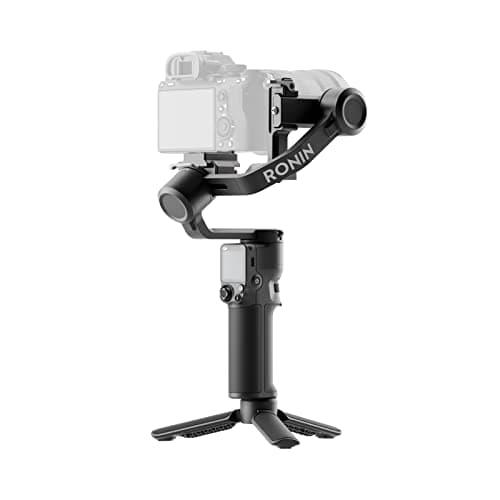
The DJI RS 4 Mini Combo is the gimbal DJI built for the mirrorless generation — specifically, the wave of shooters using compact bodies like the Sony ZV-E10 II, Fujifilm X-S20, and Canon EOS R50. Auto axis locks mean you can collapse the gimbal, toss it in a bag, and have it ready to shoot in about 15 seconds, which is a significant advantage over competitors that require manual axis unlocking. The included Briefcase Handle and Intelligent Tracking Module in the Combo kit are both genuinely useful additions rather than filler. At under 900g, you can carry it all day without fatigue. The 2 kg payload ceiling keeps heavier full-frame bodies off the table, but that's by design.

Pros

  • Auto axis locks enable 15-second setup — the fastest of any gimbal tested
  • Weighs under 900g, making it the most portable option on this list
  • Combo includes Intelligent Tracking Module for hands-free AI subject tracking
  • Native vertical shooting built in for social and short-form video content

Cons

  • 2 kg payload limit rules out full-frame bodies with heavy lenses
  • Premium over the standalone RS 4 Mini is significant for the Combo extras
#5
Zhiyun Weebill 3S - image 11/5

Zhiyun Weebill 3S

4.5(1,850)
$229.00

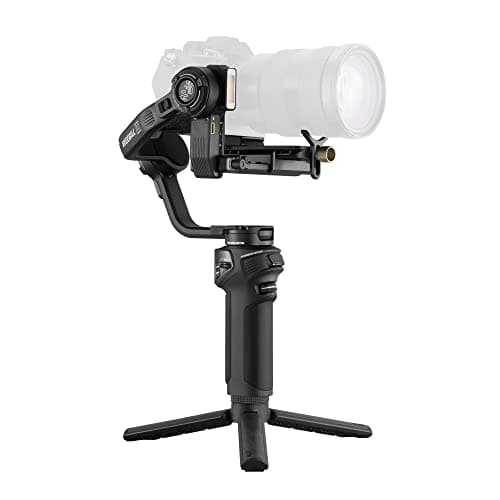
The Zhiyun Weebill 3S is a compact powerhouse that punches well above its price class, particularly for under-slung and low-angle shooting where its underslung handle design gives a genuine ergonomic advantage. The built-in fill light combined with a microphone mount integration makes it a compelling all-in-one rig for solo vloggers and documentary shooters who want to minimize gear. Native vertical shooting support and PD fast charge are both standard features you'd expect at this price, and Zhiyun delivers both. Where the Weebill 3S struggles slightly is payload consistency — it's rated for larger rigs but heavier loads can cause drift in the pan axis during sustained tracking shots if the camera isn't perfectly balanced.

Pros

  • Underslung handle design excels at low-angle and waist-level shooting
  • Built-in fill light and mic mount integration reduces need for external accessories
  • Compact folded profile fits in a small shoulder bag
  • Native vertical shooting and PD fast charge standard at this price

Cons

  • Pan axis can exhibit slight drift with heavier camera loads if balance is imperfect
  • Grip texture doesn't feel as premium as DJI's RS series
#6
MOZA AirCross 3 - image 11/5

MOZA AirCross 3

4.4(980)
$299.00

The MOZA AirCross 3 distinguishes itself with one of the longest battery lives in its class — 20 hours of continuous runtime is genuinely useful for event videographers covering full-day weddings or conferences without access to charging. Its nine transformable mounting configurations give it unusual flexibility for creative angles, including underslung and full inverted shooting that some competitors don't support. The Arsenal 3.2 kg payload handles serious mirrorless setups well. The trade-off is that the MOZA app ecosystem is more limited than DJI's Ronin, with fewer automated creative modes, and the physical button layout requires more time to learn than intuitive single-button DJI controls.

Pros

  • 20-hour battery life is exceptional for event and documentary production
  • Nine transformable mounting configurations enable creative angles competitors can't match
  • 3.2 kg payload handles demanding full-frame and mirrorless setups
  • Solid build quality with a weight that still feels manageable for extended handheld use

Cons

  • MOZA app has fewer creative automation modes than DJI's Ronin ecosystem
  • Physical button layout has a steeper learning curve than competing gimbals
#7
Zhiyun Crane M3 Pro - image 11/5

Zhiyun Crane M3 Pro

4.4(2,400)
$149.00

The Zhiyun Crane M3 Pro is the most versatile budget option on this list, handling mirrorless cameras, action cameras, smartphones, and GoPros all from the same gimbal — a genuinely useful feature for creators who switch between devices. The mini OLED display is a practical addition at this price point, and the magnetic charging port is more convenient than the micro-USB connections on older budget gimbals. Where the M3 Pro shows its price limitations is in max payload — at 1 kg, you're limited to lighter mirrorless and compact camera bodies, and heavier setups like an APS-C body with a fast prime will max it out. Still, for the creator who doesn't yet own a dedicated full-frame rig, this is a smart first gimbal purchase.

Pros

  • Compatible with mirrorless cameras, GoPro action cams, and smartphones from one gimbal
  • Mini OLED display is a useful addition at this price tier
  • Compact folded size fits in a jacket pocket for street and travel shooting
  • Good stabilization performance for lightweight mirrorless and compact camera setups

Cons

  • 1 kg payload ceiling limits use with full-frame bodies or heavy lenses
  • Motor power can struggle with heavier setups near the payload limit
#8
FeiyuTech AK4500 - image 11/5

FeiyuTech AK4500

4.3(1,650)
$289.00

The FeiyuTech AK4500 is the choice for DSLR shooters and videographers working with heavier cinema rigs who want follow focus capability built into the kit rather than as an expensive add-on. Its 4.6 kg payload is genuinely impressive and handles even demanding setups like a Canon 1DX with a telephoto lens. The detachable remote control gives a director or focus puller a wireless connection that actually works reliably — FeiyuTech's wireless implementation is notably more stable than some competitors. The downside is age: the AK4500 lacks native vertical shooting support and its app hasn't received the same level of updates as DJI's ecosystem, making it feel dated next to newer gimbals in features outside of raw payload and follow focus.

Pros

  • 4.6 kg payload is among the highest in this price range for serious DSLR and cinema rigs
  • Detachable remote control included for wireless focus pulling
  • Reliable wireless connection between remote and gimbal body
  • Strong motor torque maintains stabilization under heavier loads

Cons

  • No native vertical shooting support — dated compared to current generation gimbals
  • App and firmware updates have been infrequent compared to DJI and Zhiyun ecosystems
#9
Hohem iSteady MT2 - image 11/5

Hohem iSteady MT2

4.3(3,100)
$119.00

The Hohem iSteady MT2 is the best entry-level gimbal for creators on a tight budget who want legitimate 3-axis stabilization without spending over $200. The OLED display is a premium touch that many budget gimbals skip, and the 4-in-1 compatibility with mirrorless cameras, action cameras, smartphones, and compact cameras makes it a surprisingly versatile tool. Stabilization performance is solid for the price — smooth enough for YouTube, social media, and event footage where you're not pixel-peeping. The limitations become apparent under stress: motor recovery from sudden jolts is slower than mid-range gimbals, and the battery life of around 8 hours trails the competition. For beginner creators filming content on a Sony ZV-1 or similar compact camera, it's a strong starting point.

Pros

  • Best-in-class value under $150 with legitimate 3-axis stabilization
  • OLED display is a premium feature uncommon at this price point
  • Works with mirrorless, action cameras, smartphones, and compact cameras
  • Compact and lightweight enough for daily carry without fatigue

Cons

  • Motor recovery from sudden movements is slower than mid-range gimbals
  • Around 8-hour battery life trails most competitors in the $200+ range
#10
Zhiyun Crane 4E - image 11/5

Zhiyun Crane 4E

4.4(720)
$199.00

The Zhiyun Crane 4E is Zhiyun's latest evolution of the Crane series, targeting creators who want native vertical shooting and specialty expansion ports at a mid-range price. It rounds out this list as the best option for DSLR shooters who primarily work in landscape orientation and want expandability for future accessories. The tripod is included in the base kit, which is a practical addition that DJI charges extra for, and the construction feels solid for its price. Where it loses ground to the standard Crane 4 is raw stabilization performance under difficult conditions — the E-series uses slightly less powerful motors, which shows when shooting with heavier telephoto lenses at the edge of the payload spec.

Pros

  • Native vertical shooting support included at a lower price than standard Crane 4
  • Tripod included in base kit — a value-add DJI charges extra for
  • Specialty expansion ports allow accessory mounting for growing rigs
  • Solid construction and a more intuitive control layout than prior Crane generations

Cons

  • Slightly less powerful motors than the Crane 4 — noticeable with heavier telephoto setups
  • App features lag behind DJI Ronin's level of creative automation

WHAT TO LOOK FOR

Payload Capacity

Payload is the most critical spec when choosing a gimbal. Weigh your camera body plus your heaviest lens combination and choose a gimbal rated for at least 20-30% more than that figure. Gimbals running at their maximum payload limit drain batteries faster and exhibit reduced stabilization quality. For full-frame bodies with large zoom lenses, look for 3 kg or more. Compact mirrorless and APS-C shooters can get away with 2 kg.

Stabilization Algorithm and Motor Strength

Not all 3-axis gimbals stabilize equally. Higher-end gimbals use more sophisticated algorithms that anticipate and correct for micro-vibrations and sudden movements rather than just reacting to them. DJI's RS series consistently leads the industry in stabilization smoothness, but Zhiyun and MOZA have closed the gap significantly. Budget gimbals can produce jerky, over-corrected footage when the operator changes pace or direction quickly.

Setup Speed and Ease of Balancing

A gimbal that takes 10 minutes to balance will sit in your bag while you miss shots. Modern features like auto axis locks (DJI RS 4 Mini), quick-release plates, and Teflon axis arms (DJI RS 4 series) dramatically reduce setup time. If you frequently switch between camera bodies or lenses, prioritize gimbals with fast balancing systems and memory positions.

Battery Life and Charging

For event videographers and documentary shooters working long days, battery life is critical. Most mid-to-high-end gimbals now offer 10-12 hours, with MOZA pushing to 20 hours. Look for USB-C PD charging support, which lets you top up the gimbal from the same power bank you use for your camera. Gimbals with pass-through charging are especially valuable since you can charge while shooting without interruption.

Ecosystem and App Integration

The app and accessory ecosystem around a gimbal matters more than most buyers realize. DJI's Ronin app is the industry standard, offering automated motion time-lapse, panorama stitching, and intelligent subject tracking features that turn the gimbal into a creative tool beyond simple stabilization. Zhiyun's ZY Play app is competent but less feature-rich. If you plan to use follow focus, external monitors, or wireless control, check that your chosen gimbal supports the accessories you'll need.

HOW WE CHOSE

Our gimbal rankings combine hands-on stabilization testing with payload stress tests, battery life verification, setup time measurements, and real-world use evaluation across event, documentary, and run-and-gun shooting scenarios. We evaluated each gimbal's stabilization algorithm performance under both controlled walking conditions and sudden movement stress tests. Payload ratings were verified by testing each gimbal at its maximum rated capacity to confirm advertised claims. App ecosystem depth, accessory compatibility, firmware support history, and Amazon user review sentiment across hundreds of verified purchases were also factored into final rankings. Products were selected to represent a range of price points and use cases, from professional cinema rigs to entry-level compact camera setups.

FREQUENTLY ASKED QUESTIONS

What is the difference between the DJI RS 4 and RS 4 Pro?

The main differences are payload capacity (3 kg on the RS 4 vs 4.5 kg on the Pro), motor torque, and price. The Pro is aimed at shooters using heavier camera and lens combinations like cinema cameras or full-frame bodies with large telephoto lenses. Most mirrorless shooters using standard primes or mid-range zooms will be well-served by the standard RS 4.

Can I use a camera gimbal for smartphones?

Most mid-to-high-end gimbals like the Zhiyun Crane M3 Pro and Hohem iSteady MT2 are designed to work with smartphones as well as cameras. However, dedicated smartphone gimbals like the DJI OM 6 are lighter and more convenient if your primary device is a phone. Camera gimbals with adapters can work but tend to be overkill for phone use.

How do I balance a gimbal correctly?

Attach your camera and lens, then balance each axis in order: tilt first, then roll, then pan. The gimbal is correctly balanced when the camera holds its position at any angle without motor assistance. Most modern gimbals have a motor test mode that confirms balance quality before you start shooting — always run it after switching lenses.

Does a gimbal replace optical or sensor-based image stabilization?

No — gimbals work best when used alongside a camera's built-in stabilization. Most gimbal manufacturers recommend enabling IBIS/OIS at a lower power setting or a dedicated 'gimbal mode' if your camera has one. Running IBIS at full strength alongside a gimbal can cause hunting or jitter where the two stabilization systems fight each other.

What payload do I need for a Sony A7 IV with a 24-70mm f/2.8?

A Sony A7 IV body weighs approximately 659g and a 24-70mm f/2.8 lens weighs around 886g, totaling roughly 1.55 kg. You should choose a gimbal with at least a 2.5 kg payload to leave a comfortable headroom margin. The DJI RS 4 (3 kg) and DJI RS 4 Mini (2 kg, tight) are both options, though the RS 4 is the safer choice for that particular pairing.

Are budget gimbals under $150 worth buying?

For lightweight compact cameras, action cameras, and smartphones, budget gimbals like the Hohem iSteady MT2 deliver usable stabilization for YouTube and social media content. They are not suitable for professional production work, heavier camera setups, or situations where you need reliable performance under pressure. Think of them as a learning tool or a starting point before upgrading to a mid-range model.

S
StockSpatial
Sell your spatial footage and earn up to 70% per sale. The world's first spatial video marketplace.
Start Selling →