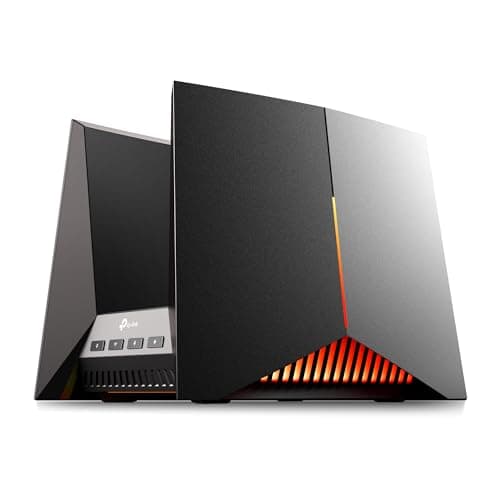
If you have multi-gig internet (2 Gbps or faster) or plan to upgrade soon, WiFi 7 is worth buying now - routers like the TP-Link Archer BE600 (our #4 pick) offer genuine performance gains at reasonable prices. If your internet plan is 1 Gbps or slower, a WiFi 6 or WiFi 6E router will deliver identical real-world speeds at a lower cost. WiFi 7's biggest benefits - 320MHz channels, 4096-QAM, and Multi-Link Operation - require both a WiFi 7 router and WiFi 7 client devices, and most laptops and phones sold before 2025 do not support it.
A standalone router is a single device that broadcasts WiFi from one location. It is simpler, often more powerful at its core, and gives you more control over your network settings. A mesh system uses multiple nodes placed throughout your home to create seamless WiFi coverage. For homes under 2,000 square feet with a centrally-located router, a standalone router typically provides better performance per dollar. For larger homes, multi-story layouts, or homes with thick walls, a mesh system provides more consistent coverage throughout.
If your internet plan exceeds 1 Gbps, yes - a standard Gigabit WAN port will bottleneck your connection. A 2.5G port handles plans up to 2.5 Gbps, while a 10G port handles the fastest residential connections available. Even if your current plan is under 1 Gbps, a 2.5G WAN port future-proofs your router for ISP upgrades. For LAN ports, 2.5G or 10G is valuable if you transfer large files between devices on your home network (NAS backups, local game streaming, etc.).
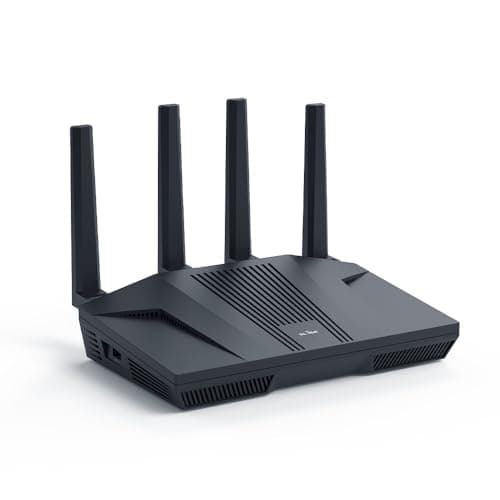
For privacy-conscious users, VPN enthusiasts, and anyone who wants full control over their network, absolutely. OpenWrt provides features like WireGuard VPN, AdGuard Home ad-blocking, advanced firewall rules, and granular traffic management that consumer firmware simply cannot match. The GL.iNet Flint 2 (our #1 pick) makes OpenWrt accessible with a user-friendly admin panel layered on top, so you get the power of OpenWrt without needing to configure everything through a command line. For users who just want reliable WiFi with no tinkering, ASUS and TP-Link consumer firmware is a better fit.
Most modern routers advertise support for 40-200+ devices, but real-world performance depends on what those devices are doing. A WiFi 6 router with a quad-core processor comfortably handles 30-50 actively streaming, browsing, or gaming devices. IoT devices like smart bulbs and sensors use minimal bandwidth and barely count. If you regularly have more than 40 devices actively transferring data simultaneously, a tri-band router (which splits traffic across three frequencies) or a mesh system will provide a better experience.
TP-Link (HomeShield) and Netgear (Armor) offer advanced security features like real-time threat protection, vulnerability scanning, and detailed parental controls as paid subscriptions - typically $30-100 per year. ASUS bucks this trend by offering AiProtection Pro (powered by Trend Micro) for free with no subscription on all their routers. If ongoing subscription costs concern you, ASUS routers or OpenWrt-based routers like the GL.iNet Flint 2 provide robust security at no recurring cost.

 1/5
1/5