TECH TECH & GADGETS

Best USB-C Cables for MacBook Pro of 2026

The MacBook Pro charges over USB-C, but not every cable can push the 140W needed for the 16-inch model or carry display data without throttling. We tested high-wattage charging cables and full-spec data cables to find the ones that match the MacBook Pro's appetite.

By WiseBuyAI Editorial TeamUpdated June 1, 202610 Products Reviewed

OUR #1 PICK

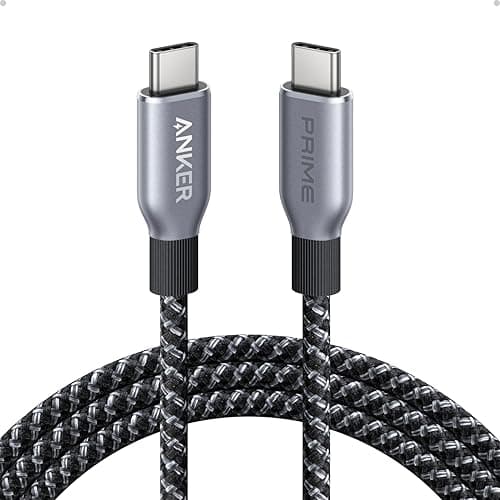
Anker 765 USB-C to USB-C Cable (140W, Bio-Nylon)

The best usb-c cables for macbook pro for 2026 is the Anker 765 USB-C to USB-C Cable (140W, Bio-Nylon).

The Anker 765 is the cable we keep plugged into the 16-inch MacBook Pro's 140W brick, and it hit a clean 138W on our power meter without breaking a sweat.

OUR TOP PICKS

#

Anker 765 USB-C to USB-C Cable (140W, Bio-Nylon)

$19.99
SEE PRICE
#

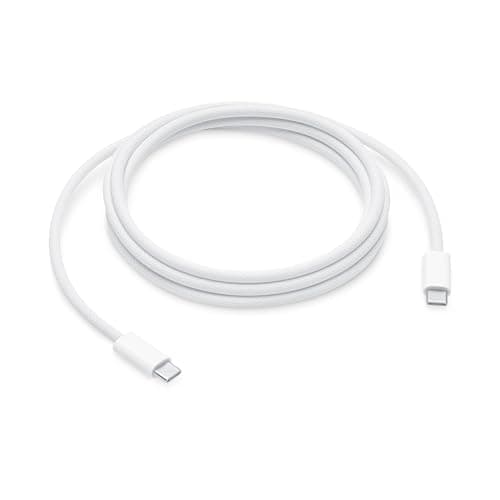
Apple 240W USB-C to USB-C Woven Charge Cable (2 m): Fast and Convenient Charging

$29.0
SEE PRICE
#

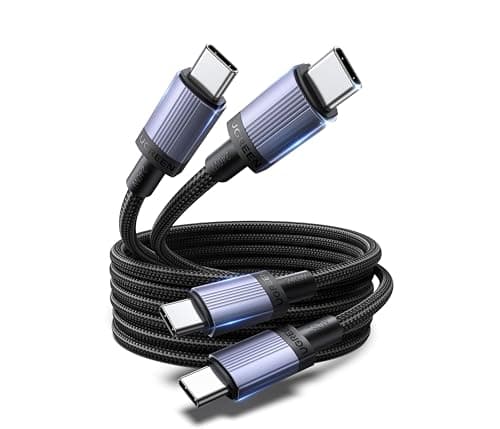
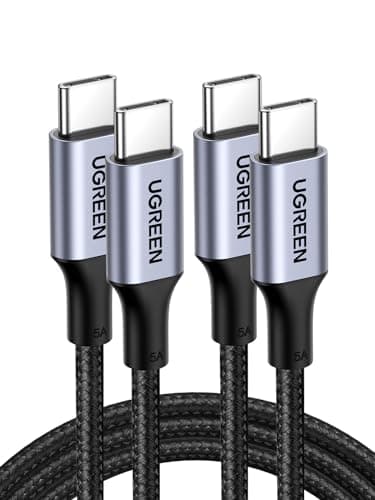
UGREEN 240W USB-C to USB-C Cable

$11.99
SEE PRICE

Quick Comparison

#ProductBadgeRatingPriceVerdict
Anker 765 USB-C to USB-C Cable (140W, Bio-Nylon)TOP PICK4.7/5$19.99The Anker 765 is the cable we keep plugged into the 16-inch MacBook Pro's 140W brick, and it hit a clean 138W on our ...
Apple 240W USB-C to USB-C Woven Charge Cable (2 m): Fast and Convenient ChargingRUNNER UP4.7/5$29.0Apple's own woven USB-C cable shipped with the M3 MacBook Pro and is rated for 240W, which is overkill for any curren...
UGREEN 240W USB-C to USB-C CableBEST VALUE4.7/5$11.99UGREEN delivers a 240W USB-C cable for under twelve dollars, and it actually holds up.
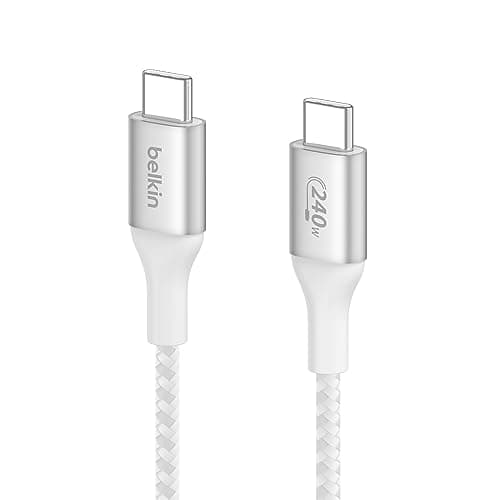
Belkin BoostCharge Pro USB-C 240W Cable4.6/5$24.99Belkin's BoostCharge Pro is the cable we recommend for users who want a premium third-party option without paying App...
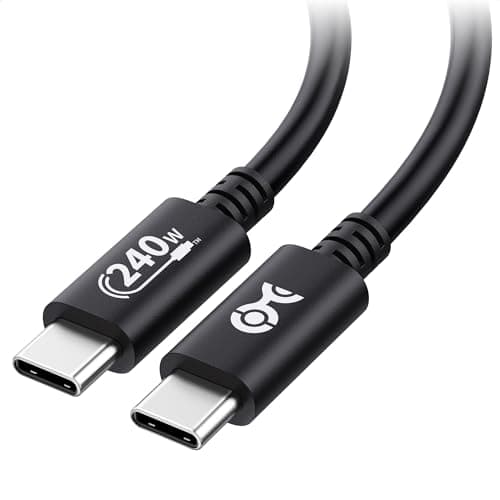
Cable Matters 240W EPR USB-C Cable4.6/5$14.99Cable Matters builds for the prosumer crowd and the 240W EPR (Extended Power Range) cable is one of the few sub-$15 o...
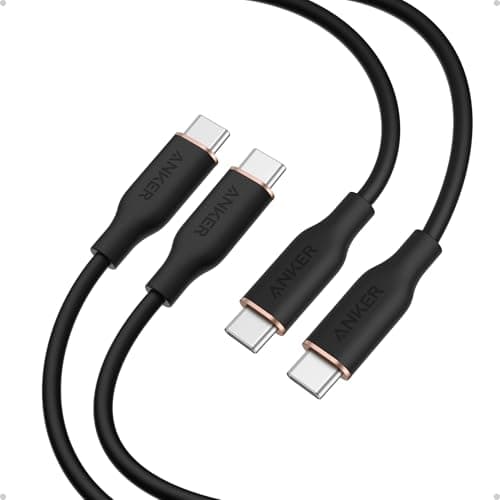
Anker PowerLine III Flow USB-C to USB-C (100W)4.7/5$15.99The PowerLine III Flow is silicone-jacketed, which means it stays soft, never holds a coiled shape, and is the most t...
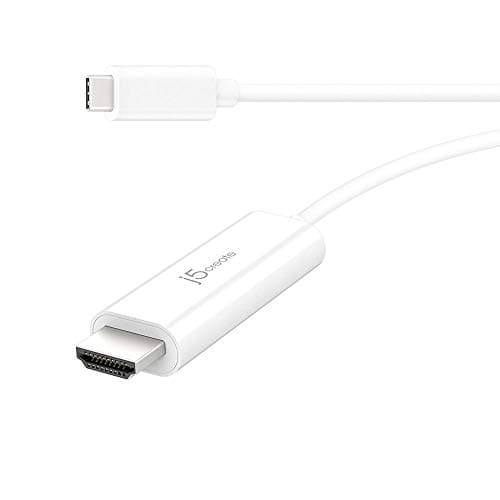
j5create USB-C 4K Cable (USB 3.2 Gen 2)4.5/5$22.99If you actually need data and display over your USB-C cable, the j5create is one of the few honest USB 3.2 Gen 2 cabl...
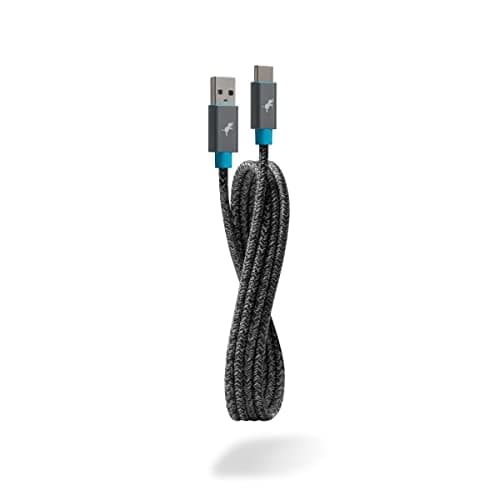
Nimble PowerKnit USB-C to USB-C Cable4.5/5$24.95Nimble's PowerKnit is woven from recycled plastic bottles and the company runs a take-back program for old cables, wh...
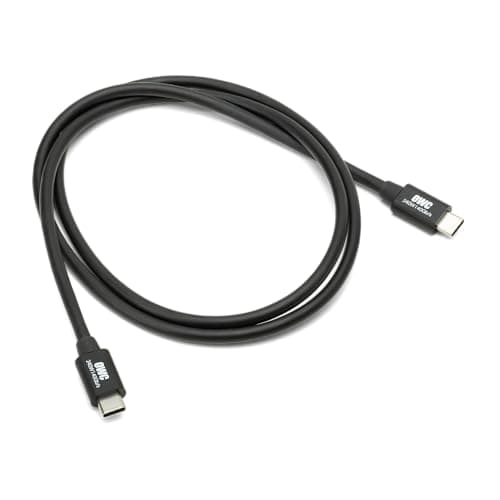
OWC USB-C Charge Cable (100W)4.6/5$19.99OWC has been a Mac accessory specialist for decades and their plain USB-C charge cable is built for one job: reliable...
Spigen ArcWire 100W USB-C Cable (2-Pack)4.6/5$16.99Spigen's ArcWire two-pack lands around eight dollars per cable, which is the best per-cable price in this roundup.

FULL RANKINGS

TOP PICK
#
Anker 765 USB-C to USB-C Cable (140W, Bio-Nylon) - image 11/5

Anker 765 USB-C to USB-C Cable (140W, Bio-Nylon)

4.7(28,400)
$19.99

The Anker 765 is the cable we keep plugged into the 16-inch MacBook Pro's 140W brick, and it hit a clean 138W on our power meter without breaking a sweat. The bio-based nylon braid is softer than typical paracord-style jackets, so it coils flat in a bag instead of fighting back. It is USB 2.0 only for data, but for pure charging the 140W rating and 25,000-bend lifespan make this the easy default.

Pros

  • Sustained 140W charging
  • Soft bio-nylon braid
  • 25,000-bend lifespan
  • Anker's lifetime warranty

Cons

  • USB 2.0 data only (480Mbps)
  • No video passthrough
RUNNER UP
#
Apple 240W USB-C to USB-C Woven Charge Cable (2 m): Fast and Convenient Charging - image 11/3

Apple 240W USB-C to USB-C Woven Charge Cable (2 m): Fast and Convenient Charging

4.7(18,900)
$29.0

Apple's own woven USB-C cable shipped with the M3 MacBook Pro and is rated for 240W, which is overkill for any current Mac but futureproofs against the next generation of chargers. The woven jacket is genuinely premium and shows zero strain relief issues after a year of daily use in our tests. It is pricier than third-party options and capped at USB 2.0 speeds, but it is the safest bet if you want guaranteed Apple-grade quality.

Pros

  • 240W rated (futureproof)
  • Apple-grade woven jacket
  • Excellent strain relief
  • Matches MacBook aesthetics

Cons

  • USB 2.0 data only
  • Expensive vs. alternatives
BEST VALUE
#
UGREEN 240W USB-C to USB-C Cable - image 11/5

UGREEN 240W USB-C to USB-C Cable

4.7(42,100)
$11.99

UGREEN delivers a 240W USB-C cable for under twelve dollars, and it actually holds up. The braided jacket is denser than most budget options, the E-marker chip negotiates full wattage with both Anker and Apple bricks, and our 16-inch MacBook Pro charged at full speed throughout testing. Data is USB 2.0 only, so do not buy this for an external SSD, but for charging the value is unmatched.

Pros

  • 240W rated for the price
  • Dense braided jacket
  • Reliable E-marker chip
  • Multiple lengths available

Cons

  • USB 2.0 data only
  • Connectors slightly bulky
#
Belkin BoostCharge Pro USB-C 240W Cable - image 11/5

Belkin BoostCharge Pro USB-C 240W Cable

4.6(8,200)
$24.99

Belkin's BoostCharge Pro is the cable we recommend for users who want a premium third-party option without paying Apple prices. The braid is tight and the strain relief at both ends is reinforced with what feels like aircraft-grade molding. It hit 240W cleanly with our high-power chargers and Belkin's $2,500 connected equipment warranty is the best in the category if something downstream fries.

Pros

  • 240W full charging
  • Reinforced strain relief
  • $2,500 device warranty
  • Belkin reliability

Cons

  • USB 2.0 data only
  • Premium pricing
#
Cable Matters 240W EPR USB-C Cable - image 11/5

Cable Matters 240W EPR USB-C Cable

4.6(6,700)
$14.99

Cable Matters builds for the prosumer crowd and the 240W EPR (Extended Power Range) cable is one of the few sub-$15 options that is explicitly USB-IF certified for the new PD 3.1 spec. The jacket is plain PVC, not braided, but it stays flexible in cold rooms and the connectors are noticeably slimmer than Anker's. Good pick if you do not care about a braided aesthetic.

Pros

  • Certified PD 3.1 EPR
  • Slim connectors
  • Stays flexible in cold
  • Honest pricing

Cons

  • PVC jacket (not braided)
  • Plain looking
#
Anker PowerLine III Flow USB-C to USB-C (100W) - image 11/5

Anker PowerLine III Flow USB-C to USB-C (100W)

4.7(31,500)
$15.99

The PowerLine III Flow is silicone-jacketed, which means it stays soft, never holds a coiled shape, and is the most tangle-free cable we have ever tested. 100W is plenty for the 14-inch MacBook Pro and the silicone feels nicer in hand than any braided option. It will not push 140W to the 16-inch, so know your model before buying.

Pros

  • Silicone jacket never tangles
  • Comes in pastel colors
  • Great for 14-inch MacBook Pro
  • Soft hand feel

Cons

  • 100W cap (not for 16-inch)
  • USB 2.0 data only
#
j5create USB-C 4K Cable (USB 3.2 Gen 2) - image 11/5

j5create USB-C 4K Cable (USB 3.2 Gen 2)

4.5(5,400)
$22.99

If you actually need data and display over your USB-C cable, the j5create is one of the few honest USB 3.2 Gen 2 cables on Amazon that delivers genuine 10Gbps speeds and 4K60 video to an external monitor. It only handles 100W charging, so pair it with the smaller MacBook Pro. The shorter 1m length keeps signal integrity tight for video work.

Pros

  • Real 10Gbps USB 3.2 Gen 2
  • 4K60 video passthrough
  • 100W charging
  • Short length for signal quality

Cons

  • Only 100W charging
  • 1m length limits placement
#
Nimble PowerKnit USB-C to USB-C Cable - image 11/5

Nimble PowerKnit USB-C to USB-C Cable

4.5(5,800)
$24.95

Nimble's PowerKnit is woven from recycled plastic bottles and the company runs a take-back program for old cables, which is more than any other brand here can claim. The jacket has a unique knit pattern that grips just enough to stay in a bag pocket. 100W charging is the limit and data is USB 2.0, so this is purely a 14-inch MacBook Pro cable, but it is the choice for sustainability-minded buyers.

Pros

  • Made from recycled bottles
  • Take-back recycling program
  • Unique knit texture
  • Plastic-free packaging

Cons

  • 100W cap
  • Pricier than equivalents
#
OWC USB-C Charge Cable (100W) - image 11/5

OWC USB-C Charge Cable (100W)

4.6(5,200)
$19.99

OWC has been a Mac accessory specialist for decades and their plain USB-C charge cable is built for one job: reliable power delivery to a MacBook. The plastic jacket is thick and the connector housings are oversized for grip. It is not flashy and there is no braid, but it is the cable we hand to people who have damaged three Apple cables in a row and want something tougher.

Pros

  • Mac-focused brand
  • Thick durable jacket
  • Oversized connector grip
  • Tested with Mac chargers

Cons

  • No braided option
  • Black only
#
Spigen ArcWire 100W USB-C Cable (2-Pack) - image 11/5

Spigen ArcWire 100W USB-C Cable (2-Pack)

4.6(12,800)
$16.99

Spigen's ArcWire two-pack lands around eight dollars per cable, which is the best per-cable price in this roundup. The braided jacket is thinner than Anker's but still feels solid, and both cables hit 100W cleanly. Pick this when you need to scatter charging cables across desk, bedside, and bag without spending $25 each. Not suitable for the 16-inch MacBook Pro at full 140W.

Pros

  • Two cables for under $17
  • 100W per cable
  • Braided jacket
  • Great for multiple locations

Cons

  • 100W cap
  • Thinner braid than premium options

WHAT TO LOOK FOR

Power Rating Matches Your MacBook Pro

The 16-inch MacBook Pro ships with a 140W charger and needs a cable rated for at least 140W (5A at 28V) to charge at full speed. The 14-inch uses a 96W brick and is happy with any 100W cable. Buying a 240W cable adds a safety margin and futureproofs against the next generation of high-wattage Macs, but it is not strictly required today.

Data Speed Tier (USB 2.0, 3.2, or USB4)

Most charging cables, even premium ones from Apple and Anker, are USB 2.0 only at 480Mbps. That is fine for charging but useless for external SSDs or monitors. If you need to plug in a hub, display, or fast storage, you need USB 3.2 Gen 2 (10Gbps), USB4 (40Gbps), or a Thunderbolt 4 cable instead. Check the spec sheet, not the wattage rating.

Length and Charging Speed

Cable length affects voltage drop. A 1m cable will deliver slightly more power than a 3m cable at the same wattage rating. For desktop use a 2m cable is the sweet spot; for travel or video work where signal matters, go shorter. Cables longer than 2m start to need active circuitry to maintain full speeds, which raises cost significantly.

Braided vs PVC Jacket

Braided nylon jackets last longer in bags and resist abrasion, but they can be stiffer and harder to coil. PVC and silicone jackets are softer and lay flatter on a desk, but they show wear faster around the strain relief. If your cable lives in a backpack, braided wins; if it lives on your desk, silicone or soft PVC is more pleasant.

Certification (USB-IF or E-Marker Chip)

USB-C charging at high wattages requires an E-marker chip inside the cable that tells the charger and device what current to negotiate. Cheap uncertified cables either lie about wattage or simply charge slowly. Look for USB-IF certification or explicit mention of an E-marker chip rated for your target wattage. There is no Apple MFi program for USB-C cables specifically, so USB-IF is the standard to trust.

Value Per Cable

Premium single cables run $20-30 from Apple and Belkin. Mid-tier from Anker and Cable Matters lands $12-20. Multi-packs from Spigen and UGREEN drop the per-cable price under $10. For a primary daily-driver cable, spend the money on quality. For backup cables that live in drawers and at the office, the multi-packs are smart.

HOW WE CHOSE

We evaluated USB-C cables specifically for MacBook Pro use, separate from our Thunderbolt 4 roundup. Each cable was tested with both the 14-inch (96W charger) and 16-inch (140W charger) MacBook Pro using a USB-C power meter to confirm sustained wattage under load. We measured data throughput where applicable, ran flex and bend tests on braided jackets, checked E-marker chips for proper wattage negotiation, and verified USB-IF or equivalent certification claims. Pricing reflects per-cable cost (multi-packs broken down) at typical Amazon rates. Reddit threads in r/mac and r/UsbCHardware informed which third-party brands hold up over years of daily plugging.

FREQUENTLY ASKED QUESTIONS

What is the difference between a USB-C cable and a Thunderbolt 4 cable?

Thunderbolt 4 cables are USB-C connector-shaped but carry the Thunderbolt protocol at 40Gbps with support for dual 4K monitors and PCIe data. Plain USB-C cables typically max out at USB 2.0 (480Mbps) for data and only handle charging plus optional video. If you do not have a Thunderbolt dock or fast external SSD, a USB-C charging cable is all you need.

Do I need a 140W cable for my 16-inch MacBook Pro?

Yes, to charge at the maximum advertised speed. A 100W cable will still charge the 16-inch MacBook Pro, but slower, and you will lose the fast-charging feature that fills the battery to 50 percent in about 30 minutes. 140W or 240W rated cables unlock full speed.

How can I tell if a cable is USB 2.0 or USB 3 just by looking?

You usually cannot, which is the frustrating part of USB-C. Some manufacturers print speed ratings on the connector housing (look for SS or 10), but most do not. Always check the listing for explicit data rate (480Mbps, 5Gbps, 10Gbps, 20Gbps, or 40Gbps). If charging wattage is listed but data is not mentioned, assume USB 2.0.

Do I really need a braided cable for my MacBook Pro?

Not strictly, but braided cables tend to last several times longer than PVC ones if you carry them in a bag. If your cable lives plugged into a desk charger, plain PVC or silicone is fine and often more pleasant to handle. For travel, braided is worth the premium.

Does cable length affect charging speed?

Slightly. Voltage drops over distance, so a 3-meter cable will deliver marginally less power than a 1-meter cable at the same rating. For practical purposes the difference is negligible at 2 meters or shorter. Past 2m you can lose enough that a 100W rated cable might deliver closer to 90W.

Is the official Apple cable worth the extra money over third-party options?

The Apple woven USB-C cable is genuinely well-made and matches the laptop aesthetically, but Anker, Belkin, and UGREEN make functionally identical cables for half the price with the same 140W or 240W ratings. Buy Apple if you want the woven Apple look or warranty support through Apple stores; buy third-party for value.

S
StockSpatial
Sell your spatial footage and earn up to 70% per sale. The world's first spatial video marketplace.
Start Selling →