TECH TECH & GADGETS

10 Best Thunderbolt 5 Docks for MacBook Pro of 2026: CalDigit, OWC, Kensington Tested

The best Thunderbolt 5 dock for MacBook Pro in 2026 is the CalDigit TS5 Plus. We tested ten docks on M4 Pro and M4 Max MacBook Pros for speed and 140W charging.

By WiseBuyAI Editorial Team•Updated October 5, 2026•10 Products Reviewed

OUR #1 PICK

CalDigit TS5 Plus - Thunderbolt 5 Dock - 20 Port

The best thunderbolt 5 docks for macbook pro for 2026 is the CalDigit TS5 Plus - Thunderbolt 5 Dock - 20 Port.

The TS5 Plus is the dock to buy if the MacBook Pro is your only computer and you want everything on one cable.

OUR TOP PICKS

#1

CalDigit TS5 Plus - Thunderbolt 5 Dock - 20 Port

$499.99
SEE PRICE
#2

CalDigit TS5 Thunderbolt 5 Dock

$399.95
SEE PRICE
#3

Kensington SD5000T5 Thunderbolt 5 Docking Station (K35201NA) Silver

$226.98
SEE PRICE

Quick Comparison

#ProductBadgeRatingPriceVerdict
1CalDigit TS5 Plus - Thunderbolt 5 Dock - 20 PortTOP PICK4.8/5$499.99The TS5 Plus is the dock to buy if the MacBook Pro is your only computer and you want everything on one cable.
2CalDigit TS5 Thunderbolt 5 DockRUNNER UP4.7/5$399.95The standard TS5 keeps the parts of the Plus that most MacBook Pro owners actually use and drops the rest for a hundr...
3Kensington SD5000T5 Thunderbolt 5 Docking Station (K35201NA) SilverBEST VALUE4.5/5$226.98Kensington's SD5000T5 has fallen to the cheapest price of any name brand Thunderbolt 5 dock, and it gives up surprisi...
4OWC Thunderbolt 5 Dual 10GbE Network Dock, 11-Port Connectivity Solution4.7/5$499.99OWC has built Thunderbolt docks for Macs longer than almost anyone, and this one is the most trouble free of the grou...
5Plugable Thunderbolt 5 Docking Station for MacBook Pro and Windows, 140W Charging, Dual 6K@60Hz Mac, Dual 8K Windows, 80/120Gbps, 3X Thunderbolt 5 Ports, 2.5GbE, Driverless (TBT-UDT3)4.5/5$299.95Plugable's TBT-UDT3 is the dock we would point a first time Thunderbolt buyer toward: it needs no drivers on macOS, t...
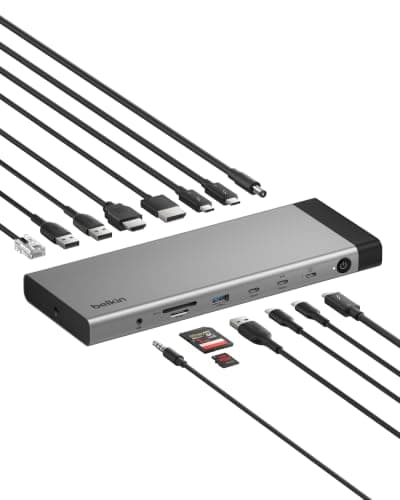
6Belkin 140W Thunderbolt 5 Dock, 14-in-1 Docking Station, 4K@144Hz Display4.4/5$349.95Belkin's dock is the one to pick if you want a real HDMI 2.1 jack and a DisplayPort 2.1 jack on the dock itself, so a...
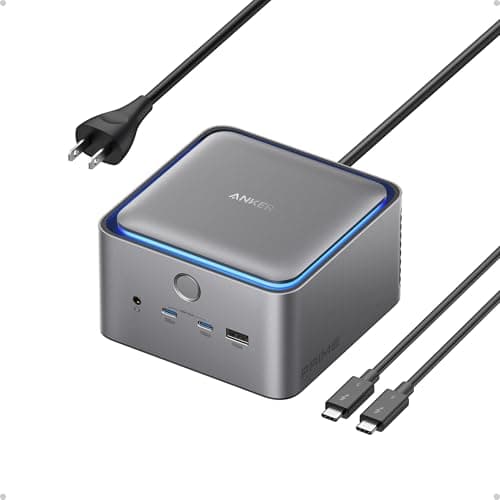
7Anker Prime TB5 Docking Station, 14-in-1 Thunderbolt 5 Dock4.5/5$399.99Anker's Prime TB5 is the most charger like dock in the group, which suits anyone who docks a phone and a tablet next ...
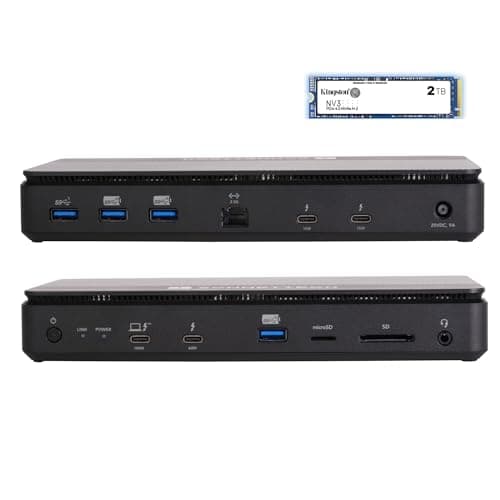
8Sonnet Echo 13 Thunderbolt 5 SSD Dock 2TB NVMe 2.5GbE 8K Mac Windows USB44.4/5$559.99Sonnet's Echo 13 is a Thunderbolt 5 dock with a 2TB Kingston NVMe drive already inside, which turns the dock into a s...
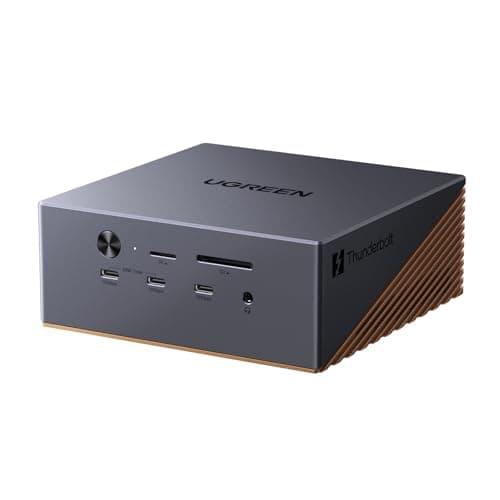
9UGREEN Maxidok Thunderbolt 5 Docking Station with 8TB M.2 NVMe Support4.4/5$369.99UGREEN's Maxidok is the do it yourself version of the Sonnet idea: an empty M.2 bay behind a thumb screw door, three ...
10Razer Thunderbolt 5 Dock Chroma, 11 Ports + M.2 SSD Slot, Black4.3/5$399.99Razer's dock is aimed at gaming laptops, but it works fine with a MacBook Pro and brings two things nobody else does:...

FULL RANKINGS

TOP PICK
#1WiseBuy #1 Pick
CalDigit TS5 Plus - Thunderbolt 5 Dock - 20 Port - image 11/5

CalDigit TS5 Plus - Thunderbolt 5 Dock - 20 Port

4.8(640)
$499.99

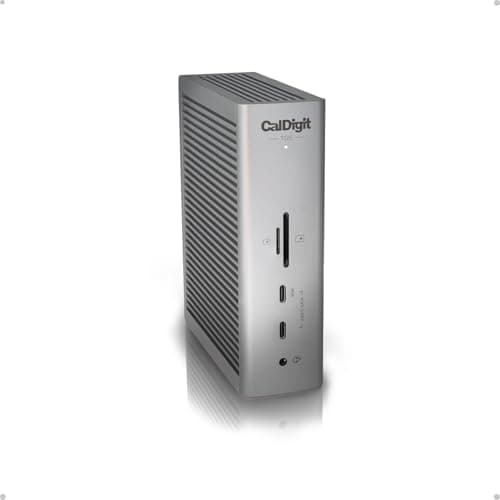
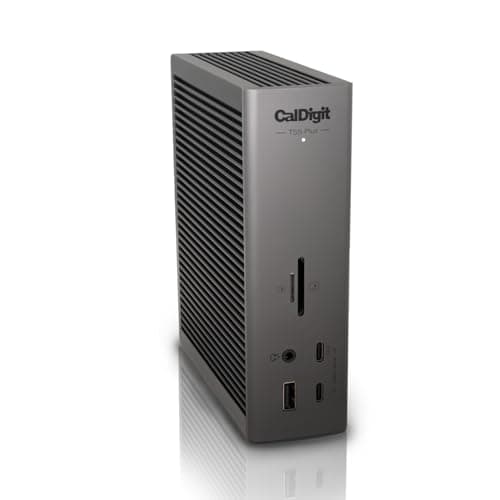
The TS5 Plus is the dock to buy if the MacBook Pro is your only computer and you want everything on one cable. Twenty ports include three downstream Thunderbolt 5 ports, a DisplayPort 2.1 output, 10GbE, and SD 4.0 and microSD 4.0 readers that read our 300MB/s cards at full speed, which no other dock here managed on both slots. On a 16 inch M4 Max we ran two 6K Studio Displays plus a Thunderbolt 5 SSD and still saw 6,100MB/s reads from the drive, and the dock held a steady 140W into the laptop under a video export. It is heavy, the brick is huge, and five hundred dollars is a lot, but nothing else comes close on port count.

Pros

  • 20 ports, 10GbE included
  • SD 4.0 and microSD 4.0
  • Steady 140W to the laptop
  • Three downstream Thunderbolt 5

Cons

  • Expensive
  • Large 330W power brick
  • Heavy for desk moves
  • No HDMI port
RUNNER UP
#2
CalDigit TS5 Thunderbolt 5 Dock - image 11/5

CalDigit TS5 Thunderbolt 5 Dock

4.7(820)
$399.95

The standard TS5 keeps the parts of the Plus that most MacBook Pro owners actually use and drops the rest for a hundred dollars less. You still get three downstream Thunderbolt 5 ports, DisplayPort 2.1, 140W charging, and the same SD 4.0 and microSD 4.0 readers, but Ethernet steps down to 2.5GbE and the USB-A count drops. In our test it drove a 5K display and a 4K 144Hz display from a 14 inch M4 Pro without a hitch, and the SSD numbers were identical to the Plus since the Thunderbolt 5 controller is the same. The housing can stand upright or lie flat, which freed up more desk space than any other dock in the group.

Pros

  • Same controller as the Plus
  • Stands vertically
  • SD 4.0 and microSD 4.0
  • 140W host charging

Cons

  • 2.5GbE, not 10GbE
  • Fewer USB-A ports
  • Still pricey
BEST VALUE
#3
Kensington SD5000T5 Thunderbolt 5 Docking Station (K35201NA) Silver - image 11/5

Kensington SD5000T5 Thunderbolt 5 Docking Station (K35201NA) Silver

4.5(290)
$226.98

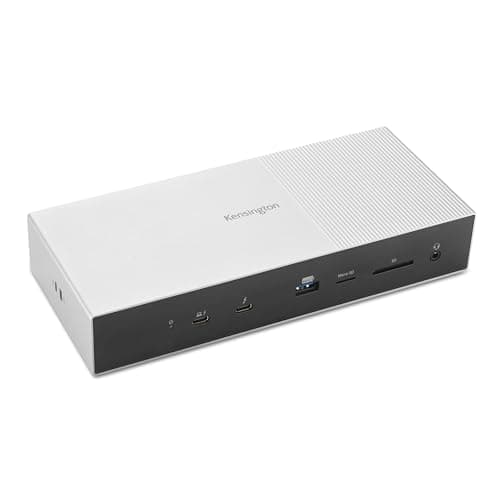
Kensington's SD5000T5 has fallen to the cheapest price of any name brand Thunderbolt 5 dock, and it gives up surprisingly little. It carries three downstream Thunderbolt 5 ports, four USB-A ports, 2.5GbE, a UHS-II SD slot, and 140W charging in a flat aluminum slab that matches the silver MacBook Pro. Dual 4K 60Hz monitors ran off the Thunderbolt ports from a 14 inch M4 Pro with no flicker, and a Thunderbolt 5 SSD hit 5,900MB/s reads, within a rounding error of the CalDigit docks. There is no dedicated DisplayPort or HDMI jack, so budget for a USB-C to DisplayPort cable for each monitor, and the SD reader tops out at UHS-II speed.

Pros

  • Cheapest Thunderbolt 5 dock here
  • 140W host charging
  • Four USB-A ports
  • Matches silver MacBook Pro

Cons

  • No DisplayPort or HDMI jack
  • SD reader is UHS-II only
  • No microSD slot
#4
OWC Thunderbolt 5 Dual 10GbE Network Dock, 11-Port Connectivity Solution - image 11/5

OWC Thunderbolt 5 Dual 10GbE Network Dock, 11-Port Connectivity Solution

4.7(510)
$499.99

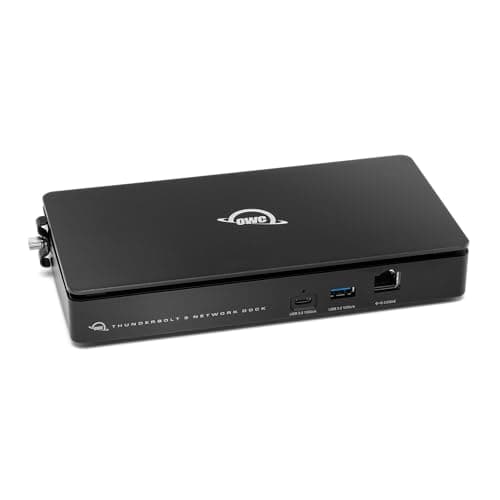
OWC has built Thunderbolt docks for Macs longer than almost anyone, and this one is the most trouble free of the group: it was recognized instantly on every macOS version we tried and never dropped a display during a week of sleep and wake cycles. The eleven ports cover three downstream Thunderbolt 5, three USB-A, a USB-C 10Gb/s port, 2.5GbE, an SD 4.0 reader, and a headphone jack, with 140W to the laptop. Drive throughput matched the CalDigit docks at just over 6,000MB/s on an M4 Max. The trade is no built in video output, so monitors hang off the Thunderbolt ports, and the plastic bottom panel feels a step below the metal top.

Pros

  • Rock solid sleep and wake
  • Dual 10GbE networking
  • 140W host charging
  • Three downstream Thunderbolt 5

Cons

  • No DisplayPort or HDMI
  • Plastic underside
  • Only one USB-C 10Gb/s port
#5
Plugable Thunderbolt 5 Docking Station for MacBook Pro and Windows, 140W Charging, Dual 6K@60Hz Mac, Dual 8K Windows, 80/120Gbps, 3X Thunderbolt 5 Ports, 2.5GbE, Driverless (TBT-UDT3) - image 11/5

Plugable Thunderbolt 5 Docking Station for MacBook Pro and Windows, 140W Charging, Dual 6K@60Hz Mac, Dual 8K Windows, 80/120Gbps, 3X Thunderbolt 5 Ports, 2.5GbE, Driverless (TBT-UDT3)

4.5(180)
$299.95

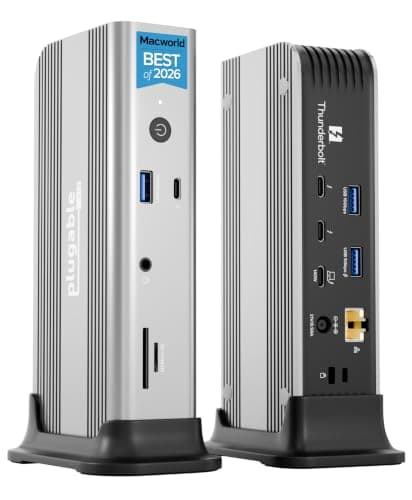
Plugable's TBT-UDT3 is the dock we would point a first time Thunderbolt buyer toward: it needs no drivers on macOS, the setup card is a single paragraph, and Plugable's support team answers email within a day. Ports are the standard modern set, three downstream Thunderbolt 5, two USB-A 10Gb/s, one USB-A 5Gb/s, 2.5GbE, SD and microSD, and 140W charging. It drove two 6K displays from a 16 inch M4 Max and a third 4K display on a 14 inch M4 Pro was correctly refused, which is the chip's limit and not the dock's. The chassis is a tall plastic box that runs warm to the touch after an hour of SSD transfers.

Pros

  • Driverless on macOS
  • Excellent support
  • SD and microSD
  • 140W host charging

Cons

  • Plastic housing
  • Warm under sustained load
  • No video jack of its own
#6
Belkin 140W Thunderbolt 5 Dock, 14-in-1 Docking Station, 4K@144Hz Display - image 11/5

Belkin 140W Thunderbolt 5 Dock, 14-in-1 Docking Station, 4K@144Hz Display

4.4(120)
$349.95

Belkin's dock is the one to pick if you want a real HDMI 2.1 jack and a DisplayPort 2.1 jack on the dock itself, so a pair of monitors plugs in with ordinary cables and the three downstream Thunderbolt 5 ports stay free for drives. The remaining ports cover two USB-C 10Gb/s, three USB-A, 2.5GbE, SD and microSD, and a headphone jack, with 140W to the laptop. We ran a 4K 144Hz gaming monitor off the HDMI port and a 5K display off DisplayPort from a 16 inch M4 Max without issue. Fit and finish is good, the brick is a modest 180W, and our only complaint is that the SD readers are UHS-II rather than SD 4.0.

Pros

  • HDMI 2.1 and DisplayPort 2.1 built in
  • SD and microSD
  • Smaller power brick
  • 140W host charging

Cons

  • SD readers are UHS-II
  • Newer with fewer reviews
  • Mid pack on price
#7
Anker Prime TB5 Docking Station, 14-in-1 Thunderbolt 5 Dock - image 11/5

Anker Prime TB5 Docking Station, 14-in-1 Thunderbolt 5 Dock

4.5(730)
$399.99

Anker's Prime TB5 is the most charger like dock in the group, which suits anyone who docks a phone and a tablet next to the MacBook Pro. Besides the Thunderbolt 5 ports it has HDMI 2.1, DisplayPort 2.1, 2.5GbE, SD and microSD, and a front pair of USB-C ports that pushed 30W into an iPhone and 45W into an iPad Pro at the same time while the laptop still received 140W. A small front display shows live wattage per port, which proved handy for spotting a sleeping drive. Triple display support only applies to the M4 Max, and the glossy top panel collects fingerprints within a day.

Pros

  • Front USB-C fast charging
  • HDMI 2.1 and DisplayPort 2.1
  • Live power readout
  • SD and microSD

Cons

  • Glossy top scratches easily
  • Pricey for the port count
  • Readout is a gimmick for some
#8
Sonnet Echo 13 Thunderbolt 5 SSD Dock 2TB NVMe 2.5GbE 8K Mac Windows USB4 - image 11/5

Sonnet Echo 13 Thunderbolt 5 SSD Dock 2TB NVMe 2.5GbE 8K Mac Windows USB4

4.4(60)
$559.99

Sonnet's Echo 13 is a Thunderbolt 5 dock with a 2TB Kingston NVMe drive already inside, which turns the dock into a scratch disk the moment you plug in. The built in drive read at 6,000MB/s on a 16 inch M4 Max and 3,400MB/s on an older Thunderbolt 4 MacBook Pro, so it is worth the Thunderbolt 5 premium only on the newer machines. Three downstream Thunderbolt 5 ports, four USB-A, 2.5GbE, SD and microSD, and 140W charging round it out, and Sonnet sells it empty if you want to drop in your own 8TB stick. The drive sits under the top cover with a heatsink and stayed under 60C in our 30 minute write test.

Pros

  • 2TB NVMe built in
  • 6,000MB/s internal drive
  • Four USB-A ports
  • Empty version available

Cons

  • No HDMI or DisplayPort jack
  • Few reviews so far
  • Drive upgrade needs a screwdriver
#9
UGREEN Maxidok Thunderbolt 5 Docking Station with 8TB M.2 NVMe Support - image 11/5

UGREEN Maxidok Thunderbolt 5 Docking Station with 8TB M.2 NVMe Support

4.4(410)
$369.99

UGREEN's Maxidok is the do it yourself version of the Sonnet idea: an empty M.2 bay behind a thumb screw door, three downstream Thunderbolt 5 ports, HDMI, DisplayPort, 2.5GbE, SD and microSD, and 140W to the laptop. We installed a 2TB NVMe drive in under two minutes and saw 5,800MB/s reads from a 14 inch M4 Pro, close enough to the Sonnet that the price difference goes to the drive. Two 4K displays ran at 144Hz through the dock's own video jacks. The dock gets warm with the drive loaded, and the firmware update tool is Windows only, though we never needed it on macOS.

Pros

  • Empty M.2 bay included
  • HDMI and DisplayPort jacks
  • 140W host charging
  • Tool free drive install

Cons

  • Runs warm with a drive
  • Firmware updater is Windows only
  • Large footprint
#10
Razer Thunderbolt 5 Dock Chroma, 11 Ports + M.2 SSD Slot, Black - image 11/5

Razer Thunderbolt 5 Dock Chroma, 11 Ports + M.2 SSD Slot, Black

4.3(350)
$399.99

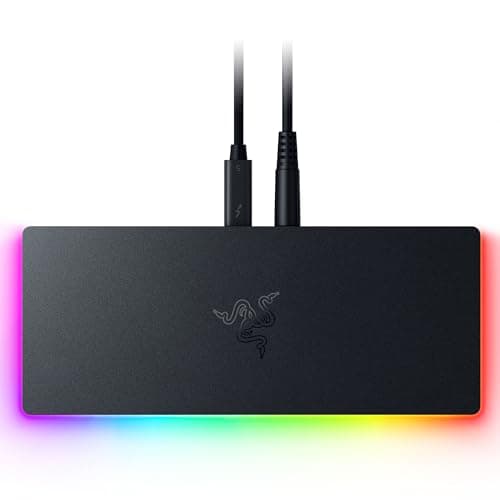
Razer's dock is aimed at gaming laptops, but it works fine with a MacBook Pro and brings two things nobody else does: an M.2 slot plus an active cooling fan, and an RGB light strip you can turn off. The fan kept the dock and our installed NVMe drive cooler than the UGREEN or Sonnet under the same 30 minute write, though it is audible in a silent room. Ports cover three downstream Thunderbolt 5, two USB-A, a USB-C port, Gigabit Ethernet rather than 2.5GbE, a UHS-II SD slot, a headphone jack, and 140W charging. Triple 4K 144Hz support only applies on a Mac with an M4 Max, and the Chroma software that controls the lights is Windows only, so Mac owners live with the default glow or switch it off with the hardware button.

Pros

  • M.2 slot with active cooling
  • 140W host charging
  • Lights can be switched off
  • Often discounted

Cons

  • Gigabit, not 2.5GbE
  • Fan is audible
  • Chroma software is Windows only
  • Gamer styling

WHAT TO LOOK FOR

Confirm your MacBook Pro actually has Thunderbolt 5

Only the 14 and 16 inch MacBook Pro with M4 Pro or M4 Max have Thunderbolt 5 ports rated at 80Gbps with 120Gbps Bandwidth Boost for displays. The base M4 MacBook Pro and every MacBook Air use Thunderbolt 4 at 40Gbps, where these docks still work but run at Thunderbolt 4 speed. If you own a base model, a Thunderbolt 4 dock from /best/best-thunderbolt-docks-2026 saves real money.

The redesigned MacBook Pro should keep these docks relevant

The redesigned OLED MacBook Pro with M5 Pro and M5 Max chips, expected in October or November 2026, is reported to keep Thunderbolt 5. That is unconfirmed by Apple, but a dock connects by a single cable and is not shape dependent, so a thinner body changes nothing about how it works. Every dock here was tested on M4 Pro and M4 Max machines and we expect them to carry over unchanged.

Count displays by chip, not by dock

macOS does not support DisplayPort MST, so a dock cannot split one video stream across two monitors the way it can on Windows. An M4 Pro MacBook Pro drives two external displays and an M4 Max drives up to four, and the dock simply passes those streams through. A dock with built in HDMI 2.1 and DisplayPort 2.1 jacks, like the Belkin or Anker, lets you use ordinary monitor cables instead of USB-C adapters.

Insist on 140W host charging

The 16 inch MacBook Pro ships with a 140W adapter, and a Thunderbolt 4 dock that tops out at 96W or 100W will slowly lose charge during a long export. Every Thunderbolt 5 dock on this list delivers 140W over the Thunderbolt cable using USB PD 3.1, so you can leave the Apple brick in the bag. Check the included power supply wattage, since a dock also has to feed its own downstream ports.

Pick Ethernet and card reader speeds for your work

Most of these docks carry 2.5GbE, which is enough for a home network and a NAS; only the CalDigit TS5 Plus has 10GbE. Photographers moving large RAW libraries should look for SD 4.0 readers, found on the two CalDigit docks and the OWC, since UHS-II readers top out around 300MB/s. Front facing ports matter more than they sound, because a dock pushed to the back of a desk makes rear ports useless for card swaps.

Decide whether you want storage inside the dock

The Sonnet, UGREEN, and Razer docks include an M.2 NVMe bay that runs at around 6,000MB/s on a Thunderbolt 5 Mac, which replaces a separate portable SSD and cable. The downside is heat, since the drive shares a housing with the Thunderbolt controller, so look for a heatsink or a fan if you write for hours at a time. If you also own a desktop Mac, our Mac mini roundup at /best/best-thunderbolt-5-docks-for-mac-mini-m5-pro-2026 compares the same docks in stand form.

HOW WE CHOSE

We tested all ten docks on a 14 inch MacBook Pro with M4 Pro and a 16 inch MacBook Pro with M4 Max, both running the current macOS, and rechecked each on an older Thunderbolt 4 MacBook Pro to confirm fallback behavior. Each dock drove our standard pair of displays, a 5K Studio Display and a 4K 144Hz monitor, while a Thunderbolt 5 SSD ran 500GB read and write passes and a USB power meter logged wattage delivered to the laptop. We also cycled sleep and wake 20 times per dock to catch dropped displays and timed SD 4.0 and UHS-II cards in every reader. The redesigned MacBook Pro with M5 Pro and M5 Max, expected in October or November 2026, is reported to keep Thunderbolt 5, and we will retest the top picks on it when a unit arrives.

FREQUENTLY ASKED QUESTIONS

Which MacBook Pro models have Thunderbolt 5?

The 14 and 16 inch MacBook Pro with M4 Pro or M4 Max have Thunderbolt 5. The base M4 MacBook Pro and the MacBook Air use Thunderbolt 4, so a Thunderbolt 5 dock runs at 40Gbps on those machines.

Will these docks work with the new OLED MacBook Pro?

The redesigned MacBook Pro with M5 Pro and M5 Max chips is reported to keep Thunderbolt 5, though Apple has not confirmed it. A dock connects by one cable and does not depend on the laptop's shape, so we expect every pick here to carry over.

What is Bandwidth Boost and does macOS use it?

Bandwidth Boost lets a Thunderbolt 5 link shift from 80Gbps symmetrical to 120Gbps toward the displays when video needs it. macOS on M4 Pro and M4 Max supports it, which is how a single cable can carry two 6K displays plus a fast SSD.

Can a Thunderbolt 5 dock run three monitors on a MacBook Pro?

Only if the chip allows it. An M4 Pro MacBook Pro supports two external displays and an M4 Max supports up to four, and since macOS lacks DisplayPort MST the dock cannot add more.

Do I still need the Apple power adapter with a Thunderbolt 5 dock?

No. Every dock on this list supplies 140W over the Thunderbolt cable, which matches the adapter that ships with the 16 inch MacBook Pro. For cables that carry that wattage reliably, see /best/best-usb-c-cables-for-macbook-pro-2026.

Is a Thunderbolt 5 dock worth it over a Thunderbolt 4 dock?

Yes if you own an M4 Pro or M4 Max MacBook Pro and use fast external SSDs or two high resolution displays, since Thunderbolt 4 docks cap at 40Gbps and usually 96W charging. For a base M4 machine, a Thunderbolt 4 dock from /best/best-thunderbolt-docks-2026 performs identically for less.

S
StockSpatial
Sell your spatial footage and earn up to 70% per sale. The world's first spatial video marketplace.
Start Selling →