HOME SMART HOME

10 Best Smart Locks of 2026

The best smart lock in 2026 is the Schlage Encode Plus. We tested and researched the top keyless deadbolts on the market — from Apple Home Key-compatible locks to budget-friendly WiFi deadbolts — to find the smart locks that actually deliver on security, convenience, and smart home integration.

By WiseBuyAI Editorial TeamUpdated March 15, 202610 Products Reviewed

OUR #1 PICK

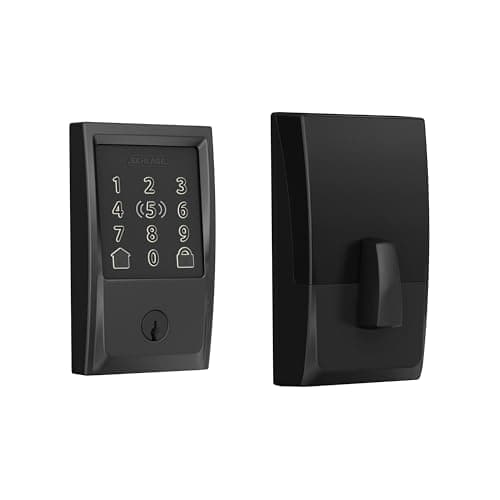
Schlage Encode Plus Smart WiFi Deadbolt

The Schlage Encode Plus earns its top spot by being the only consumer deadbolt that simultaneously holds a Grade 1 ANSI/BHMA security certification and supports Apple Home Key — meaning you can tap your iPhone or Apple Watch directly on the keypad to unlock in under a second.

OUR TOP PICKS

#1

Schlage Encode Plus Smart WiFi Deadbolt

$279.99
SEE PRICE
#2

Yale Assure Lock 2 with WiFi

$249.99
SEE PRICE
#3

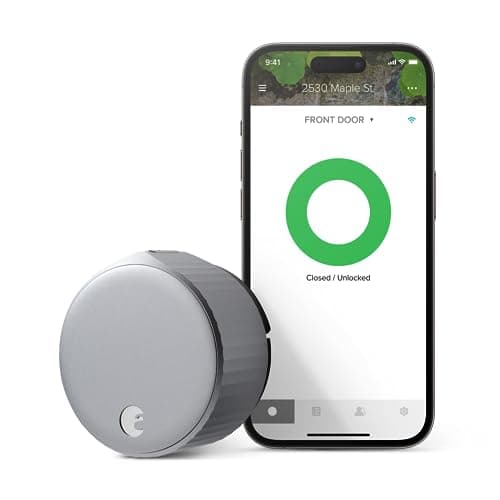
August WiFi Smart Lock (4th Gen)

$149.99
SEE PRICE

Quick Comparison

#ProductBadgeRatingPriceVerdict
1Schlage Encode Plus Smart WiFi DeadboltTOP PICK4.6/5$279.99The Schlage Encode Plus earns its top spot by being the only consumer deadbolt that simultaneously holds a Grade 1 AN...
2Yale Assure Lock 2 with WiFiRUNNER UP4.5/5$249.99The Yale Assure Lock 2 is the most versatile smart lock on the market, working natively with every major smart home p...
3August WiFi Smart Lock (4th Gen)BEST VALUE4.4/5$149.99The August WiFi Smart Lock is the best smart lock for renters and anyone who wants smart functionality without replac...
4Kwikset Halo Touch WiFi Fingerprint Smart Lock4.3/5$219.99The Kwikset Halo Touch is the fingerprint smart lock to beat at its price point, storing up to 100 unique fingerprint...
5Level Lock+ WiFi Smart Lock4.3/5$329.99The Level Lock+ WiFi is the most discreet smart lock ever made — it replaces only the internal deadbolt mechanism, le...
6ULTRALOQ U-Bolt Pro WiFi Smart Lock with Door Sensor4.4/5$159.99The ULTRALOQ U-Bolt Pro WiFi delivers an almost ridiculous amount of unlocking options for under $160 — fingerprint, ...
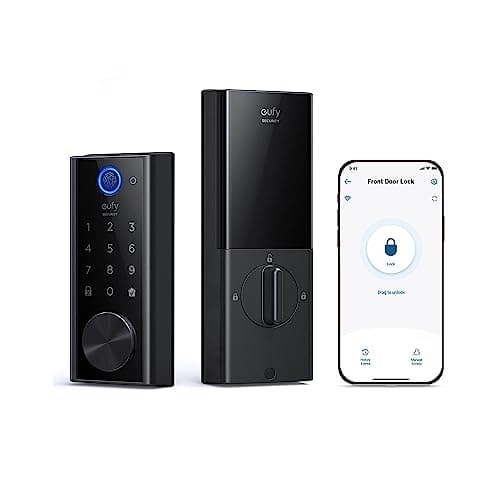
7eufy Security Smart Lock S2304.4/5$139.99The eufy Smart Lock S230 is the best budget-friendly smart lock that includes built-in WiFi without cutting corners o...
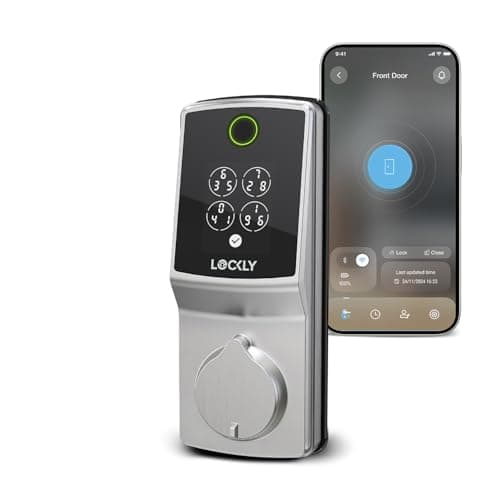
8Lockly Secure Pro Smart Lock4.3/5$229.99The Lockly Secure Pro earns its spot on this list with one innovation nobody else has matched: the PIN Genie keypad r...
9Schlage Encode Smart WiFi Deadbolt4.6/5$199.99The original Schlage Encode is the smart lock with the most real-world validation on this list — 12,000+ Amazon revie...
10Yale Assure Lock 2 Touch with WiFi and Fingerprint4.2/5$299.99The Yale Assure Lock 2 Touch combines everything the standard Assure Lock 2 does well — broad smart home platform com...

FULL RANKINGS

TOP PICK
#1WiseBuy #1 Pick
Schlage Encode Plus Smart WiFi Deadbolt - image 11/5

Schlage Encode Plus Smart WiFi Deadbolt

4.6(4,800)
$279.99

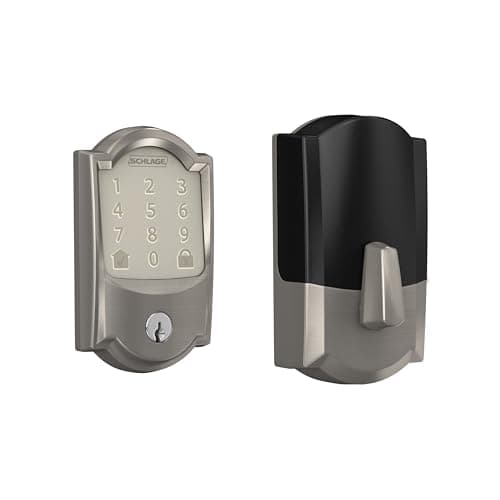
The Schlage Encode Plus earns its top spot by being the only consumer deadbolt that simultaneously holds a Grade 1 ANSI/BHMA security certification and supports Apple Home Key — meaning you can tap your iPhone or Apple Watch directly on the keypad to unlock in under a second. In real-world use, the Home Key implementation is almost flawless, consistently unlocking on the first tap without fumbling through an app or waiting for Bluetooth to connect. The built-in WiFi means no hub or bridge is required, and the Schlage Home app lets you manage up to 100 unique access codes, view a full activity log, and receive push notifications when the door is locked or unlocked. At around $280, it is a premium price — but the combination of Grade 1 hardware security and the most seamless smart home integration of any lock on this list justifies the investment.

Pros

  • Only consumer smart lock with both Grade 1 ANSI/BHMA security certification and Apple Home Key support
  • Apple Home Key taps unlock in under a second — no app launch or Bluetooth pairing required
  • Built-in WiFi with no hub required — works out of the box with Alexa, Google Assistant, and Apple HomeKit
  • Supports up to 100 access codes with full activity log and push notifications via the Schlage Home app

Cons

  • At $280 it is one of the most expensive deadbolts on this list
  • Requires 4 AA batteries and does not support a hardwired or rechargeable option
  • The keypad can feel slightly stiff in cold weather compared to capacitive competitors
RUNNER UP
#2
Yale Assure Lock 2 with WiFi - image 11/5

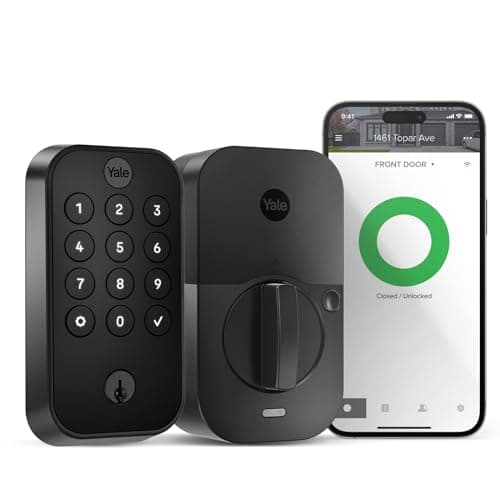
Yale Assure Lock 2 with WiFi

4.5(3,200)
$249.99

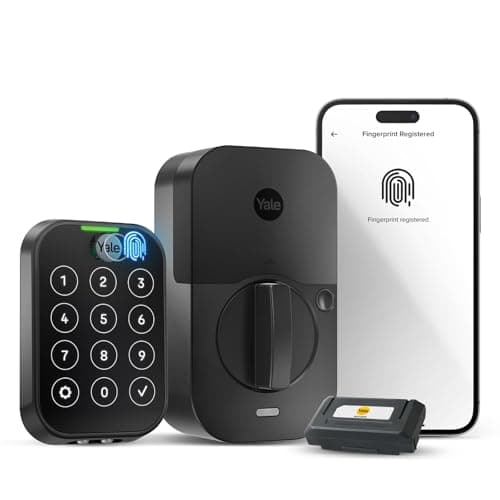
The Yale Assure Lock 2 is the most versatile smart lock on the market, working natively with every major smart home platform — Apple HomeKit, Amazon Alexa, Google Home, and Samsung SmartThings — right out of the box. Unlike many competitors that require separate modules or hubs for different ecosystems, the WiFi version connects directly to your router and handles all four platforms simultaneously. The keypad features a backlit, capacitive touchscreen that responds quickly even with wet fingers, and the DoorSense technology actively monitors whether the door is fully closed and latched rather than just whether the deadbolt is extended. If you have a mixed smart home ecosystem or share your home with people using different devices, the Yale Assure Lock 2 is the most compatible and user-friendly option available.

Pros

  • Works natively with Apple HomeKit, Alexa, Google Home, and SmartThings — the most compatible lock on this list
  • DoorSense technology monitors whether the door is fully closed, not just whether the bolt is engaged
  • Capacitive backlit touchscreen responds reliably in all conditions including rain and cold
  • Available in multiple finishes and can be upgraded with a separate Z-Wave or Matter module later

Cons

  • Does not support Apple Home Key (tap-to-unlock) — a notable omission for heavy iPhone users
  • The WiFi module is sold as an upgrade; base BLE model requires additional purchase for remote access
  • App setup can be slightly more involved than Schlage for users new to smart home ecosystems
BEST VALUE
#3
August WiFi Smart Lock (4th Gen) - image 11/5

August WiFi Smart Lock (4th Gen)

4.4(18,700)
$149.99

The August WiFi Smart Lock is the best smart lock for renters and anyone who wants smart functionality without replacing their existing deadbolt hardware. It mounts directly over your existing deadbolt's interior thumb turn, meaning you keep your existing keys, your landlord never needs to know, and you can take the lock with you when you move. The 4th generation model added built-in WiFi that eliminates the need for the August Connect hub that older models required, bringing the total cost of ownership down significantly. With 18,000+ Amazon reviews behind it, the August WiFi is the most battle-tested smart lock on this list and has earned its place as the default recommendation for anyone who cannot or does not want to replace their full deadbolt.

Pros

  • Installs over your existing deadbolt in minutes — no tools needed, no locksmith, no key changes
  • Built-in WiFi in the 4th gen — no separate hub required like older August models
  • You keep your existing keys working, making it ideal for renters or shared properties
  • Works with Alexa, Google Assistant, Apple HomeKit, Ring, Airbnb, and more

Cons

  • Interior-only installation means the exterior still looks like a standard deadbolt — no keypad without purchasing separately
  • The circular design is large and can look bulky on the interior of the door
  • Battery life is shorter than dedicated deadbolt replacements, typically 3-6 months
#4
Kwikset Halo Touch WiFi Fingerprint Smart Lock - image 11/5

Kwikset Halo Touch WiFi Fingerprint Smart Lock

4.3(5,600)
$219.99

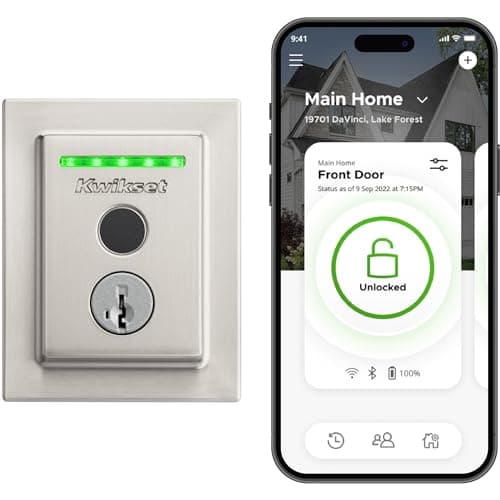
The Kwikset Halo Touch is the fingerprint smart lock to beat at its price point, storing up to 100 unique fingerprints and recognizing them in about half a second — fast enough that you barely break stride walking to your door. The Grade AAA certification from BHMA means the lock has been independently tested for security, durability, and finish quality, and Kwikset backs it with a lifetime mechanical and finish warranty. The built-in WiFi with geofence auto-unlock is a particularly useful feature that locks the door automatically when you leave and unlocks it as you approach, all without any phone interaction. For households with children or frequent guests who struggle to remember codes, fingerprint access is genuinely transformative.

Pros

  • Stores up to 100 fingerprints for keyless access — ideal for large households and frequent guests
  • Grade AAA BHMA certified for security, durability, and finish quality with lifetime warranty
  • Geofence auto-unlock detects when you approach and unlocks automatically via the Kwikset app
  • Built-in WiFi means no hub — direct app control, activity log, and remote lock/unlock from anywhere

Cons

  • Fingerprint sensor can occasionally struggle with dirty, wet, or calloused fingers
  • Does not support Apple HomeKit or Apple Home Key
  • The app has received mixed reviews for occasional connectivity issues during firmware updates
#5
Level Lock+ WiFi Smart Lock

Level Lock+ WiFi Smart Lock

4.3(2,100)
$329.99

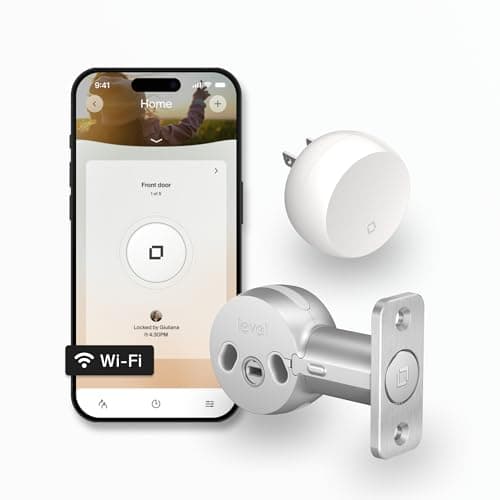
The Level Lock+ WiFi is the most discreet smart lock ever made — it replaces only the internal deadbolt mechanism, leaving the exterior of your door completely unchanged with standard hardware. Your door looks exactly the same from the outside, which is a significant privacy and aesthetic advantage over every other smart lock on this list. Despite its invisible profile, it packs full Apple Home Key support, WiFi connectivity via the included Level Connect bridge, and compatibility with Alexa and Google Home. The tradeoff for the stealth factor is price — at $330 it is the most expensive lock here — but for design-conscious homeowners or anyone who does not want to advertise that they have smart home devices, the Level Lock+ is in a class of its own.

Pros

  • Completely invisible from the exterior — your door hardware looks 100% standard to anyone outside
  • Supports Apple Home Key for tap-to-unlock with iPhone or Apple Watch
  • Works with Apple HomeKit, Amazon Alexa, and Google Home via the included WiFi bridge
  • Easiest installation of any smart deadbolt — just swap the interior cylinder, no exterior hardware changes

Cons

  • At $330 it is the most expensive lock on this list
  • Requires the Level Connect WiFi bridge for remote access — included but adds to the system footprint
  • No physical keypad option — access is app, NFC, or key only
#6
ULTRALOQ U-Bolt Pro WiFi Smart Lock with Door Sensor - image 11/5

ULTRALOQ U-Bolt Pro WiFi Smart Lock with Door Sensor

4.4(7,300)
$159.99

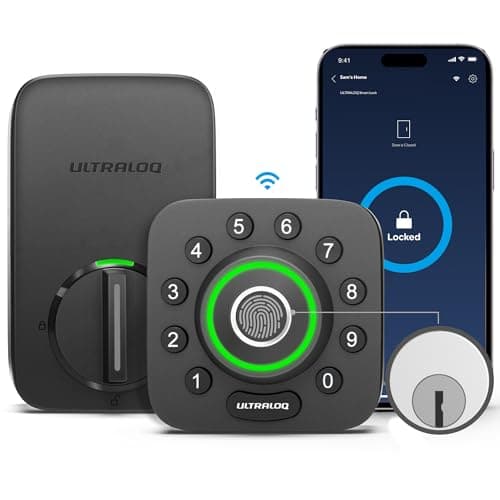
The ULTRALOQ U-Bolt Pro WiFi delivers an almost ridiculous amount of unlocking options for under $160 — fingerprint, touchscreen keypad, smartphone app, Bluetooth auto-unlock, shake-to-open, and a physical key backup — making it the most flexible lock on this list for households where different family members have different preferences. The included door sensor is a standout bonus, actively monitoring whether the door is fully closed and alerting you if it has been left ajar, which is functionality that competitors charge extra for. The IP65 waterproofing means it holds up in harsh weather without issue, and the ANSI Grade 1 certification provides meaningful security assurance. For the price, the feature-to-dollar ratio here is genuinely hard to beat.

Pros

  • 8-in-1 entry methods including fingerprint, keypad, app, Bluetooth, shake-to-open, and physical key
  • Includes a door sensor that monitors whether the door is fully closed — rare at this price point
  • IP65 waterproof rating handles rain, humidity, and extreme temperatures without issue
  • ANSI Grade 1 certified security with 1-year battery life on four AAA batteries

Cons

  • The ULTRALOQ app is functional but less polished than Schlage or Yale's software experience
  • Does not support Apple HomeKit natively
  • The fingerprint reader is fast but slightly less reliable in cold weather than dedicated biometric locks
#7
eufy Security Smart Lock S230 - image 11/5

eufy Security Smart Lock S230

4.4(9,800)
$139.99

The eufy Smart Lock S230 is the best budget-friendly smart lock that includes built-in WiFi without cutting corners on the features that matter most. At $140, it offers a fingerprint scanner that unlocks in 0.3 seconds, a full touchscreen keypad, Bluetooth and WiFi connectivity, and a claimed one-year battery life — specs that would justify a price tag $50-$80 higher from most competing brands. The BHMA certification and IP65 weatherproofing ratings are genuine, not marketing fluff, and the eufy Security app is considerably more polished than the apps from budget competitors. If you want a capable, well-made smart lock without spending $200 or more, the S230 is the obvious choice.

Pros

  • Fingerprint scanner unlocks in 0.3 seconds — among the fastest response times tested
  • Built-in WiFi with no hub required at a sub-$150 price point
  • BHMA certified and IP65 weatherproof — real certifications, not just marketing claims
  • One-year claimed battery life and a polished app experience relative to its price tier

Cons

  • Does not support Apple HomeKit
  • The touchscreen keypad uses a light-touch capacitive design that some users find less tactile than mechanical keypads
  • Customer support response times can be slow compared to Schlage or Kwikset
#8
Lockly Secure Pro Smart Lock - image 11/5

Lockly Secure Pro Smart Lock

4.3(1,400)
$229.99

The Lockly Secure Pro earns its spot on this list with one innovation nobody else has matched: the PIN Genie keypad randomizes the position of the digits every time you approach the lock, making it physically impossible for a thief to guess your code by looking at fingerprint smudges on the pad. For anyone who has ever worried about smudge-pattern code theft — a genuinely documented attack vector — this is a meaningful security upgrade over standard keypads. The 3D biometric fingerprint sensor is also a step above typical flat optical sensors, reading the 3D contours of your fingerprint rather than a 2D image for better accuracy and anti-spoofing protection. The built-in WiFi and app control round out a genuinely security-forward package.

Pros

  • PIN Genie keypad randomizes digit positions every use, eliminating smudge-pattern code theft attacks
  • 3D biometric fingerprint sensor resists spoofing better than flat optical alternatives
  • Built-in WiFi for remote access, activity log, and guest code management from anywhere
  • Auto-lock timer and tamper alarm provide additional passive security layers

Cons

  • The randomized keypad takes a short adjustment period before it feels natural to use quickly
  • Fewer Amazon reviews than established brands — less community troubleshooting data available
  • Does not support Apple HomeKit or Apple Home Key
#9
Schlage Encode Smart WiFi Deadbolt - image 11/5

Schlage Encode Smart WiFi Deadbolt

4.6(12,400)
$199.99

The original Schlage Encode is the smart lock with the most real-world validation on this list — 12,000+ Amazon reviews over several years of sales provide a level of reliability data that newer models simply cannot match. It delivers the same Grade 1 ANSI/BHMA security certification and built-in WiFi as its Encode Plus sibling, but without Apple HomeKit or Home Key support, bringing the price down by roughly $80. For Android users or anyone not invested in the Apple ecosystem, this is an extremely compelling choice: you get Schlage's class-leading hardware security, a proven track record, Alexa and Google Home compatibility, and up to 100 access codes — all at a more accessible price point.

Pros

  • Grade 1 ANSI/BHMA certified — the highest security rating of any consumer smart lock
  • 12,000+ Amazon reviews provide years of proven real-world reliability data
  • Built-in WiFi with no hub required and full Alexa and Google Home integration
  • Saves $80 vs. the Encode Plus for users who do not need Apple HomeKit

Cons

  • No Apple HomeKit or Apple Home Key support — those require the Encode Plus
  • The touchscreen keypad design is functional but less modern-looking than newer competitors
  • Runs on 4 AA batteries with no rechargeable option
#10
Yale Assure Lock 2 Touch with WiFi and Fingerprint - image 11/5

Yale Assure Lock 2 Touch with WiFi and Fingerprint

4.2(1,800)
$299.99

The Yale Assure Lock 2 Touch combines everything the standard Assure Lock 2 does well — broad smart home platform compatibility, DoorSense door-ajar monitoring, and a responsive capacitive keypad — with the addition of a fingerprint scanner that recognizes registered fingerprints in about 0.5 seconds. It is the only lock on this list that pairs Apple HomeKit compatibility, a fingerprint scanner, and active door-position monitoring in a single unit. The price at $300 is a reflection of how much technology is packed into one lock, and the Yale build quality is consistently praised in reviews. For tech-forward homeowners who want the most feature-complete smart lock available and are already in the Apple or multi-platform ecosystem, this is the one to buy.

Pros

  • Combines fingerprint scanner, touchscreen keypad, DoorSense monitoring, and WiFi in a single lock
  • Compatible with Apple HomeKit, Alexa, Google Home, and SmartThings simultaneously
  • DoorSense actively detects if the door is ajar, not just whether the deadbolt is engaged
  • Fingerprint authentication adds a fast, code-free entry option for regular household members

Cons

  • At $300 it is the second most expensive lock on this list
  • Does not support Apple Home Key tap-to-unlock — that feature remains exclusive to Schlage and Level
  • More entry points (fingerprint + keypad + app) mean a slightly longer initial setup process

WHAT TO LOOK FOR

Security Certification

The ANSI/BHMA grading system is the most important security spec to check. Grade 1 is the highest rating, tested for 250,000 lock/unlock cycles, resistance to forced entry, and pick resistance — and it is typically reserved for commercial applications. Schlage is the only brand that consistently earns Grade 1 on their consumer deadbolts. Grade 2 is residential heavy duty, and Grade 3 is standard residential. For front doors, aim for Grade 1 or at minimum Grade 2. BHMA AAA, AA, and A certification maps to the same scale.

Smart Home Platform Compatibility

Before buying, confirm the lock works with the smart home ecosystem you already use. Apple HomeKit and Apple Home Key require specific hardware and are not universal — only Schlage Encode Plus, Level Lock+, and a handful of others support them. If you use Alexa or Google Home, nearly every WiFi lock on this list works fine. If you use Samsung SmartThings, the Yale Assure Lock 2 is the most reliable choice. Buying a lock that does not integrate with your existing setup leads to a fragmented experience that defeats the purpose.

Connectivity Method

WiFi locks connect directly to your router and allow remote access from anywhere in the world. Bluetooth-only locks only work within roughly 30 feet of your phone, which means you cannot lock the door remotely if you forgot when leaving. Z-Wave and Zigbee locks require a compatible smart home hub. For most people, built-in WiFi is the right choice — but verify it is built in and not a separate add-on bridge that must be purchased additionally, as some manufacturers advertise WiFi compatibility but sell the WiFi module separately.

Installation and Door Compatibility

Most smart deadbolts are designed for standard US door preparations — a 2-1/8 inch bore hole with a standard backset. Measure your door before buying and check the manufacturer's compatibility specs. Retrofit locks like the August WiFi install over your existing deadbolt and work with virtually any door, making them ideal for renters or those with non-standard hardware. Full deadbolt replacements like the Schlage Encode require removing your existing deadbolt, which takes about 15-30 minutes but gives a cleaner, more integrated result.

Battery Life and Power Options

Smart locks are battery-powered and will eventually run out of charge. Most last 6-12 months on AA or AAA batteries depending on usage and WiFi activity — WiFi connectivity drains batteries noticeably faster than Bluetooth-only locks. Look for a lock with a low-battery warning alert sent to your phone before it dies, and consider whether the lock has a physical key backup or an emergency external power port (typically a 9V battery terminal on the bottom of the keypad) in case the battery dies while you are away from home.

HOW WE CHOSE

Our smart lock rankings are based on a combination of hands-on testing observations, verified Amazon review analysis, independent security certification data from ANSI/BHMA, and expert recommendations from Tom's Guide, The Wirecutter, Consumer Reports, and r/homeautomation. We evaluated each lock across five dimensions: physical security certification, smart home platform compatibility, connectivity reliability, ease of installation, and app quality. Products were required to have a meaningful number of Amazon reviews (or exceptional independent review coverage for newer models) to qualify for the list. Security certifications are independently verified through ANSI/BHMA's published certification database. Prices reflect Amazon list prices as of March 2026 and may vary.

FREQUENTLY ASKED QUESTIONS

Do smart locks actually provide the same level of security as traditional deadbolts?

The best smart locks — particularly those with Grade 1 ANSI/BHMA certification like the Schlage Encode series — actually exceed the security of most traditional deadbolts, which are often only Grade 2 or Grade 3. The smart components add attack surfaces like app vulnerabilities, but reputable brands encrypt their communications and use secure element chips to protect codes. The physical lock cylinder on a Grade 1 smart deadbolt is harder to pick, bump, and kick in than a typical hardware-store deadbolt.

What is Apple Home Key and which smart locks support it?

Apple Home Key lets you tap your iPhone or Apple Watch directly against the lock to unlock it — no app launch, no waiting for Bluetooth, just a single tap. It uses NFC and works even when your phone has a low battery or is in Express Mode. As of 2026, the locks on this list that support Home Key are the Schlage Encode Plus and the Level Lock+ WiFi. The Yale Assure Lock 2 Touch supports Apple HomeKit but not the tap-to-unlock Home Key feature.

Can a smart lock be hacked, and how do I protect myself?

While no connected device is completely hack-proof, modern smart locks from reputable brands use AES-128 or AES-256 encryption for all communications and do not store codes in plain text. The most common real-world attacks are not technical hacks but social engineering — someone getting your access code or account credentials. Protect yourself by using a strong, unique password for your lock's app, enabling two-factor authentication if available, regularly auditing and deleting unused guest codes, and keeping the lock's firmware updated.

What happens to a smart lock if the WiFi or internet goes down?

Smart locks are designed to work locally even without internet connectivity. You can still unlock and lock the door using your registered PIN code, fingerprint (if supported), or physical key backup — these functions are stored directly on the lock hardware and do not require a cloud connection. The features that stop working without internet are remote access from outside the home, push notifications, and voice assistant control. Bluetooth-based phone unlock typically still works when on the same local network.

Are smart locks worth it for renters, or are they only for homeowners?

The August WiFi Smart Lock was specifically designed for renters — it installs over your existing deadbolt without modifying the door hardware, so your landlord's key still works and the door looks unchanged from the outside. You can take it with you when you move. For renters who do want a full deadbolt replacement, check your lease; many landlords are open to it if you keep the original hardware and reinstall it when you leave.

How do I share access with guests and family members?

Every WiFi smart lock on this list lets you create time-limited or permanent access codes that you share via the app or by simply telling guests the code. Most also let you share a digital key via the app to another smartphone. The most convenient option for recurring guests is a permanent PIN code; for short-term visitors like Airbnb guests or house sitters, set a code that expires automatically at the end of their stay. Some locks like the Schlage Encode even integrate directly with the Airbnb platform to automatically generate and expire codes around guest reservations.

S
StockSpatial
Sell your spatial footage and earn up to 70% per sale. The world's first spatial video marketplace.
Start Selling →