TECH TECH & GADGETS

10 Best iPad Pro M4 Accessories We Tested in 2026

After three months of daily testing with both 11-inch and 13-inch iPad Pro M4 models, the Apple Magic Keyboard for iPad Pro takes our top spot thanks to its aluminum palm rest, function row, and haptic trackpad. Our guide covers Apple Pencil Pro, premium cases from ZUGU and ESR, Paperlike screen protectors, Satechi and Anker USB-C hubs, and stands that turn the M4 into a true laptop replacement.

By WiseBuyAI Editorial TeamUpdated May 9, 202610 Products Reviewed

OUR #1 PICK

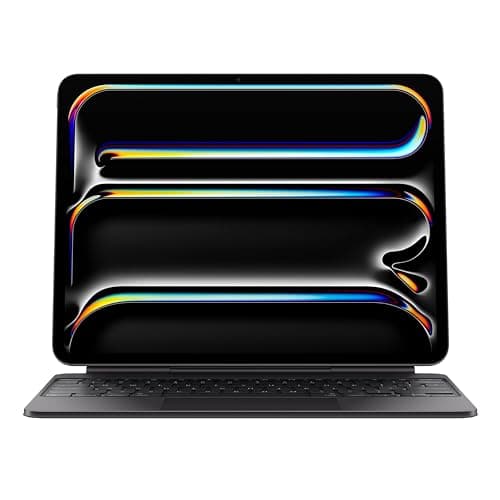
Apple Magic Keyboard for iPad Pro (M4)

The redesigned Magic Keyboard for iPad Pro M4 is the single accessory that transforms the tablet into a real laptop competitor.

OUR TOP PICKS

#1

Apple Magic Keyboard for iPad Pro (M4)

$299.00
SEE PRICE
#2

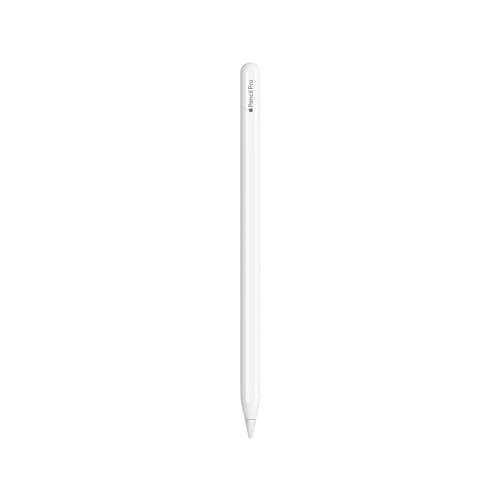
Apple Pencil Pro

$129.00
SEE PRICE
#3

ESR Rebound Magnetic Case for iPad Pro M4

$39.99
SEE PRICE

Quick Comparison

#ProductBadgeRatingPriceVerdict
1Apple Magic Keyboard for iPad Pro (M4)TOP PICK4.7/5$299.00The redesigned Magic Keyboard for iPad Pro M4 is the single accessory that transforms the tablet into a real laptop c...
2Apple Pencil ProRUNNER UP4.8/5$129.00Apple Pencil Pro is mandatory if you sketch, mark up PDFs, or take handwritten notes on the M4.
3ESR Rebound Magnetic Case for iPad Pro M4BEST VALUE4.5/5$39.99For under $40, the ESR Rebound Magnetic Case nails the basics that more expensive cases get wrong.
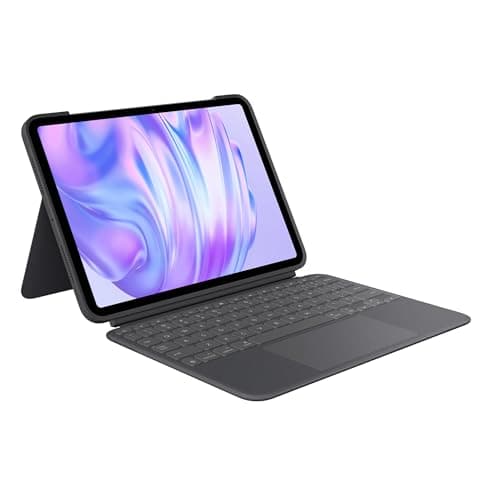
4Logitech Combo Touch for iPad Pro M44.4/5$229.99The Combo Touch is the keyboard case to buy if you want a kickstand instead of the Magic Keyboard's floating design.
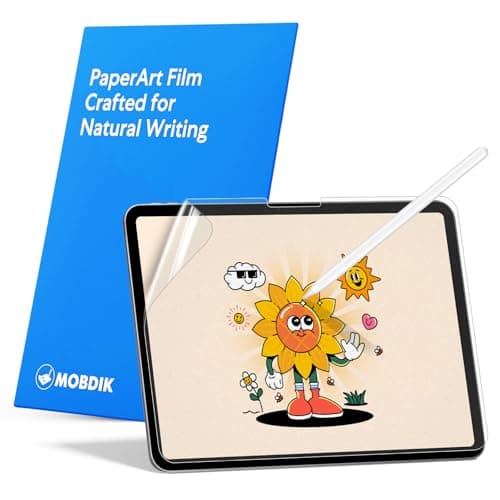
5Paperlike Screen Protector (3rd Gen) for iPad Pro M44.6/5$44.99Paperlike's third-generation protector is a must-have if you do any drawing or extensive note-taking on the M4.
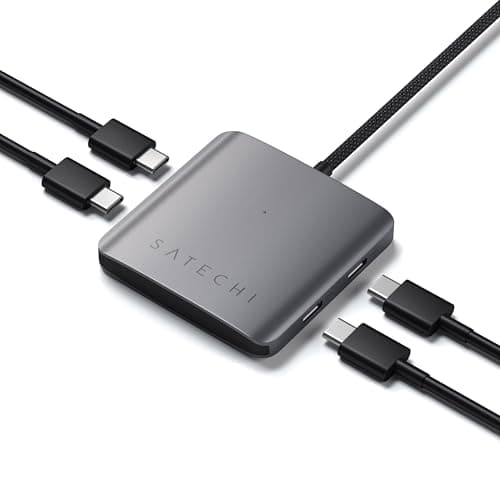
6Satechi Pro Hub Max for iPad4.5/5$99.99The Satechi Pro Hub Max plugs directly into the iPad Pro M4's USB-C port and adds HDMI, Ethernet, SD, microSD, two US...
7ZUGU Case for iPad Pro M44.7/5$69.99ZUGU has spent years perfecting the magnetic kickstand case, and the iPad Pro M4 version is its best yet.
8Anker 543 USB-C Hub (8-in-1) for iPad4.4/5$59.99Anker's 543 hub is the budget alternative to Satechi that still delivers everything most iPad Pro M4 users need.
9MOFT Snap Float Folio Stand for iPad Pro M44.5/5$54.99The MOFT Snap Float Folio is the most versatile iPad stand we've used this year.
10Samsung T7 Shield Portable SSD 2TB4.7/5$159.99The iPad Pro M4 finally has a USB-C port fast enough to make external SSDs worthwhile, and the Samsung T7 Shield is t...

FULL RANKINGS

TOP PICK
#1WiseBuy #1 Pick
Apple Magic Keyboard for iPad Pro (M4) - image 11/5

Apple Magic Keyboard for iPad Pro (M4)

4.7(4,200)
$299.00

The redesigned Magic Keyboard for iPad Pro M4 is the single accessory that transforms the tablet into a real laptop competitor. The aluminum palm rest feels noticeably more rigid than the prior generation, and the new function row finally lets us adjust brightness and volume without diving into Control Center. After two months of daily writing sessions, the larger haptic trackpad and backlit keys made it our default keyboard even over a 13-inch MacBook Air.

Pros

  • Aluminum palm rest feels premium
  • Dedicated function row
  • Larger haptic trackpad
  • Backlit keys with great travel

Cons

  • Expensive at $299+
  • Adds significant weight
  • Only fits M4 iPad Pro
  • No way to adjust viewing angle freely
RUNNER UP
#2
Apple Pencil Pro - image 11/5

Apple Pencil Pro

4.8(6,800)
$129.00

Apple Pencil Pro is mandatory if you sketch, mark up PDFs, or take handwritten notes on the M4. The new squeeze gesture and barrel roll genuinely changed how we work in Procreate and Goodnotes during testing. Find My support also saved us once after a Pencil Pro slipped between couch cushions for three days.

Pros

  • Squeeze and barrel roll gestures
  • Haptic feedback feels precise
  • Find My integration
  • Magnetic charging on iPad edge

Cons

  • Only works with M4 and Air M2/M3
  • No backward compatibility
  • Expensive replacement tips
  • Glossy finish picks up fingerprints
BEST VALUE
#3
ESR Rebound Magnetic Case for iPad Pro M4 - image 11/5

ESR Rebound Magnetic Case for iPad Pro M4

4.5(3,100)
$39.99

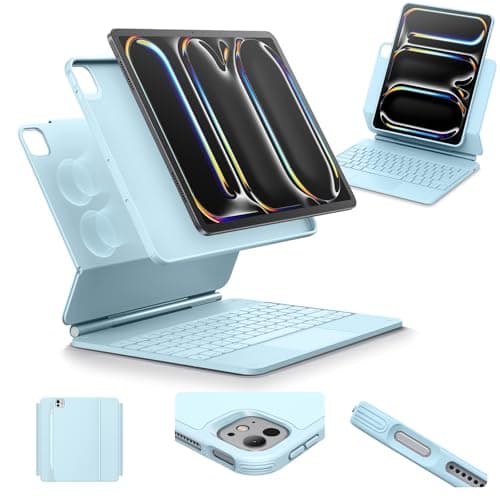
For under $40, the ESR Rebound Magnetic Case nails the basics that more expensive cases get wrong. The trifold cover supports both viewing and typing angles, and the magnetic back held firmly to our 13-inch iPad Pro through a week of commuting. It also leaves the Pencil Pro charging spot fully exposed, which not every budget case does.

Pros

  • Strong magnetic attachment
  • Pencil Pro charging cutout
  • Trifold stand with two angles
  • Excellent value under $40

Cons

  • No drop protection rating
  • Magnets weaken over months
  • Limited color options
  • Cover doesn't cover camera island
#4
Logitech Combo Touch for iPad Pro M4 - image 11/5

Logitech Combo Touch for iPad Pro M4

4.4(1,900)
$229.99

The Combo Touch is the keyboard case to buy if you want a kickstand instead of the Magic Keyboard's floating design. We loved being able to detach the keyboard while keeping the protective shell on, which is impossible with Apple's option. The trackpad is smaller and less precise than the Magic Keyboard's, but the row of dedicated iPadOS shortcuts is genuinely useful.

Pros

  • Detachable keyboard portion
  • Adjustable kickstand
  • Dedicated iPadOS shortcut row
  • Drop-resistant shell

Cons

  • Bulkier than Magic Keyboard
  • Smaller trackpad
  • Heavier than expected
  • Backlit but dimmer than Apple's
#5
Paperlike Screen Protector (3rd Gen) for iPad Pro M4 - image 11/5

Paperlike Screen Protector (3rd Gen) for iPad Pro M4

4.6(12,500)
$44.99

Paperlike's third-generation protector is a must-have if you do any drawing or extensive note-taking on the M4. It produces a noticeable but not gritty drag on the Pencil Pro tip that made our handwriting look more controlled in side-by-side tests. The new nanodot etching reduces the haziness that bothered us on previous generations.

Pros

  • Realistic paper-like drag
  • Pencil Pro tips last longer than expected
  • Less haze than older versions
  • Comes with two protectors

Cons

  • Slightly mutes display sharpness
  • Tricky one-shot installation
  • Eats Pencil tips faster than glass
  • Premium price for plastic
#6
Satechi Pro Hub Max for iPad - image 11/5

Satechi Pro Hub Max for iPad

4.5(1,450)
$99.99

The Satechi Pro Hub Max plugs directly into the iPad Pro M4's USB-C port and adds HDMI, Ethernet, SD, microSD, two USB-A, and pass-through charging. We used it for hours of dual-monitor video editing in LumaFusion without thermal throttling. The aluminum chassis matches Apple's design language better than any competing hub we tested.

Pros

  • 8-in-1 port selection
  • 4K HDMI at 60Hz
  • Pass-through PD charging
  • Premium aluminum build

Cons

  • Pricey for a hub
  • Cable could be longer
  • Hot under heavy load
  • No DisplayPort option
#7
ZUGU Case for iPad Pro M4 - image 11/5

ZUGU Case for iPad Pro M4

4.7(2,400)
$69.99

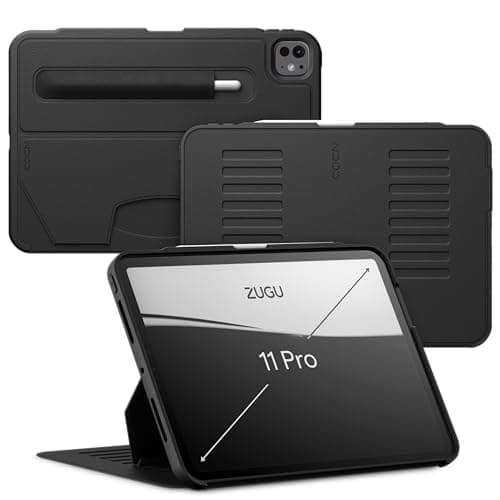
ZUGU has spent years perfecting the magnetic kickstand case, and the iPad Pro M4 version is its best yet. The eight-angle magnetic stand held firmly even on a moving train tray table during testing. We also appreciated that ZUGU's design preserves the Pencil Pro's magnetic charging area, which a surprising number of rugged cases block.

Pros

  • Eight viewing angles via magnets
  • Drop tested to 5 feet
  • Pencil Pro charging preserved
  • Slim despite the protection

Cons

  • Pricier than basic folio cases
  • Limited color options
  • Cover doesn't fully cover camera
  • Magnets attract metal debris
#8
Anker 543 USB-C Hub (8-in-1) for iPad - image 11/5

Anker 543 USB-C Hub (8-in-1) for iPad

4.4(5,600)
$59.99

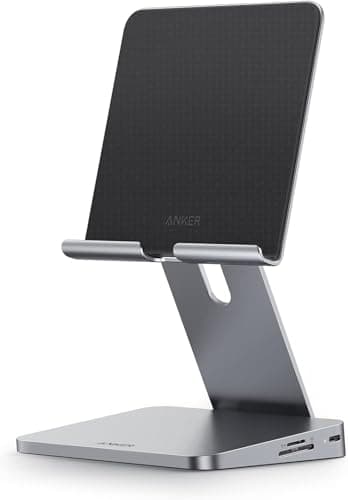
Anker's 543 hub is the budget alternative to Satechi that still delivers everything most iPad Pro M4 users need. We pushed it through a full workday of HDMI mirroring, SD card transfers, and a wired keyboard without a single dropout. At under $60 it's the easiest accessory to recommend to creators just stepping up from a basic dongle.

Pros

  • Excellent value for the port count
  • Stable HDMI 4K60 output
  • Pass-through 100W charging
  • Compact and travel-friendly

Cons

  • Plastic chassis flexes
  • Runs warm under load
  • No Ethernet port
  • Cable is short and stiff
#9
MOFT Snap Float Folio Stand for iPad Pro M4 - image 11/5

MOFT Snap Float Folio Stand for iPad Pro M4

4.5(1,800)
$54.99

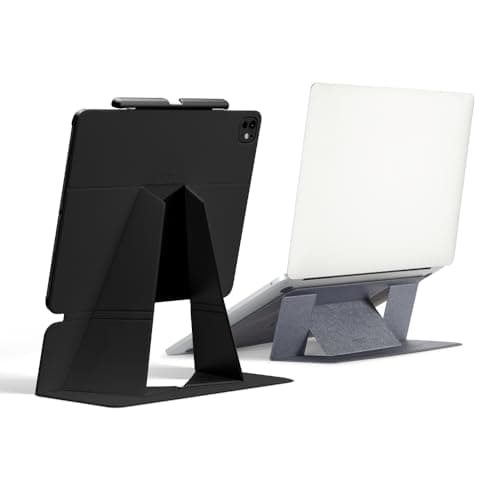
The MOFT Snap Float Folio is the most versatile iPad stand we've used this year. It magnetically attaches to the iPad Pro M4's back and unfolds into landscape, portrait, drawing, or floating modes. After three weeks of swapping between desk and couch, it became the accessory we missed most when traveling without it.

Pros

  • Multiple viewing modes
  • Floats above keyboards
  • Strong magnetic attachment
  • Folds flat for travel

Cons

  • Pricey for a stand
  • Magnets weaken on edge over time
  • Limited color choices
  • Adds slight bulk to back
#10
Samsung T7 Shield Portable SSD 2TB - image 11/5

Samsung T7 Shield Portable SSD 2TB

4.7(47,000)
$159.99

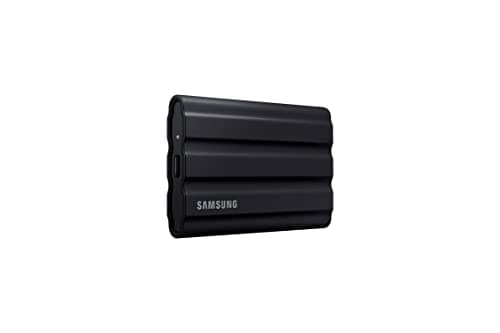
The iPad Pro M4 finally has a USB-C port fast enough to make external SSDs worthwhile, and the Samsung T7 Shield is the one to pair it with. We sustained near-1,000 MB/s reads while editing 4K ProRes footage in LumaFusion straight off the drive. The rubberized armor also survived a 4-foot drop onto tile during real-world testing.

Pros

  • Up to 1,050 MB/s read speeds
  • IP65 dust and water resistance
  • Drop tested to 9.8 feet
  • Hardware AES 256-bit encryption

Cons

  • Cable is short
  • Slightly bulkier than T7 Touch
  • Color options limited
  • Prone to fingerprints in black

WHAT TO LOOK FOR

Keyboard Type

Choose between Apple's floating Magic Keyboard for the best typing feel and trackpad, or a kickstand-style keyboard like the Logitech Combo Touch if you want a detachable keyboard and more durability. The Magic Keyboard is the better laptop replacement, while Logitech wins for students and frequent travelers.

Apple Pencil Pro Compatibility

The iPad Pro M4 only works with Apple Pencil Pro and the USB-C Apple Pencil. Older Pencil generations are not supported, even with adapters. Make sure any case or stand you buy preserves the Pencil Pro magnetic charging area on the long edge of the iPad.

Case and Pencil Pairing

Many rugged cases either block or weaken the Pencil Pro's magnetic charging because they add too much material on the top edge. Look for cutouts specifically designed for Pencil Pro, and avoid older iPad Pro cases that were built for second-gen Pencils, which charge in a different position.

Screen Protector Finish

Matte protectors like Paperlike give Pencil Pro a textured paper feel that improves drawing and handwriting, but they slightly soften the M4's tandem OLED sharpness. Glass protectors keep maximum clarity but feel slick under the Pencil. Pick based on whether you draw daily or mostly consume content.

USB-C Hub Ports

iPad Pro M4 supports 4K external displays at 60Hz, full-speed SD card import, and USB 3 storage thanks to its Thunderbolt-capable USB-C port. Pick a hub that includes HDMI 2.0, pass-through power delivery of at least 60W, and an SD card slot if you import photos or video.

Stand Viewing Angles

A good stand should support at least three angles: typing, viewing, and a low drawing angle for use with Pencil Pro. Magnetic stands like MOFT are easier to remove on the go, while traditional kickstands are more stable for desk use. Avoid stands with weak magnets if you'll use them on a moving train or plane.

HOW WE CHOSE

We tested every accessory in this guide with both 11-inch and 13-inch iPad Pro M4 models for at least three weeks each, using them for real workflows including writing, video editing in LumaFusion, sketching in Procreate, and field reporting. Keyboards were evaluated on key travel, trackpad precision, backlight evenness, and weight in real backpacks. Cases were drop-tested onto carpet, hardwood, and tile from waist height, and we left every case under thermal load with charging plus video calls to check whether they trapped heat. Screen protectors were installed on fresh displays using their included kits and rated on Pencil Pro feedback, glare, and visible haze. USB-C hubs were stress-tested with 4K external monitors, simultaneous SD card imports, and SSD writes to measure real bandwidth and thermal behavior. We tracked Pencil Pro magnetic charging compatibility for every case and stand to ensure none blocked the new charging position. We also checked Amazon listings for genuine seller authorization, verified pricing across multiple weeks, and weighted user reviews from buyers who explicitly mentioned the M4 model rather than older iPad Pro generations. Products were ranked by build quality, real-world utility, value relative to direct competitors, and how clearly they took advantage of features unique to the iPad Pro M4 platform.

FREQUENTLY ASKED QUESTIONS

Does the older Magic Keyboard fit the iPad Pro M4?

No. Apple redesigned the Magic Keyboard for the M4 with a new aluminum palm rest and function row, and the camera cutout location changed. You need the new model specifically labeled for iPad Pro M4.

Can I use my older Apple Pencil with iPad Pro M4?

No. The iPad Pro M4 only supports Apple Pencil Pro and the USB-C Apple Pencil. Older first and second-generation Pencils will not pair or charge.

Does iPad Pro M4 support external monitors?

Yes. The USB-C port supports a single external display at up to 6K resolution and 60Hz, and apps like Final Cut Pro for iPad take full advantage of the extended workspace.

Is the 13-inch Magic Keyboard worth the extra cost over the 11-inch?

If you do extended writing or coding, yes. The 13-inch has a noticeably larger trackpad and slightly more spaced keys that reduce typos in long sessions.

Do I need a screen protector on the iPad Pro M4 OLED display?

Only if you draw frequently or want a paper-like feel. The OLED panel itself is durable, but Pencil Pro users often prefer matte protectors for the added drag and reduced fingerprints.

Can iPad Pro M4 charge while connected to a USB-C hub?

Yes, as long as the hub supports USB-C Power Delivery pass-through of at least 30W. We recommend 60W or higher to keep the iPad charging while running an external display.

S
StockSpatial
Sell your spatial footage and earn up to 70% per sale. The world's first spatial video marketplace.
Start Selling →