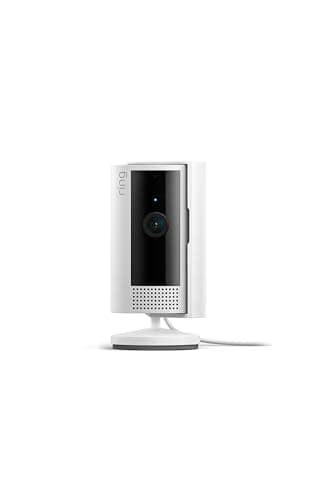
Yes, and some of the best ones in our test group require no subscription at all. The eufy E220, eufy C120, TP-Link Tapo C210, Reolink E1 Pro, and Wyze Cam v4 all store footage locally on a microSD card and provide AI detection features without any monthly fee. Ring, Arlo, and Blink cameras require subscriptions to save any video footage for later review — without a plan, you can only view Live View in real time. Google Nest offers a limited free tier (3 hours of event history) but most useful features require Google Home Premium at $8/month. If avoiding subscription fees is a priority, choose eufy, TP-Link, Reolink, or Wyze and invest in a quality microSD card.
The most effective indoor camera placements are high corners that give a downward view of entry points and high-traffic areas, and shelves or mantels at eye level for rooms without convenient corner outlets. Avoid pointing cameras directly at windows — backlit subjects are nearly impossible to identify in daytime, and night reflection from the IR illuminators creates a blinding glare. For maximum coverage per camera, mount a pan-tilt camera in the corner of a large open-plan area rather than centering it, since the full 355-degree range from a corner covers more usable floor space. Bedrooms and bathrooms are legally restricted recording zones in many jurisdictions — check local laws before placing cameras in private spaces.
Yes, but the risk is manageable and varies by brand. The most important protective steps are using a strong unique Wi-Fi password, enabling two-factor authentication in the camera's app when available, and keeping firmware updated promptly when the manufacturer releases updates. Cameras with local-only storage (eufy, TP-Link Tapo, Reolink) have a significantly smaller attack surface than cloud-connected cameras since they do not maintain a continuous connection to an external server. The brands in our top ten all have documented encryption practices, but we recommend avoiding no-name cameras from unknown marketplace sellers, some of which have been confirmed to transmit unencrypted video streams to overseas servers.
Infrared (IR) night vision uses invisible infrared light to illuminate a scene in the dark, producing black-and-white footage — it works in complete darkness but colors, clothing details, and skin tones are not visible. Color night vision uses either a built-in spotlight or a very wide aperture lens (F1.6 or F1.8) to capture ambient light and render footage in natural color even in low-light conditions. Color footage is significantly more useful for identification purposes — a black-and-white IR image of an intruder wearing a red jacket looks identical to one in a blue jacket. For indoor cameras, color night vision is strongly preferable. Most budget cameras default to IR, while mid-range and premium cameras increasingly offer color night vision either via spotlight or wide-aperture optics.
Most homes are well-covered by two to three indoor cameras: one covering the main entry point (front door interior or living room), one in the garage or back door area, and optionally one in a common area like a kitchen or playroom. A pan-tilt camera in a large open-plan living area can often replace two fixed cameras, making it a cost-effective choice for rooms with multiple entry points. Bedrooms generally should not be monitored for privacy and legal reasons. If you have children or elderly family members at home, a dedicated camera in the most frequently occupied room provides the most practical day-to-day value.
Wired (plug-in) indoor cameras are more reliable than battery-powered wireless cameras because they never run out of power, never need recharging, and maintain a constant connection without the duty-cycle limitations battery cameras use to preserve battery life. Battery cameras compensate by recording only on motion detection, which means they may miss the beginning of an event during the wake-up delay. For indoor use where outlets are generally accessible, we recommend plug-in cameras for any location you plan to monitor continuously. Battery cameras make sense when you need to place a camera where no outlet exists, or when you want a completely cable-free aesthetic.

 1/5
1/5