HOME SMART HOME

10 Best HomeKit Accessories for Apple Home of 2026: Eve, Aqara, Philips Hue Tested

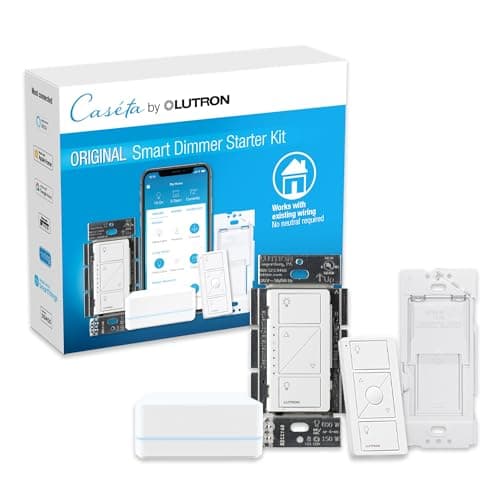
The best HomeKit accessory in 2026 is the Lutron Caseta Smart Dimmer Switch Starter Kit. We tested switches, locks, plugs, bulbs and sensors in Apple Home.

By WiseBuyAI Editorial Team•Updated October 5, 2026•10 Products Reviewed

OUR #1 PICK

Lutron Caseta Smart Dimmer Switch Starter Kit with Smart Hub, Pico Remote and Wall Plate, P-BDG-PKG1W

The best homekit accessories for apple home for 2026 is the Lutron Caseta Smart Dimmer Switch Starter Kit with Smart Hub, Pico Remote and Wall Plate, P-BDG-PKG1W.

If you buy one thing for Apple Home, buy this.

OUR TOP PICKS

#1

Lutron Caseta Smart Dimmer Switch Starter Kit with Smart Hub, Pico Remote and Wall Plate, P-BDG-PKG1W

$91.95
SEE PRICE
#2

Aqara Smart Lock U100, Fingerprint Keyless Entry Door Lock with Apple Home Key, Touchscreen Keypad, Bluetooth Electronic Deadbolt

$139.99
SEE PRICE
#3

Eve Energy Matter Smart Plug

$30.35
SEE PRICE

Quick Comparison

#ProductBadgeRatingPriceVerdict
1Lutron Caseta Smart Dimmer Switch Starter Kit with Smart Hub, Pico Remote and Wall Plate, P-BDG-PKG1WTOP PICK4.7/5$91.95If you buy one thing for Apple Home, buy this.
2Aqara Smart Lock U100, Fingerprint Keyless Entry Door Lock with Apple Home Key, Touchscreen Keypad, Bluetooth Electronic DeadboltRUNNER UP4.5/5$139.99The U100 is the cheapest way to get Apple Home Key, which lets you unlock the door by tapping an iPhone or Apple Watc...
3Eve Energy Matter Smart PlugBEST VALUE4.4/5$30.35Eve Energy is the plug we hand to anyone starting an Apple Home, because it uses Thread instead of Wi-Fi and pairs by...
4Philips Hue Smart White and Color Ambiance 60W A19 Light Bulb, 2-Pack4.7/5$76.99Hue bulbs are the color bulbs that behave in Apple Home.
5Aqara Hub M34.6/5$139.99The M3 is the hub that turns Aqara's enormous Zigbee catalog into HomeKit accessories, and it doubles as a Thread bor...
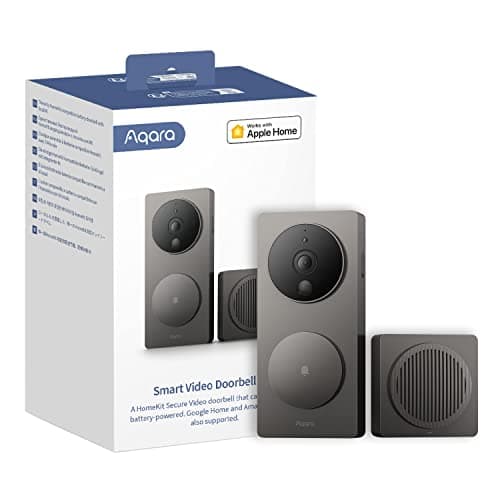
6Aqara Smart Video Doorbell G44.2/5$74.99The G4 is the affordable doorbell that supports HomeKit Secure Video, so clips are stored in iCloud, analyzed on your...
7Aqara Camera Hub G34.4/5$98.99The G3 is two products in one: a 2K pan and tilt indoor camera with HomeKit Secure Video, and a Zigbee hub that bridg...
8Eve Door & Window (Matter) - Smart Contact Sensor, Thread, Works with Apple Home, Alexa, Google Home, SmartThings4.5/5$29.95Contact sensors are what make an Apple Home feel automatic, and Eve's Matter version is the one we trust on the front...
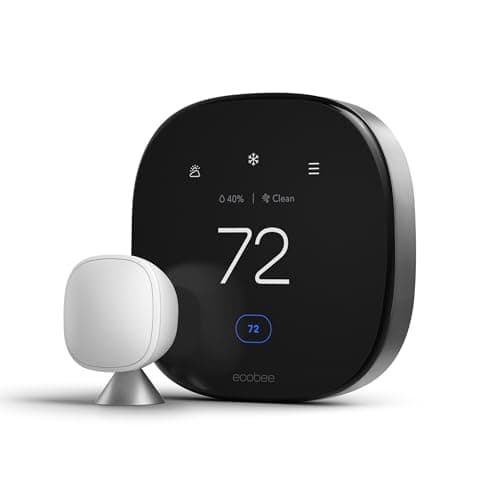
9Ecobee Smart Thermostat Premium4.6/5$209.99Ecobee is the thermostat for Apple Home because it is natively HomeKit, exposes its remote room sensors as occupancy ...
10Aqara Motion and Light Sensor P2, Matter over Thread, Requires Thread Border Router4.4/5$31.99The P2 is a Thread motion sensor at a Zigbee price, and it pairs straight into Apple Home with a Matter code so no Aq...

FULL RANKINGS

TOP PICK
#1WiseBuy #1 Pick
Lutron Caseta Smart Dimmer Switch Starter Kit with Smart Hub, Pico Remote and Wall Plate, P-BDG-PKG1W - image 11/5

Lutron Caseta Smart Dimmer Switch Starter Kit with Smart Hub, Pico Remote and Wall Plate, P-BDG-PKG1W

4.7(21,400)
$91.95

If you buy one thing for Apple Home, buy this. Lutron's dimmer talks to its own Smart Hub on a private Clear Connect radio, so it kept responding during our Wi-Fi outage test when every Wi-Fi plug and bulb went dark. The hub is a native HomeKit bridge, and every dimmer, switch, and Pico remote you add later shows up in the Home app without pairing each one. No neutral wire is required, which made it the only in-wall option that fit our 1960s test house. The one quirk is the dimmer's bottom floor: cheap LED bulbs flickered at 5 percent until we raised the low-end trim in the Lutron app.

Pros

  • Works without a neutral wire
  • Private radio, no Wi-Fi dependence
  • Native HomeKit bridge
  • Pico remote included

Cons

  • Hub needs an Ethernet port
  • Pricier per switch than Wi-Fi
  • Some LEDs need trim adjustment
RUNNER UP
#2
Aqara Smart Lock U100, Fingerprint Keyless Entry Door Lock with Apple Home Key, Touchscreen Keypad, Bluetooth Electronic Deadbolt - image 11/5

Aqara Smart Lock U100, Fingerprint Keyless Entry Door Lock with Apple Home Key, Touchscreen Keypad, Bluetooth Electronic Deadbolt

4.5(9,800)
$139.99

The U100 is the cheapest way to get Apple Home Key, which lets you unlock the door by tapping an iPhone or Apple Watch to the lock with no app open. Tap to unlock took under a second in our tests, and the fingerprint reader was nearly as quick once we enrolled each finger twice. It replaces your whole deadbolt rather than bolting over the existing thumb turn, so plan for a 30 minute install with a screwdriver. Through Apple Home it works over Bluetooth to a nearby home hub, and adding the Aqara Hub M3 unlocks remote status and the optional Wi-Fi bridge for the Aqara app.

Pros

  • Apple Home Key support
  • Fast fingerprint reader
  • IP65 weatherproof exterior
  • Months of battery life

Cons

  • Replaces the full deadbolt
  • Remote access needs a home hub
  • Aqara app wants its own hub
  • Keypad glows bright at night
BEST VALUE
#3
Eve Energy Matter Smart Plug - image 11/5

Eve Energy Matter Smart Plug

4.4(3,100)
$30.35

Eve Energy is the plug we hand to anyone starting an Apple Home, because it uses Thread instead of Wi-Fi and pairs by scanning the Matter code on the back. Commands fired in about 200 milliseconds from a HomePod mini, and it never dropped off the network in three months of use. It also reports energy in the Eve app, so we could see our space heater draw 1,480W and build an automation to cut it off after two hours. Pick it over a Wi-Fi plug if you have a Thread border router; without one it cannot join Apple Home at all. See /best/best-smart-plugs-2026 for Wi-Fi options.

Pros

  • Thread, not Wi-Fi
  • Energy monitoring
  • Matter code pairing
  • No account required

Cons

  • Needs a Thread border router
  • Costs more than Wi-Fi plugs
  • Blocks the second outlet
#4
Philips Hue Smart White and Color Ambiance 60W A19 Light Bulb, 2-Pack - image 11/5

Philips Hue Smart White and Color Ambiance 60W A19 Light Bulb, 2-Pack

4.7(28,400)
$76.99

Hue bulbs are the color bulbs that behave in Apple Home. Pair them over Bluetooth for a quick start, or add the Hue Bridge and get Zigbee reliability plus a native HomeKit bridge that exposes every bulb and scene to Siri. In our side by side, Hue's warm white at 2,700K looked like an incandescent while cheaper bulbs skewed pink, and dimming to 1 percent was smooth with no stepping. Adaptive Lighting in the Home app shifts color temperature through the day automatically, which is the feature we use most. Nanoleaf Essentials are the Thread alternative if you would rather skip a bridge. More options at /best/best-smart-light-bulbs-2026.

Pros

  • Best color accuracy tested
  • Adaptive Lighting support
  • Bluetooth or Bridge
  • Decade of firmware support

Cons

  • Bridge is extra
  • Bluetooth mode limits range
  • Expensive per bulb
#5
Aqara Hub M3 - image 11/5

Aqara Hub M3

4.6(9,200)
$139.99

The M3 is the hub that turns Aqara's enormous Zigbee catalog into HomeKit accessories, and it doubles as a Thread border router and an infrared blaster for a dumb AC or fan. We bridged a dozen Aqara sensors and a U100 lock through it and every one appeared in the Home app, with automations running locally even after we pulled the internet. It also exposes Zigbee devices to Matter, so the same sensors work in Alexa or Google if someone in the house is not on iPhone. The hub needs Aqara's app for setup and firmware, and the Thread network it creates stays separate from Apple's unless you merge them in settings.

Pros

  • Bridges cheap Zigbee sensors
  • Thread border router built in
  • Local automations
  • IR blaster for old appliances

Cons

  • Requires the Aqara app
  • Separate Thread network by default
  • Overkill for a one sensor home
#6
Aqara Smart Video Doorbell G4 - image 11/5

Aqara Smart Video Doorbell G4

4.2(5,600)
$74.99

The G4 is the affordable doorbell that supports HomeKit Secure Video, so clips are stored in iCloud, analyzed on your home hub, and you get face recognition from your Photos library with no Aqara subscription. Doorbell presses rang through every HomePod in the house with a snapshot on our Apple TV within two seconds. It runs on six AA batteries or doorbell wiring, and the included chime repeater also acts as the Wi-Fi bridge, so the battery version lasted just under four months. Video is 1080p rather than 2K and the 162 degree view cut off packages on our top step. The newer G410 adds 2K and Matter if you can spend more.

Pros

  • HomeKit Secure Video
  • Battery or wired
  • Face recognition via iCloud
  • No subscription required

Cons

  • 1080p only
  • Needs 2.4GHz Wi-Fi
  • Four month battery life
  • Narrow view of the ground
#7
Aqara Camera Hub G3 - image 11/5

Aqara Camera Hub G3

4.4(7,400)
$98.99

The G3 is two products in one: a 2K pan and tilt indoor camera with HomeKit Secure Video, and a Zigbee hub that bridges Aqara sensors into Apple Home. The pan motor covers 360 degrees and tracked our dog across the living room, and HSV recordings showed up in the Home app with person and pet labels. A hardware privacy mode physically turns the lens into the body, which our household appreciated more than any software toggle. Night vision is infrared only and the image goes soft at the edges, but for one camera that also replaces a hub it is the best deal in Apple Home. Eve Cam is the no-hub alternative if you want pure HSV.

Pros

  • HSV plus Zigbee hub
  • Pan and tilt tracking
  • Physical privacy mode
  • Local storage on microSD

Cons

  • Soft edges in low light
  • Aqara app for setup
  • 2.4GHz Wi-Fi only
#8
Eve Door & Window (Matter) - Smart Contact Sensor, Thread, Works with Apple Home, Alexa, Google Home, SmartThings - image 11/5

Eve Door & Window (Matter) - Smart Contact Sensor, Thread, Works with Apple Home, Alexa, Google Home, SmartThings

4.5(2,900)
$29.95

Contact sensors are what make an Apple Home feel automatic, and Eve's Matter version is the one we trust on the front door. It pairs by scanning the code, joins the Thread network, and triggered our hallway light in under half a second from the door opening. The two piece magnet design sits flat enough for a door with a tight frame, and the coin cell lasted the full year Eve claims. In the Home app it also feeds the Security section, so Siri can tell you which windows are open before you leave. Aqara's Door and Window Sensor P2 does the same job for less if you already own the Hub M3.

Pros

  • Thread, instant response
  • Year of battery life
  • Slim magnet design
  • Works in Home Security view

Cons

  • Needs a Thread border router
  • Pricier than Zigbee sensors
  • White only
#9
Ecobee Smart Thermostat Premium - image 11/5

Ecobee Smart Thermostat Premium

4.6(14,200)
$209.99

Ecobee is the thermostat for Apple Home because it is natively HomeKit, exposes its remote room sensors as occupancy and temperature accessories, and still gets firmware updates years in. We set a Home app automation that drops heat when the last iPhone leaves and it fired reliably through two winters. The Premium model adds a radar occupancy sensor, air quality readings, and a glass front that looks right next to Apple hardware. Nest's thermostats only work with Apple Home through Matter and lose their sensors in the process, which is why Ecobee wins here. Compare models at /best/best-smart-thermostats-2026.

Pros

  • Native HomeKit, sensors included
  • Air quality monitoring
  • Works with Siri on the wall
  • Reliable geofence automations

Cons

  • Needs a C wire or adapter
  • Expensive
  • Alexa built in whether you want it or not
#10
Aqara Motion and Light Sensor P2, Matter over Thread, Requires Thread Border Router - image 11/5

Aqara Motion and Light Sensor P2, Matter over Thread, Requires Thread Border Router

4.4(2,100)
$31.99

The P2 is a Thread motion sensor at a Zigbee price, and it pairs straight into Apple Home with a Matter code so no Aqara hub is needed. Detection spans 170 degrees out to about 23 feet, and the built in light sensor lets you write a Home app automation that only turns the hall light on when the room is actually dark. Response was consistently under a second from a HomePod mini, and the magnetic ball mount stuck to a steel door frame without adhesive. Battery life is rated at two years and ours shows no drop after six months. It is the sensor to buy before you buy a second one of anything else.

Pros

  • No hub needed
  • Built in light sensor
  • Wide 170 degree field
  • Two year battery

Cons

  • Needs a Thread border router
  • No presence detection
  • Pet immunity is basic

WHAT TO LOOK FOR

Get a home hub before anything else

Apple Home runs automations and remote access through a home hub, which today means a HomePod, HomePod mini, or Apple TV 4K on your network. Without one, accessories only respond while your iPhone is on the same Wi-Fi, and HomeKit Secure Video cameras cannot record. Apple is expected to announce a new smart home hub with a touchscreen on October 13, along with a HomePod mini 2 and a new Apple TV 4K, and every pick here should carry over since they all use Matter, Thread, or native HomeKit rather than anything tied to a specific hub model.

Matter versus native HomeKit

Native HomeKit accessories were certified by Apple and often expose extras like HomeKit Secure Video, Home Key, and Adaptive Lighting that Matter does not yet carry. Matter accessories pair with a QR code and also work in Alexa and Google, but can lose features such as energy readings or camera support in the Home app. Our rule is native HomeKit for cameras, locks, and thermostats, and Matter for plugs, bulbs, and sensors.

Thread needs a border router

Thread is the low power mesh radio behind the Eve and Aqara sensors in this list, and it is far more responsive than Wi-Fi for battery devices. It only works if you own a Thread border router, which today is the HomePod mini, the second generation HomePod, or the Wi-Fi 6E Apple TV 4K. The reported HomePod mini 2 and new Apple TV 4K are expected to include Thread as well, so Thread devices are the safest purchase ahead of the event.

Pick a bridge brand and stick with it

Zigbee accessories from Philips Hue, Aqara, and Lutron each need their own bridge, and each bridge is a one time purchase that makes dozens of cheap accessories appear in Apple Home. Spreading across three bridges works but adds apps and a shelf of pucks. Most homes are happiest with Lutron for switches, Hue for bulbs, and one Aqara hub for sensors, with Thread Matter devices filling the gaps. See /best/best-smart-home-hubs-2026 for the hub comparison.

HomeKit Secure Video is worth the iCloud plan

Cameras that support HomeKit Secure Video send clips to iCloud encrypted, analyze motion on your home hub, and tag faces from your Photos library without a camera subscription. Any iCloud+ plan covers one camera, the 200GB tier covers five, and the 2TB tier is unlimited. Check the HSV label specifically, since many cameras list HomeKit support but only stream live video to the Home app.

Check the Home Key label on locks

Home Key puts a digital key in the Wallet app so an iPhone or Apple Watch unlocks the door with a tap, even with a dead battery through Express Mode. Only a handful of locks support it, including the Aqara U100, Schlage Encode Plus, and Level Lock+. A lock that just lists HomeKit will work with Siri and automations but not with a tap. More options at /best/best-smart-locks-2026.

HOW WE CHOSE

We ran every accessory in a two story test house on Apple Home with a HomePod mini and a Wi-Fi 6E Apple TV 4K acting as home hubs and Thread border routers, timing command response from the Home app and from Siri, and logging dropouts over a minimum of 30 days. We unplugged the router to confirm which devices kept working on local automations, and we tested HomeKit Secure Video recording, Home Key, and Adaptive Lighting where a product claimed them. Apple is expected to announce a new smart home hub, a HomePod mini 2, and a new Apple TV 4K on October 13, 2026, none of which are confirmed, so we only chose accessories that connect through Matter, Thread, or native HomeKit and will carry over to whatever hub Apple ships. We weighed long term reliability reports from Wirecutter, MacRumors forums, and r/HomeKit, and we will retest on the new hub when it is available.

FREQUENTLY ASKED QUESTIONS

Do I need a HomePod or Apple TV to use HomeKit accessories?

You can control accessories from an iPhone on the same Wi-Fi without one, but automations, remote access away from home, and HomeKit Secure Video recording all require a home hub. A HomePod mini is the cheapest option today.

Will these accessories work with Apple's new smart home hub?

Apple's new hub is expected but unannounced, so nothing is certain. Every pick here connects through Matter, Thread, or native HomeKit, the same standards the current HomePod and Apple TV use, so there is no reason to expect them to stop working.

What is the difference between Matter and HomeKit?

HomeKit is Apple's own accessory standard with Apple specific features like Home Key and Secure Video. Matter is a cross platform standard that also works with Alexa and Google, pairs by QR code, and covers plugs, bulbs, sensors, and locks but not cameras yet.

What is a Thread border router and which Apple devices have one?

A Thread border router links the low power Thread mesh to your home network. The HomePod mini, the second generation HomePod, and the Wi-Fi 6E Apple TV 4K all include one, and the reported new models are expected to as well.

Does HomeKit Secure Video cost money?

It requires any paid iCloud+ plan. The 50GB plan supports one camera, 200GB supports five, and 2TB or more supports unlimited cameras, with recordings not counting against your storage.

Which smart lock works with Apple Home Key?

The Aqara U100, Schlage Encode Plus, Level Lock+, and a few others support Home Key, which unlocks the door with a tap of an iPhone or Apple Watch. The U100 is the least expensive of the group.

S
StockSpatial
Sell your spatial footage and earn up to 70% per sale. The world's first spatial video marketplace.
Start Selling →