10 Best Gifts for Software Developers in 2026

After polling dozens of engineers and testing these products at our own desks, we've assembled 10 gifts that software developers will actually use every day. From typing comfort to screen real estate to focus-enhancing audio, these picks cover every budget and make even the pickiest coder smile.

By WiseBuyAI Editorial TeamUpdated February 24, 202610 Products Reviewed

OUR TOP PICKS

#1

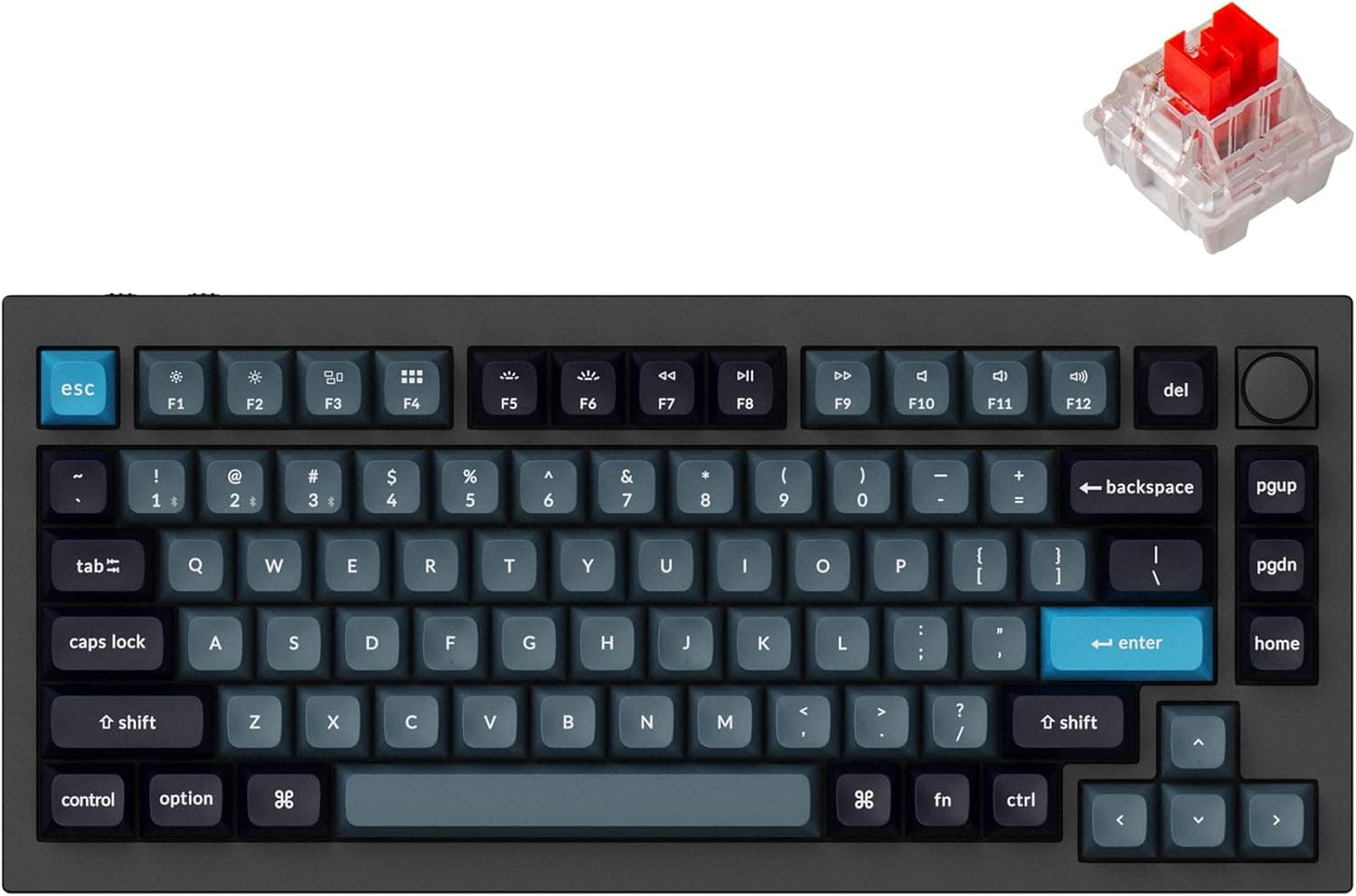
Keychron Q1 Pro Wireless Custom Mechanical Keyboard

$199.00
SEE PRICE
#2

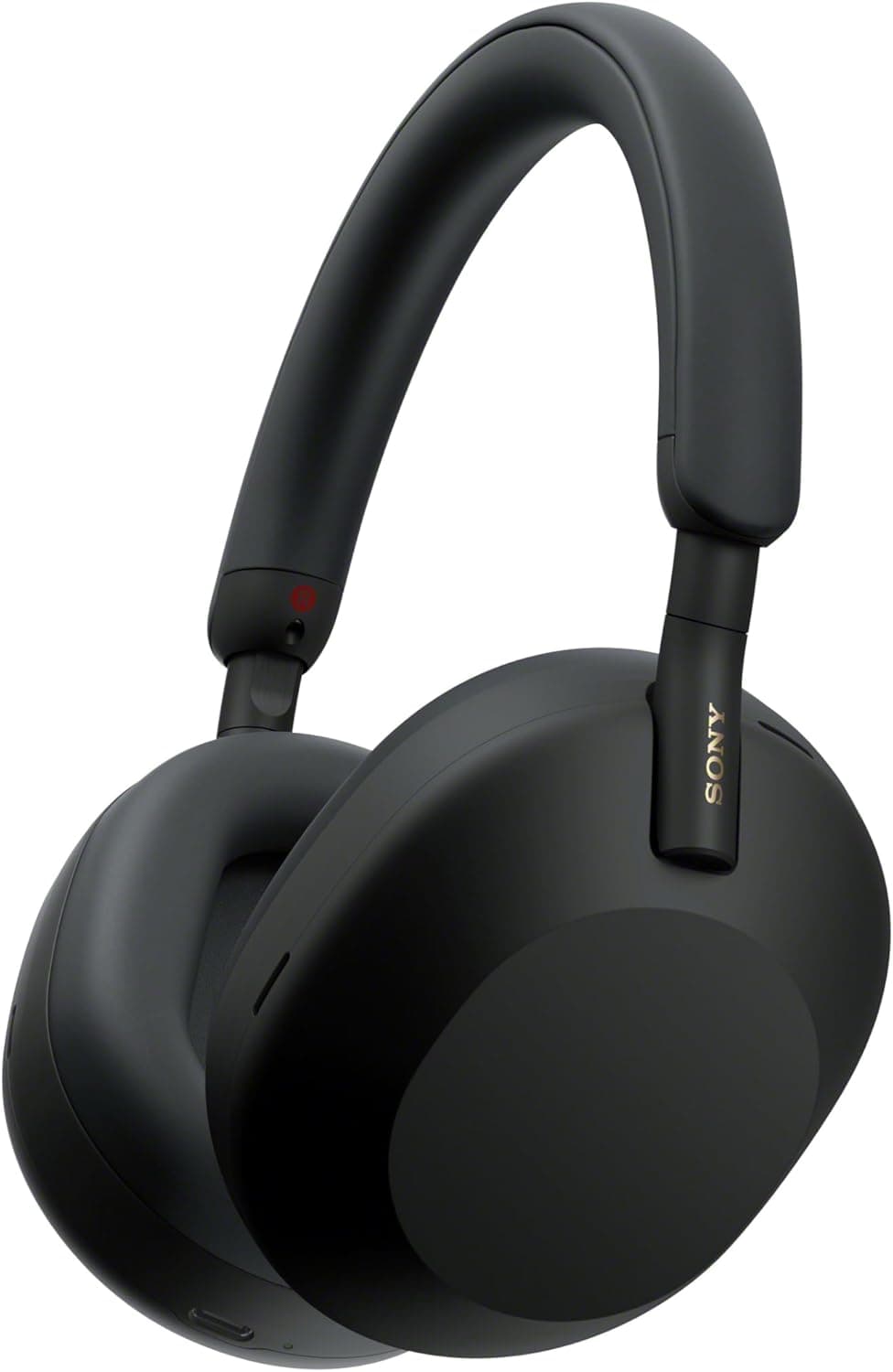
Sony WH-1000XM5 Wireless Noise-Cancelling Headphones

$328.00
SEE PRICE
#3

Logitech MX Master 3S Wireless Mouse

$99.99
SEE PRICE

FULL RANKINGS

BEST OVERALL
#1WiseBuy #1 Pick
Keychron Q1 Pro Wireless Custom Mechanical Keyboard - image 11/5

Keychron Q1 Pro Wireless Custom Mechanical Keyboard

4.6(1,850)
$199.00

We consider the Keychron Q1 Pro the single best gift you can hand a developer who spends eight-plus hours a day typing. The full-aluminum 75% layout is compact enough to free up desk space while keeping every key a programmer needs, including a dedicated function row and arrow cluster. Hot-swappable switches, QMK/VIA programmability, and Bluetooth 5.1 with a 4,000 mAh battery mean they can customize this board endlessly and use it wirelessly for up to 100 hours between charges. It ships ready to impress right out of the box.

Pros

  • Full CNC-machined aluminum body feels extraordinarily premium and weighs down nicely on the desk
  • Hot-swappable sockets let them experiment with different switches without soldering
  • QMK/VIA firmware makes every key fully programmable — a dream for IDE shortcut junkies
  • Bluetooth 5.1 plus wired USB-C gives flexible connectivity for any setup

Cons

  • At $199 it is a genuine splurge, though cheaper than most custom keyboards at this quality tier
  • The stock keycaps are good but enthusiasts will likely want to swap them for premium PBT sets
  • Gasket-mount design may feel too soft or bouncy for typists who prefer a rigid typing feel
BEST VALUE
#2
Sony WH-1000XM5 Wireless Noise-Cancelling Headphones - image 11/5

Sony WH-1000XM5 Wireless Noise-Cancelling Headphones

4.6(28,500)
$328.00

Open-plan offices and coffee shops are the natural habitats of software developers, and the WH-1000XM5 lets them code in peace no matter where they sit. Sony's Auto NC Optimizer uses eight microphones and two processors to adapt noise cancellation in real time, blocking out chatter, HVAC hum, and even nearby construction. We found the 30-hour battery easily lasted a full work week on a single charge, and the soft-fit leather ear pads stayed comfortable through marathon debugging sessions. If a developer in your life has been complaining about distractions, this is the gift.

Pros

  • Industry-leading adaptive noise cancellation blocks out virtually all office and travel noise
  • 30-hour battery comfortably covers an entire work week without charging
  • Multipoint Bluetooth connects to laptop and phone simultaneously for seamless call switching
  • Ultra-lightweight 250g design prevents headband fatigue during full-day wear

Cons

  • At $328 this is a premium investment, though prices frequently dip during sales events
  • The headband does not fold flat — the carrying case is larger than competitors like the Bose QC Ultra
  • Touch controls on the right ear cup are sensitive and can trigger accidentally
EDITOR'S PICK
#3
Logitech MX Master 3S Wireless Mouse - image 11/5

Logitech MX Master 3S Wireless Mouse

4.5(11,200)
$99.99

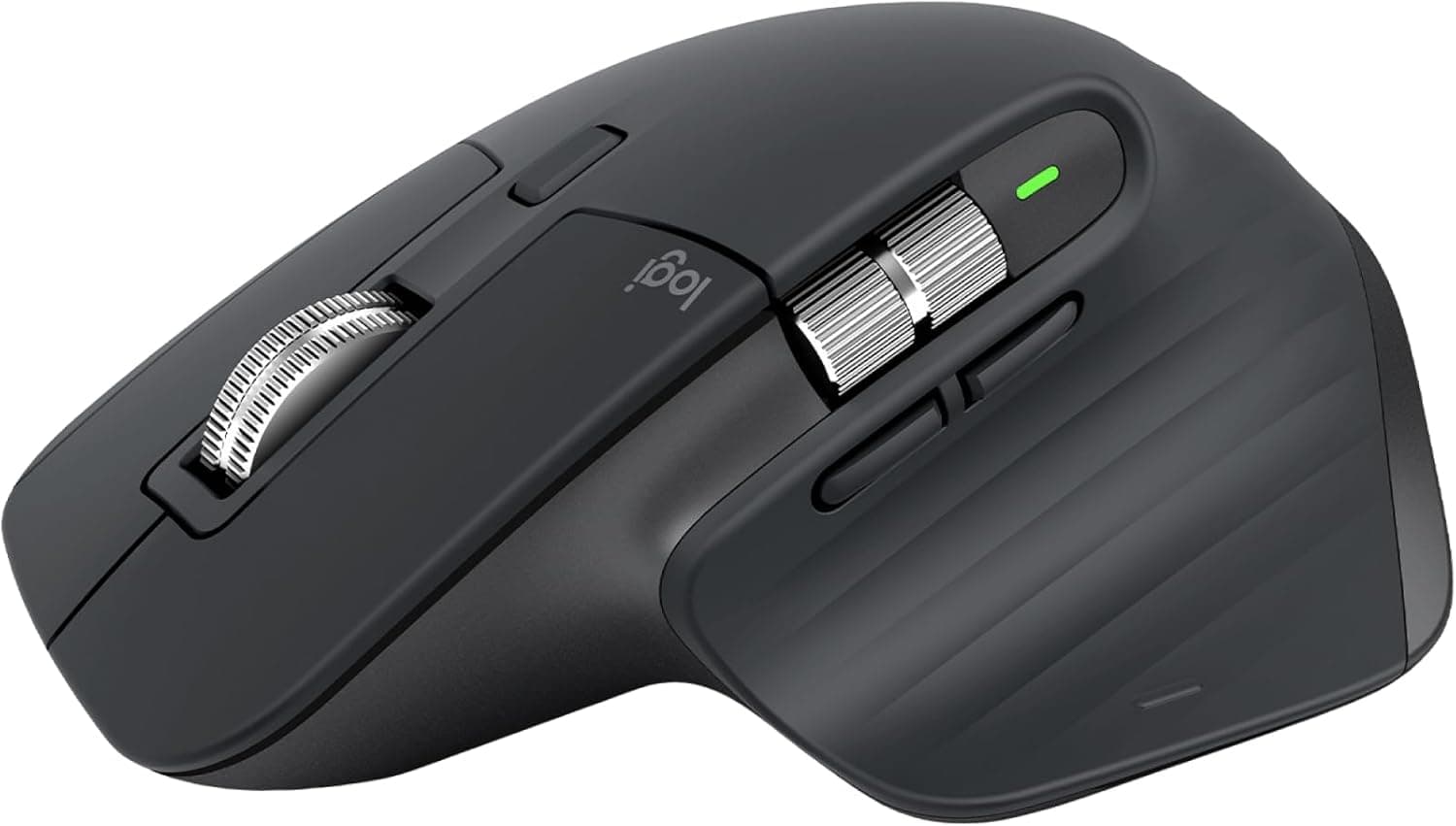
We're convinced the MX Master 3S is the mouse that most developers would buy for themselves if they hadn't already. The MagSpeed electromagnetic scroll wheel lets you fly through thousands of lines of code in a single flick, then ratchet precisely line-by-line for careful review. The ergonomic sculpt keeps the wrist neutral during long sessions, and the 8K DPI Darkfield sensor tracks on literally any surface, including glass. Pair it with up to three devices via Bluetooth or the Logi Bolt receiver, and Logitech Flow lets you drag files between computers seamlessly — perfect for developers juggling a work laptop and a personal machine.

Pros

  • MagSpeed scroll wheel switches between ratchet and free-spin modes — perfect for scrolling through long codebases
  • Ergonomic thumb rest and sculpted shape reduce wrist strain during all-day coding
  • Tracks on any surface including glass thanks to the Darkfield 8K DPI sensor
  • Quiet clicks are 90% less noisy than the previous generation — ideal for shared offices

Cons

  • Right-handed only — left-handed developers will need to look elsewhere
  • At 141 grams it is heavier than lightweight mice, which bothers some users
  • The Logi Options+ software can be resource-hungry and occasionally buggy on Linux
BEST SPLURGE
#4
Dell S3423DWC 34-Inch Curved Ultrawide Monitor - image 11/5

Dell S3423DWC 34-Inch Curved Ultrawide Monitor

4.5(3,400)
$379.99

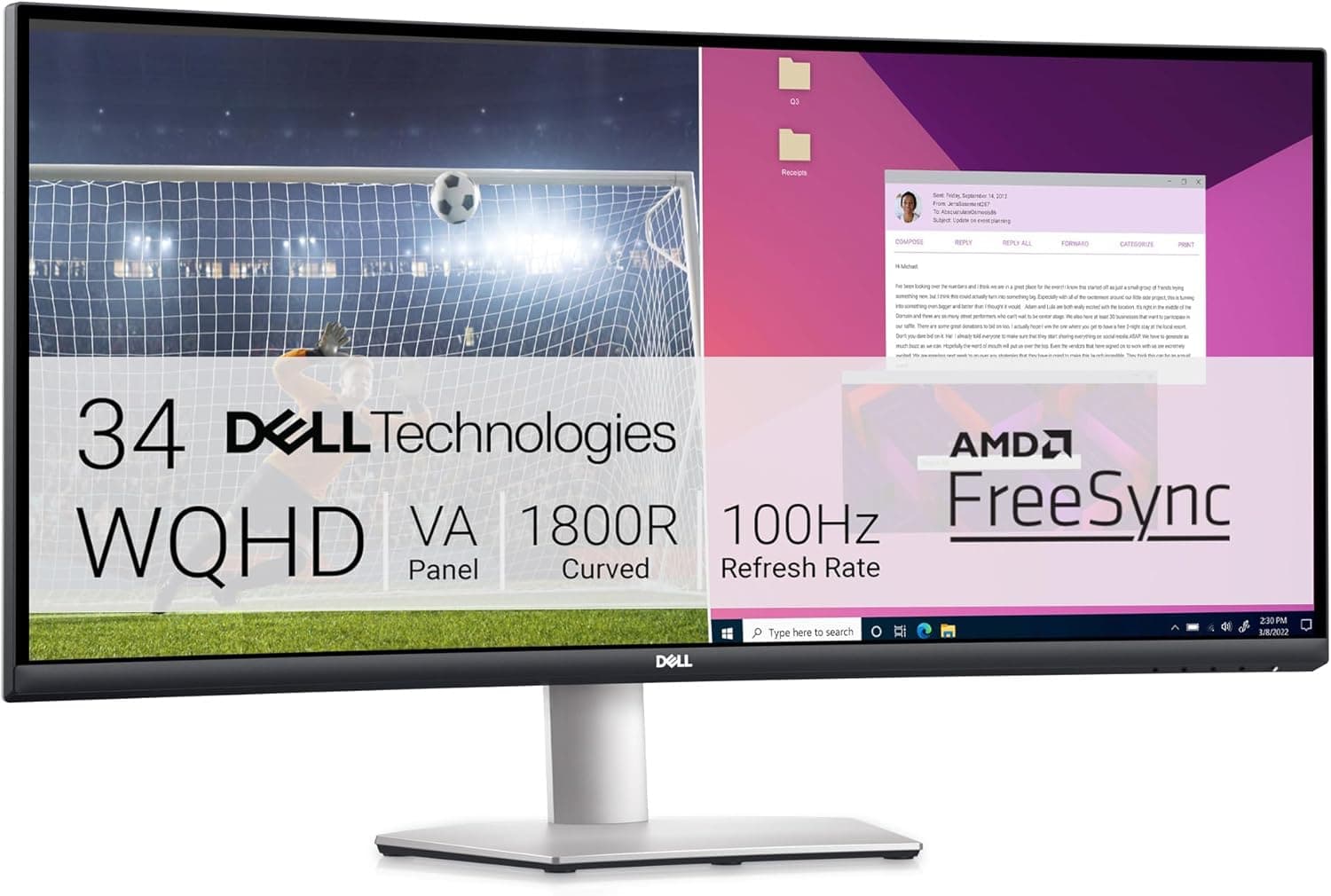
Nothing transforms a developer's workflow like an ultrawide monitor, and the Dell S3423DWC hits the sweet spot between price and performance. The 34-inch 3440x1440 VA panel gives you enough room to tile a code editor, terminal, and browser side by side without alt-tabbing. The built-in USB-C port delivers 65W of power while carrying video and data over a single cable — meaning one cord charges and connects their laptop simultaneously. We tested this with macOS, Windows, and Linux and found the plug-and-play experience flawless on all three.

Pros

  • 3440x1440 WQHD resolution provides 34% more horizontal pixels than a standard 27-inch 1440p display
  • USB-C with 65W power delivery means one cable for video, data, and charging
  • 1800R curvature wraps the screen edges into peripheral vision, reducing neck turning
  • 99% sRGB and 3000:1 contrast ratio produce vivid, accurate colors for front-end work

Cons

  • VA panel has slightly slower pixel response than IPS alternatives, which is noticeable if they also game competitively
  • 100Hz refresh rate is fine for coding but won't satisfy high-refresh-rate gaming enthusiasts
  • The stand adjusts tilt and height but does not swivel or pivot
BEST FOR LAPTOP USERS
#5
CalDigit TS4 Thunderbolt 4 Docking Station - image 11/5

CalDigit TS4 Thunderbolt 4 Docking Station

4.5(4,800)
$399.95

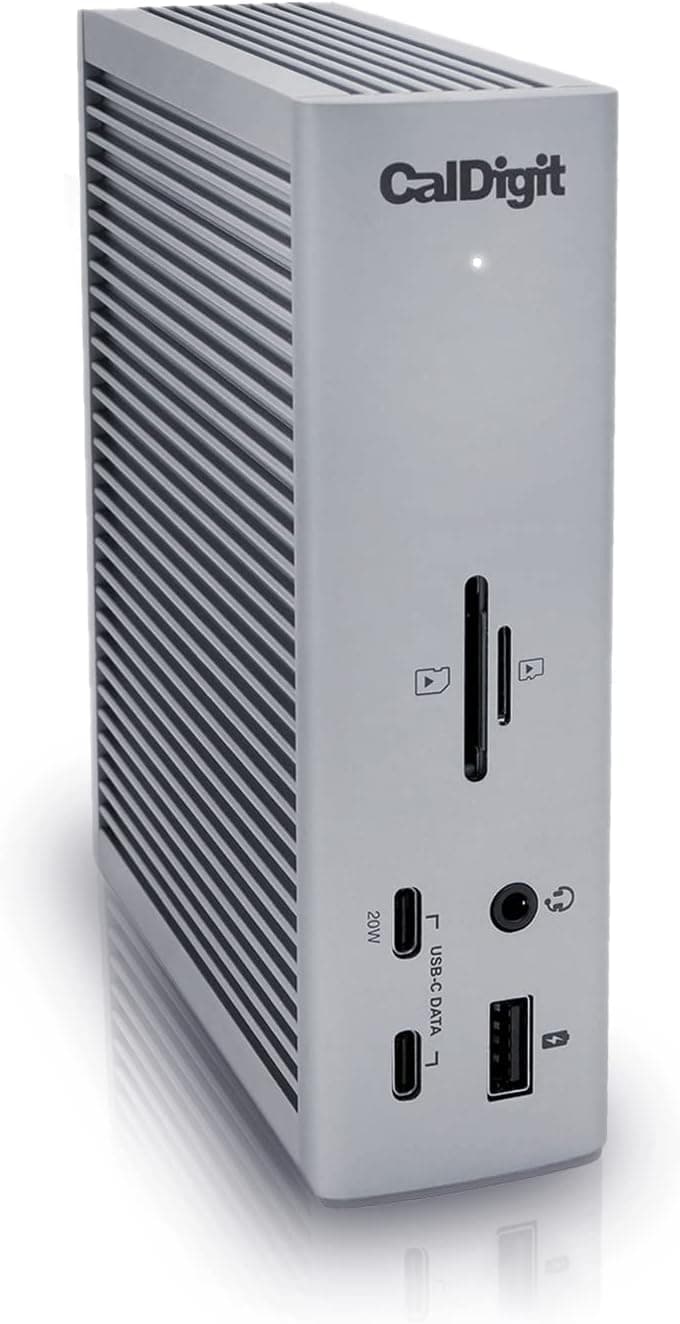
For developers who dock and undock a laptop every day, the CalDigit TS4 eliminates every cable headache in one elegant box. Its 18 ports include three Thunderbolt 4 connections at 40 Gb/s each, five USB-A and three USB-C ports all running at 10 Gb/s, a 2.5GbE Ethernet jack, and support for up to dual 6K displays. We tested it with M-series MacBooks, ThinkPads, and Framework laptops and everything connected instantly with a single cable. The 98W of power delivery is the highest available in any Thunderbolt 4 dock, so even power-hungry 16-inch laptops charge at full speed.

Pros

  • 18 ports cover every possible peripheral — monitors, drives, audio, networking, and more
  • 98W power delivery charges even large 16-inch laptops at full speed through one cable
  • 2.5GbE Ethernet is 2.5x faster than standard gigabit — great for large Git repo clones
  • Works flawlessly across macOS, Windows, Linux, and ChromeOS with no driver installs

Cons

  • At roughly $400 it's one of the most expensive docks on the market, though it replaces several cheaper adapters
  • The included 0.8m Thunderbolt cable is short and limits placement flexibility
  • Requires a Thunderbolt 4 or USB4 port to access all features — USB-C 3.2 hosts lose some functionality
MOST UNIQUE
#6
Elgato Stream Deck MK.2 Programmable Macro Pad - image 11/5

Elgato Stream Deck MK.2 Programmable Macro Pad

4.7(9,500)
$149.99

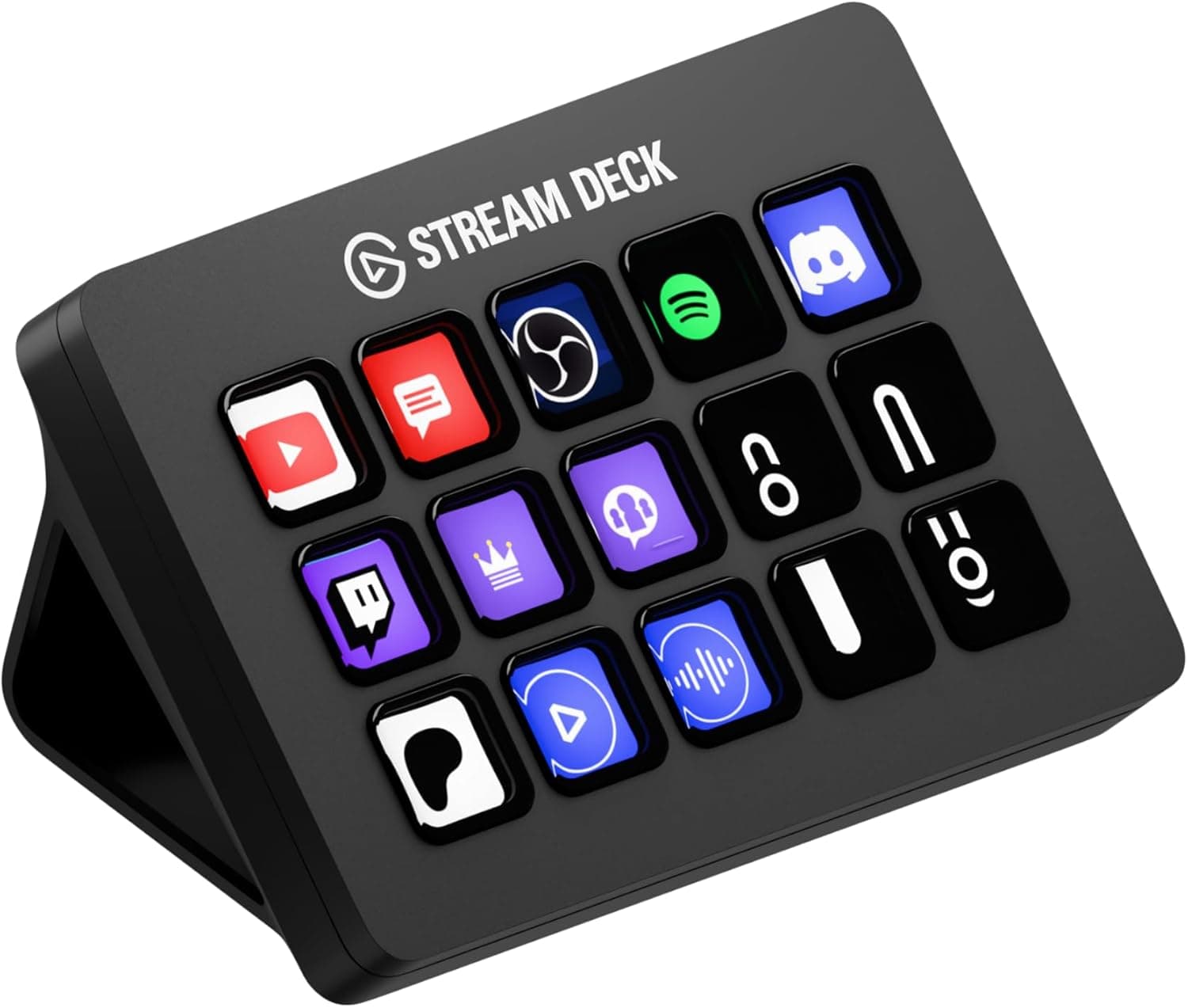
Most people think of the Stream Deck as a streaming tool, but developers are quietly adopting it as a programmable shortcut console for their entire workflow. We mapped its 15 customizable LCD keys to launch Docker containers, trigger CI/CD pipelines, toggle VPN connections, switch Git branches, and open specific VS Code workspaces — all with a single press. Each key displays a custom icon so you never forget what it does. If the developer in your life loves automating repetitive tasks, this gift will earn you hero status.

Pros

  • 15 fully customizable LCD keys can display icons, folders, and multi-action macros
  • Deep plugin ecosystem supports VS Code, JetBrains, OBS, Slack, Spotify, and more
  • Profiles can switch automatically based on the active application — different keys for different tools
  • Detachable USB-C cable and interchangeable faceplate keep the desk clean

Cons

  • Requires the Elgato Stream Deck software running in the background, which uses some system resources
  • The 15-key model may feel small for power users — though an XL version exists at a higher price
  • Linux support is community-driven rather than official, requiring third-party tools
BEST FOR HEALTH
#7
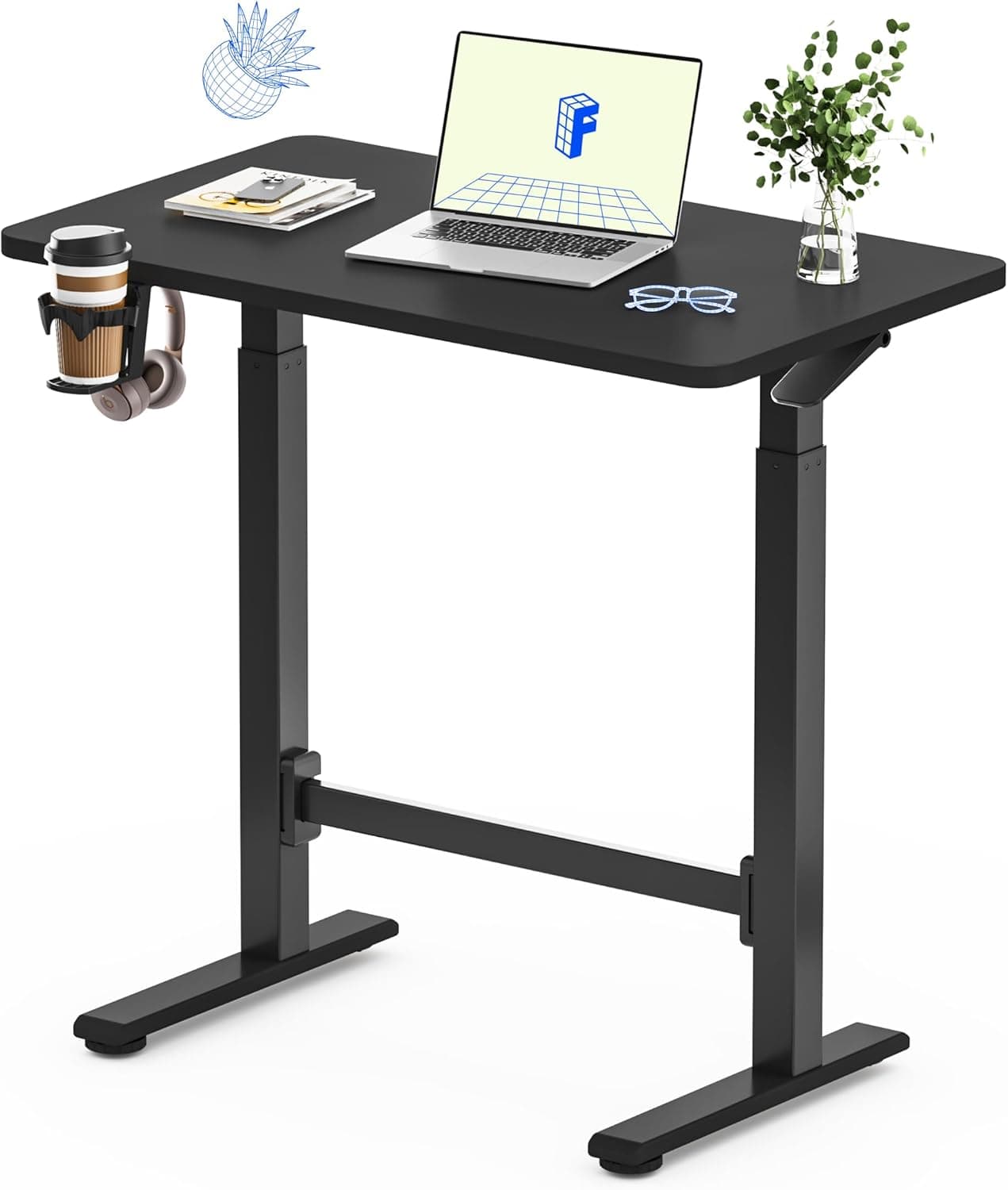
FlexiSpot EM7 Electric Standing Desk Converter - image 11/5

FlexiSpot EM7 Electric Standing Desk Converter

4.3(2,100)
$299.99

Not every developer can replace their entire desk, which is what makes the FlexiSpot EM7 such a thoughtful gift. This motorized converter sits on top of their existing desk and raises a 36-inch platform smoothly and quietly at the press of a button — no cranking, no gas springs, no wobble. We found it held two monitors and a laptop rock-steady at standing height, and the built-in keyboard tray kept our wrists at a comfortable angle. It's the easiest possible way to give a developer the health benefits of a sit-stand setup without a furniture overhaul.

Pros

  • Electric motor raises and lowers smoothly and quietly — no manual pumping required
  • 36-inch wide platform comfortably holds dual monitors plus peripherals
  • Sits on top of any existing desk so there's zero furniture disassembly or replacement
  • Sturdy steel bracing system eliminates wobble and shake at any height

Cons

  • At roughly $300 it's pricier than manual standing desk converters from the same brand
  • The unit itself weighs about 45 lbs, making it difficult to move once placed
  • No programmable height presets — you hold the button to reach your preferred height each time
BEST UNDER $50
#8
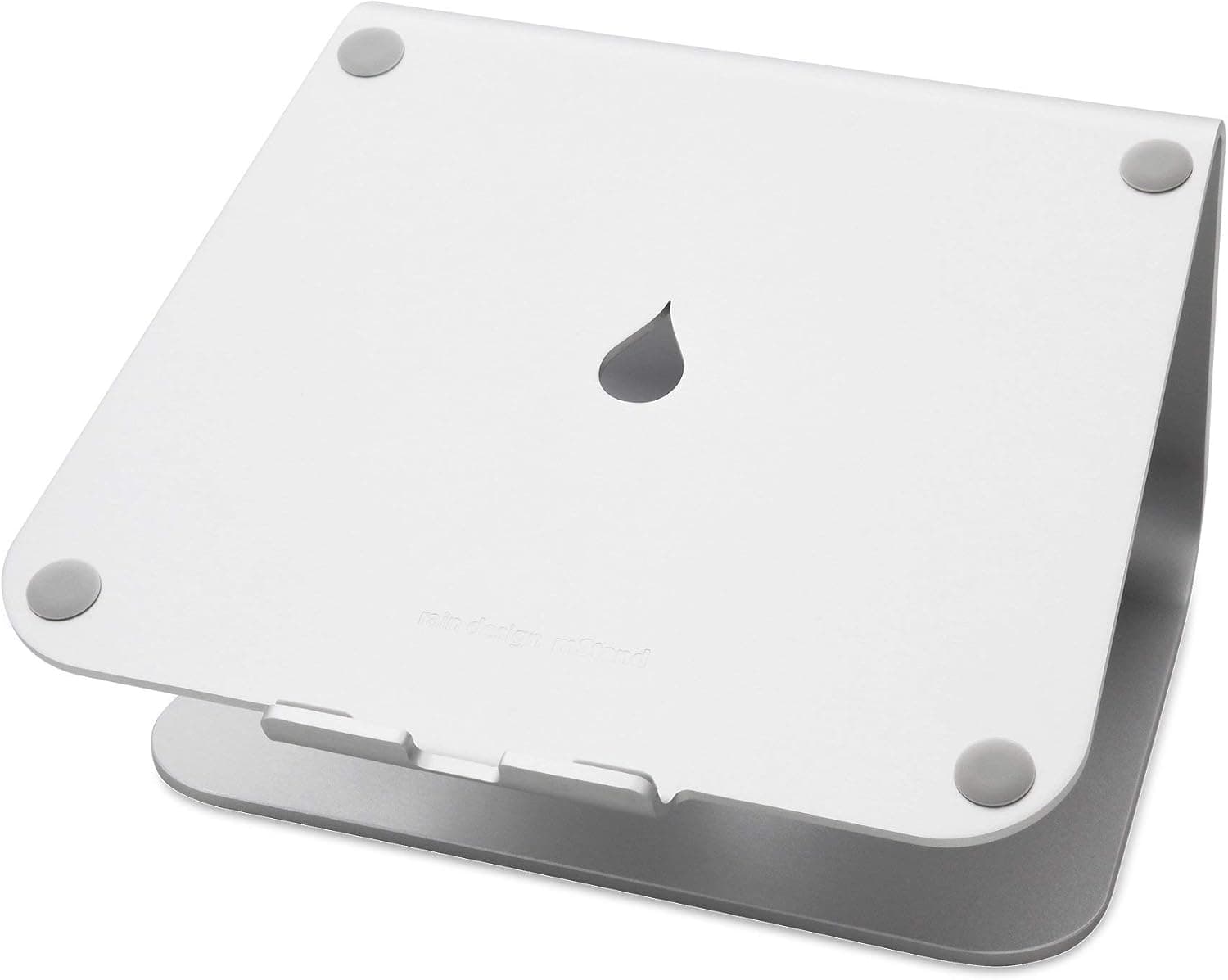
Rain Design mStand Laptop Stand - image 11/5

Rain Design mStand Laptop Stand

4.7(15,800)
$43.99

The Rain Design mStand is one of those gifts that developers use every single day and wonder how they ever lived without. Machined from a single piece of aluminum, it raises the laptop screen 5.9 inches to eye level, immediately improving posture and reducing neck strain. The aluminum body doubles as a passive heat sink, pulling warmth away from the laptop chassis. We've had one on our testing desk for over two years and it still looks and feels brand new. At under $50, it's the most universally appreciated gift on this list.

Pros

  • Single-piece aluminum construction feels premium and matches MacBook aesthetics perfectly
  • Raises screen 5.9 inches to ergonomic eye level, noticeably reducing neck and shoulder strain
  • Aluminum panel acts as a heat sink, passively cooling the laptop during heavy compilation tasks
  • Built-in cable routing hole keeps the desk tidy and organized

Cons

  • Fixed height and angle — there's no adjustability if 5.9 inches isn't their ideal elevation
  • Designed primarily for laptops up to 15 inches — 17-inch laptops may overhang slightly
  • Requires an external keyboard and mouse to use the laptop comfortably at the raised height
BEST BUDGET
#9
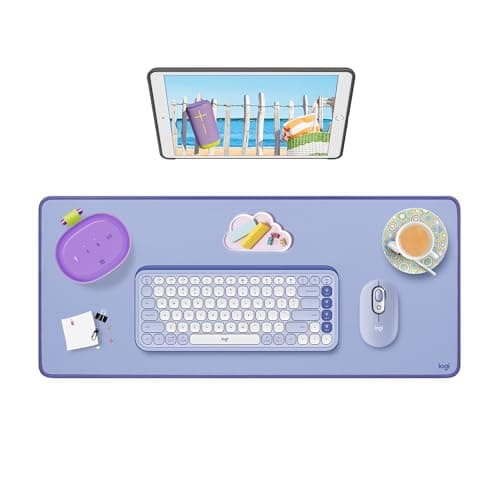
Logitech Desk Mat - Studio Series

Logitech Desk Mat - Studio Series

4.6(8,700)
$29.99

A premium desk mat might sound like a small thing, but developers who've switched to one never go back. The Logitech Studio Series mat covers a generous 27.5 x 11.8 inch area with a smooth, spill-resistant surface that makes mouse tracking buttery and consistent. The anti-slip rubber base grips the desk firmly so the mat never bunches or slides during intense coding sessions. We spilled coffee on ours during testing and it wiped clean in seconds — a realistic perk for any developer's desk. At $30, this is the perfect stocking stuffer or add-on gift.

Pros

  • Spill-resistant surface wipes clean instantly — a genuine lifesaver for coffee-drinking coders
  • Anti-slip rubber base keeps the mat firmly planted during aggressive mouse movements
  • Soft, smooth top layer provides consistent tracking for both optical and laser mice
  • Minimalist design in muted colors looks professional and complements any desk setup

Cons

  • At 27.5 x 11.8 inches it covers the mouse and keyboard area but not a full-width desk
  • Only available in a few neutral colorways — no bold or personalized options
  • The edges are not stitched, so they may eventually show wear after years of heavy use
BEST STOCKING STUFFER
#10
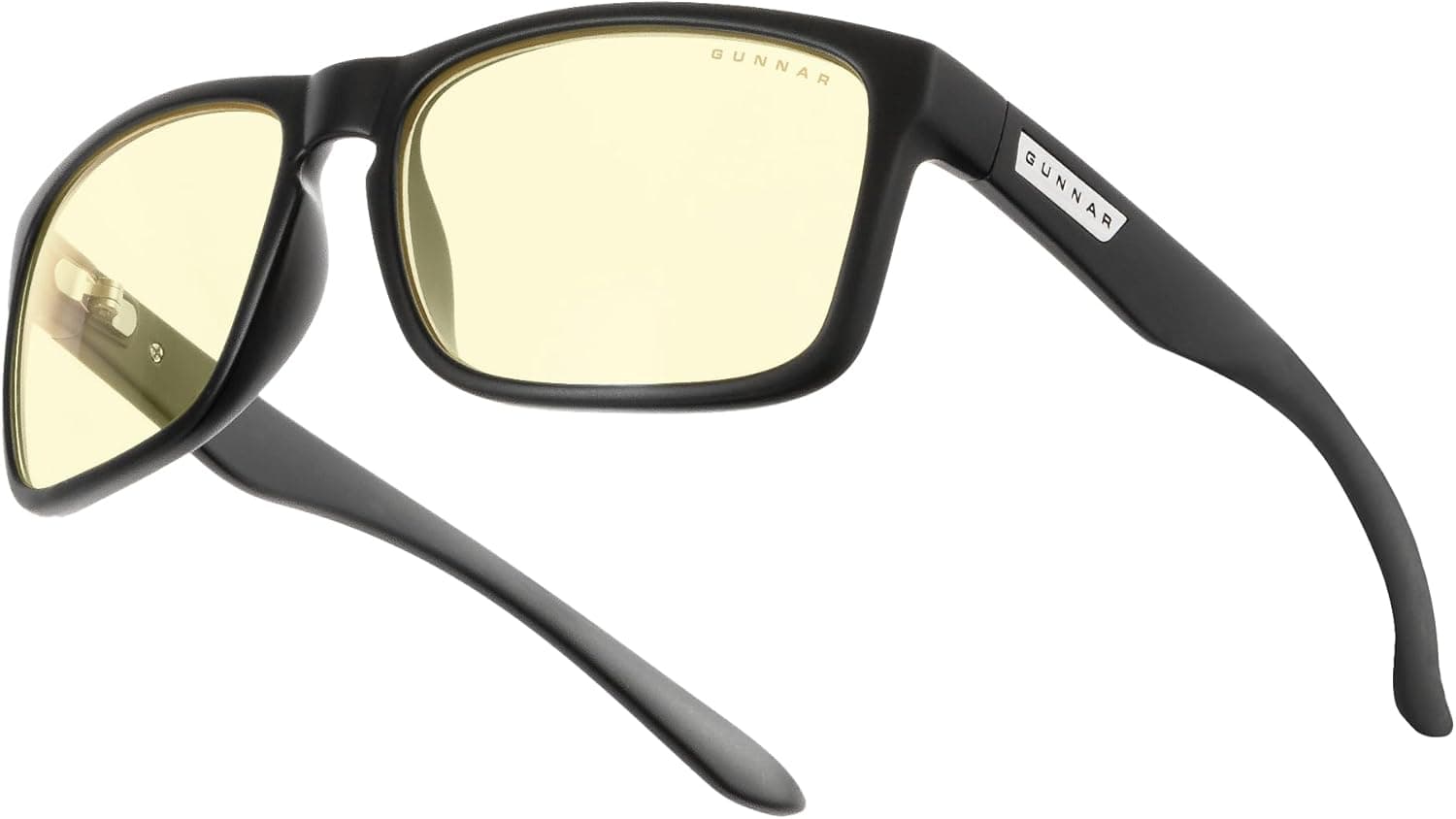
GUNNAR Intercept Computer Glasses - image 11/5

GUNNAR Intercept Computer Glasses

4.3(5,600)
$54.99

Developers stare at screens for 10+ hours a day, and blue light glasses are one of those gifts they appreciate far more than they'd expect. The GUNNAR Intercept blocks 65% of harmful blue light at the peak 450nm wavelength while its patented lens curvature creates a slight humidity barrier that reduces dry-eye symptoms. We wore them through late-night coding sessions and noticed measurably less eye fatigue and an easier time falling asleep afterward. They're lightweight at just 33 grams, and the wide frame fits comfortably over most face shapes without pinching.

Pros

  • Blocks 65% of peak blue light at 450nm — the most aggressive filtration in GUNNAR's standard line
  • Patented lens curvature creates a micro-climate that helps prevent dry eyes during long sessions
  • Lightweight 33-gram frame is comfortable enough to forget you're wearing them
  • Comes with a hard case, microfiber pouch, and cleaning cloth — ready to gift immediately

Cons

  • Amber tint noticeably shifts screen colors, which can be distracting for color-sensitive front-end work
  • The medium-to-large frame may not suit smaller face shapes comfortably
  • Non-prescription only — developers who already wear corrective lenses will need clip-on or prescription versions