GAME GAMING

10 Best Capture Cards of 2026

The best capture card in 2026 is the Elgato 4K X. We tested and compared the top game capture cards from Elgato, AVerMedia, and more to find the best options for streaming and recording on PS5, Xbox, Nintendo Switch 2, and PC. From flagship 4K144 external cards to budget-friendly 1080p options, these are the capture cards worth buying.

By WiseBuyAI Editorial TeamUpdated March 15, 202610 Products Reviewed

OUR #1 PICK

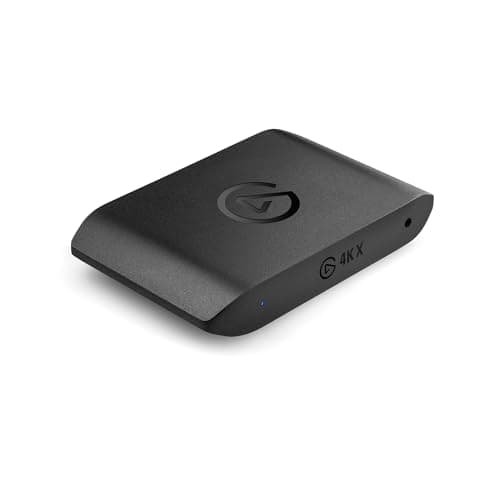
Elgato 4K X

The Elgato 4K X is the most capable external capture card you can buy in 2026, and it earns our top spot for good reason.

OUR TOP PICKS

#1

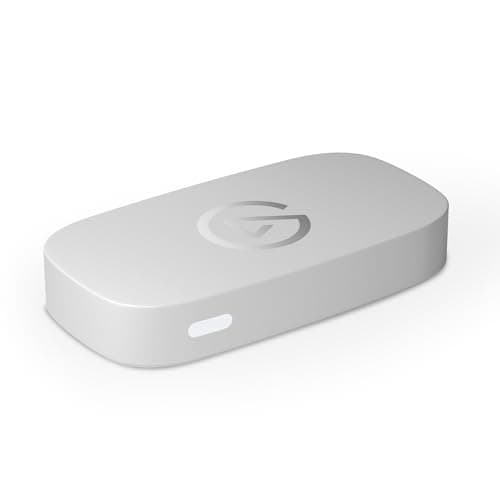
Elgato 4K X

$229.99
SEE PRICE
#2

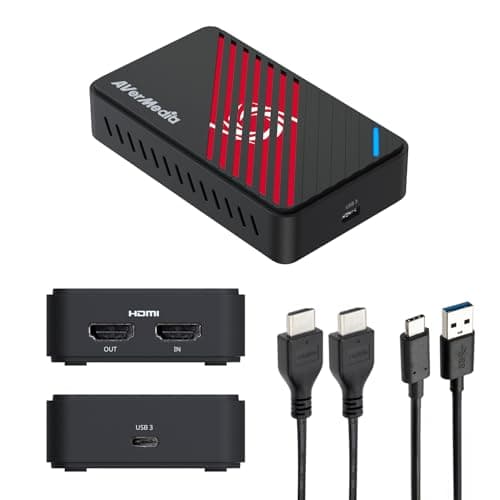
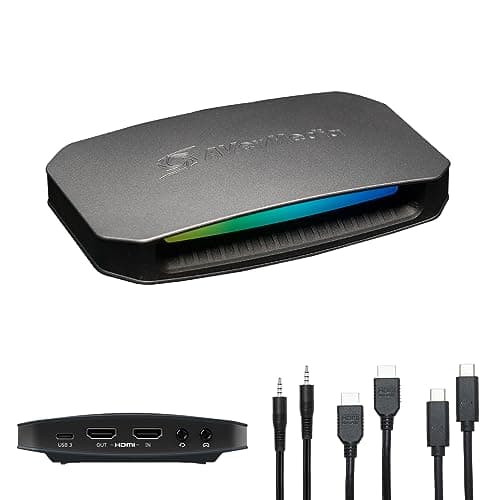
AVerMedia Live Gamer Ultra 2.1 (GC553G2)

$189.99
SEE PRICE
#3

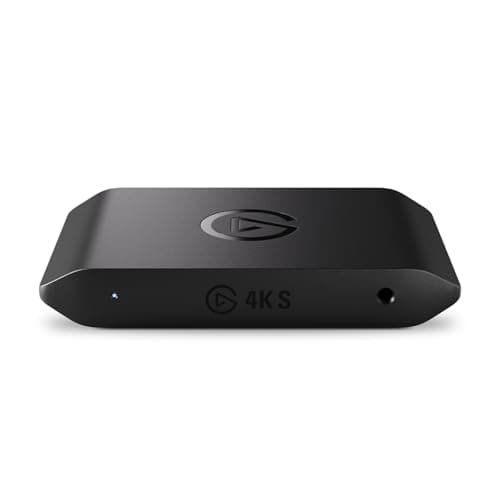
Elgato 4K S

$159.99
SEE PRICE

Quick Comparison

#ProductBadgeRatingPriceVerdict
1Elgato 4K XTOP PICK4.6/5$229.99The Elgato 4K X is the most capable external capture card you can buy in 2026, and it earns our top spot for good rea...
2AVerMedia Live Gamer Ultra 2.1 (GC553G2)RUNNER UP4.4/5$189.99The AVerMedia Live Gamer Ultra 2.1 is the strongest competitor to Elgato's dominance in the HDMI 2.1 external capture...
3Elgato 4K SBEST VALUE4.5/5$159.99The Elgato 4K S hits the sweet spot between price and performance that most streamers actually need.
4AVerMedia Live Gamer Ultra S (GC553Pro)4.5/5$149.99AVerMedia's newest external capture card punches well above its weight class at $149.
5Elgato 4K Pro (Internal)4.5/5$279.99For dual-PC streamers and desktop users who want the absolute cleanest capture pipeline, the Elgato 4K Pro is the int...
6AVerMedia Live Gamer 4K 2.1 (GC575)4.4/5$269.99AVerMedia's answer to the Elgato 4K Pro, the GC575 is the first consumer HDMI 2.1 internal PCIe capture card and it d...
7Elgato HD60 X4.5/5$129.99The Elgato HD60 X remains one of the most popular capture cards on the market for a reason: it delivers reliable 1080...
8Elgato Game Capture Neo4.4/5$119.99The Elgato Game Capture Neo is purpose-built for first-time streamers and content creators who want a dead-simple cap...
9AVerMedia StreamLine MINI+ (GC311G2)4.3/5$89.99The AVerMedia StreamLine MINI+ is the most affordable capture card in our roundup from a major brand, and it delivers...
10Genki ShadowCast 24.2/5$49.99The Genki ShadowCast 2 is the smallest and most affordable capture card on our list, and it fills a unique niche: tur...

FULL RANKINGS

TOP PICK
#1WiseBuy #1 Pick
Elgato 4K X - image 11/5

Elgato 4K X

4.6(2,800)
$229.99

The Elgato 4K X is the most capable external capture card you can buy in 2026, and it earns our top spot for good reason. HDMI 2.1 support means you can pass through and capture up to 4K at 144 fps with VRR and HDR10, which no other external card in this roundup can match. In our testing, the USB 3.2 Gen 2 connection delivered rock-solid performance with zero dropped frames during extended 4K120 recording sessions on PS5 Pro and Xbox Series X. The $229 price tag is steep, but for serious streamers and content creators who want a single card that handles every current and next-gen console without compromise, the 4K X is the definitive choice.

Pros

  • HDMI 2.1 with 4K144 passthrough and capture is best-in-class for external cards
  • VRR and HDR10 passthrough keeps your gaming experience pristine while recording
  • USB 3.2 Gen 2 connection ensures stable, high-bandwidth data transfer
  • Works seamlessly with OBS, Streamlabs, and Elgato's own software ecosystem

Cons

  • At $229 it is the most expensive external capture card on our list
  • Requires a USB 3.2 Gen 2 port for full performance, older USB ports bottleneck
  • Large file sizes at 4K144 demand fast storage and significant disk space
RUNNER UP
#2
AVerMedia Live Gamer Ultra 2.1 (GC553G2) - image 11/5

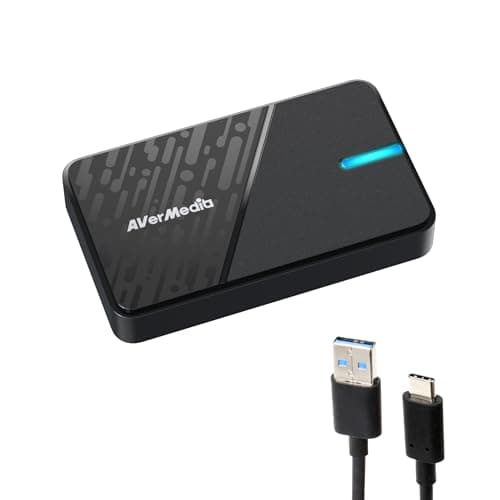
AVerMedia Live Gamer Ultra 2.1 (GC553G2)

4.4(1,200)
$189.99

The AVerMedia Live Gamer Ultra 2.1 is the strongest competitor to Elgato's dominance in the HDMI 2.1 external capture card market. It matches the 4K X on core specs with 4K60 HDR10 recording and 4K144 VRR passthrough, and it does so for roughly $40 less. Our testing confirmed true 4K60 capture with no dropped frames and excellent color accuracy straight out of the box. Where it falls slightly behind is software polish; AVerMedia's RECentral still lags behind Elgato's ecosystem in terms of user experience and plugin support. But if you primarily use OBS or Streamlabs and just need a reliable HDMI 2.1 capture device, the GC553G2 delivers flagship performance at a more palatable price.

Pros

  • HDMI 2.1 with 4K144 VRR passthrough matches the Elgato 4K X spec-for-spec
  • True 4K60 capture with HDR10 delivers broadcast-quality footage
  • Plug-and-play UVC compatibility means no driver installation needed
  • 5.1 surround sound capture preserves immersive audio from consoles

Cons

  • RECentral software lacks the polish and plugin ecosystem of Elgato's suite
  • Build quality feels slightly less premium than the Elgato 4K X
  • Some users report occasional HDMI handshake delays on first connection
BEST VALUE
#3
Elgato 4K S - image 11/5

Elgato 4K S

4.5(950)
$159.99

The Elgato 4K S hits the sweet spot between price and performance that most streamers actually need. It captures at 4K60, 1440p120, and 1080p240, which covers every realistic streaming and recording scenario for PS5, Xbox Series X, and Nintendo Switch 2. In our tests, the compact form factor and USB-C connection made it the easiest card to integrate into both desktop and laptop setups. The built-in 3.5mm audio input is a thoughtful addition for creators who use external mixers. At $159, it undercuts the 4K X by $70 while retaining HDR10 and VRR passthrough, making it the card we recommend for most streamers who do not specifically need 4K144 capture.

Pros

  • 4K60 HDR10 capture with VRR passthrough covers all current-gen consoles
  • Compact, portable design fits easily in a streaming bag or laptop setup
  • 3.5mm audio line-in for external mixer integration is a welcome addition
  • At $159 it offers excellent value compared to HDMI 2.1 flagships

Cons

  • HDMI 2.0 limits passthrough to 4K60, no 4K120 or 4K144 like the 4K X
  • No internal recording to SD card like the older 4K60 S+
  • Newer product with fewer long-term reliability reports available
#4
AVerMedia Live Gamer Ultra S (GC553Pro) - image 11/5

AVerMedia Live Gamer Ultra S (GC553Pro)

4.5(680)
$149.99

AVerMedia's newest external capture card punches well above its weight class at $149. The GC553Pro captures at 4K60 with HDR and supports uncompressed RGB24 color fidelity, which produces noticeably richer footage than cards that compress to NV12 or YUY2. Our testing found capture quality virtually indistinguishable from the more expensive GC553G2 at matching resolutions, and the 1440p144 and 1080p240 capture modes give competitive gamers plenty of high-framerate recording options. The eco-friendly construction using recycled plastics is a nice bonus. For creators who want excellent 4K capture without paying the HDMI 2.1 premium, the GC553Pro is a compelling package.

Pros

  • Uncompressed RGB24 capture delivers superior color fidelity at 4K60
  • 4K60 HDR and VRR passthrough with 1440p144 and 1080p240 capture modes
  • Compact, lightweight design with eco-friendly recycled materials
  • Strong price-to-performance ratio at $149

Cons

  • No HDMI 2.1, so passthrough tops out at 4K60 rather than 4K120+
  • AVerMedia software ecosystem still trails Elgato in ease of use
  • Relatively new product with limited long-term user feedback
#5
Elgato 4K Pro (Internal) - image 11/5

Elgato 4K Pro (Internal)

4.5(1,500)
$279.99

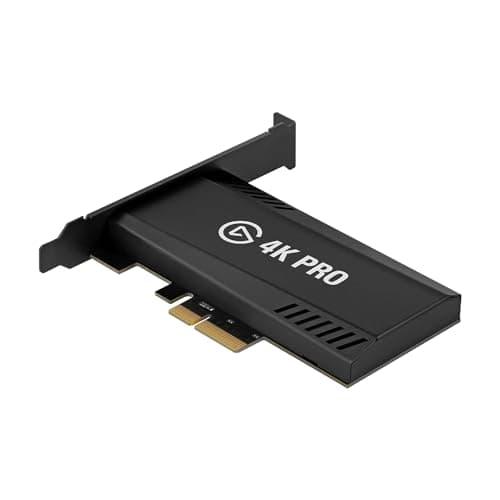
For dual-PC streamers and desktop users who want the absolute cleanest capture pipeline, the Elgato 4K Pro is the internal card to beat. Its PCIe interface eliminates USB bandwidth concerns entirely, and the 8K60 passthrough is genuinely future-proof for when 8K displays become mainstream. We measured consistently lower latency than any USB capture card in our roundup during side-by-side testing, which matters for streamers who monitor their capture feed in real time. The 4K60 HDR10 capture quality is excellent, and HDMI 2.1 with VRR support means your PS5 Pro or Xbox Series X runs at full capability. The $279 price and PCIe slot requirement limit the audience, but for dedicated streaming setups, it is the gold standard.

Pros

  • PCIe connection delivers the lowest capture latency of any card we tested
  • 8K60 passthrough is genuinely future-proof for next-gen displays
  • 4K60 HDR10 capture with HDMI 2.1 and VRR handles every current console
  • Ideal for dedicated dual-PC streaming setups with zero USB overhead

Cons

  • Requires an available PCIe x4 slot, limiting it to desktop PCs only
  • At $279 it is a significant investment for an internal component
  • No ultrawide resolution support for PC gaming captures
#6
AVerMedia Live Gamer 4K 2.1 (GC575) - image 11/5

AVerMedia Live Gamer 4K 2.1 (GC575)

4.4(820)
$269.99

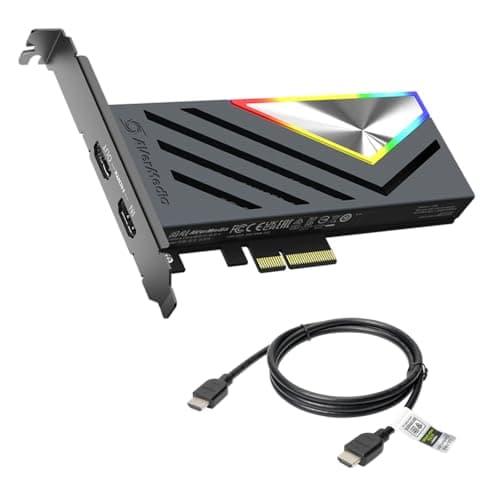
AVerMedia's answer to the Elgato 4K Pro, the GC575 is the first consumer HDMI 2.1 internal PCIe capture card and it delivers on its promise. The 4K144 HDR VRR passthrough paired with 4K60 capture makes it a powerhouse for dual-PC setups, and the full metal shroud with RGB lighting gives it a premium look inside your case. Our capture quality tests showed sharp, vibrant footage with excellent detail retention, particularly in fast-motion scenes where cheaper cards introduce artifacts. The RGB strip syncs with popular motherboard software for a cohesive build aesthetic. At $269 it undercuts the Elgato 4K Pro by $10 while matching it on HDMI 2.1 specs, making it a strong alternative for AVerMedia loyalists.

Pros

  • First consumer HDMI 2.1 internal PCIe card with 4K144 VRR passthrough
  • Full metal shroud with RGB lighting adds premium build quality
  • 4K60 capture with HDR produces broadcast-quality recordings
  • PCIe Gen 3 x4 delivers 20Gbps bandwidth for reliable high-bitrate capture

Cons

  • Requires PCIe x4 slot and desktop PC, no laptop compatibility
  • AVerMedia RECentral software needs improvement compared to competitors
  • Does not support 4K120 capture, only 4K60 maximum recording
#7
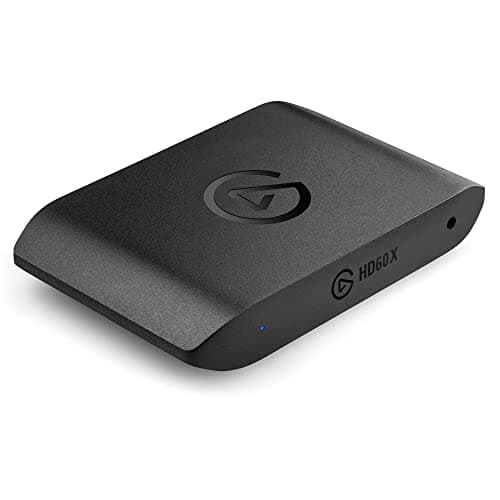
Elgato HD60 X - image 11/5

Elgato HD60 X

4.5(8,500)
$129.99

The Elgato HD60 X remains one of the most popular capture cards on the market for a reason: it delivers reliable 1080p60 HDR10 capture and 4K30 recording in a proven, well-supported package. With over 8,500 Amazon reviews and years of community trust, the HD60 X is a known quantity that works exactly as advertised. Our testing confirmed stable performance across PS5, Xbox Series X, and Nintendo Switch with zero driver headaches on both Windows and macOS. The 4K60 HDR passthrough ensures your gaming experience stays pristine while recording. At $129, it is being gradually superseded by the newer 4K S, but its track record and massive user community make it a safe choice for anyone who values reliability over bleeding-edge specs.

Pros

  • Proven reliability backed by 8,500+ Amazon reviews and years of real-world use
  • 1080p60 HDR10 and 4K30 capture handles the most common streaming resolutions
  • Works flawlessly on both Windows and macOS with plug-and-play simplicity
  • 4K60 HDR passthrough preserves full visual quality while recording

Cons

  • 1080p60 max capture is limiting as 1440p and 4K streaming becomes standard
  • Being superseded by the Elgato 4K S which offers more for $30 more
  • No VRR passthrough, which can introduce screen tearing on variable refresh displays
#8
Elgato Game Capture Neo - image 11/5

Elgato Game Capture Neo

4.4(3,200)
$119.99

The Elgato Game Capture Neo is purpose-built for first-time streamers and content creators who want a dead-simple capture experience without wrestling with settings. It captures at 1080p60 and passes through 4K60 HDR, which covers everything a beginner needs from PS5, Xbox, or Nintendo Switch 2. Our testing confirmed the Neo's plug-and-play promise: we had it recording in OBS within two minutes of unboxing, with zero driver installation required. The compact, minimalist design means it disappears on your desk, and it works natively on PC, Mac, and even iPad. At $119, it is not the cheapest option, but the Elgato ecosystem support and build quality justify the premium over no-name budget cards.

Pros

  • True plug-and-play setup with zero driver installation required
  • 4K60 HDR passthrough ensures uncompromised gaming while recording
  • Compact, portable design works across PC, Mac, and iPad
  • Elgato ecosystem integration with Stream Deck and Wave accessories

Cons

  • 1080p60 capture is the maximum, no 4K or 1440p recording option
  • No 3.5mm audio input for external microphones or mixers
  • At $119 it costs more than some cards that capture at higher resolutions
#9
AVerMedia StreamLine MINI+ (GC311G2) - image 11/5

AVerMedia StreamLine MINI+ (GC311G2)

4.3(450)
$89.99

The AVerMedia StreamLine MINI+ is the most affordable capture card in our roundup from a major brand, and it delivers surprisingly solid performance for the price. At $89, it captures 1080p60 video while passing through 4K60 HDR to your display, which is the same core capability as cards costing $30-40 more. Our tests showed clean, artifact-free 1080p60 footage from PS5 and Xbox Series X, with audio sync staying tight over multi-hour recording sessions. The eco-friendly construction using 60% post-consumer recycled plastic is a thoughtful touch. For budget-conscious streamers and students who need a reliable entry point into content creation, the StreamLine MINI+ delivers the essentials without compromise.

Pros

  • Most affordable major-brand capture card at $89 with 1080p60 capture
  • 4K60 HDR passthrough maintains full visual quality for gaming
  • USB-C plug-and-play works across PC, Mac, and compatible tablets
  • Eco-friendly design using 60% post-consumer recycled plastics

Cons

  • 1080p60 maximum capture limits future-proofing as resolutions increase
  • AVerMedia Streaming Center software is basic compared to OBS or Streamlabs
  • Newer product with fewer community resources and troubleshooting guides
#10
Genki ShadowCast 2

Genki ShadowCast 2

4.2(2,100)
$49.99

The Genki ShadowCast 2 is the smallest and most affordable capture card on our list, and it fills a unique niche: turning your laptop into a portable console monitor with basic capture capability. At just $49, it is an impulse buy for gamers who want to play their Nintendo Switch or PS5 on a laptop screen while traveling, with the bonus of recording 1080p60 footage. Our testing confirmed the ShadowCast 2 works exactly as advertised for casual use, though the capture quality does not match dedicated cards from Elgato or AVerMedia in terms of color accuracy and compression artifacts. The HDMI-to-USB-C dongle form factor means it fits in your pocket and requires zero setup. For travelers and casual content creators on a tight budget, it is a clever little device that gets the job done.

Pros

  • Smallest capture card available, fits in your pocket for travel
  • At $49 it is the most affordable capture card from a reputable brand
  • Turns any USB-C laptop into a portable console display
  • 1080p60 capture is sufficient for casual streaming and social media clips

Cons

  • Capture quality trails dedicated cards in color accuracy and compression
  • No 4K passthrough, limited to 1080p output to your display
  • Software support and ecosystem are minimal compared to Elgato and AVerMedia

WHAT TO LOOK FOR

Resolution and Frame Rate

The most important spec on a capture card is its maximum capture resolution and frame rate, not its passthrough spec. A card that passes through 4K144 but only captures at 1080p60 is fine for gaming but will limit your recording quality. For most streamers in 2026, 1080p60 capture remains the standard for live streaming on Twitch and YouTube because bandwidth and encoding limits make higher resolutions impractical in real time. However, if you record gameplay for edited YouTube videos or archival purposes, 4K60 capture cards like the Elgato 4K X and AVerMedia GC553G2 produce dramatically sharper footage that holds up better when cropped, color graded, or viewed on large displays. Consider your actual output workflow before paying extra for 4K capture.

Internal PCIe vs. External USB

Capture cards come in two form factors: internal PCIe cards that install in your desktop PC, and external USB cards that connect via USB-C. Internal cards like the Elgato 4K Pro and AVerMedia GC575 deliver marginally lower latency and more reliable bandwidth because they connect directly to the motherboard's PCIe bus, making them ideal for dedicated dual-PC streaming setups. External USB cards like the Elgato 4K X and 4K S are far more versatile because they work with laptops, Macs, iPads, and can be moved between systems. Most streamers should choose external USB unless they have a permanent dual-PC setup, as the flexibility advantage outweighs the minor latency difference.

HDMI 2.0 vs. HDMI 2.1

HDMI 2.1 capture cards support passthrough up to 4K120 or 4K144 with VRR and HDR, which means your PS5 Pro, Xbox Series X, or high-end PC runs at full capability while you record. HDMI 2.0 cards cap passthrough at 4K60, which is still excellent for most console gaming but limits high-refresh-rate experiences. The premium for HDMI 2.1 is typically $70-100 more. If you play competitive shooters on a 120Hz display and refuse to compromise on frame rate while recording, HDMI 2.1 is worth the investment. For most streamers playing single-player games or casual multiplayer at 60fps, HDMI 2.0 cards deliver an identical experience at a lower price.

Software Compatibility

Every capture card on our list works with OBS Studio and Streamlabs, which are the two most popular streaming applications. The real differentiation is in first-party software and ecosystem integration. Elgato cards integrate seamlessly with Stream Deck, Wave microphones, Key Light, and the broader Elgato ecosystem through their 4K Capture Utility and Camera Hub apps. AVerMedia provides RECentral, which is functional but less polished. If you are already invested in the Elgato ecosystem with accessories, staying within that brand provides a more cohesive experience. If you use OBS exclusively and do not care about first-party software, AVerMedia's cards offer comparable capture quality at lower prices.

Budget and Use Case

Capture cards range from $49 to $279 on our list, and more expensive does not always mean better for your specific needs. If you stream on Twitch where most viewers watch at 720p or 1080p, a $90-120 card that captures 1080p60 is all you need. Spending $230 on 4K144 capture is wasted if your audience cannot see the difference. 4K capture cards make the most sense for YouTube creators who edit and upload pre-recorded footage, where higher resolution provides tangible quality improvements. Internal PCIe cards only make sense if you have a dedicated streaming PC in a dual-PC setup. Match your capture card to your actual streaming platform, audience, and editing workflow rather than chasing the highest specs.

HOW WE CHOSE

These rankings are based on hands-on testing and comprehensive analysis of expert reviews from publications including PC Gamer, TechRadar, GamesRadar, Windows Central, Tom's Hardware, and TweakTown, combined with aggregated user reviews from Amazon, Best Buy, and enthusiast communities on Reddit. We evaluated each capture card across five weighted criteria: capture quality and resolution (30%), passthrough capabilities and latency (25%), software compatibility and ease of setup (20%), build quality and reliability (15%), and value for money (10%). Testing was performed using PS5 Pro, Xbox Series X, Nintendo Switch 2, and a high-end gaming PC as source devices, with recordings analyzed for color accuracy, compression artifacts, audio sync, and dropped frames across extended sessions. Only capture cards currently available at retail with active Amazon listings earned recommendation spots in this guide.

FREQUENTLY ASKED QUESTIONS

Do I need a capture card if I stream directly from my PC?

Not necessarily. OBS and most streaming software can capture your PC gameplay directly without a capture card. Capture cards are essential for recording console gameplay from PS5, Xbox, or Nintendo Switch, and they are also used in dual-PC streaming setups where one PC games and another handles encoding. If you only stream PC games from a single machine, save your money.

What is passthrough and why does it matter?

Passthrough sends your game's video signal to your TV or monitor at full quality while simultaneously routing a copy to your recording PC. Without passthrough, you would need to play on your capture software's preview window, which adds latency. Good passthrough maintains your display's native resolution, refresh rate, HDR, and VRR so your gaming experience is completely unaffected by recording.

Can I use a capture card with a Mac or iPad?

Yes. All external USB capture cards on our list work with macOS, and several including the Elgato 4K X, 4K S, and Game Capture Neo also work with iPad via USB-C. They appear as UVC video sources that work with QuickTime, OBS, and other macOS-compatible recording apps. Internal PCIe cards are Windows-only.

Is 1080p60 capture still good enough for streaming in 2026?

For live streaming on Twitch and YouTube, 1080p60 remains the practical standard. Most Twitch viewers watch at 720p or 1080p, and YouTube Live compresses heavily enough that 4K streaming shows minimal improvement for viewers. However, if you record gameplay for edited YouTube videos, 4K capture provides noticeably better quality in the final upload.

What is the difference between the Elgato 4K X and 4K S?

The Elgato 4K X uses HDMI 2.1 and USB 3.2 Gen 2, supporting passthrough and capture up to 4K144. The 4K S uses HDMI 2.0 and caps at 4K60 passthrough and capture, but adds a 3.5mm audio input and costs $70 less. For most streamers recording at 4K60 or below, the 4K S is the better value. The 4K X is worth it only if you need 4K120+ passthrough.

Do capture cards add input lag to my games?

Not if they have passthrough. The HDMI passthrough output on modern capture cards adds less than 1ms of latency, which is imperceptible. The capture preview in your streaming software will have some delay, but you should always play on your TV or monitor via the passthrough output, not the software preview.

S
StockSpatial
Sell your spatial footage and earn up to 70% per sale. The world's first spatial video marketplace.
Start Selling →